
1. Introduzione
This manual provides detailed instructions for the setup, operation, and maintenance of your MOES Smart Wake Up Light. Please read this manual thoroughly before using the device to ensure proper function and to maximize your user experience. This device combines a digital alarm clock with sunrise and sunset simulation, FM radio, natural sounds, and smart control features.
2. Prodotto finitoview
Familiarize yourself with the components and controls of your Smart Wake Up Light.

Figura 2.1: Fronte view of the MOES Smart Wake Up Light, showing the light panel and digital display.

Figura 2.2: Posteriore view and button layout of the MOES Smart Wake Up Light, indicating various controls and ports.
Pulsanti di controllo e porte:
- Setting "+"/Volume "+": Increase value or volume.
- Snooze/Night Light Switch: Activate snooze or turn on/off night light.
- Setting "-"/Volume "-": Decrease value or volume.
- Allarme 1/Allarme 2: Set or activate Alarm 1 or Alarm 2.
- Interruttore della luce: accende o spegne la luce.
- Regolazione della luminosità della luce: Adjust the intensity of the light.
- Impostazione della luminosità/tempo del display: Adjust display brightness or set time.
- FM Switch: Turn FM radio on or off.
- Sintonizzazione FM: Tune FM radio frequencies.
- Addormentarsi: Activate sleep aid function.
- Batteria a bottone: Backup battery compartment.
- Ingresso micro USB: Porta di ingresso alimentazione.
- Reset: Reset the device to factory settings.
- Uscita USB: USB port for charging external devices.
- Antenna FM: Connect the FM antenna for better reception.
3 Caratteristiche
- Controllo vocale a mani libere: Compatible with Amazon Alexa and Google Home for voice commands. Requires 2.4GHz WiFi.
- Controllo dell'app Smart Life: Manage all functions via the Tuya/Smart Life App on your smartphone.
- Sunrise/Sunset Simulation: Gradually brightens before your alarm time (10-60 minutes) and dims for sleep. Brightness adjustable from 5% to 100%.
- Multiple Alarms with Snooze: Features 4 alarms, including options for separate workday and weekend settings. Snooze function provides 8-15 extra minutes of sleep.
- 7 Natural Sounds and FM Radio: Choose from pure music, birds, forest, waves, beeping, or FM radio for wake-up sounds. FM radio frequency range: 76-108.0MHz.
- 7 Colors of Atmosphere Lights: Select from various colors for ambient lighting.
4. Impostazione
4.1 Collegamento di alimentazione
- Connect the provided Micro USB cable to the Micro USB Input port on the back of the device.
- Plug the other end of the cable into a suitable AC power adapter (not always included, use a standard 5V USB adapter).
- Il dispositivo si accenderà e il display si illuminerà.
4.2 Impostazione iniziale dell'ora
Upon first power-on or after a reset, you may need to set the time manually. Refer to the 'Operating Instructions' section for detailed time setting procedures.
4.3 Connessione Wi-Fi e app
To utilize smart features, connect the device to your home 2.4GHz Wi-Fi network via the Smart Life/Tuya App.
- Scarica il Vita intelligente or Tuya intelligente app from your mobile device's app store (Google Play or Apple App Store).
- Registrati o accedi al tuo account.
- Ensure your mobile device is connected to a 2.4GHz Wi-Fi network. The Smart Wake Up Light only supports 2.4GHz Wi-Fi.
- Sul dispositivo, tieni premuto il tasto Posticipare button until the Wi-Fi icon on the display blinks rapidly, indicating pairing mode.
- In the app, tap '+' to add a device, then select 'Lighting' or 'Small Home Appliances' and find 'Wake Up Light' or 'Alarm Clock'.
- Follow the in-app instructions to complete the connection. This typically involves confirming the Wi-Fi network and entering the password.
- Once connected, the Wi-Fi icon will stop blinking and remain solid.
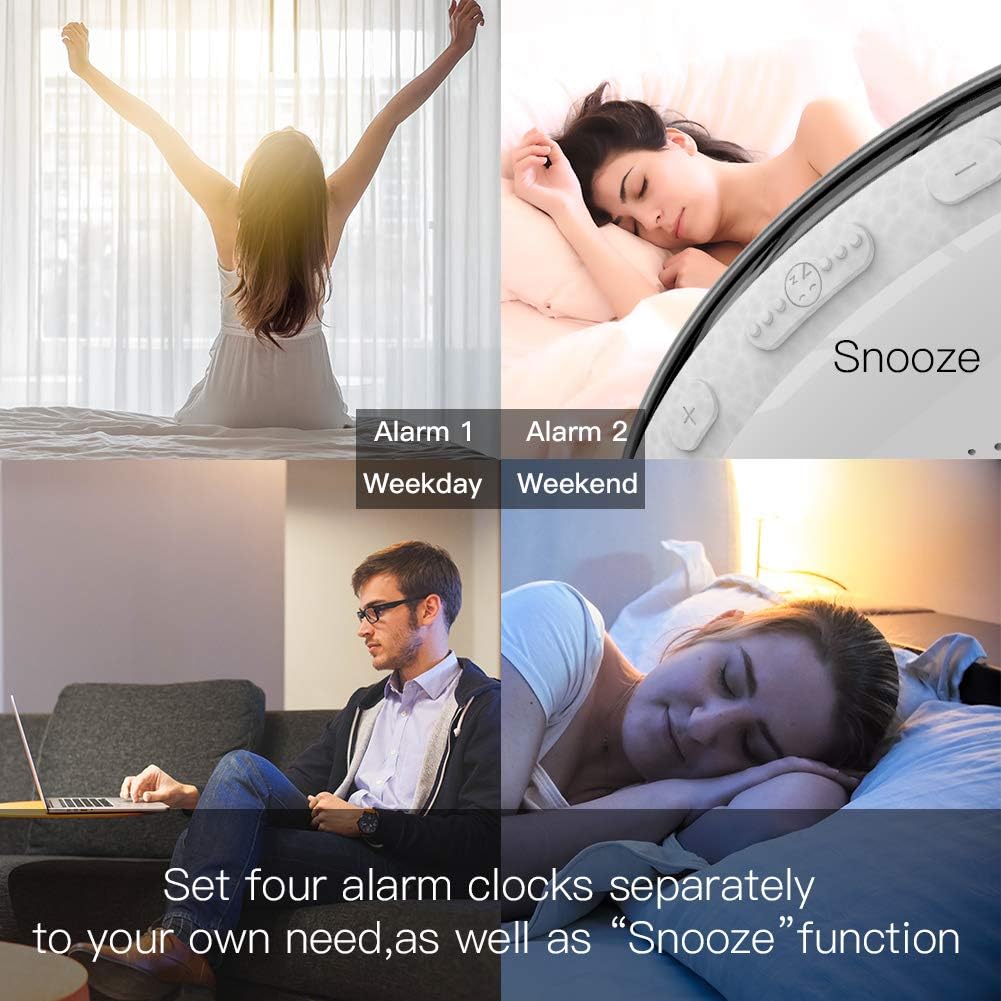
Figure 4.1: Image illustrating the setting of multiple alarms, including options for weekday and weekend.
5. Istruzioni per l'uso
5.1 Impostazione dell'ora
- Premere il tasto Impostazione della luminosità/tempo del display pulsante. Le cifre dell'ora lampeggeranno.
- Utilizzare il Setting "+" E Setting "-" pulsanti per regolare l'ora.
- Premere il tasto Impostazione della luminosità/tempo del display nuovamente il pulsante per passare alla regolazione dei minuti. Le cifre dei minuti lampeggeranno.
- Utilizzare il Setting "+" E Setting "-" pulsanti per regolare i minuti.
- Premere il tasto Impostazione della luminosità/tempo del display button once more to confirm and exit.
5.2 Sunrise Simulation Alarm
The sunrise simulation gradually increases light intensity before your set alarm time.
- Premere il tasto Allarme 1 or Allarme 2 pulsante per selezionare una sveglia.
- Utilizzare il Setting "+" E Setting "-" pulsanti per impostare l'ora della sveglia.
- Configure the duration of the sunrise simulation (10-60 minutes) and the final brightness level (5%-100%) via the Smart Life App or device settings.
- Select your desired wake-up sound (natural sound or FM radio).
- Per attivare la funzione snooze, premere il tasto Posticipare button when the alarm sounds. This will provide an additional 8-15 minutes of sleep.

Figure 5.1: Visual representation of the sunrise simulation, gradually brightening the room, and sunset simulation, gradually dimming the light.
5.3 Sunset Simulation (Sleep Aid)
The sunset simulation gradually decreases light intensity to help you fall asleep.
- Premere il tasto Addormentarsi pulsante.
- Set the duration for the dimming process and the starting brightness level using the Smart Life App or device settings.
- The light will slowly dim until it turns off.
5.4 Natural Sounds and FM Radio
- Suoni naturali: When setting an alarm, you can choose from 7 pre-programmed natural sounds (pure music, birds, forest, waves, beeping).
- Radio FM: To activate FM radio, press the FM Switch button. Long press the Sintonizzazione FM button for 2 seconds to automatically scan and save available stations. Use the Setting "+" E Setting "-" buttons to manually tune or select saved stations.
- Regolare il volume utilizzando il Volume "+" E Volume "-" pulsanti.
Figure 5.2: Illustration of the various wake-up sounds available, including FM radio, and the device displaying a blue light.
5.5 Controllo vocale (Alexa/Google Home)
After successfully connecting the device to the Smart Life/Tuya App and linking it to your Amazon Alexa or Google Home account:
- You can use voice commands to control the light, set alarms, or turn the FM radio on/off.
- Example commands: "Alexa, turn on [device name] light", "Hey Google, set an alarm for 7 AM on [device name]", "Alexa, turn off [device name] radio".
- Note: To stop an alarm via voice, you may need to specifically command