
Gigaset E290A
Gigaset E290A Cordless Phone with Answering Machine User Manual
Model: E290A | Brand: Gigaset
Introduzione
The Gigaset E290A is a cordless telephone designed for ease of use, featuring an integrated answering machine. It combines a modern design with functions specifically developed for users with visual, auditory, or tactile needs. The large keys, highly readable backlit display, and ergonomic handset shape ensure comfortable operation for all ages. This manual provides essential information for setting up, operating, and maintaining your Gigaset E290A.
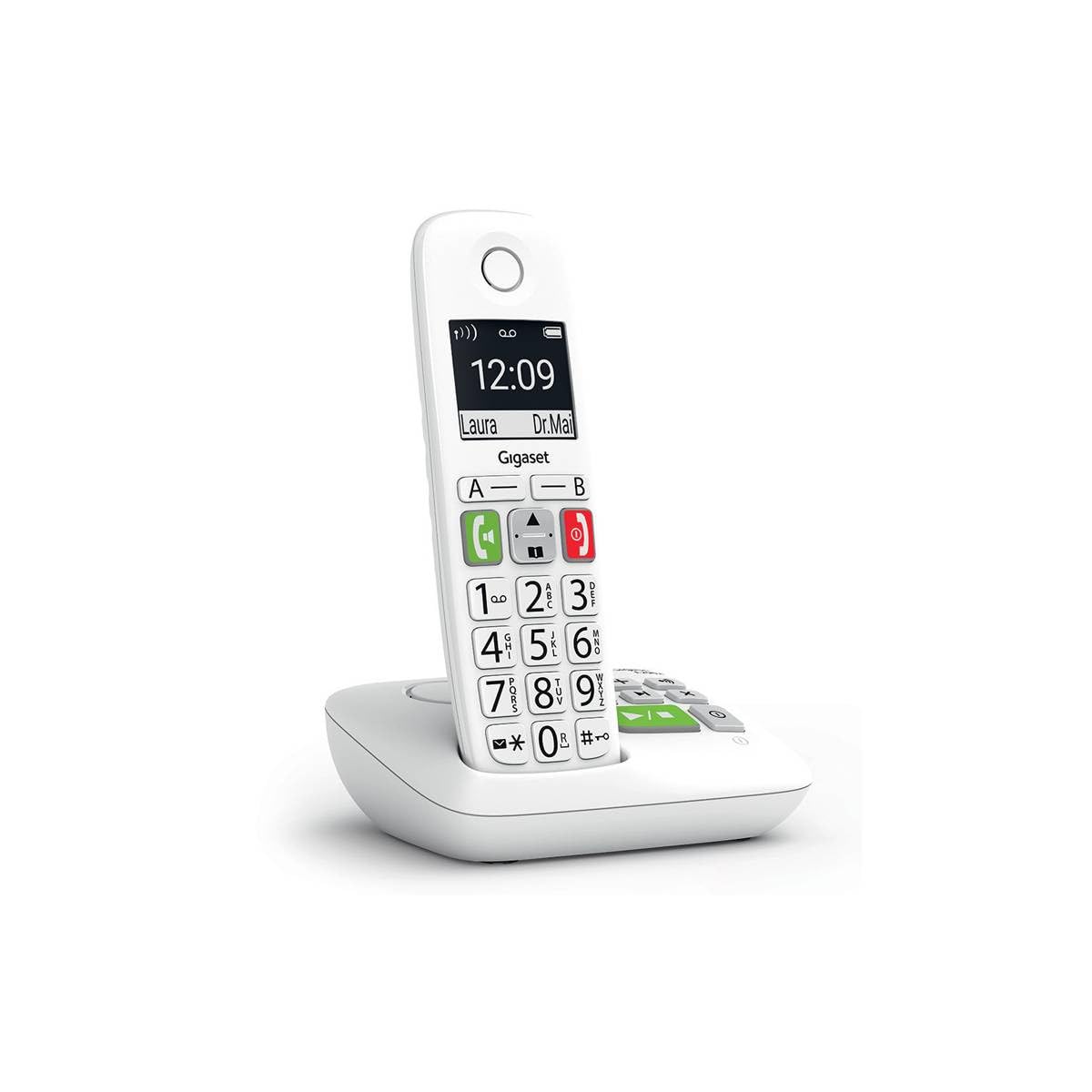
Image: The Gigaset E290A cordless phone, showing the handset and base station.
Informazioni sulla sicurezza
- Use only the power adapter and telephone cord supplied with the device.
- Non esporre il telefono a temperature estreme, alla luce solare diretta o a elevata umidità.
- Avoid placing the phone near heat sources or in areas with strong electromagnetic fields.
- Use only approved rechargeable batteries. Do not dispose of batteries in fire.
- Non aprire il dispositivo casing. Le riparazioni devono essere eseguite solo da personale di assistenza autorizzato.
- Tenere il telefono fuori dalla portata dei bambini.
Contenuto della confezione
Verifica che il pacco contenga i seguenti articoli:
- 1 portatile Gigaset E290A
- 1 Gigaset E290A Base Station with integrated answering machine
- 1 Power Adapter for the base station
- 1 cavo della linea telefonica
- 2 batterie ricaricabili AAA
- 1 Coperchio della batteria
- Questo manuale utente
Impostare
1. Collegamento della stazione base
- Collegare l'adattatore di alimentazione alla stazione base e inserirlo in una presa a muro.
- Connect the telephone line cord to the base station and plug the other end into your telephone wall socket.
- Place the base station on a flat, stable surface, away from other electronic devices that might cause interference.

Image: The Gigaset E290A base station, illustrating the connection points for power and telephone line.
2. Inserimento delle batterie nel telefono
- Aprire il coperchio del vano batterie sul retro del portatile.
- Inserire le due batterie ricaricabili AAA in dotazione, assicurandosi della corretta polarità (+/-).
- Chiudere il coperchio del vano batterie.
- Place the handset on the base station to charge. The display will indicate charging status. Allow at least 8 hours for the initial charge.
3. Registrazione del portatile
The handset is usually pre-registered to the base station. If not, or if you are adding an additional handset:
- On the base station, press and hold the registration/paging key for approximately 3 seconds. The base station will enter registration mode.
- On the handset, navigate to the menu, select Impostazioni, Poi Registrazione, and follow the on-screen prompts. You may need to enter a PIN (default is 0000).
- Once registered, the handset display will show the internal number (e.g., "HS 1").
Istruzioni per l'uso
Effettuare e ricevere chiamate
- Effettuare una chiamata: Enter the phone number using the large keypad and press the green call key (📞).
- Ricevere una chiamata: When the phone rings, press the green call key (📞) per rispondere.
- Terminare una chiamata: Premere il tasto rosso di fine chiamata (⛔).
- Chiamate in vivavoce: During a call, press the hands-free key (🔊) per attivare il vivavoce.

Image: Close-up of the Gigaset E290A handset, highlighting the large, easy-to-read keys for dialing.
Utilizzo della segreteria telefonica
The Gigaset E290A features an integrated digital answering machine with up to 30 minutes of recording time.
- Attivazione/Disattivazione: Access the answering machine menu on the handset or press the dedicated key on the base station.
- Riproduzione dei messaggi: Press the play key on the base station or navigate through the handset menu.
- Registrazione di un annuncio: Follow the menu prompts to record your personal greeting.
Elenco telefonico
Memorizza fino a 150 contatti nella rubrica.
- Aggiungere un contatto: Go to the phonebook menu, select "New Entry," and enter the name and number.
- Quick Dial Keys: The phone has two direct access keys (A and B) for quickly calling two pre-stored numbers. Assign these numbers via the phonebook settings.
Call Blocking
Block unwanted calls by adding up to 32 numbers to a blacklist. You can also block anonymous calls.
- Adding to Blacklist: From the call list or phonebook, select a number and choose the "Block" option.
- Blocking Anonymous Calls: Enable this feature in the call blocking settings to automatically reject calls from hidden numbers.

Image: Illustration of the call blocking feature on the Gigaset E290A, showing how to manage unwanted calls.
Impostazioni audio
- Audio Boost Mode: Activate this mode for an even louder volume, facilitating high-definition listening.
- Compatibilità con gli apparecchi acustici: The phone is compatible with hearing aids. You can also adjust the frequency range to suit personal hearing capabilities.
Impostazioni di visualizzazione
- Modalità Jumbo: In Jumbo mode, all dialed digits appear in large characters on the 34 x 37 mm backlit black and white display, which has increased contrast for optimal readability.
- Navigazione nel menu: Menu navigation is also simplified with an adapted character size.

Image: The Gigaset E290A display showing large characters in Jumbo Mode for enhanced readability.
Manutenzione
- Pulizia: Pulisci il ricevitore e la stazione base con un panno morbido e asciutto.amp panno. Non usare detergenti abrasivi o solventi.
- Cura della batteria: To maintain battery life, fully discharge and recharge the handset batteries periodically. If the phone will not be used for an extended period, remove the batteries.
- Magazzinaggio: Quando non lo si utilizza, conservare il telefono in un luogo fresco e asciutto.
Risoluzione dei problemi
| Problema | Possibile causa | Soluzione |
|---|---|---|
| Nessun display sul portatile | Le batterie sono scariche o inserite in modo errato. | Charge batteries for at least 8 hours. Check battery polarity. |
| Nessun tono di linea | Cavo della linea telefonica non collegato o difettoso. | Check telephone line connection to base and wall socket. Try a different cord. |
| Handset cannot register | Base station not in registration mode or incorrect PIN. | Ensure base is in registration mode. Re-enter default PIN (0000). |
| Scarsa qualità del suono | Il portatile è troppo lontano dalla base, c'è interferenza o la batteria è scarica. | Move closer to the base. Avoid other electronic devices. Charge handset. |
| Difficulty programming features | Complex menu navigation or unfamiliarity with settings. | Refer to the specific section in this manual for detailed steps. Contact support if issues persist. |
Specifiche
| Marca | Gigaset |
| Numero di modello | E290A |
| Colore | Bianco |
| Tipo di telefono | Senza fili |
| Tipo di sistema di risposta | Digitale |
| Dispositivi compatibili | Telephone networks (PSTN, ISDN), external communication devices |
| Batterie richieste | 2 AAA (alcaline) |
| Materiale | Plastica |
| Fonte di alimentazione | Cavo elettrico |
| Dimensioni articolo (LxPxA) | Dimensioni: 22.4 x 16.6 x 8.8 cm |
| Peso dell'articolo | 169 grammi |
Garanzia e supporto
Per informazioni sulla garanzia, fare riferimento alla scheda di garanzia inclusa con il prodotto o visitare il sito ufficiale Gigaset websito. Nel presente manuale non vengono fornite informazioni sulla disponibilità dei pezzi di ricambio e sugli aggiornamenti software.
For technical support, frequently asked questions, or to download the full detailed manual, please visit the Gigaset Communication Store or the official Gigaset support websito.
Ask a question about this manual
Ask about setup, troubleshooting, compatibility, parts, safety, or missing instructions. Manuals+ will review the question and use this page’s manual context to help answer it.