
TiMOVO Stylus
TiMOVO Stylus Pen User Manual
Modello: Stilo
1. Introduzione
This manual provides detailed instructions for the proper use and maintenance of your TiMOVO Stylus Pen. Please read this manual thoroughly before using the product to ensure optimal performance and longevity.

2. Compatibilità
The TiMOVO Stylus Pen is designed for use with specific iPad models released in 2018 and later. Ensure your device is compatible before use.
- iPad (2025/2022/2021/2020/2019, 11th/10th/9th/8th/7th Gen)
- iPad Air 11"/13" M3 2025, iPad Air 11"/13" M2 2024, iPad Air (2022/2020/2019, 5th/4th/3rd gen)
- iPad Mini (2021/2019, 6th/5th gen)
- iPad Pro 12.9 inch (2022/2021/2020/2018, 6th/5th/4th/3rd gen)
- iPad Pro 11 inch (2022/2021/2020/2018, 4th/3rd/2nd/1st gen)
Note: This stylus does not support iPad Pro 13 inch/11 inch M4, iPad Mini 7 (A17 Pro), or any iPad models released before 2018.

3. Caratteristiche del prodotto
- Design 2 in 1: The stylus features a 1mm high-sensitive tip for precise writing and drawing, and a fiber cap for general navigation and browsing, offering versatile use.

Image: The TiMOVO Stylus Pen highlighting its dual design with a precise 1mm tip for detailed work and a smooth fiber tip for general screen interaction. - Tecnologia Palm Rejection: This feature allows you to rest your palm comfortably on the iPad screen while writing or drawing without causing unintended marks or interference.

Image: A visual comparison demonstrating the effectiveness of palm rejection technology, showing a hand resting on the screen while using the TiMOVO Stylus without accidental touches, contrasted with a generic stylus causing unwanted marks. - Smooth and Accurate Writing: Experience fluid and precise input for all your tasks, from note-taking to artistic creation, without jagged lines or screen scratches.
- Batteria a lunga durata: A 60-minute charge provides approximately 20 hours of continuous use. The stylus automatically powers off after 5 minutes of inactivity to conserve battery.

Image: The TiMOVO Stylus Pen illustrating its energy-efficient design, including a 20-hour continuous work time and an automatic power-off feature after 5 minutes of inactivity. - Tappo magnetico: The stylus features a magnetic cap that securely attaches to prevent loss and protect the charging port from dust.

Image: The TiMOVO Stylus Pen demonstrating its magnetic absorption cap, which secures the cap to prevent loss, and showing various USB charging methods. - Punte sostituibili: The package includes 3 replacement tips to ensure extended product lifespan.
- Slim Ergonomic Design: The stylus is designed for comfortable handling during extended use.
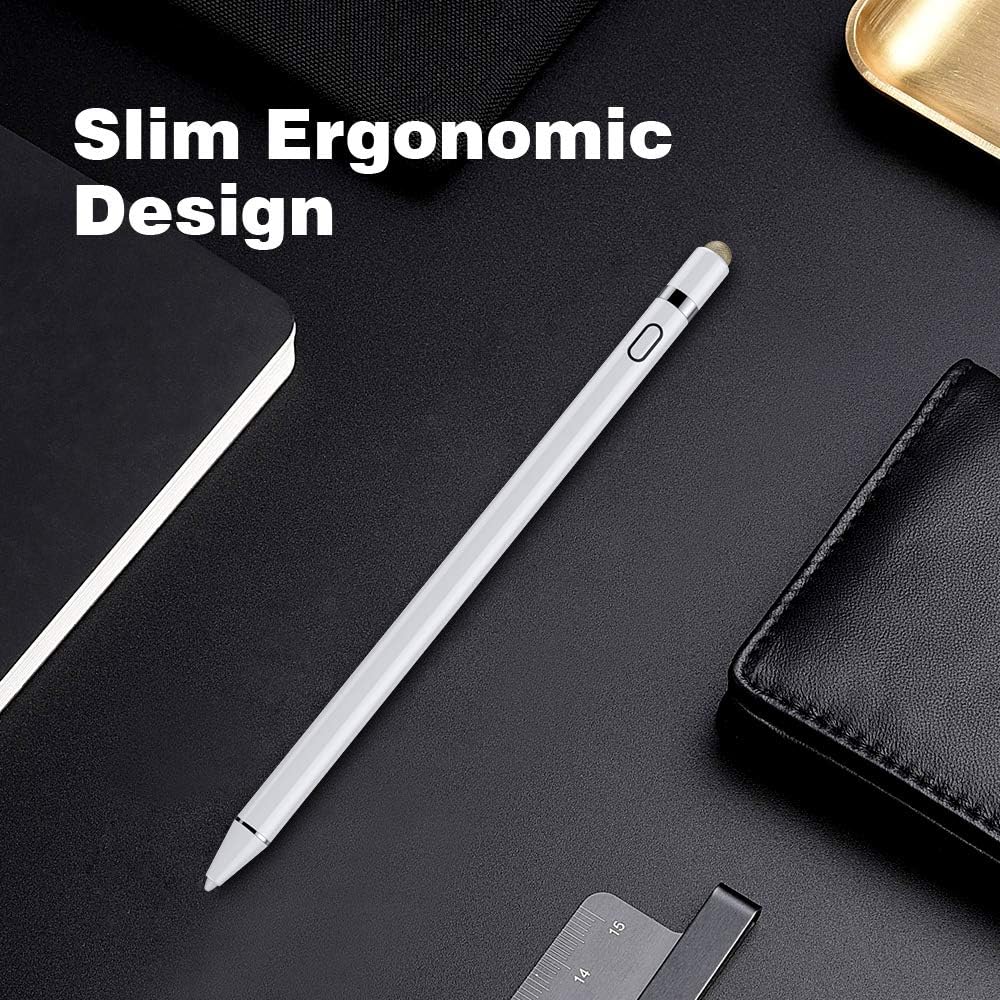
Image: The TiMOVO Stylus Pen showcasing its slim and ergonomic design, ideal for comfortable and prolonged use.
4. Impostazione
To begin using your TiMOVO Stylus Pen, follow these simple steps:
- Carica lo stilo: Before first use, fully charge the stylus. Refer to the "Charging" section for details.
- Accensione: Press the power button located on the stylus. A blue indicator light will illuminate, indicating the stylus is active.
- No Bluetooth Pairing Required: The TiMOVO Stylus Pen does not require Bluetooth pairing with your iPad. It is ready for use once powered on.

5. Istruzioni per l'uso
The TiMOVO Stylus Pen offers a natural and efficient way to interact with your iPad.
- Scrittura e disegno: Use the 1mm fine tip for detailed tasks such as writing notes, sketching, or drawing. The high sensitivity ensures accuracy.
- Navigazione generale: The fiber cap can be used for browsing websites, scrolling, or playing games, providing a smooth alternative to finger input.

Image: A user interacting with an iPad using the smooth fiber tip of the TiMOVO Stylus Pen for convenient web la navigazione. - Rifiuto del palmo: Feel free to rest your hand on the iPad screen while using the stylus. The integrated palm rejection technology will prevent accidental touches from interfering with your work.

Image: A user drawing on an iPad with the TiMOVO Stylus Pen, demonstrating the palm rejection technology that allows comfortable hand placement on the screen.
6. Ricarica
To charge your TiMOVO Stylus Pen:
- Remove the magnetic cap from the end of the stylus to reveal the charging port.
- Connect the provided USB charging cable to the stylus.
- Plug the other end of the USB cable into a power source such as a power bank, car charger, or laptop.
- Una carica completa richiede circa 60 minuti e garantisce fino a 20 ore di utilizzo continuo.
- The stylus will automatically power off after 5 minutes of inactivity to conserve battery life.

7. Manutenzione
7.1 Sostituzione delle punte
To replace a worn-out tip:
- Gently twist the existing tip counter-clockwise to remove it.
- Select a new replacement tip from the package.
- Align the new tip and gently twist it clockwise until it is securely in place. Do not overtighten.

7.2 Cura generale
- Mantenere pulito lo stilo pulendolo con un panno morbido e asciutto.
- Always use the magnetic cap to protect the charging port when not in use.
- Avoid dropping the stylus or exposing it to extreme temperatures or moisture.
8. Risoluzione Dei Problemi
| Problema | Possibile causa | Soluzione |
|---|---|---|
| Lo stilo non risponde. | La batteria è scarica o esaurita. | Caricare completamente lo stilo. |
| Lo stilo non risponde. | Stylus is not powered on. | Press the power button to turn it on (blue light should be visible). |
| Lo stilo non risponde. | Modello di iPad incompatibile. | Verify your iPad model against the compatibility list in Section 2. This stylus is only compatible with iPad models from 2018 and later. |
| Input impreciso o incoerente. | Worn-out tip. | Replace the stylus tip as described in Section 7.1. |
| Tocchi accidentali del palmo. | iPad iOS system is outdated. | Ensure your iPad's iOS system is updated to iOS 12.2 or above for optimal palm rejection performance. |
9. Specifiche
- Marca: TiMOVO
- Numero modello: Stilo
- Materiale: Alluminio
- Peso dell'articolo: 0.64 once (circa 18.14 grammi)
- Dimensioni del prodotto (LxLxA): 7.1 x 0.4 x 0.4 pollici (circa 18.03 x 1.02 x 1.02 cm)
- Tipo di batteria: 1 batteria ai polimeri di litio (necessaria)
- Tempo di ricarica: Circa 60 minuti
- Orario di lavoro: Fino a 20 ore
- Spegnimento automatico: Dopo 5 minuti di inattività
- Dispositivi compatibili: iPad 10th/9th/8th/7th/6th Gen, iPad Air 5th/4th/3rd Gen, iPad Mini 6th/5th Gen (and other 2018-later models as listed in Compatibility section)
10. Garanzia e supporto
For warranty information, technical support, or any inquiries regarding your TiMOVO Stylus Pen, please contact TiMOVO customer service directly. Refer to the product packaging or the official TiMOVO websito per i contatti.
Supporto online: You may find additional support resources and FAQs on the TiMOVO Store on Amazon.