
1. Introduzione
This manual provides detailed instructions for the installation, operation, and maintenance of your COOAU 4MP Wireless Security Camera, Model 827S-400. Designed for indoor use, this camera offers advanced features such as 4MP Ultra HD video, Pan/Tilt/Zoom (PTZ) functionality, two-way audio, and intelligent detection capabilities to enhance your home monitoring experience.
2. Prodotto finitoview
The COOAU 4MP Wireless Security Camera is a versatile indoor monitoring device. Familiarize yourself with its components and key features:
2.1 Componenti
- COOAU 4MP Wireless Security Camera Unit
- Adattatore di alimentazione
- Cavo di alimentazione USB
- Accessori di montaggio (viti, tasselli a muro)
- Manuale dell'utente (questo documento)
2.2 Caratteristiche principali
- Video Ultra HD da 4 MP: Cattura immagini chiare e dettagliatetage.
- Panoramica/Inclinazione/Zoom (PTZ): Offre una rotazione orizzontale di 360° e verticale di 120° per una copertura completa.
- Audio bidirezionale: Microfono e altoparlante integrati per la comunicazione.
- Rilevamento intelligente: Features sound detection, motion detection, and motion tracking with alerts.
- Visione notturna migliorata: Fornisce un monitoraggio chiaro in condizioni di scarsa illuminazione.
- Archiviazione flessibile: Supports local storage via Micro SD card (up to 128GB, not included) and cloud storage options.
- Compatibilità con Alexa: Si integra con Amazon Alexa per il controllo vocale.

Image: The COOAU 4MP Wireless Security Camera, highlighting its compact design and key functionalities like 360-degree coverage and 4MP HD view.
3. Impostazione
Follow these steps to set up your COOAU Wireless Security Camera:
3.1 Installazione dell'app
- Scan the QR code provided in the camera's packaging or search for "MIPC" in your device's app store (Apple App Store for iOS or Google Play Store for Android).
- Scarica e installa l'app MIPC.
- Apri l'app e crea un nuovo account utente oppure accedi se ne hai già uno.
3.2 Collegamento di alimentazione
- Collegare il cavo di alimentazione USB alla porta di alimentazione della fotocamera.
- Collega l'alimentatore a una presa elettrica standard.
- The camera will power on and initiate its startup sequence. Wait for a voice prompt indicating it's ready for connection.
3.3 Configurazione di rete (Wi-Fi)
- In the MIPC app, tap the '+' icon to add a new device.
- Select the camera type (e.g., "Wireless IP Camera").
- Choose "Wi-Fi connection" as the network connection method.
- Follow the on-screen instructions to enter your Wi-Fi network details (SSID and password).
- The app may instruct you to scan a QR code displayed on your phone with the camera, or to place your phone near the camera for sound pairing.
- Once connected, you will hear a confirmation sound from the camera, and the app will indicate successful addition.
- Set a new password for the camera for security purposes.
Video: Demonstrates the indoor camera connection steps, including app installation, power connection, and Wi-Fi setup.
3.4 Montaggio della telecamera
The camera can be placed on a flat surface or mounted to a ceiling. Use the provided mounting accessories for ceiling installation. Ensure the camera is positioned to cover the desired monitoring area.
4. Istruzioni per l'uso
Learn how to utilize the various features of your COOAU camera:
4.1 Vivere View e controllo PTZ
- Open the MIPC app and select your camera from the device list to access the live video feed.
- Use the on-screen controls to pan (rotate horizontally up to 355°), tilt (move vertically up to 120°), and digitally zoom the camera view.
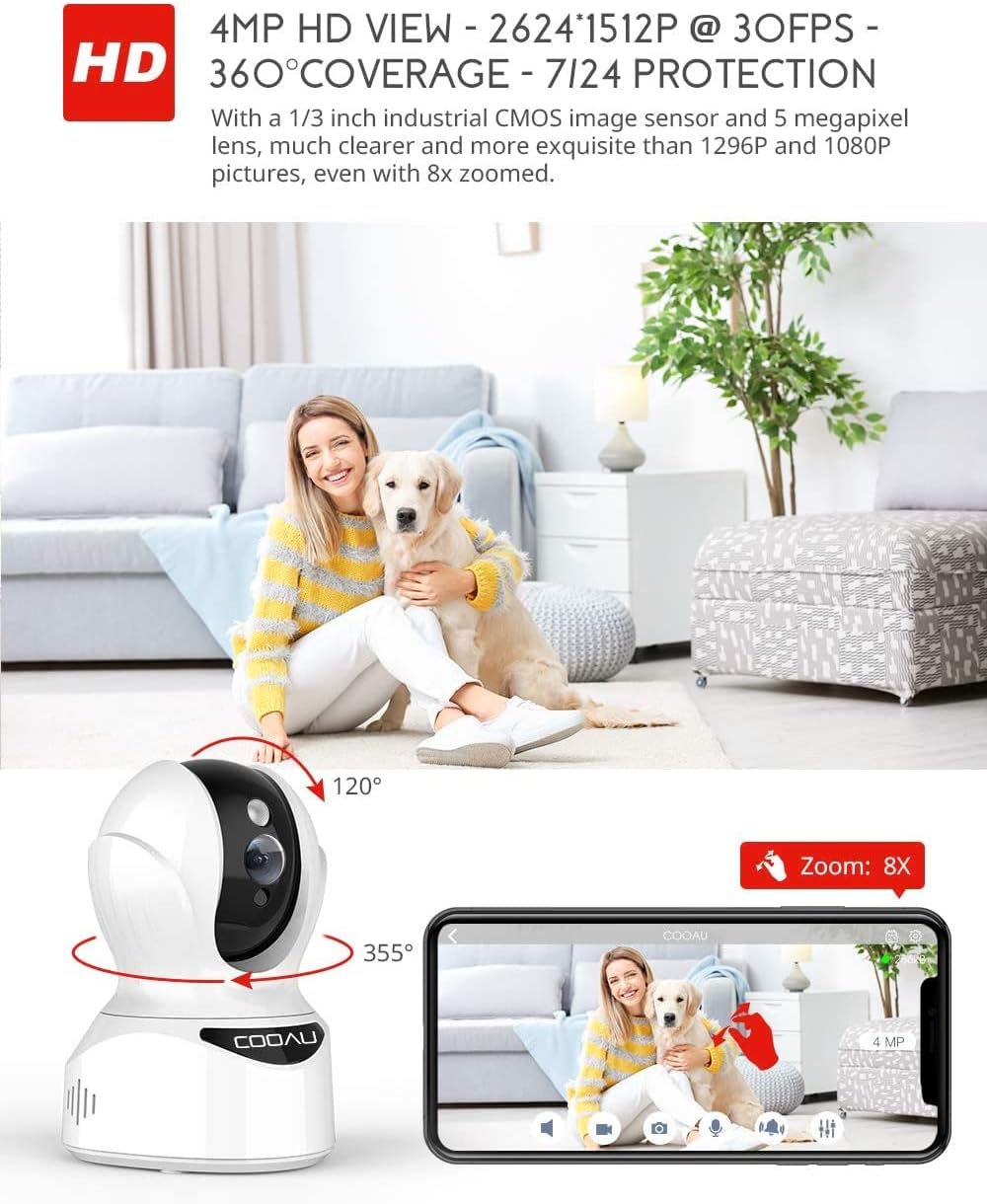
Image: Illustrates the camera's Pan/Tilt capabilities, offering 355° horizontal and 120° vertical rotation for comprehensive room coverage.
4.2 Audio bidirezionale
- Mentre in diretta view, tocca l'icona del microfono nell'app per parlare tramite l'altoparlante della fotocamera.
- Il microfono integrato nella telecamera consente di ascoltare l'audio proveniente dalla posizione della telecamera.

Image: Depicts the two-way audio feature, enabling clear communication through the camera's built-in anti-noise and echo cancellation microphone and speaker.
4.3 Rilevamento intelligente e avvisi
- Access the camera settings in the MIPC app to configure motion detection, sound detection, and motion tracking.
- Enable push notifications to receive alerts on your smartphone when activity is detected.
- Motion tracking allows the camera to automatically follow moving objects within its field of view.
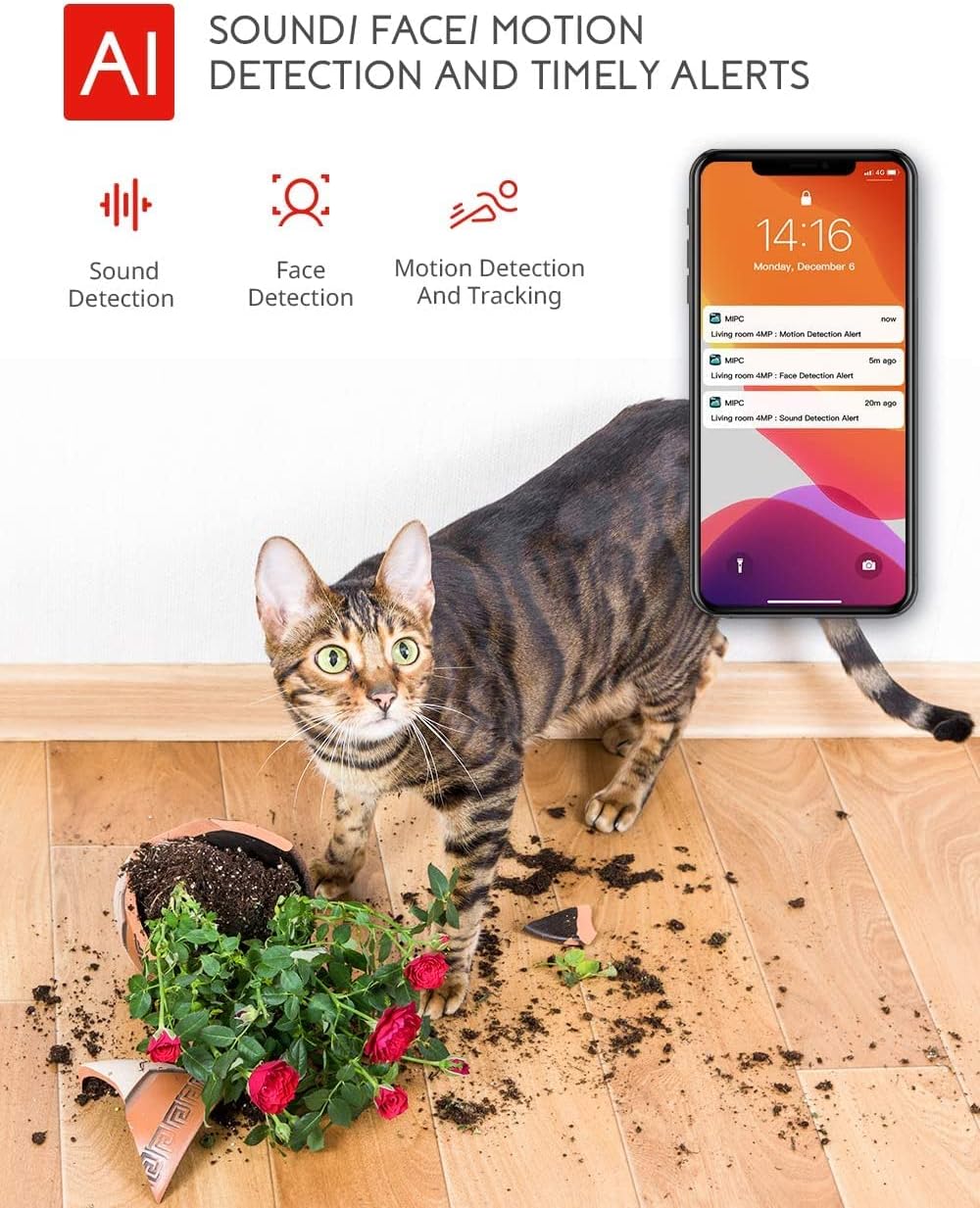
Image: Highlights the AI-powered sound, face, and motion detection features, with timely alerts sent to your smartphone.
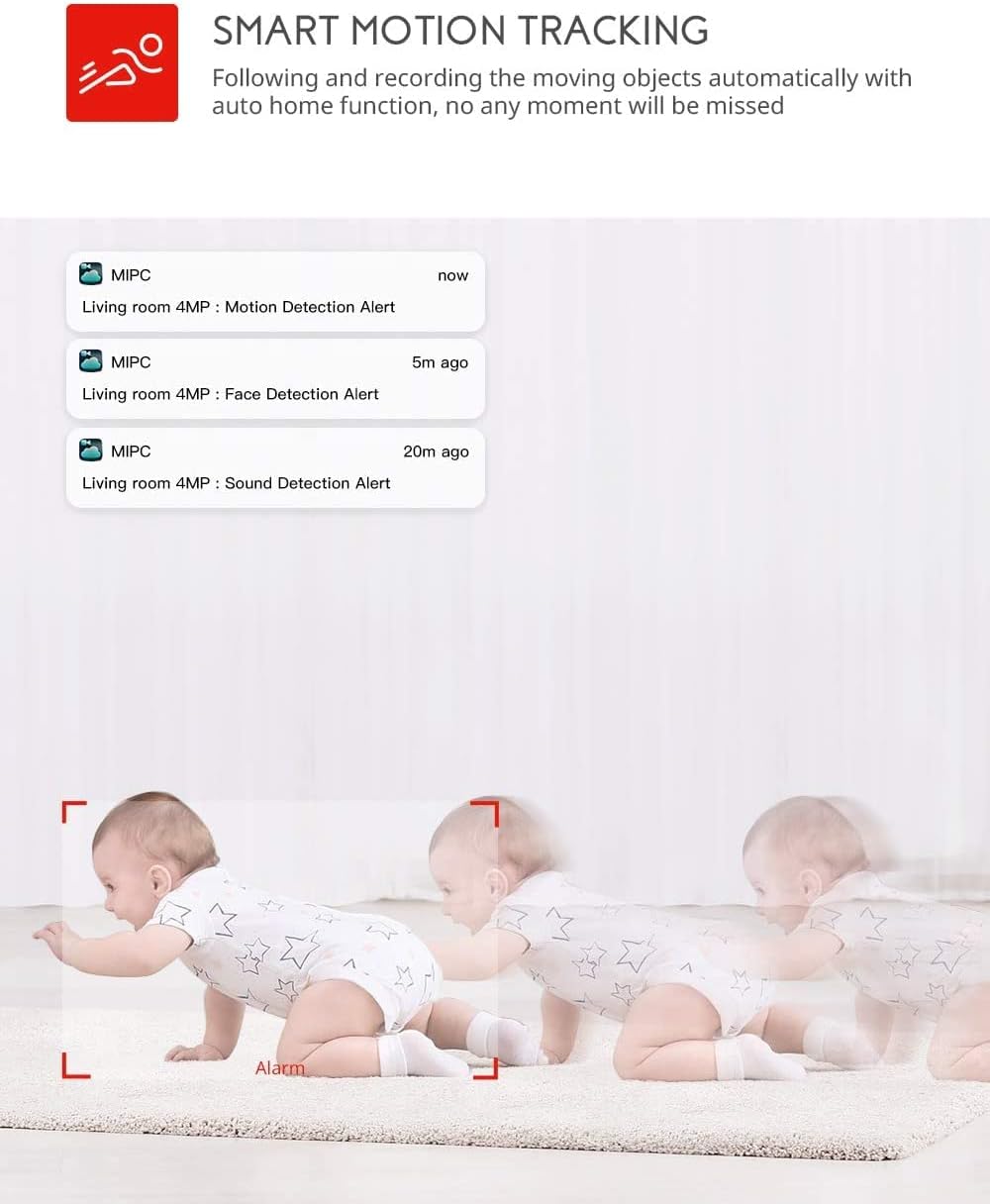
Image: Illustrates the smart motion tracking feature, where the camera automatically follows and records moving objects.
4.4 Visione notturna
- In condizioni di scarsa illuminazione, la telecamera passa automaticamente alla modalità visione notturna.
- This feature provides clear black and white video footage without additional light sources.
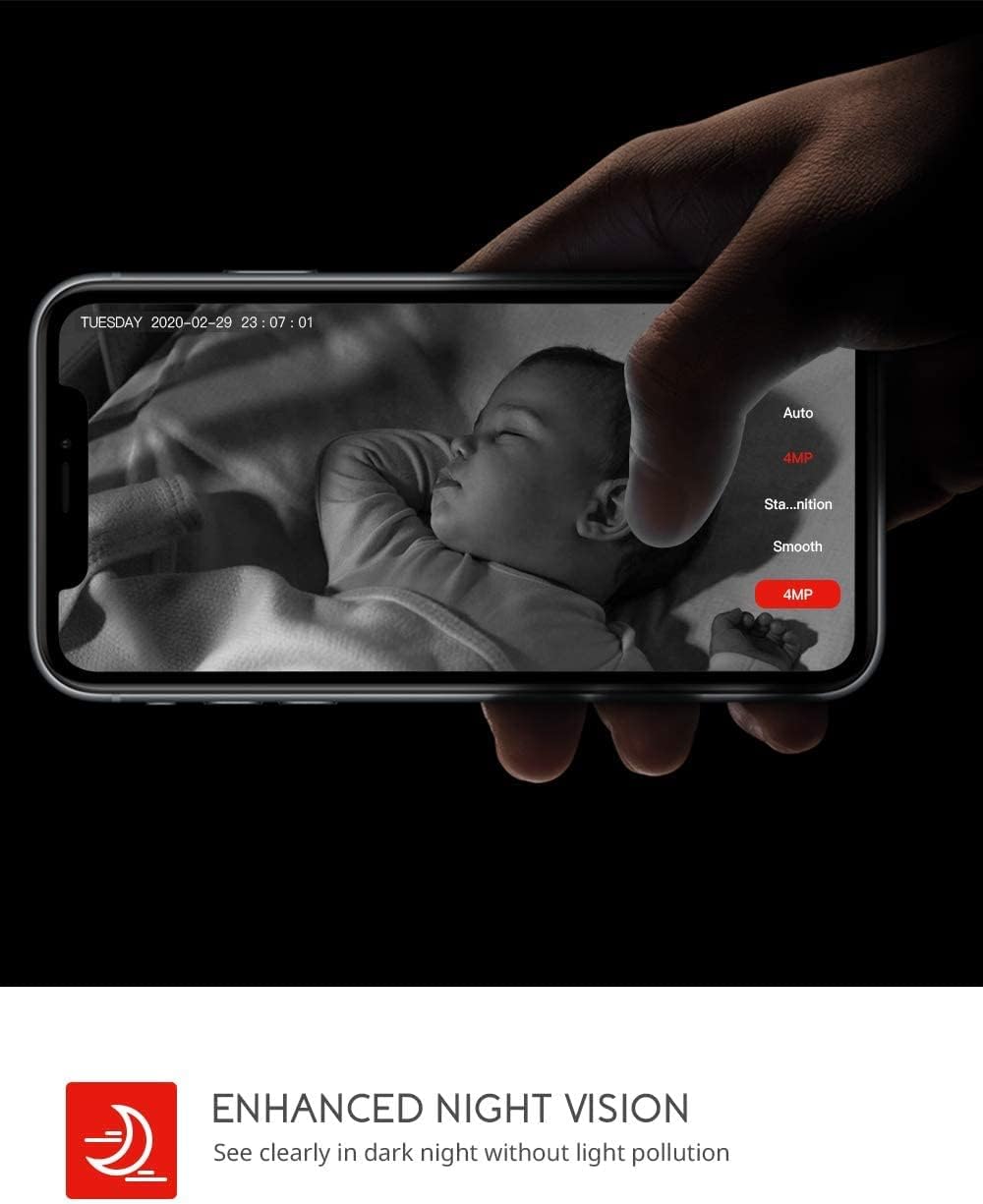
Image: Demonstrates the enhanced night vision capability, providing clear visibility in dark environments.
4.5 Opzioni di archiviazione
- Micro SD Card: Insert a Micro SD card (up to 128GB, Class 10 or higher recommended) into the designated slot for local video recording.
- Archiviazione cloud: The MIPC app offers optional cloud storage services for secure off-site backup of your recordings.
4.6 Supporto multiutente
- Share camera access with family members or trusted individuals through the MIPC app.
- This allows multiple users to view il feed live e ricevere avvisi contemporaneamente.

Image: Illustrates the camera's support for multiple devices and users, allowing footage sharing across various platforms.
5. Manutenzione
Una corretta manutenzione garantisce la longevità e le prestazioni ottimali della tua fotocamera:
- Pulizia: Utilizzare un panno morbido e asciutto per pulire l'obiettivo e il corpo della fotocamera. Evitare detergenti abrasivi o solventi.
- Posizionamento: Assicurarsi che la telecamera sia posizionata in un luogo stabile, lontano dalla luce solare diretta, da fonti di calore e da umidità eccessiva.
- Aggiornamenti software: Regularly check the MIPC app for firmware updates to ensure your camera has the latest features and security enhancements.
- Alimentazione elettrica: Utilizzare solo l'adattatore di alimentazione originale fornito con la fotocamera.
6. Risoluzione Dei Problemi
Se riscontri problemi con la tua fotocamera, fai riferimento ai seguenti problemi comuni e alle relative soluzioni:
| Problema | Soluzione |
|---|---|
| La fotocamera non riesce a connettersi al Wi-Fi. | Ensure your Wi-Fi password is correct. Check if the camera is within range of your Wi-Fi router. Reset the camera by pressing the reset button for 1 second and try connecting again. Ensure your router is 2.4GHz compatible. |
| Scarsa qualità video. | Check your internet connection speed. Ensure the camera lens is clean. Adjust the video resolution settings in the MIPC app. |
| Il rilevamento del movimento non funziona. | Verify that motion detection is enabled in the app settings. Adjust the sensitivity level. Ensure there are no obstructions blocking the camera's view. |
| Two-way audio is unclear. | Ensure your phone's volume is up. Check for any interference or background noise near the camera or your phone. |
| La fotocamera è offline. | Check the power connection to the camera. Verify your Wi-Fi network is active and stable. Restart the camera and your router. |
7. Specifiche
Detailed technical specifications for the COOAU 4MP Wireless Security Camera (Model 827S-400):
| Caratteristica | Specificazione |
|---|---|
| Numero di modello | 827S-400 |
| Risoluzione fissa efficace | 4 MP |
| Risoluzione video efficace | 4 MP |
| Tecnologia di connettività | Senza fili (Wi-Fi) |
| Uso interno/esterno | Al chiuso |
| Caratteristiche speciali | Motion Sensor, Sound Detection, Motion Tracking, 2-Way Audio, Night Vision |
| Tipo di controllore | Amazon Alexa |
| Tipo di montaggio | Montaggio a soffitto |
| Opzioni di archiviazione | Archiviazione su cloud/SD (fino a 128 GB) |
| Frequenza dei fotogrammi | 30 fotogrammi al secondo |
| Dimensioni dell'articolo | 3.35 x 3.35 x 4.72 pollici |
| Fonte di alimentazione | Corrente alternata/corrente continua |
| GTIN / UPC | 889328768553 |
8. Garanzia e supporto
For warranty information or technical support, please contact COOAU customer service. You can reach us via:
- Casella postale ufficiale: info@cooau.net
- Facebook ufficiale: COOAU Official