
1. Introduzione
The ASIILOVI Bluetooth Beanie VG008 combines warmth and comfort with wireless audio technology. This double-layered wool-lined beanie allows you to listen to music and make hands-free calls without the need for separate headphones. It features a built-in microphone and stereo speakers, offering a convenient and enjoyable audio experience in cold weather conditions.
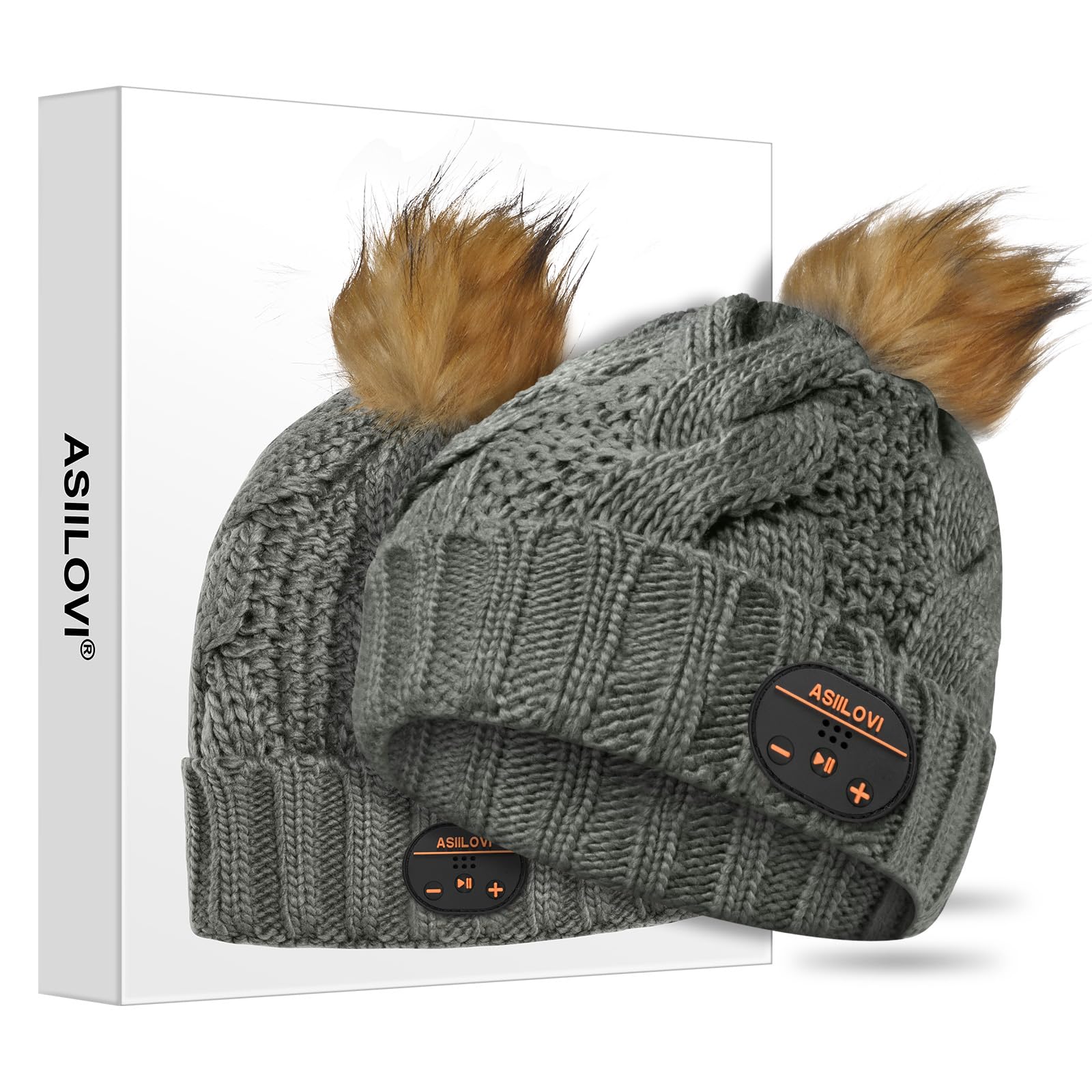
Image: A woman wearing the gray ASIILOVI Bluetooth Beanie with a pom pom, smiling. This image illustrates the product in use.
2. Contenuto della confezione
Upon opening your ASIILOVI Bluetooth Beanie package, you should find the following items:
- 1 x ASIILOVI Bluetooth Beanie (Model VG008)
- 1 cavo di ricarica USB
- 1 x Guida di benvenuto

Image: A stack of colorful beanies and a white gift box with an ASIILOVI Bluetooth Beanie inside. This image shows the product packaging and available colors.
3. Impostazione
3.1 Charging the Beanie
Before initial use, fully charge your Bluetooth Beanie. The charging port is located on the control panel embedded in the beanie.
- Locate the micro USB charging port on the control panel.
- Collegare il cavo di ricarica USB in dotazione alla porta.
- Collegare l'altra estremità del cavo USB a una fonte di alimentazione USB compatibile (ad esempio, computer, adattatore da parete).
- The LED indicator light on the control panel will illuminate red during charging and turn blue when fully charged.
A full charge typically takes approximately 1 hour and provides up to 20 hours of playing time or 24 hours of talk time, with a standby time of 100 hours.
3.2 Associazione Bluetooth
To connect your ASIILOVI Bluetooth Beanie to your device:
- Ensure the beanie is charged and turned off.
- Press and hold the Play/Pause button (middle button) on the control panel for approximately 6 seconds until the LED indicator light blinks blue and red alternately. This indicates pairing mode.
- Sul tuo smartphone o dispositivo abilitato Bluetooth, vai alle impostazioni Bluetooth e abilita il Bluetooth.
- Cercare available devices. The beanie should appear as "Bluetooth Beanie" or a similar name.
- Select the beanie from the list to pair. Once successfully paired, the LED indicator will typically show a solid blue light or flash blue slowly.
The beanie will automatically connect to the last paired device when turned on, if the device's Bluetooth is active and within range (up to 45 feet wireless range).
Video: An official ASIILOVI video demonstrating the Bluetooth Beanie and its gift packaging. This video provides a visual overview of the product and its presentation.
4. Istruzioni per l'uso
4.1 Funzioni del pannello di controllo
The simple control panel on the beanie allows for easy management of your audio and calls:
- Play/Pause Button (Middle): Press once to play or pause music. Press once to answer an incoming call. Press and hold to redial the last number.
- Pulsante Volume su / Traccia successiva (+): Premere una volta per aumentare il volume. Tenere premuto per passare alla traccia successiva.
- Pulsante Volume giù / Traccia precedente (-): Premere una volta per diminuire il volume. Tenere premuto per tornare alla traccia precedente.
- Luce di stato LED: Indicates power, charging, and pairing status.
4.2 Riproduzione musicale e chiamate
Once paired, you can enjoy high-quality digital sound through the built-in 12.5mm stereo speakers. The integrated microphones ensure clear communication during hands-free calls.

Image: A woman wearing the white ASIILOVI Bluetooth Beanie, with key features like battery life and wireless range highlighted. This image emphasizes the product's performance features.
5. Manutenzione
5.1 Istruzioni per il lavaggio
The ASIILOVI Bluetooth Beanie is hand-washable after removing the electronic modules.
- Carefully locate the headphone slits inside the beanie.
- Gently remove the Bluetooth speaker modules and the control panel from their pockets.
- Hand-wash the beanie with mild detergent in cold water.
- Rinse thoroughly and air dry completely before reinserting the modules.
- Once the beanie is dry, carefully reinsert the speaker modules and control panel into their designated pockets.

Image: A step-by-step visual guide on how to detach the Bluetooth module for washing, hand wash the beanie, dry it, and reattach the module. This is essential for product longevity.
6. Risoluzione Dei Problemi
If you encounter issues with your ASIILOVI Bluetooth Beanie, please refer to the following common solutions:
- Nessun potere: Ensure the beanie is fully charged. Connect it to a power source and check if the LED indicator lights up.
- Impossibile associare: Make sure the beanie is in pairing mode (blinking blue/red LED). Turn off and on your device's Bluetooth. Ensure the beanie is not already connected to another device.
- Scarsa qualità del suono/Disconnessioni: Ensure your device is within the 45-foot wireless range. Check for obstructions between the beanie and your device. Restart both the beanie and your device.
- I controlli non rispondono: Ensure the beanie is powered on and connected. Try restarting the beanie.
Se i problemi persistono, contattare il servizio clienti per ulteriore assistenza.
7. Specifiche
| Numero di modello | VG008 |
| Dimensioni del prodotto | 8.5 x 1.2 x 9.8 pollici |
| Peso dell'articolo | 5.6 once |
| Tipo di batteria | 1 batteria agli ioni di litio (inclusa) |
| wireless Range | Fino a 45 piedi |
| Tempo di gioco | Fino a 20 ore |
| Tempo di conversazione | Fino a 24 ore |
| Tempo di standby | Fino a 100 ore |
| Materiale | Fodera in lana a doppio strato |
8. Garanzia e supporto
Your ASIILOVI Bluetooth Beanie comes with a fan-favorite 18-month warranty. For any questions or concerns regarding your product, please do not hesitate to contact our friendly customer service team. We are committed to providing excellent support.
Contact information can typically be found on the product packaging or the official ASIILOVI websito.