
Introduzione
Thank you for choosing the KROM Kernel TKL Mechanical Gaming Keyboard. This compact, tenkeyless (TKL) keyboard is designed for gaming enthusiasts, offering a responsive mechanical experience with customizable RGB backlighting and a Spanish layout. This manual provides detailed instructions for setup, operation, maintenance, and troubleshooting to ensure optimal performance and longevity of your device.
Prodotto finitoview
Caratteristiche principali
- Interruttori meccanici: Durable and responsive mechanical key switches for precise input.
- Design senza tastierino numerico (TKL): Compact form factor without a numeric keypad, ideal for saving desk space and improving mouse movement.
- Retroilluminazione RGB: Customizable LED backlighting with various effects and colors.
- Funzionalità macro: Assign macro functions to any key for personalized commands.
- Tasti multimediali: Dedicated or function-layer multimedia controls for convenience.
- Anti-ghosting: Ensures all key presses are registered accurately, even during intense gaming sessions.
- Costruzione durevole: Costruito con materiali di qualità per prestazioni durature.
- Layout spagnolo: Designed with a QWERTY Spanish key layout.
Contenuto della confezione
- KROM Kernel TKL Mechanical Gaming Keyboard
- Cavo USB (in dotazione)
- Manuale dell'utente (questo documento)
- (Note: Additional accessories may vary by region or specific product bundle.)
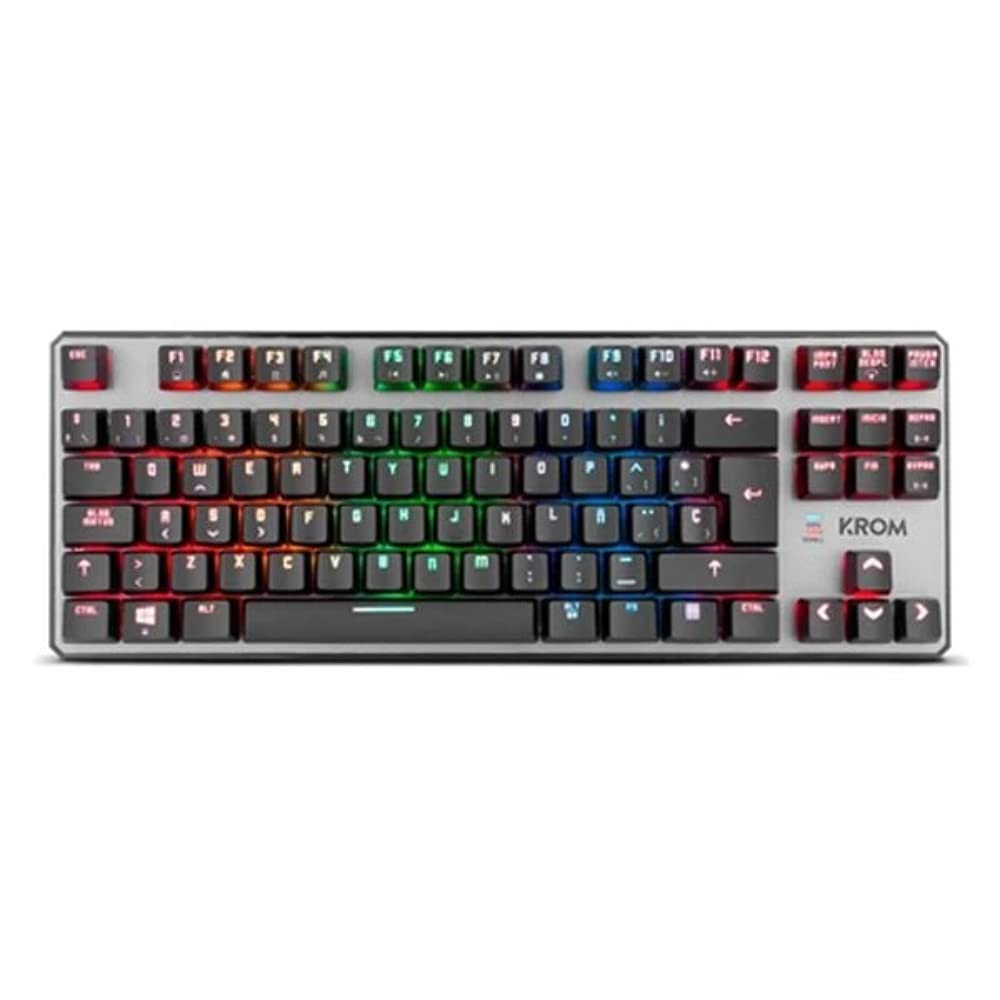
Immagine 1.1: KROM Kernel TKL Mechanical Gaming Keyboard packaging, showing the front and back of the box with product features and design.

Immagine 1.2: Top-down view of the KROM Kernel TKL keyboard, showcasing its compact design and vibrant RGB backlighting across all keys.
Impostare
- Disimballare la tastiera: Carefully remove the KROM Kernel TKL keyboard from its packaging.
- Connessione al computer: Locate the USB cable attached to the keyboard. Plug the USB connector into an available USB port on your computer (PC or laptop).
- Installazione del driver: The keyboard is plug-and-play. Your operating system (Windows 7/8/8.1/10) should automatically detect and install the necessary drivers. This process may take a few moments.
- Verifica funzionalità: Once drivers are installed, test the keyboard by typing in a text editor or browser to ensure all keys are responsive.
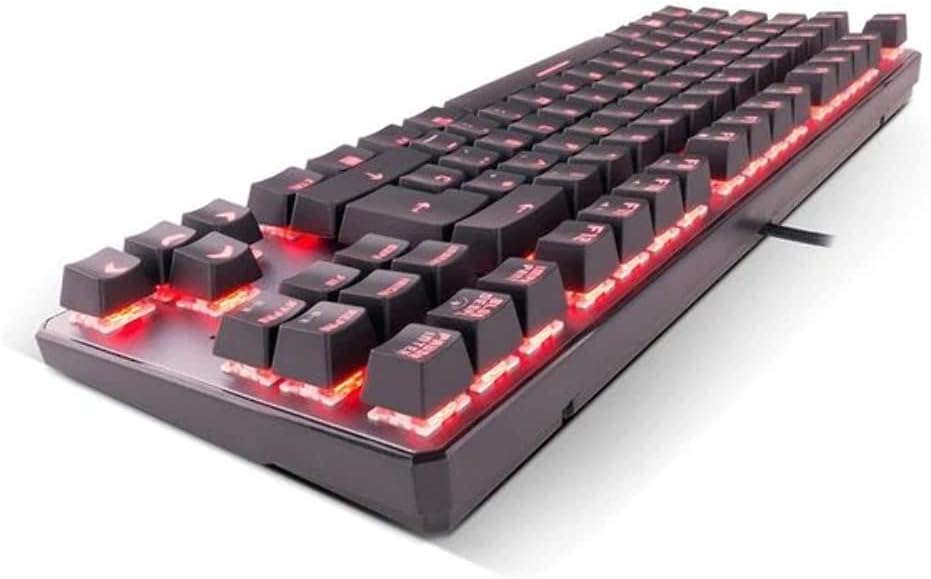
Immagine 2.1: Lato view of the KROM Kernel TKL keyboard, highlighting the red backlighting visible beneath the keycaps and the compact profile.
Istruzioni per l'uso
Controllo della retroilluminazione RGB
The KROM Kernel TKL keyboard features dynamic RGB backlighting. Use the following key combinations to adjust lighting effects:
- Fn + [Tasto]: Specific function keys (often F1-F12 or dedicated keys) are used in combination with the Function (Fn) key to cycle through lighting modes, adjust brightness, change speed, or select colors. Refer to the keyboard's keycap legends for specific symbols indicating lighting controls.
- Regolazione della luminosità: Typically Fn + Up/Down arrow keys or dedicated brightness keys.
- Velocità dell'effetto: Often Fn + Left/Right arrow keys to increase or decrease the speed of dynamic lighting effects.
- Commutazione della modalità: Cycle through various pre-set RGB lighting modes (e.g., wave, ripple, breathing, static color) using a dedicated Fn combination.

Immagine 3.1: The KROM Kernel TKL keyboard displaying its full RGB spectrum backlighting, enhancing the visual appeal during use.
Macro Function Assignment
The keyboard supports on-the-fly macro recording or software-based macro assignment. For on-the-fly recording:
- Initiate Recording: Press a specific Macro Record key (often labeled "MR" or a Fn combination).
- Select Target Key: Premere il tasto a cui si desidera assegnare la macro.
- Sequenza di registrazione: Type the sequence of keys you want to record as the macro.
- Termina registrazione: Press the Macro Record key again to save the macro.
Note: Detailed macro programming instructions may require specific software or refer to the full digital manual available on the KROM websito.
Multimedia e tasti di scelta rapida
Access multimedia functions and system shortcuts using the Fn key in combination with the F-keys (F1-F12) or other designated keys. Common functions include:
- Controllo del volume: Fn + Fx (e.g., F1-F3 for Mute, Volume Down, Volume Up).
- Riproduzione multimediale: Fn + Fx (e.g., F5-F8 for Play/Pause, Stop, Previous Track, Next Track).
- Scorciatoie dell'applicazione: Fn + Fx (e.g., F9-F12 for Email, Web Browser, My Computer, Calculator).

Immagine 3.2: Un primo piano view of the KROM Kernel TKL keyboard's keycaps, clearly showing the Spanish QWERTY layout and secondary functions.
Manutenzione
Una corretta manutenzione garantisce la longevità e le prestazioni della tastiera.
- Pulizia:
- Scollegare la tastiera dal computer prima di pulirla.
- Utilizzare una bomboletta di aria compressa per rimuovere polvere e detriti dagli spazi tra i tasti.
- Pulisci i tasti e la superficie della tastiera con un panno morbido e leggermente abrasivo.amp, panno privo di lanugine. Evitare l'eccessiva umidità.
- Non utilizzare prodotti chimici aggressivi, detergenti abrasivi o solventi.
- Magazzinaggio: Conservare la tastiera in un luogo asciutto e fresco, lontano dalla luce solare diretta e da temperature estreme.
- Gestione: Avoid dropping the keyboard or exposing it to liquids. Do not attempt to disassemble the keyboard as this may void the warranty.

Immagine 4.1: Un lato profile view of the KROM Kernel TKL keyboard, illustrating its ergonomic tilt and compact design.

Immagine 4.2: A close-up image showing a mechanical switch on the KROM Kernel TKL keyboard, highlighting its design and potential for easy replacement (CIY Technology).

Immagine 4.3: The CIY Technology logo, indicating that the keyboard features hot-swappable mechanical switches for easy customization or replacement.
Risoluzione dei problemi
If you encounter issues with your KROM Kernel TKL keyboard, refer to the following common solutions:
- La tastiera non risponde:
- Assicurarsi che il cavo USB sia collegato saldamente sia alla tastiera che al computer.
- Prova a collegare la tastiera a una porta USB diversa del computer.
- Riavvia il computer.
- Prova la tastiera su un altro computer per determinare se il problema riguarda la tastiera o il sistema.
- Retroilluminazione non funzionante o errata:
- Check if the backlighting is turned off. Use the Fn key combinations to cycle through lighting modes and adjust brightness.
- Assicurarsi che nessun conflitto software interferisca con i controlli dell'illuminazione.
- Tasti non registrati o digitati due volte:
- Pulire i tasti interessati con aria compressa per rimuovere eventuali detriti.
- If the keyboard uses hot-swappable switches (like the "CIY Technology" mentioned in an image), try gently removing and re-inserting the switch for the problematic key.
- Assicurati che i driver del tuo sistema operativo siano aggiornati.
- Funzioni macro non funzionanti:
- Review the macro programming steps to ensure correct recording.
- Check if any software is overriding the keyboard's native macro functions.
Specifiche
| Caratteristica | Dettaglio |
|---|---|
| Numero di modello | NXKROMKRNLTKL |
| Tipo di tastiera | Meccanico |
| Disposizione | Spanish QWERTY (TKL) |
| Retroilluminazione | LED RGB |
| Connessione | Wired USB (Gold-plated) |
| Lunghezza del cavo | 180 cm (Braided) |
| Forza di attuazione | 60 +/- 10 gr |
| Tasso di sondaggio | Frequenza 1000 Hz |
| Memoria interna | 64 KB (for macros/profiles) |
| Consumo attuale | 100-260 mA |
| Voltage | 5.0 +/- 0.25 V |
| Dimensioni (L x P x A) | Dimensioni: 361 x 133.5 x 22.5 mm |
| Peso | 950 +/- 30 gr |
| Compatibilità | Finestre 7 / 8 / 8.1 / 10 |
| Caratteristiche speciali | Macro function assignment, Multimedia keys, Shortcut keys |
Garanzia e supporto
KROM products are designed for reliability and performance. This product comes with a standard manufacturer's warranty. For specific warranty terms and conditions, please refer to the warranty card included with your product or visit the official KROM websito.
For technical support, driver downloads, or further assistance, please visit the KROM official support page or contact their customer service. Contact information can typically be found on the KROM websito o confezione del prodotto.
KROM Official Websito: www.kromgaming.com (Nota: questo è un segnaposto URL, please verify the actual KROM support websito.)