
1. Introduzione
This manual provides essential information for the safe operation, maintenance, and troubleshooting of your Dibea D960 Robot Vacuum Cleaner. Please read it thoroughly before using the appliance and retain it for future reference.

Figura 1: in alto view of the Dibea D960 Robot Vacuum Cleaner.
2. Istruzioni di sicurezza
Per ridurre il rischio di lesioni o danni, leggere attentamente le presenti istruzioni di sicurezza e tenerle a portata di mano durante l'uso del prodotto.
- Do not operate the robot vacuum near open flames or heat sources.
- Ensure the charging base is placed against a wall in an open area, free from obstacles.
- Tenere abiti larghi, capelli e parti del corpo lontani dalle parti in movimento.
- Non permettere ai bambini di utilizzare il robot aspirapolvere.
- Unplug the charging base during extended periods of non-use or before cleaning.
- Avoid using the robot vacuum on wet surfaces or to pick up liquids.
- Prima dell'uso, rimuovere eventuali cavi allentati, piccoli oggetti o elementi fragili dal pavimento per evitare che si aggroviglino o si danneggino.
3. Prodotto finitoview
3.1. Contenuto della confezione
- D960 Cleaning Robot x1
- Base di ricarica x1
- Adattatore x1
- Spazzola di pulizia x1
- Filtro HEPA x1
- Telecomando x1
- Spazzole laterali x2
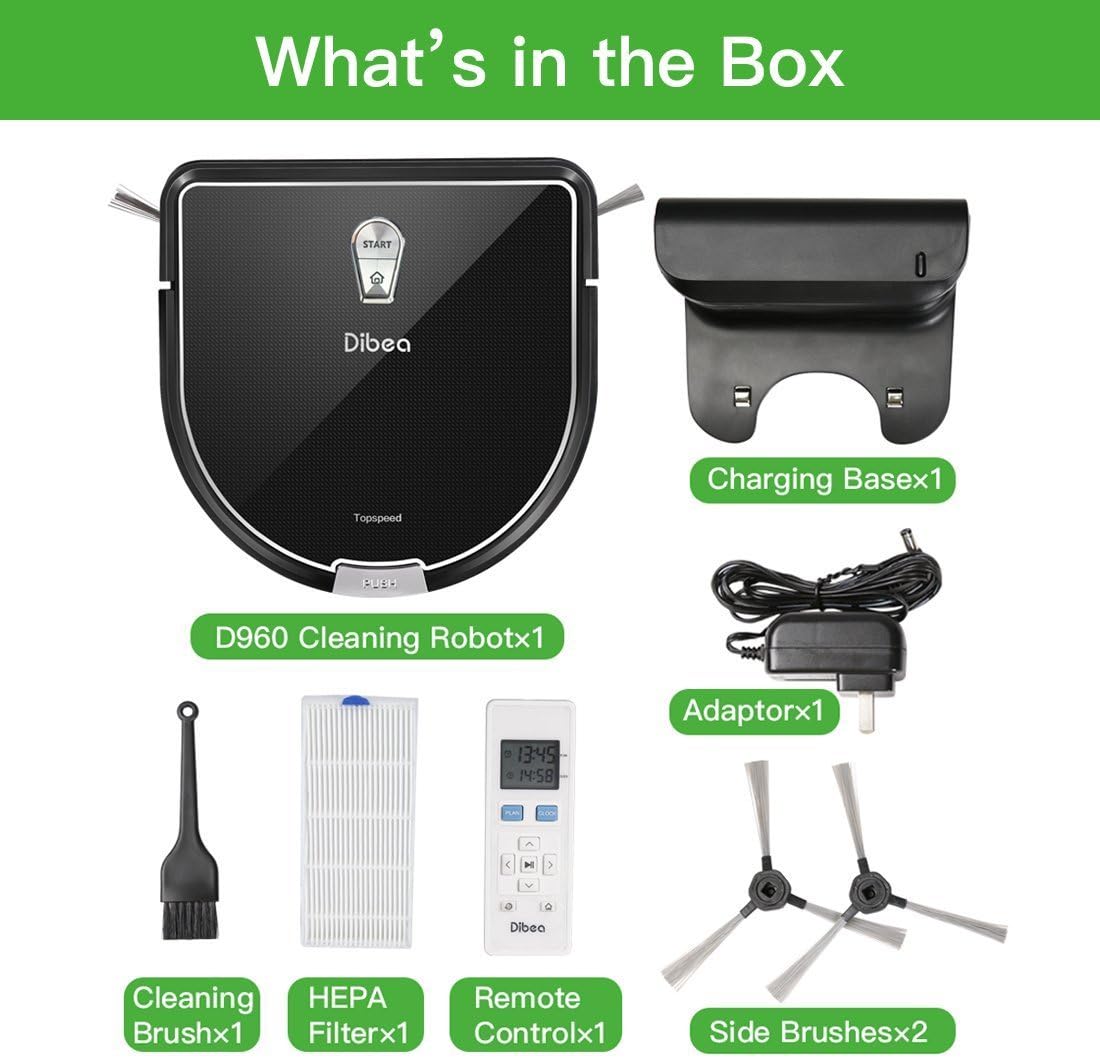
Figure 2: All components included in the Dibea D960 package.
3.2. Caratteristiche principali
- Pulizia versatile dei pavimenti: Automatically adjusts to clean carpets, rugs, hardwood, and tile floors.
- Pulizia precisa dei bordi: D-shape design with a clever edge cleaning system allows it to clean closer to walls and into corners.
- Evitare gli ostacoli: Equipped with IR sensors to carefully navigate around furniture and avoid collisions.
- Funzionamento silenzioso: Features an advanced brushless motor for lower noise levels during operation.
- Sensori di scogliera intelligenti: Prevents the robot from falling down stairs or other drop-offs.

Figure 3: The robot vacuum transitions smoothly between different floor surfaces.
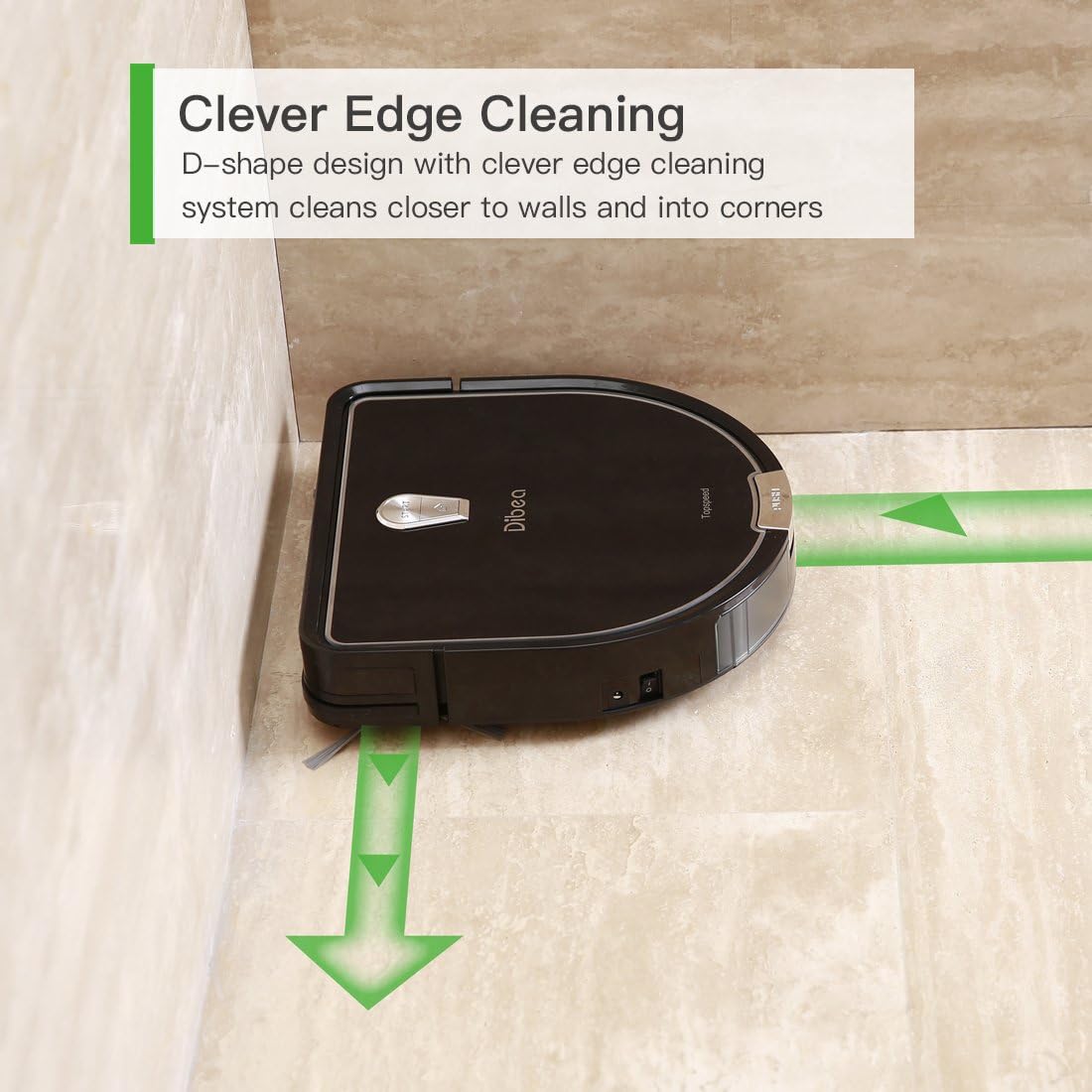
Figure 4: The D-shaped design enables thorough cleaning along edges and in corners.

Figure 5: The robot vacuum detects and avoids furniture and other obstacles.

Figure 6: The advanced motor ensures a quiet cleaning experience.

Figure 7: Integrated sensors prevent the robot from falling from elevated surfaces.
4. Impostazione
4.1. Posizionamento della base di ricarica
Place the charging base against a wall in an open, uncluttered area. Ensure there is at least 1 meter (3 feet) of clear space on either side and 2 meters (6 feet) in front of the charging base for optimal navigation.
4.2. Ricarica iniziale
- Connect the adapter to the charging base and plug it into a power outlet.
- Place the Dibea D960 onto the charging base, ensuring the charging contacts align.
- Allow the robot to charge completely before its first use. The indicator light will change to show a full charge.
4.3. Installazione delle spazzole laterali
Attach the two side brushes to the designated posts on the underside of the robot vacuum. Press firmly until they click into place.
5. Istruzioni per l'uso
5.1. Accensione/Spegnimento
- To power on, press and hold the power button on the robot or the remote control.
- Per spegnere, tenere nuovamente premuto il pulsante di accensione.
5.2. Modalità di pulizia
The Dibea D960 offers various cleaning modes:
- Pulizia automatica: Il robot naviga e pulisce automaticamente l'intera superficie del pavimento.
- Pulizia spot: Si concentra su una specifica area sporca, pulendo seguendo uno schema a spirale.
- Pulizia dei bordi: Pulisce lungo le pareti e i bordi dei mobili.
5.3. Utilizzo del telecomando
Il telecomando consente di:
- Avvia/Metti in pausa la pulizia.
- Selezionare le modalità di pulizia.
- Direct the robot manually.
- Riportare il robot alla base di ricarica.
- Stabilisci programmi di pulizia.
5.4. Video ufficiale del prodotto
Video 1: Demonstration of the Dibea D960 robot vacuum cleaner in operation.
6. Manutenzione
Regular maintenance ensures optimal performance and extends the lifespan of your Dibea D960.
6.1. Svuotamento del cestino
Open the top cover of the robot, remove the dustbin, and empty its contents into a trash receptacle. Clean the dustbin with a dry cloth or brush.
6.2. Pulizia dei filtri
Remove the HEPA filter from the dustbin. Tap it gently to remove dust. Do not wash the HEPA filter with water. Replace the filter every 3-6 months, depending on usage.
6.3. Pulizia delle spazzole laterali
Periodically check the side brushes for tangled hair or debris. Remove them by pulling gently and clean them with the provided cleaning brush or scissors if necessary. Reattach them securely.
6.4. Pulizia dei sensori
Wipe the cliff sensors and anti-collision sensors on the robot's underside and front bumper with a clean, dry cloth to ensure proper functionality.
7. Risoluzione Dei Problemi
If your Dibea D960 encounters an issue, refer to the following common problems and solutions:
- Il robot non si carica: Ensure the charging base is plugged in and the robot's charging contacts are aligned with the base. Clean the charging contacts on both the robot and the base.
- Il robot si blocca spesso: Clear obstacles from the cleaning path. Ensure no loose cables or rugs are interfering with the wheels or brushes.
- Prestazioni di pulizia ridotte: Svuotare il contenitore della polvere, pulire o sostituire il filtro HEPA e pulire le spazzole principali e laterali.
- Robot che fa rumori insoliti: Check for debris tangled in the main brush, side brushes, or wheels.
- Robot not responding to remote control: Ensure the remote control batteries are not depleted and there are no obstructions between the remote and the robot.
Per problemi persistenti non trattati qui, contattare l'assistenza clienti.
8. Specifiche
| Caratteristica | Dettaglio |
|---|---|
| Marca | Dibea |
| Nome del modello | D960 |
| Colore | Nero |
| Tipo di filtro | Stoffa |
| Capacità | 350 millilitri |
| Fonte di alimentazione | Alimentato a batteria |
| Metodo di controllo | Remoto |
| Vol. batteria al litiotage | 14.8 Volt |
| Fattore di forma | girare |
| Dimensioni del prodotto | 12.01 x 2.95 x 12.01 pollici |
| Peso dell'articolo | 6.61 libbre |
| Numero modello articolo | RVC-D960-A |
| Batterie | Sono necessarie 1 batterie agli ioni di litio. |
| È stato interrotto dal produttore | NO |
| Batterie richieste | NO |
| Raccomandazione di superficie | Tappeti |
| Tipo di controllore | Telecomando |
9. Garanzia e supporto
The Dibea D960 Robot Vacuum Cleaner comes with a standard manufacturer's warranty. For detailed warranty information, product support, or service inquiries, please refer to the official Dibea weboppure contatta direttamente il servizio clienti. Conserva la ricevuta d'acquisto come prova d'acquisto.