iLuv Metal Forge Air 2 Wireless Bluetooth Earphones User Manual
Model: MFAIR2SI
Introduzione
The iLuv Metal Forge Air 2 are wireless Bluetooth in-ear earphones designed for a comfortable listening experience. They feature a durable metallic design, noise-isolating ear tips, and a multi-functional remote for hands-free control of music and calls. This manual provides instructions for setup, operation, maintenance, and troubleshooting to ensure optimal performance of your earphones.
Contenuto della confezione
Si prega di verificare che tutti gli articoli siano presenti nel pacco:
iLuv Metal Forge Air 2 Wireless Bluetooth Earphones
Cavo di ricarica USB
Multiple Sizes of Noise-Isolating Ear Tips (Small, Medium, Large)
Manuale dell'utente (questo documento)
Image: The retail packaging for the iLuv Metal Forge Air 2 earphones, showing the earphones, remote, and ear tips.
Impostare
1. Ricarica degli auricolari
Before first use, fully charge your iLuv Metal Forge Air 2 earphones. Connect the USB charging cable to the charging port on the remote control and plug the other end into a USB power source (e.g., computer USB port, wall adapter). The LED indicator will show charging status. A full charge provides up to 5 hours of playback time and up to 200 hours of standby time.
2. Accensione/Spegnimento
To power on: Press and hold the multi-function button on the remote until the LED indicator flashes.
To power off: Press and hold the multi-function button until the LED indicator turns off.
3. Accoppiamento Bluetooth
Assicurarsi che gli auricolari siano spenti.
Press and hold the multi-function button for approximately 5-7 seconds until the LED indicator flashes red and blue alternately. A voice prompt will indicate "Pairing Mode".
Sul tuo smartphone o dispositivo abilitato Bluetooth, vai alle impostazioni Bluetooth.
Cercare available devices and select "iLuv Metal Forge Air 2" from the list.
Once connected, a voice prompt will confirm "Connected", and the LED indicator will flash blue periodically.
The earphones can stream music wirelessly up to 30 feet (9 meters) from your paired device.
Istruzioni per l'uso
Funzioni del telecomando
The in-line remote control allows you to manage music playback, calls, and voice commands.
Pulsante/Azione
Funzione
Pulsante multifunzione (Centro)
Press once: Play/Pause music, Answer/End call
Press and hold (2s): Reject incoming call
Press twice: Redial last number
Press and hold (5-7s from off): Enter Pairing Mode
Volume su (+)
Premere una volta: aumentare il volume
Tieni premuto: traccia successiva
Volume basso (-)
Premere una volta: diminuire il volume
Premere e tenere premuto: traccia precedente
Comandi vocali
The built-in microphone supports voice control functions such as Siri or Google Now, depending on your smartphone model. Activate by pressing and holding the multi-function button (check specific device instructions for activation).
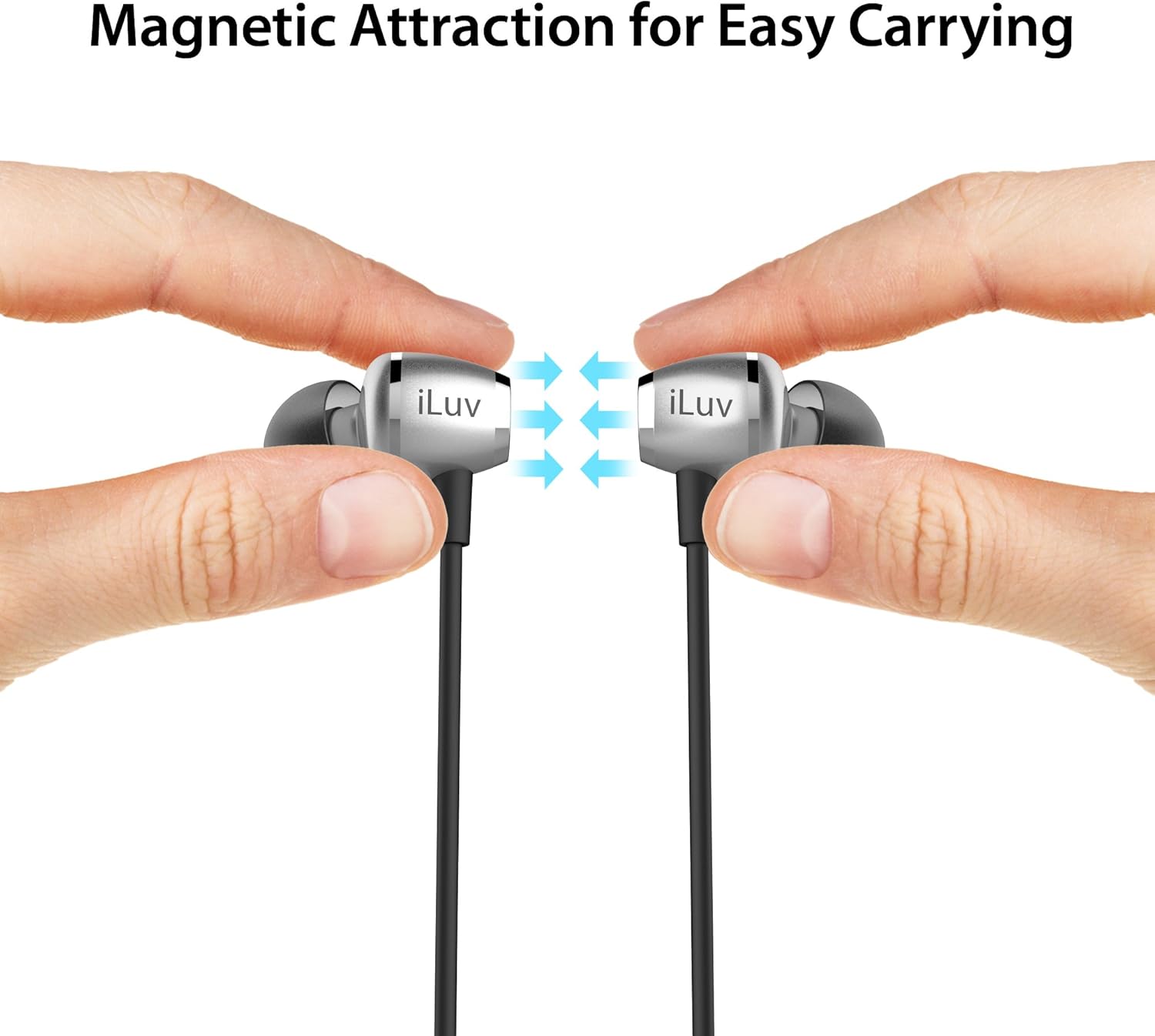
Magnetic Earbuds for Easy Carrying
The earbuds feature built-in magnets. When not in use, you can connect the two earbuds together, allowing them to rest securely around your neck and preventing tangling or loss.
Image: Two hands holding the iLuv Metal Forge Air 2 earbuds, demonstrating how the magnets attract them together for easy carrying around the neck.
Image: A man wearing the iLuv Metal Forge Air 2 earphones, showing the in-ear fit and the remote control hanging down.
Manutenzione
Pulizia
Regularly clean your earphones to maintain sound quality and hygiene. Use a soft, dry, lint-free cloth to wipe the earbuds and cable. For ear tips, you may gently remove them and clean with a mild soap solution, then rinse thoroughly and ensure they are completely dry before reattaching.
Magazzinaggio
When not in use, store the earphones in a cool, dry place away from direct sunlight and extreme temperatures. Utilize the magnetic feature to keep the earbuds together and prevent tangling of the flat cable.
Sweat Proof Design
The iLuv Metal Forge Air 2 features a sweat-proof design, making them suitable for active lifestyles. However, they are not waterproof. Avoid submerging them in water or exposing them to heavy rain.
Risoluzione dei problemi
If you encounter issues with your iLuv Metal Forge Air 2 earphones, please refer to the following common solutions:
Nessun potere: Ensure the earphones are fully charged. Connect them to a power source and check the charging indicator.
Impossibile associare:
Make sure the earphones are in pairing mode (LED flashing red and blue alternately).
Ensure Bluetooth is enabled on your device and it is within 30 feet (9 meters) of the earphones.
Prova a disattivare e riattivare il Bluetooth del tuo dispositivo oppure a riavviarlo.
Se è già stato associato in precedenza, prova a "dimenticare" il dispositivo nelle impostazioni Bluetooth del telefono e ad associarlo nuovamente.
Nessun suono o volume basso:
Controlla i livelli del volume sia sugli auricolari che sul dispositivo collegato.
Assicurarsi che gli auricolari siano correttamente associati e collegati.
Verificare che la sorgente audio sia in riproduzione.
Intermittent Disconnections / Turns Off Frequently:
Ensure the earphones are fully charged. Low battery can cause unstable connections.
Reduce the distance between the earphones and your device.
Evitare ostacoli (muri, oggetti di grandi dimensioni) che potrebbero interferire con il segnale Bluetooth.
Ridurre al minimo le interferenze provenienti da altri dispositivi wireless (router Wi-Fi, altri dispositivi Bluetooth).
Scarsa qualità del suono:
Ensure the ear tips are correctly sized and seated in your ears for optimal noise isolation and sound delivery.
Clean the ear tips and speaker grilles to remove any debris.
Prova una sorgente audio diversa o file per escludere problemi di origine.
Specifiche
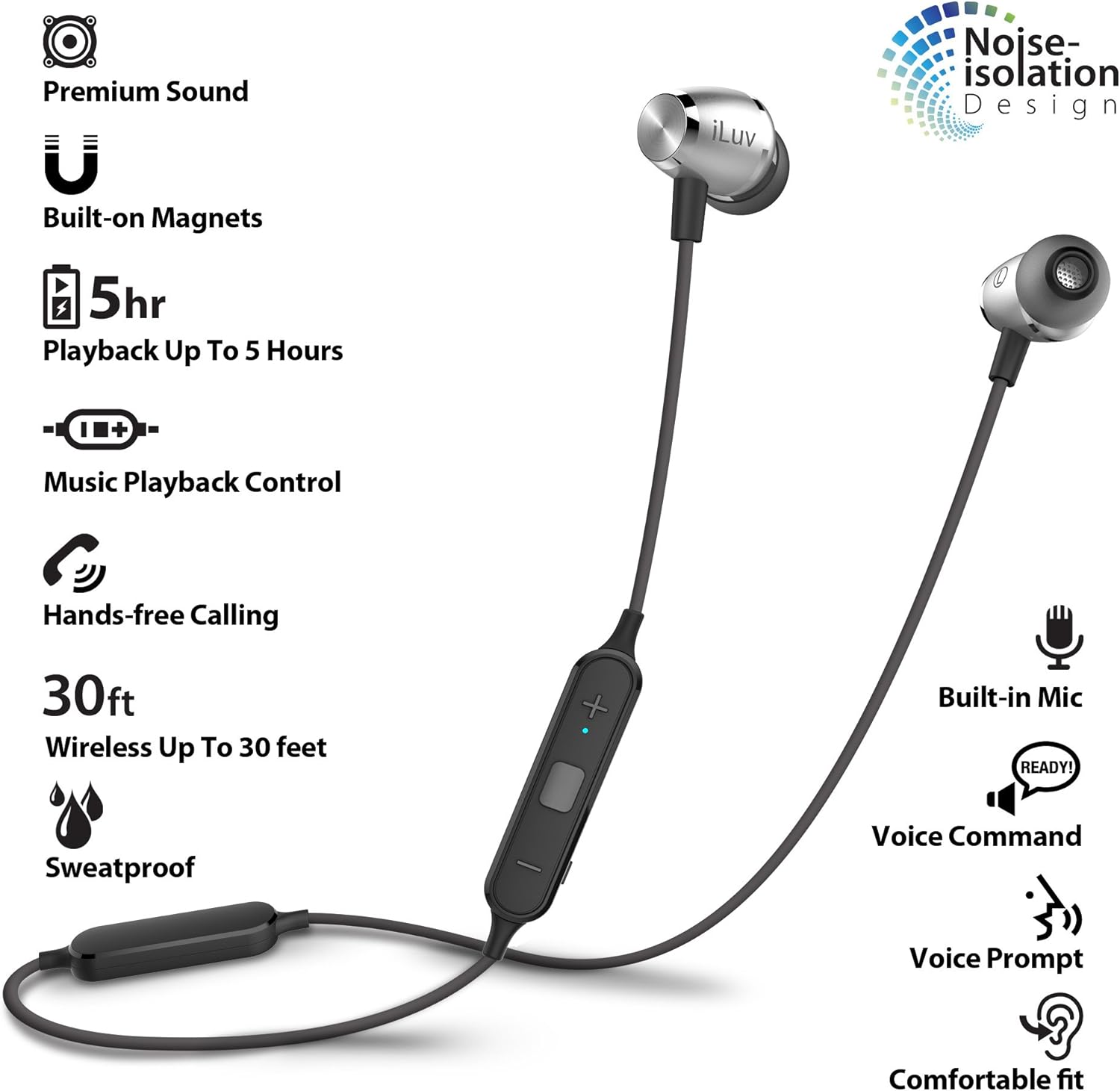
Image: An infographic highlighting key features of the iLuv Metal Forge Air 2, including premium sound, built-on magnets, 5-hour playback, music playback control, hands-free calling, 30ft wireless range, sweatproof design, built-in mic, voice command, voice prompt, and comfortable fit with noise isolation.
Caratteristica
Dettaglio
Numero di modello
MFAIR2SI
Tecnologia di connettività
Bluetooth
wireless Range
Fino a 30 piedi (9 metri)
Tempo di riproduzione
Fino a 5 ore
Tempo di standby
Fino a 200 ore
Tipo di controllo
Remote (Multi-function, Volume Up/Down)
Metodo di controllo
Tocco, Voce
Microfono
Incorporato
Controllo del rumore
Isolamento acustico
Materiale
Alluminio, Metallo
Peso dell'articolo
0.704 once (0.02 chilogrammi)
Dimensioni del prodotto
0.39 x 0.39 x 0.39 pollici
Batteria
1 batteria agli ioni di litio (inclusa)
Compatibilità
Apple and Android smartphones/tablets supporting Bluetooth
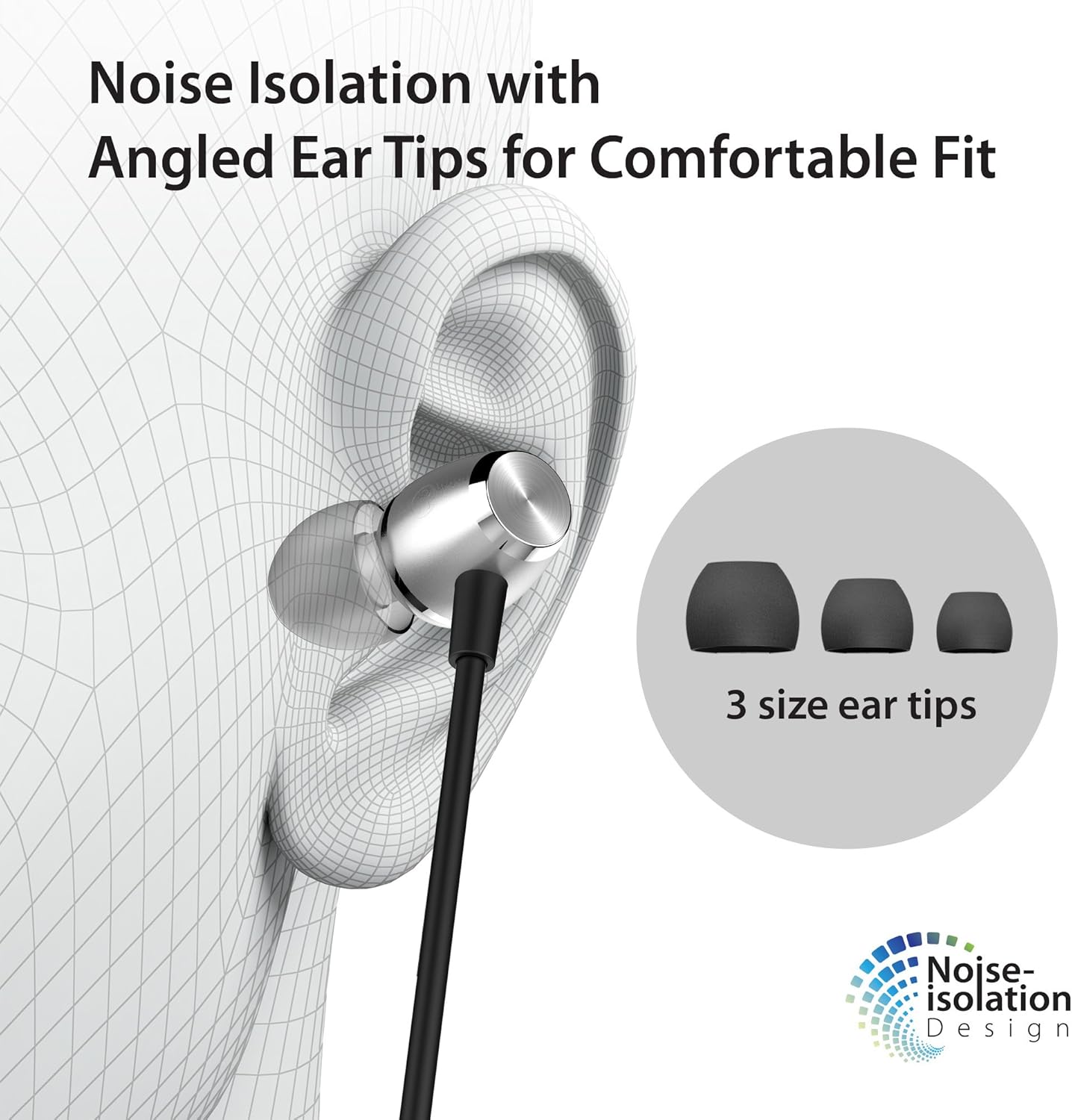
Image: A diagram showing an ear with an iLuv Metal Forge Air 2 earbud inserted, highlighting the angled ear tip design and the concept of noise isolation. Three different sizes of ear tips are also shown.
Garanzia e supporto
iLuv is committed to providing quality products and customer satisfaction. For any questions or support needs, please refer to the following resources:
Hai bisogno di aiuto?
If you are experiencing any problems, please contact us through the official iLuv seller page for assistance. Our support team is available to help with product issues.
For compatibility inquiries or other questions, you can leave a question on the product page in the customer questions & answers section.
Politica di restituzione del giorno 30
All products are eligible for a full hassle-free refund within 30 days of purchase if you are not satisfied or unable to resolve an issue.
Ask a question about this manual
Ask about setup, troubleshooting, compatibility, parts, safety, or missing instructions. Manuals+ will review the question and use this page’s manual context to help answer it.