
1. Contenuto della confezione
Verificare che tutti gli articoli siano presenti nel pacco:
- Telecamera corporea BOBLOV
- Manuale d'uso
- Fermaglio per spalla
- Caricabatterie per auto
- 2 batterie agli ioni di litio (1950 mAh ciascuna)
- Cavo USB
- Base di ricarica
- Breve clip

Image: The package contents include the body camera, user manual, two clips, car charger, two batteries, USB cable, and charging base.
2. Impostazione
2.1 Installazione e ricarica della batteria
The camera comes with two 1950mAh Lithium Ion batteries. Ensure batteries are fully charged before first use.
- Insert one battery into the dedicated slot on the charging base.
- Place the body camera onto the charging base. The base allows simultaneous charging of one battery and the camera.
- Connect the USB cable to the charging base and a power source (e.g., wall adapter, car charger, or computer USB port).
- Il tempo di ricarica è di circa 3 ore per una ricarica completa.

Image: The body camera and a spare battery are shown charging in the dual charging dock.
Scheda di memoria 2.2
The camera supports external TF (MicroSD) cards up to 128GB. A 64GB internal storage is included.
- Individuare lo slot per la scheda TF sul lato della fotocamera.
- Inserire delicatamente la scheda TF nello slot finché non scatta in posizione.
- Per rimuoverla, premere la scheda verso l'interno finché non scatta fuori.
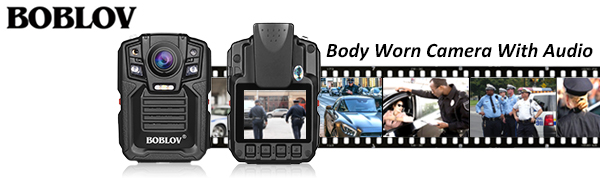
Image: The body camera features an external TF card slot, supporting cards up to 128GB for expanded storage.
3. Istruzioni per l'uso
3.1 Accensione/spegnimento
Press and hold the Power button for 3 seconds to turn the camera on. To turn off, press and hold the Power button for 5 seconds.
3.2 Registrazione video
From standby mode, short press the Video Record button to start recording. The red light will flash, and the camera will vibrate twice. Short press again to stop recording and save the file.
3.3 Acquisizione foto
From standby mode, short press the Photo button to take a single photo. The camera will vibrate once.
3.4 Registrazione audio
From standby mode, short press the Audio Record button to start audio-only recording. Short press again to stop and save.
3.5 Visione notturna
The camera features automatic infrared night vision. In low light conditions, the IR lights will activate to capture clear footage up to 15 meters (approximately 49 feet) away.

Image: The body camera captures clear footage in low light, showing objects at 3 meters and 15 meters with night vision activated.
3.6 Riproduzione
Use the menu buttons to navigate through recorded videos, photos, and audio files on the 2-inch LCD screen. Select a file and press the OK button to play.
3.7 Mounting and Wear
The camera comes with rotatable clips for flexible mounting options. Attach the desired clip to the back of the camera.
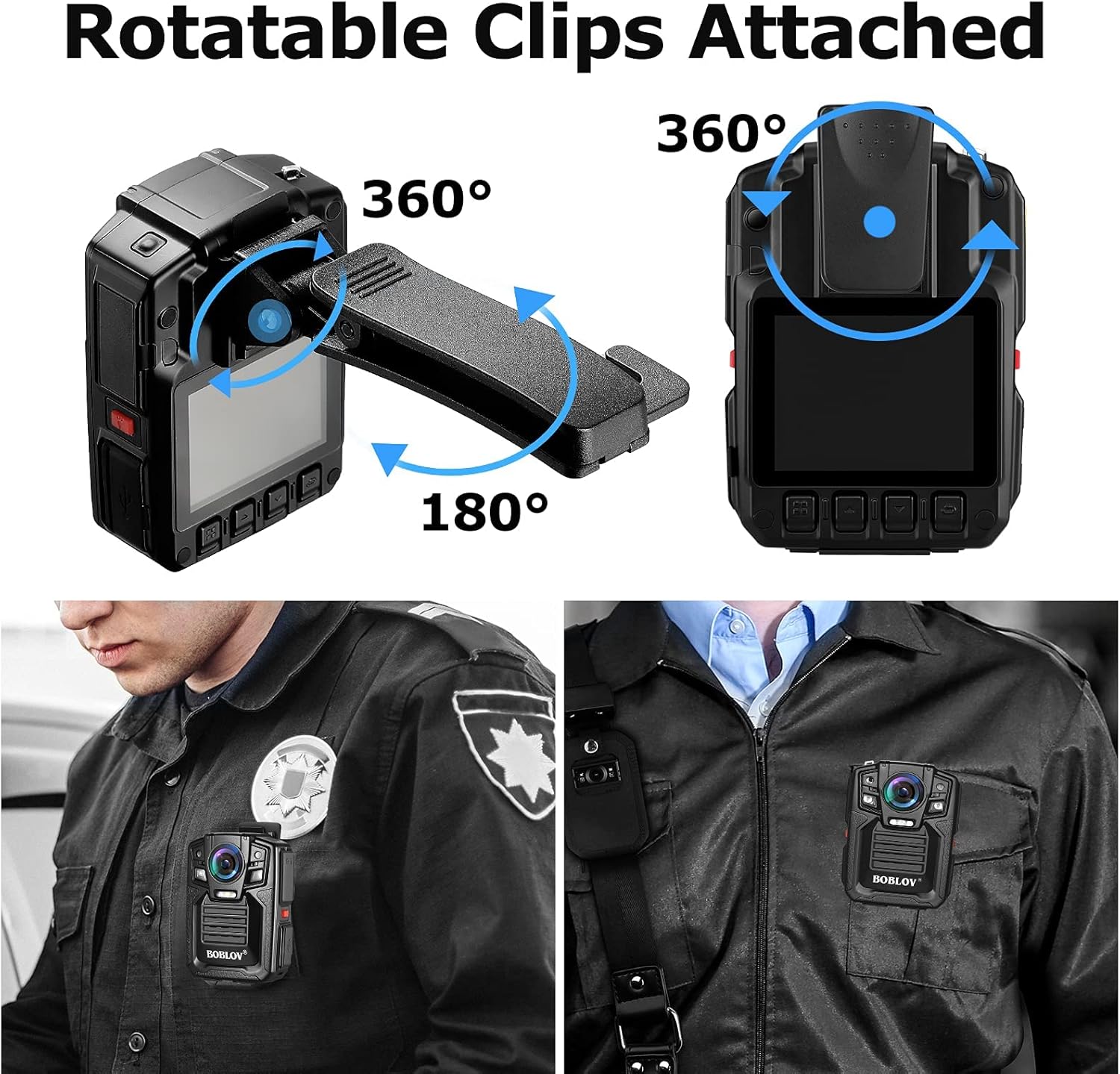
Image: The body camera is shown with rotatable clips, allowing for 360-degree rotation and 180-degree tilt for optimal positioning.

Image: A person in uniform wears the BOBLOV body camera clipped to their shirt pocket, demonstrating a typical use case.
4. Manutenzione
4.1 Pulizia
Pulisci il corpo macchina e l'obiettivo con un panno morbido e asciutto. Evita di utilizzare prodotti chimici aggressivi o materiali abrasivi.
4.2 Trasferimento dati
Connect the camera to a computer using the provided USB cable to transfer recorded files. The camera will appear as a removable disk drive.
4.3 Aggiornamenti firmware
Controllare il produttore webperiodicamente per gli aggiornamenti del firmware, per garantire prestazioni ottimali e l'accesso a nuove funzionalità.
5. Risoluzione Dei Problemi
| Problema | Possibile causa | Soluzione |
|---|---|---|
| Machine cannot boot | Batteria scarica | Caricare completamente la batteria. |
| Machine cannot boot | Protezione della macchina | Press reset button or reboot. |
| Machine working time is short | Sottocarico | Full charge more than 4 hours. |
| Cannot copy data to computer | USB interface in front of computer power supply is insufficient | Connect the data line to the computer's back USB interface. |
6. Specifiche
| Caratteristica | Dettaglio |
|---|---|
| Risoluzione video | 1296P (Effective 1296 Pixels) |
| Formato di acquisizione video | Formato MPEG-4 |
| Campo di View | 170 gradi |
| Visione notturna | Yes (Low light technology: Night Color) |
| Livello di resistenza all'acqua | Impermeabile (IP67) |
| Memoria interna | 64 GB |
| Archiviazione esterna | Supporta TF card fino a 128GB |
| Tipo di batteria | 2 batterie agli ioni di litio (1950 mAh ciascuna) |
| Peso dell'articolo | 1 libbra |
| Tecnologia di connettività | USB |
| Numero di modello | HLX077-I0411B1 |
7. Garanzia e supporto
For warranty information or technical assistance, please contact BOBLOV Customer Service. Refer to the user manual included in your package for specific contact details or visit the official BOBLOV websito.
General Customer Service Email: Support@Boblov.com
8. Video ufficiali dei prodotti
Below are official product videos from the seller for additional guidance and demonstrations.
BOBLOV BODY CAM Real Video Visual effects
Video: This video demonstrates the real-world visual effects and video quality of the BOBLOV body camera.