
1. Prodotto finitoview
The Alesis PA System in a Box Bundle provides a complete sound reinforcement solution. This package includes a 4-channel powered mixer, two 10-inch 2-way passive speakers, two durable speaker stands, two 20-foot speaker cables, and a microphone with its cable. It is designed for various applications such as small venues, rehearsal spaces, presentations, ceremonies, and events requiring portable sound.
The PA80 Powered Mixer delivers 280 watts of peak power (80 watts continuous) and features four channels, each with a balanced microphone XLR input, an unbalanced 1/4” line input, 2-band EQ, and FX level control. The mixer also includes a 3-band master EQ, master level control, and built-in digital delay effect with time and repeat controls. Additional connectivity options include an RCA input for mobile devices, an RCA output for recorders, and a USB/SD MP3 player for audio playback.

Figura 1.1: The complete Alesis PA System in a Box Bundle, including mixer, speakers, stands, and microphone.
2. Istruzioni per l'installazione
2.1 Disimballaggio e identificazione dei componenti
Rimuovere con attenzione tutti i componenti dalla confezione. Verificare che tutti gli articoli elencati nel prodotto sopraview are present. Retain packaging for future transport or storage.
2.2 Speaker Stand Assembly and Placement
- Extend the legs of each speaker stand to form a stable tripod base. Ensure all locking mechanisms are securely tightened.
- Adjust the height of the speaker stands to the desired level, ensuring the speakers will be above head height for optimal sound dispersion. Secure the height adjustment with the provided locking pin and knob.
- Place one speaker onto the pole of each stand. Ensure the speaker is seated firmly and stably on the stand.
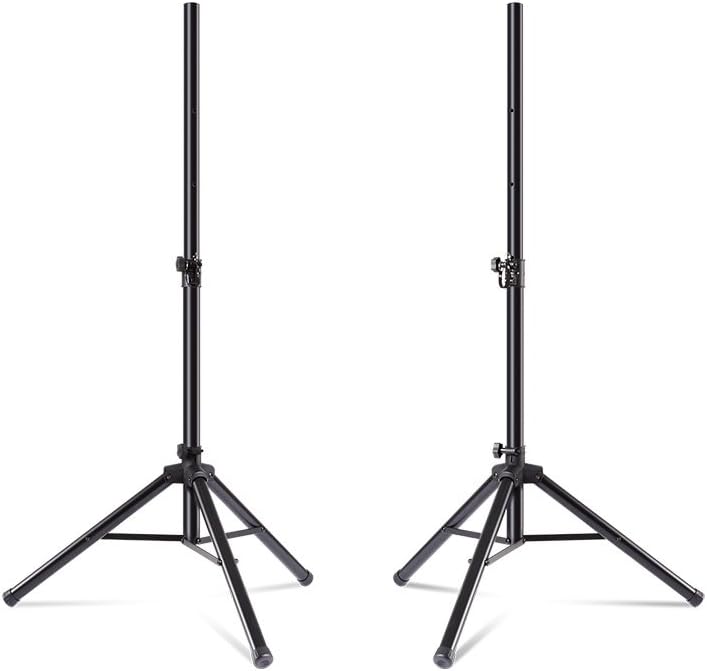
Figura 2.1: The two included speaker stands, ready for assembly.
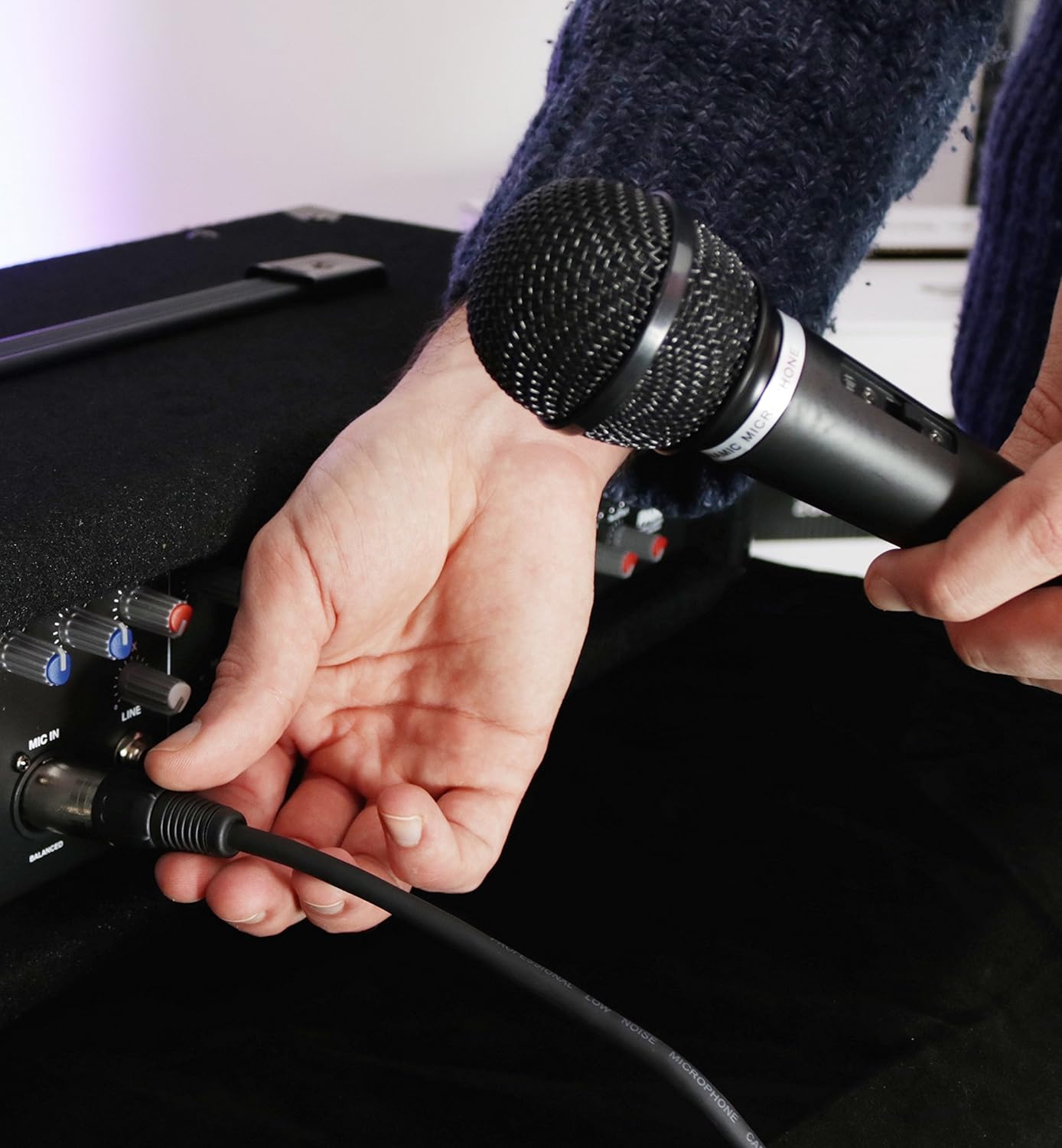
Figura 2.2: Correct placement of a speaker onto a stand for stability.
2.3 Connecting Speakers to the Mixer
Connect one end of each 20-foot speaker cable to the speaker output jacks on the rear of the PA80 Powered Mixer. Connect the other end of each cable to the input jack on the back of each passive speaker.

Figura 2.3: The two passive speakers included in the bundle.

Figura 2.4: The two speaker cables used for connecting the mixer to the speakers.
2.4 Collegamento del microfono
Connect the XLR end of the microphone cable to the balanced XLR input on one of the mixer's channels (e.g., MIC IN 1). Connect the other end of the cable to the microphone.

Figura 2.5: The included dynamic microphone.

Figura 2.6: The XLR microphone cable.

Figura 2.7: Demonstrating how to connect the microphone to the mixer.
2.5 Collegamento di altre sorgenti audio
- 1/4" Line Input: For instruments or other line-level devices, connect a 1/4" TS cable to the "LINE IN" jack on any channel.
- Ingresso Aux RCA: For connecting mobile devices, CD players, or other consumer audio equipment, use an RCA cable to connect to the "AUX IN" jacks.
- USB/SD MP3 Player: Insert a USB flash drive or SD card into the respective slot on the mixer's front panel.
2.6 Collegamento di alimentazione
Connect the included power cable to the mixer's power input and then to a standard AC power outlet. Ensure the mixer's power switch is in the OFF position before connecting to power.
3. Istruzioni per l'uso
3.1 Controlli del mixerview

Figura 3.1: The control panel of the PA80 Powered Mixer.
- Channel Controls (1-4):
- LIVELLO: Adjusts the input gain for the channel.
- BASSO: Adjusts the low-frequency (bass) equalization for the channel.
- ALTO: Adjusts the high-frequency (treble) equalization for the channel.
- Effetti: Controls the amount of the built-in digital delay effect applied to the channel.
- Controlli principali:
- MAESTRO DEGLI EFFETTI EFFETTIVI: Overall level control for the digital delay effect.
- TEMPO: Adjusts the delay time of the digital effect.
- RIPETERE: Adjusts the number of repetitions for the digital delay effect.
- LOW, MID, HIGH (Master EQ): Global equalization controls for the entire mix.
- MAESTRO: Overall output volume control for the entire system.
- Controlli del lettore multimediale: Buttons for Play/Pause, Stop, Skip tracks, and EQ settings for USB/SD playback.
3.2 Powering On and Initial Sound Check
- Ensure all channel LEVEL knobs and the MASTER volume knob are turned down completely.
- Flip the power switch on the mixer to the ON position.
- Gradually increase the MASTER volume knob to a low level.
- For each connected input (microphone, instrument, etc.), slowly increase its respective channel LEVEL knob until a clear signal is heard through the speakers. Adjust the channel EQ (LOW, HIGH) as needed.
- Adjust the MASTER EQ (LOW, MID, HIGH) to fine-tune the overall sound.
3.3 Using the Digital Delay Effect
To apply the digital delay effect:
- Turn up the FX MASTER knob to a desired level.
- Adjust the TIME and REPEAT knobs to achieve the desired delay characteristics.
- For individual channels, increase the channel's FX knob to send that channel's signal to the delay effect.
3.4 MP3 Playback (USB/SD)
Inserire una chiavetta USB o una scheda SD contenente audio MP3 files into the designated slot. Use the media player controls (Play/Pause, Stop, Skip) to navigate and play tracks. The MP3 player has its own EQ settings that can be adjusted.
4. Manutenzione
- Pulizia: Utilizzare un panno morbido e asciutto per pulire le superfici del mixer e degli altoparlanti. Evitare l'uso di detergenti liquidi o solventi, poiché potrebbero danneggiare la finitura o i componenti interni.
- Magazzinaggio: When not in use, store the system in a dry, dust-free environment. If transporting, use original packaging or suitable protective cases.
- Cura del cavo: Avoid sharp bends or kinks in cables. Coil cables loosely when storing to prevent damage.
- Ventilazione: Assicurarsi che le aperture di ventilazione del mixer siano libere e libere da ostruzioni durante il funzionamento per evitare il surriscaldamento.
5. Risoluzione Dei Problemi
- Nessun suono:
- Check if the mixer is powered on and connected to a working outlet.
- Ensure speaker cables are securely connected to both the mixer and speakers.
- Verify that the MASTER volume and individual channel LEVEL knobs are turned up.
- Check the input source (microphone, instrument, MP3 player) for proper connection and functionality.
- Suono distorto:
- Reduce the channel LEVEL knob for the input source that is distorting.
- Reduce the MASTER volume knob.
- Check if any EQ settings (channel or master) are excessively boosted.
- Microfono non funzionante:
- Ensure the microphone cable is fully inserted into both the microphone and the mixer's XLR input.
- Check the microphone's on/off switch, if applicable.
- Increase the channel LEVEL for the microphone input.
- MP3 Player Issues (USB/SD):
- Assicurarsi che l'unità USB o la scheda SD siano inserite correttamente.
- Verificare che l'audio filesono in un formato compatibile (MP3).
- Provare un'altra unità USB o una scheda SD per escludere problemi multimediali.
- Ronzio o rumore:
- Assicurarsi che tutti i cavi siano adeguatamente schermati e collegati.
- Try connecting the mixer to a different power outlet.
- Unplug all inputs one by one to identify the source of the noise.
- A slight fan noise from the mixer is normal during operation.
6. Specifiche
| Caratteristica | Dettaglio |
|---|---|
| Uscita Wattage | 280 Watt (picco) / 80 Watt (continuo) |
| Numero di canali | 4 |
| Ingressi audio | XLR (Microphone), 1/4" Line, RCA Aux, USB, SD Card |
| Uscite audio | 1/4" Line, RCA (for recording) |
| Equalizzazione | 2-band per channel, 3-band master EQ |
| Effetti | Built-in Digital Delay (Time, Repeat controls) |
| Tipo di altoparlante | Passive, 10-inch 2-way |
| Fonte di alimentazione | Elettrico con cavo |
| Peso dell'articolo | 63.6 libbre (sistema totale) |
| Dimensioni del prodotto | 16 x 45 x 27.56 pollici |
| Numero di modello | PA System in a Box Bundle |
| Codice UPC | 694318021996 |
7. Garanzia e supporto
For detailed warranty information and technical support, please refer to the documentation included with your purchase or visit the official Alesis website. Product registration may be required for warranty claims.