
Introduzione
Grazie per l'acquistoasing the OttLite CY4009-FFP LED Desk Lamp. This manual provides important information regarding the setup, operation, maintenance, and troubleshooting of your new desk lampSi prega di leggere attentamente le presenti istruzioni prima dell'uso e di conservarle per riferimento futuro.
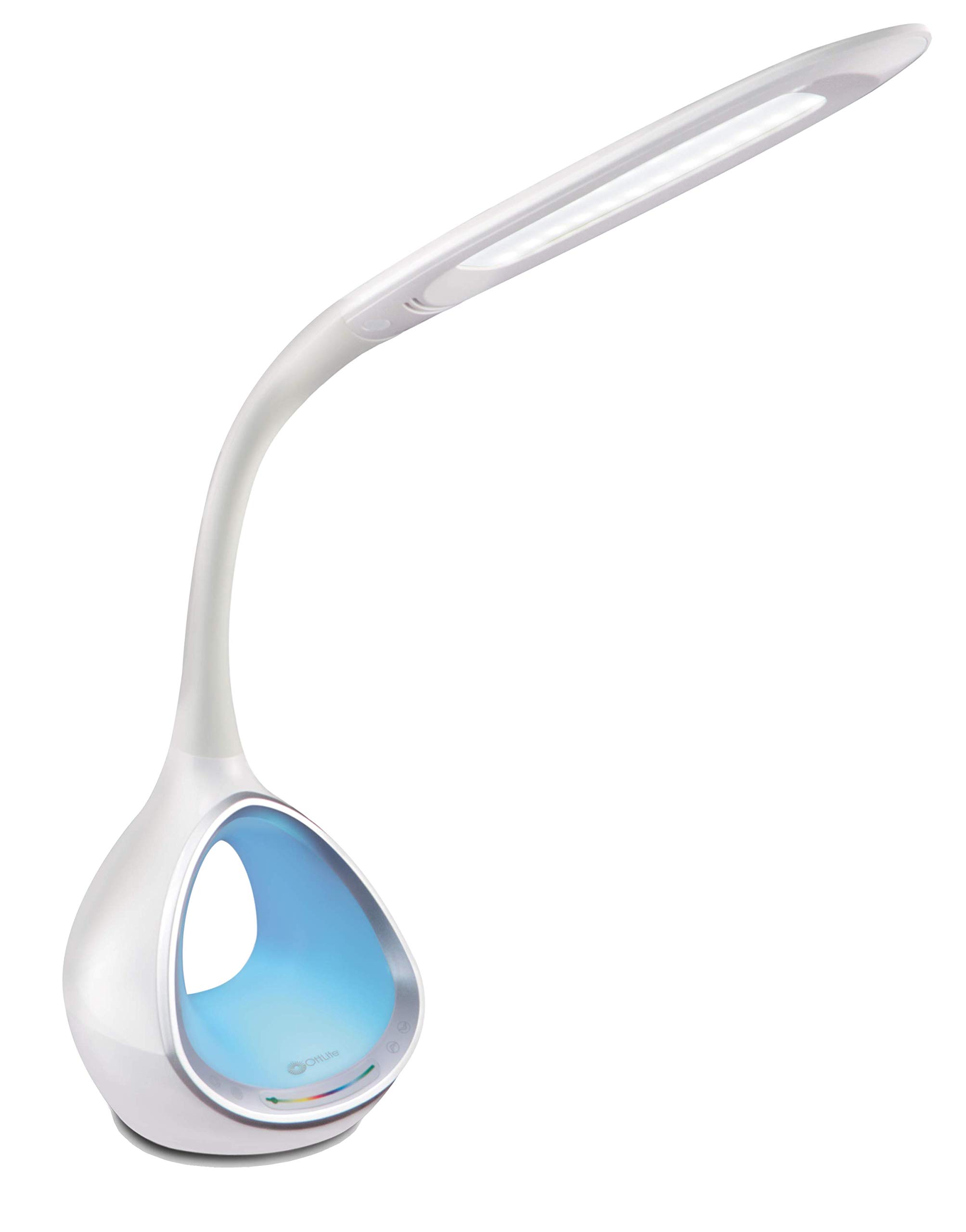
Image: The OttLite CY4009-FFP LED Desk Lamp, mostraasing its sleek white design and flexible neck.
Istruzioni di sicurezza
Per garantire un funzionamento sicuro, osservare le seguenti precauzioni:
- Non azionare il lamp con un cavo o una spina danneggiati.
- Non modificare la lamp o dei suoi componenti.
- Mantieni la lamp away from water or other liquids. This product is not water resistant.
- Assicurare lamp sia posizionato su una superficie stabile e piana.
- Scollegare lamp prima di effettuare operazioni di pulizia o manutenzione.
- Questo lamp è solo per uso interno.
Contenuto della confezione
Verificare che tutti gli articoli siano presenti nel pacco:
- OttLite CY4009-FFP LED Desk Lamp
- Adattatore di alimentazione CA/CC
Prodotto finitoview
Familiarize yourself with the main components of your desk lamp:
- Collo flessibile: Allows adjustment of the light head position.
- Testa luminosa a LED: Provides natural daylight illumination with adjustable brightness and color temperature.
- Pannello di controllo: Touch-sensitive buttons for power, brightness, color temperature, and color-changing base.
- Color Changing Tunnel Base: Illuminates with a choice of colors or cycles through the spectrum.
- Porta di ricarica USB: Located on the side of the base for charging devices.

Image: The OttLite CY4009-FFP LED Desk Lamp illustrating its adjustable height (11.75 to 16 inches) and base diameter (4.375 inches).
Impostare
- Rimuovere con cautela il lamp e tutti i componenti della confezione.
- Posizionare la lamp su una superficie stabile e piana.
- Connect the AC/DC power adapter to the power input port located at the back of the lamp base.
- Collega l'alimentatore a una presa elettrica standard.
- Il lamp è ora pronto per il funzionamento.
Istruzioni per l'uso
Funzionamento della luce principale

Immagine: Primo piano della lamp base showing touch-activated controls for brightness and color settings.
- Accensione/spegnimento: Tocca il Pulsante di accensione on the control panel to turn the main light on or off.
- Regola luminosità: Il lamp features 4 brightness settings. Repeatedly touch the Pulsante Luminosità per scorrere i livelli di luminosità.
- Cambia temperatura colore: Il lamp offers 3 color temperature modes. Repeatedly touch the Pulsante modalità to switch between different light temperatures (e.g., warm white, bright white, cool white).

Image: Three different light outputs from the lamp head, demonstrating the warm, neutral, and cool color temperature settings.
Color Changing Tunnel Base Operation

Immagine: Quattro examples della lamp's base glowing in different colors: blue, red, purple, and green.
- Activate Color Base: Tocca il Pulsante colore on the control panel to turn on the color-changing base.
- Seleziona un colore: Once activated, touch the color spectrum bar on the base to select a specific color.
- Colori del ciclo: To have the base continuously cycle through the entire color spectrum, touch and hold the Pulsante colore until the colors begin to transition automatically.
- Turn Off Color Base: Tocca il Pulsante colore again to turn off the color-changing base.
Porta di ricarica USB
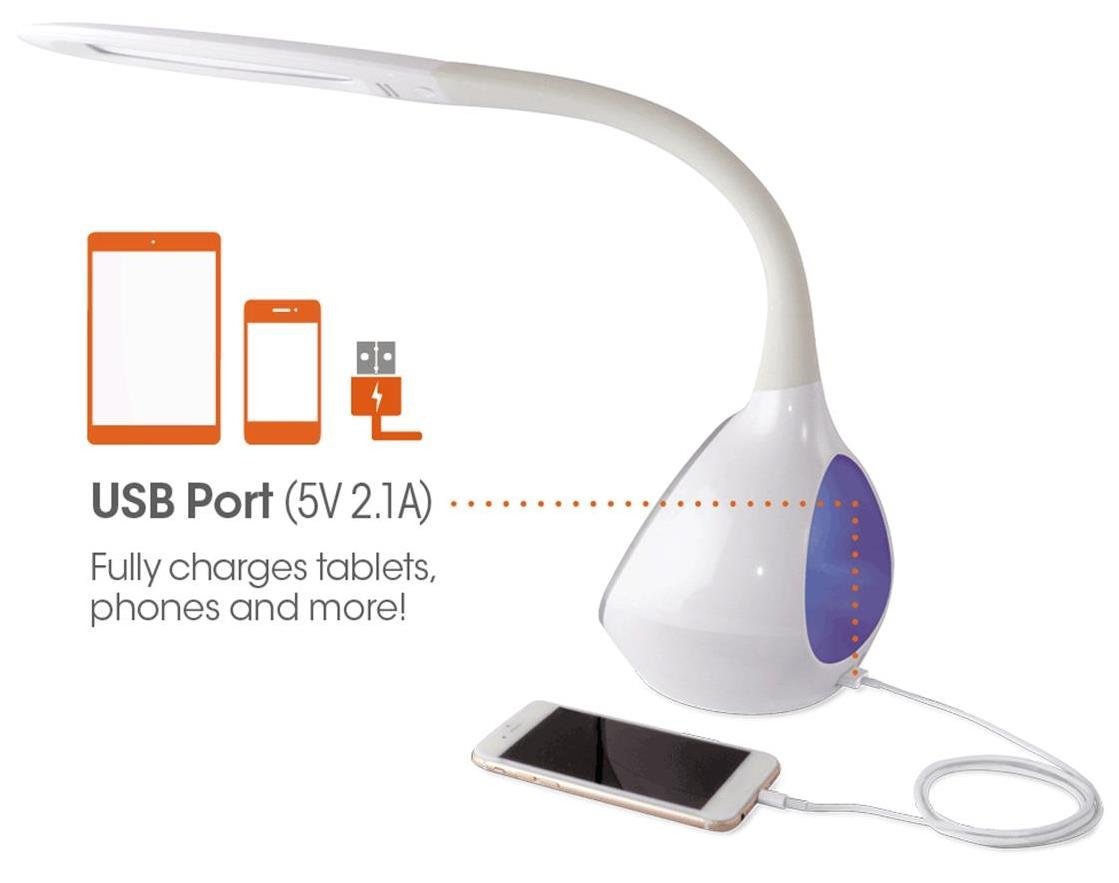
Immagine: La lamp's base with a smartphone connected to the 5V 2.1A USB charging port, illustrating its charging capability for phones and tablets.
Il lamp includes a 5V, 2.1A USB charging port located on the side of the base. This port can be used to charge smartphones, tablets, and other USB-powered devices. Simply connect your device's USB charging cable to the port.
Manutenzione
- Pulizia: Assicurare lamp sia scollegato prima della pulizia. Utilizzare un panno morbido e asciutto per pulire lamp. Non utilizzare detergenti o solventi abrasivi.
- LED: The integrated LEDs are designed to last up to 40,000 hours and are not replaceable.
- Magazzinaggio: Se si conserva il lamp per un periodo prolungato, scollegarlo e conservarlo in un luogo fresco e asciutto.
Risoluzione dei problemi
| Problema | Possibile causa | Soluzione |
|---|---|---|
| Lamp non si accende. | L'adattatore di alimentazione non è collegato correttamente o la presa non riceve corrente. | Controllare che l'adattatore di alimentazione sia collegato saldamente a entrambe le porte lamp e la presa a muro. Prova la presa con un altro dispositivo. |
| Main light works, but color-changing base does not. | Color button not activated. | Ensure the Color button on the control panel has been touched to activate the base light. |
| La porta di ricarica USB non funziona. | Dispositivo non compatibile o cavo difettoso. | Ensure your device is compatible with 5V, 2.1A charging. Try a different USB cable. |
| I comandi touch non rispondono. | Temporary electrical interference or power issue. | Scollegare lamp dalla presa di corrente per 30 secondi, quindi ricollegarlo. |
Specifiche
| Numero modello: | CY4009-FFP |
| Marca: | OttLite |
| Tipo di sorgente luminosa: | GUIDATO |
| Cosatage: | 10 Watt |
| Impostazioni di luminosità: | 4 (up to 500 lumens) |
| Temperature di colore: | 3 |
| Uscita porta USB: | 5 V, 2.1 A |
| Durata della vita del LED: | Fino a 40,000 ore |
| Dimensioni del prodotto (LxLxA): | 24.1D x 7W x 29.8H centimetri |
| Peso dell'articolo: | 1.32 kg (2.91 libbre) |
| Fonte di energia: | Elettrico con cavo |
| Tipo di interruttore: | Tocco |
| Colore: | Bianco |
| Resistenza all'acqua: | Non resistente all'acqua |
| Codice UPC: | 761712012346 |
Garanzia e supporto
For warranty information or technical support, please refer to the documentation provided with your purchase or visit the official OttLite websito. Conservare la prova d'acquisto per eventuali reclami in garanzia.
Produttore: Environmental Lighting Concepts