
1. Introduzione
The ASUS Z170-DELUXE is a high-performance desktop motherboard designed for Intel Z170 chipset and LGA 1151 socket processors. It offers advanced features for enhanced speed, stability, and connectivity, making it suitable for demanding computing tasks and gaming. This manual provides essential information for setting up, operating, and maintaining your motherboard.
Le caratteristiche principali includono:
- Ottimizzazione a 5 vie: Dynamic system tuning for performance, efficiency, digital power, fan control, and networking.
- ASUS PRO Clock Technology: Dedicated base-clock generator for extended overclocking margins.
- Suono di cristallo 3: Advanced audio solution for clear and immersive sound.
- 3x3 Dual-Band 802.11ac Wi-Fi + BT4.0: Integrated high-speed wireless connectivity.
- NVME U.2 Device Support and Hyper M.2 x4 Mini Card Support: Next-generation storage options for ultra-fast data transfer.
- USB 3.1 Type-A and Type-C Ports: High-speed USB connectivity with reversible Type-C.
- 5X Protection II: Hardware-level safeguards for long-term durability and reliability.
- Intel Ethernet: Optimized network performance with reduced CPU overhead.
2. Configurazione e installazione
This section guides you through the physical installation of the ASUS Z170-DELUXE motherboard and its components.
2.1. Preparazione del sistema
- Assicurarsi che l'alimentatore sia scollegato dalla presa a muro.
- Prepare your computer case and ensure adequate space for installation.
- Gather necessary tools, including a Phillips head screwdriver.
2.2. Installazione della scheda madre
- Carefully place the motherboard into your computer case, aligning it with the standoffs.
- Fissare la scheda madre con le viti.
- Install the CPU (Intel LGA 1151) into the socket, ensuring correct orientation.
- Applicare la pasta termica e installare il dissipatore della CPU.
- Install DDR4 RAM modules into the designated slots (4 available). For optimal performance, refer to your CPU and RAM manufacturer's guidelines for dual-channel configuration.
- Connect the 24-Pin main power connector and the 8-Pin CPU power connector from your power supply to the motherboard.
- Connect front panel headers (power button, reset button, USB ports, audio jacks) using the provided Q-Connector for easier installation.

Figure 1: ASUS Z170-DELUXE Motherboard layout.
2.3. Storage and Expansion Card Installation
- Dispositivi SATA: Connect SATA storage drives (HDDs/SSDs) to the available SATA 3 ports (6 total).
- M.2/U.2 Devices: For NVMe M.2 SSDs, insert the module into the M.2 slot and secure it. The motherboard supports NVMe U.2 devices via an adapter (sold separately).
- PCIe Cards: Install graphics cards or other expansion cards into the appropriate PCIe slots (7 total).
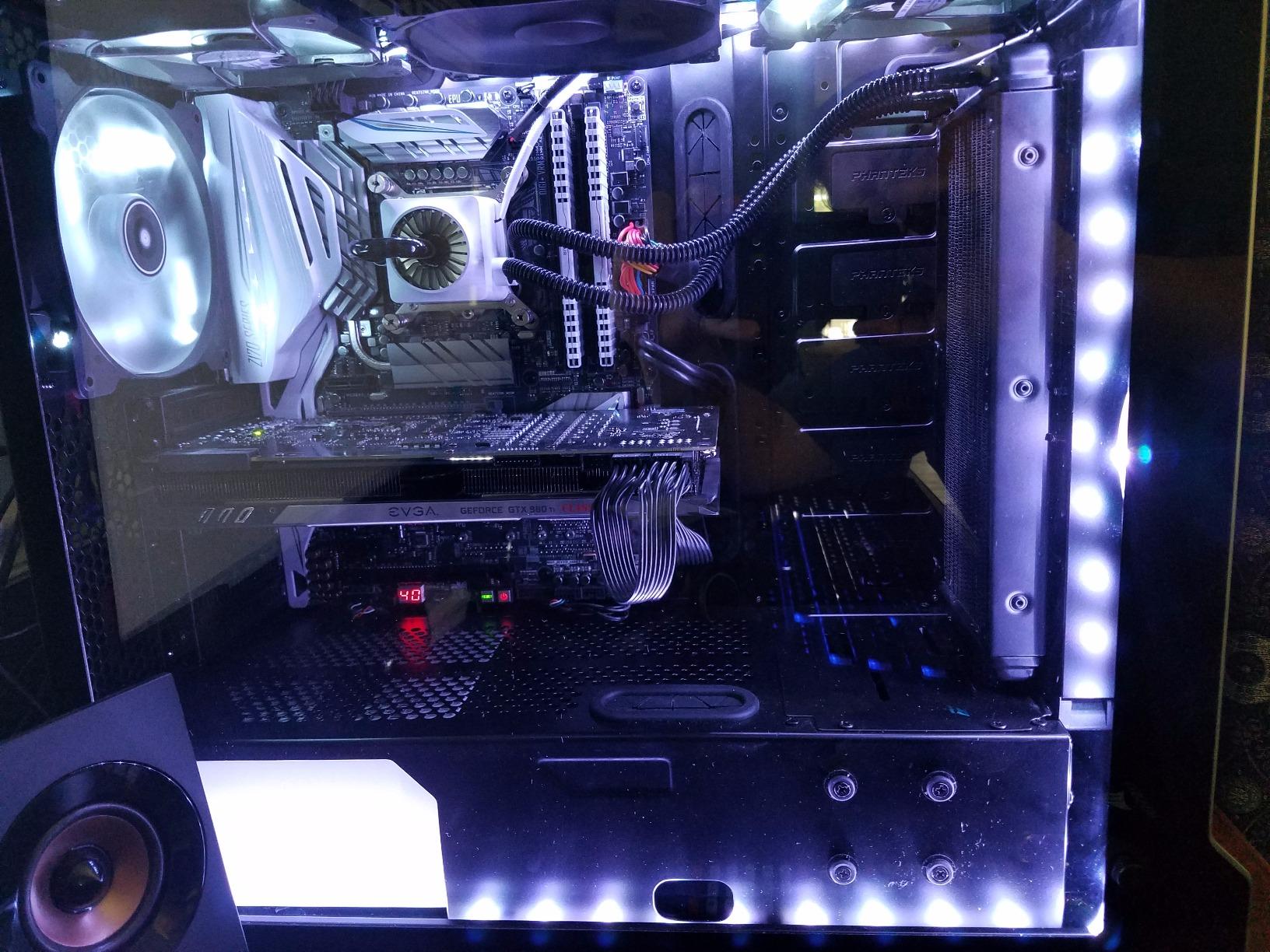
Figure 2: ASUS Z170-DELUXE Motherboard installed in a system, showcasing component layout.
3. Istruzioni per l'uso
This section covers the basic operation and key features of your ASUS Z170-DELUXE motherboard.
3.1. Avvio iniziale e configurazione del BIOS
- After connecting all components and peripherals, power on your system.
- Premere il tasto DEL or F2 key during startup to enter the UEFI BIOS.
- In the BIOS, you can configure boot order, enable XMP for RAM, adjust fan speeds, and manage other system settings.
- The ASUS UEFI BIOS provides an intuitive interface for easy navigation and configuration.
3.2. Installazione di software e driver
- Install your operating system (e.g., Windows 10).
- Install the latest drivers for the Z170 chipset, audio, LAN, Wi-Fi, and other integrated components from the ASUS support websito o il disco driver fornito.
- Utilize ASUS utilities like Suite di intelligenza artificiale 3, che include FAN Expert for advanced fan control and 5-Way Optimization for system tuning.
3.3. Funzionalità di connettività
- Porta USB 3.1: Utilize the high-speed USB 3.1 Type-A and reversible Type-C ports for fast data transfer with compatible devices.
- Wi-Fi e Bluetooth: Connect to wireless networks using the integrated 3x3 Dual-Band 802.11ac Wi-Fi. Bluetooth 4.0 allows connection to wireless peripherals.
- Intel Ethernet: Benefit from stable and high-throughput wired network connections.
4. Manutenzione
Una corretta manutenzione garantisce la longevità e le prestazioni ottimali della scheda madre.
- Mantenere pulito: Regularly clean dust from the motherboard and case interior using compressed air. Ensure fans are free of obstructions.
- Aggiornamenti del BIOS: Controllare periodicamente il supporto ASUS website for BIOS updates. Updating the BIOS can improve compatibility, stability, and performance. Use the ASUS EZ Flash utility for safe BIOS updates.
- Aggiornamenti driver: Keep all drivers (chipset, audio, LAN, etc.) updated to their latest versions for optimal performance and security.
- Alimentazione elettrica: Ensure your power supply provides stable and sufficient power to all components. Unstable power can lead to system instability.
5. Risoluzione Dei Problemi
This section addresses common issues you might encounter with your ASUS Z170-DELUXE motherboard.
- No POST (Power-On Self-Test) / Error Code 55:
- Error code 55 typically indicates a memory issue.
- Assicurarsi che i moduli RAM siano completamente inseriti nei rispettivi slot.
- Try booting with only one RAM stick, testing each slot and module individually to identify a faulty stick or slot.
- Verify RAM compatibility with the motherboard's QVL (Qualified Vendor List) on the ASUS websito.
- Update the BIOS to the latest version, as this often includes memory compatibility improvements.
- Nessuna uscita video:
- Ensure your monitor is connected to the correct video output (integrated graphics or dedicated graphics card).
- If using integrated graphics with a 4K display at 60Hz via HDMI, you might experience a blank screen. The integrated HDMI port on the Z170 chipset may be limited to 30Hz at 4K resolution. Consider using a DisplayPort connection or a dedicated graphics card for 4K 60Hz output.
- Reseat your graphics card if applicable.
- Controllare la selezione dell'ingresso del monitor.
- Instabilità del sistema/arresti anomali:
- Ensure all power connectors are securely attached.
- Controlla le temperature di CPU e GPU. Il surriscaldamento può causare instabilità.
- Verificare la stabilità della RAM utilizzando strumenti di diagnostica della memoria.
- If using RAID, ensure Intel Rapid Storage Technology (IRST) drivers are compatible. Some IRST driver versions (e.g., 14.8.1.1042 or 15.2.0.1020) have been reported to cause issues with certain configurations. Try using an older stable version (e.g., 14.0.0.1143 or 14.5.0.1081) or uninstall IRST if not using RAID.
- Ensure your power supply is sufficient for your components.
- Periferica non rilevata:
- Controllare i collegamenti fisici.
- Installare o aggiornare i driver pertinenti.
- Testare la periferica su un'altra porta o sistema.
6. Specifiche
| Caratteristica | Dettaglio |
|---|---|
| Marca | Asus |
| Nome del modello | Z170-DELUXE |
| Presa CPU | LGA1151 |
| Tipo di chipset | Intel Z170 |
| Processori compatibili | Intel Celeron, Core i7 (and other LGA 1151 compatible CPUs) |
| Tecnologia della memoria RAM | DDR4 |
| Velocità di clock della memoria | 2133 MHz (Base, supporta frequenze superiori tramite XMP) |
| Slot di memoria disponibili | 4 |
| Dimensione massima della memoria RAM | 64 GB |
| Total SATA Ports | 6 |
| Porte USB totali | 15 (including USB 3.1 Type-A and Type-C) |
| Numero di porte Ethernet | 2 (Intel Ethernet) |
| Numero totale di porte HDMI | 1 |
| Total PCIe Ports | 7 |
| Interfaccia della scheda grafica | Integrated, PCI Express |
| Peso dell'articolo | 0.8 chilogrammi |
7. Garanzia e supporto
Per informazioni dettagliate sulla garanzia, fare riferimento alla scheda di garanzia inclusa con il prodotto o visitare il supporto ufficiale ASUS websito. ASUS fornisce supporto tecnico e risorse per rispondere a qualsiasi domanda relativa ai prodotti.
- Supporto ASUS Websito: www.asus.com/support/
- Informazioni sui contatti: Fare riferimento all'ASUS website for regional contact details and customer service options.
Nota: i termini e le condizioni della garanzia possono variare a seconda della regione. Si prega di conservare la prova d'acquisto per eventuali reclami in garanzia.