
1. Introduzione
This manual provides essential information for the safe and effective use of the VEMER VE755600 Digital Multifunction Tester. This device is designed for comprehensive electrical measurements, including continuity, insulation, loop impedance, short circuit analysis, differential current, earth resistance, AC voltage, and phase sequence detection. Please read this manual thoroughly before operating the instrument and retain it for future reference.
2. Informazioni sulla sicurezza
Always adhere to local and national safety regulations when using this instrument. Failure to follow safety precautions can result in electric shock, injury, or damage to the device.
- Non fare use the tester if it appears damaged or if the test leads are compromised.
- Non fare attempt to measure voltagcorrenti o correnti che superano i valori massimi specificati.
- Ensure proper insulation and grounding when performing measurements.
- Always disconnect power to the circuit before making connections for resistance or continuity tests.
- Indossare dispositivi di protezione individuale (DPI) adeguati, come guanti isolanti e occhiali di sicurezza.
- Evitare di utilizzare il dispositivo in ambienti umidi oamp condizioni.
3. Prodotto finitoview
The VEMER VE755600 is a robust digital multifunction tester equipped with an internal memory for storing measurement results and a USB interface for PC connectivity. It is designed for professional use in electrical installations.
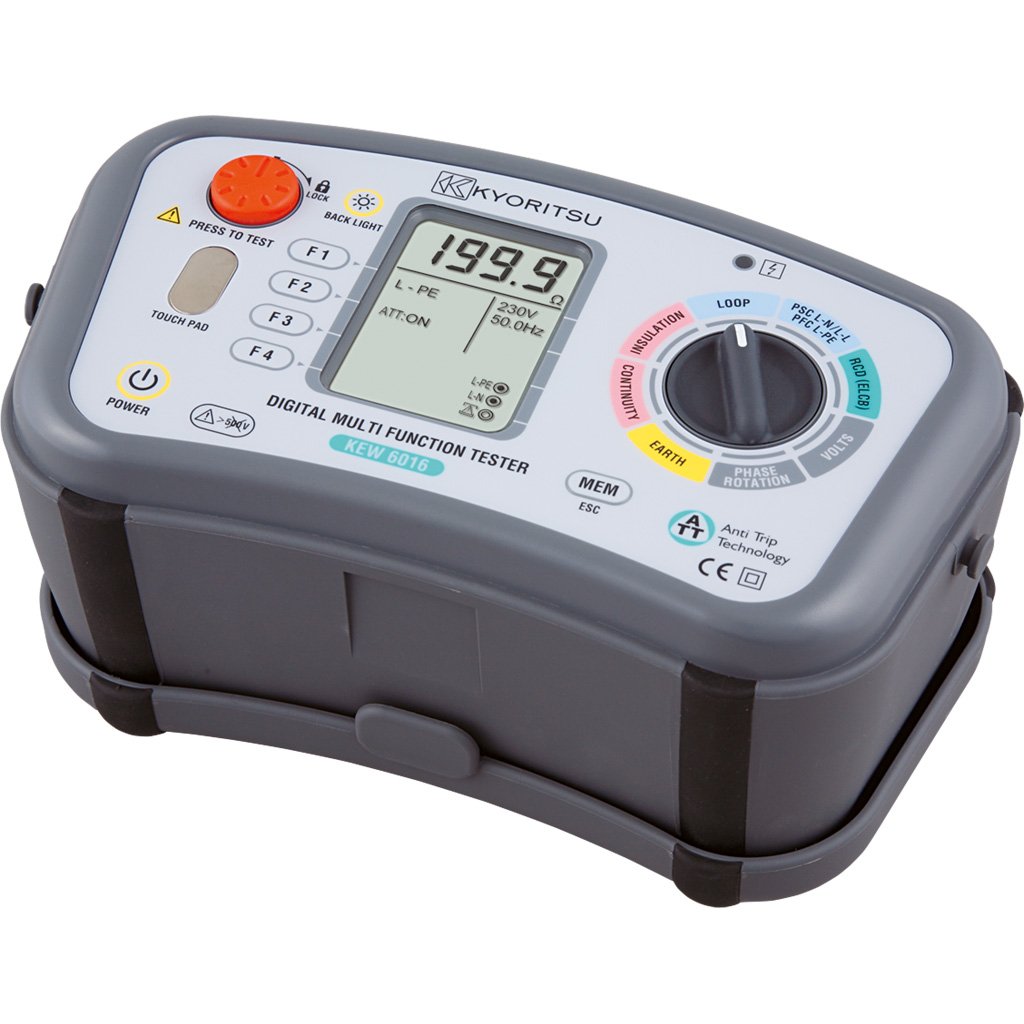
Figura 3.1: VEMER VE755600 Digital Multifunction Tester. This image displays the front view of the dark gray multifunction tester, showing its display screen, rotary selector switch, and various function buttons. Test lead input jacks are visible at the bottom.
Caratteristiche principali:
- Measures continuity, insulation resistance, loop impedance, short circuit current, differential current, earth resistance, AC voltage, and phase sequence.
- Internal memory for saving measurement data.
- USB interface for data transfer to a personal computer.
- Compact and durable design for field use.
4. Impostazione
Before using the VEMER VE755600, ensure it is properly prepared for operation.
4.1 Installazione della batteria
- Individuare il vano batteria sul retro del dispositivo.
- Open the compartment cover using a suitable tool (e.g., screwdriver).
- Inserire le batterie necessarie, rispettando la polarità corretta (+/-).
- Chiudere saldamente il coperchio del vano batterie.
4.2 Collegamento dei puntali di prova
- Identify the appropriate input jacks for your desired measurement (e.g., COM, VΩmA, etc.).
- Insert the test leads firmly into the corresponding jacks.
- Ensure the test probes are clean and free from damage.
5. Istruzioni per l'uso
This section details the procedures for performing various measurements with the VEMER VE755600.
5.1 Accensione/Spegnimento
To power on the device, rotate the selector switch to any measurement function. To power off, rotate the selector switch to the 'OFF' position.
5.2 Misurazione della continuità
- Assicurarsi che il circuito sottoposto a test sia disattivato.
- Rotate the selector switch to the Continuità position (often indicated by a speaker or ohm symbol).
- Connect the test leads across the component or conductor to be tested.
- Read the resistance value on the display. An audible tone typically indicates low resistance (continuity).
5.3 Misurazione della resistenza di isolamento
- Assicurarsi che il circuito sottoposto a test sia disattivato e isolato.
- Rotate the selector switch to the Isolamento position (often indicated by MΩ).
- Selezionare il volume di prova desideratotage (e.g., 250V, 500V, 1000V) if applicable.
- Collegare i puntali di prova tra il conduttore e la terra oppure tra due conduttori.
- Press the 'TEST' button and hold until the measurement stabilizes.
- Read the insulation resistance value on the display.
5.4 Loop and Short Circuit Measurement
- Ensure the circuit is energized for this test.
- Rotate the selector switch to the Ciclo continuo or Cortocircuito posizione.
- Collegare i puntali di prova ai terminali di fase, neutro e terra del circuito.
- Initiate the test as per the device's instructions (e.g., press 'TEST').
- The display will show the loop impedance or prospective short circuit current.
5.5 Earth Resistance (Terra) Measurement
- Ensure the circuit is de-energized and isolated from the main supply.
- Rotate the selector switch to the Resistenza di terra position (often indicated by RE or a ground symbol).
- Connect the test leads and auxiliary electrodes according to the chosen measurement method (e.g., 3-pole or 4-pole method). Refer to specific diagrams in the full manual for correct connections.
- Initiate the test and read the earth resistance value.
5.6 Volume ACtage and Phase Sense Measurement
- Rotate the selector switch to the Volume ACtage (V~) or Phase Sense posizione.
- Per AC voltage: Connect the test leads in parallel across the voltage fonte.
- For Phase Sense: Connect the test leads to the phases to determine their sequence.
- Leggi il vol.tage or phase sequence indication on the display.
5.7 Data Storage and PC Connection
The VE755600 features internal memory for storing measurement results. Consult the full product manual for detailed instructions on saving, recalling, and deleting data. To transfer data to a PC, connect the device via the USB interface and use the provided software (if applicable).
6. Manutenzione
Proper maintenance ensures the longevity and accuracy of your VEMER VE755600.
6.1 Pulizia
Pulisci lo strumento casing con un morbido, damp panno. Non utilizzare detergenti abrasivi o solventi. Assicurarsi che il dispositivo sia spento e scollegato da qualsiasi circuito prima di pulirlo.
6.2 Sostituzione della batteria
Replace batteries when the low battery indicator appears on the display. Use only the specified battery type. Dispose of old batteries responsibly according to local regulations.
6.3 Conservazione
When not in use, store the tester in a dry, cool place, away from direct sunlight and extreme temperatures. If storing for extended periods, remove the batteries to prevent leakage.
7. Risoluzione Dei Problemi
If you encounter issues with your VEMER VE755600, refer to the following common problems and solutions.
- Il dispositivo non si accende: Controllare l'installazione della batteria e il livello di carica. Sostituire le batterie se necessario.
- Letture imprecise: Ensure test leads are properly connected and not damaged. Verify the correct measurement function is selected. Calibrate the device if required (refer to service information).
- Il display mostra 'OL' (sovraccarico): The measured value exceeds the device's range. Disconnect immediately and re-evaluate the circuit.
- No data transfer to PC: Check USB cable connection and ensure the correct software drivers are installed on your computer.
For persistent issues, contact VEMER customer support or an authorized service center.
8. Specifiche
The following table outlines the technical specifications for the VEMER VE755600 Digital Multifunction Tester.
| Specificazione | Valore |
|---|---|
| Marca | VEMER |
| Numero di modello | VE755600 |
| Dimensioni del prodotto (L x P x A) | Dimensioni: 23.5 x 11.4 x 13.6 cm |
| Peso dell'articolo | 4.6 chilogrammi |
| Fonte di alimentazione | Alimentato a batteria |
| Stile | Digitale |
| Colore | darkgray |
| Numero di identificazione commerciale globale (GTIN) | 08007951126324 |
9. Garanzia e supporto
For detailed warranty information, please refer to the warranty card included with your product or visit the official VEMER websito. I termini e le condizioni della garanzia possono variare in base alla regione e al rivenditore.
For technical support, service, or inquiries regarding your VEMER VE755600, please contact your authorized VEMER dealer or the manufacturer's customer service department. Keep your purchase receipt and product model number (VE755600) readily available when seeking support.