
Linq IT-H408
Linq IT-H408 4-Port USB 2.0 Hub User Manual
Model: IT-H408
Introduzione
This manual provides instructions for the proper setup, operation, and maintenance of your Linq IT-H408 4-Port USB 2.0 Hub. This device allows you to expand a single USB port into four, each with an independent on/off switch, facilitating efficient management of connected peripherals.
Prodotto finitoview
The Linq IT-H408 is a USB 2.0 hub designed to provide four additional USB ports. Each port features an individual power switch, allowing you to control power to connected devices independently. It supports data transfer speeds of up to 480 Mbps.
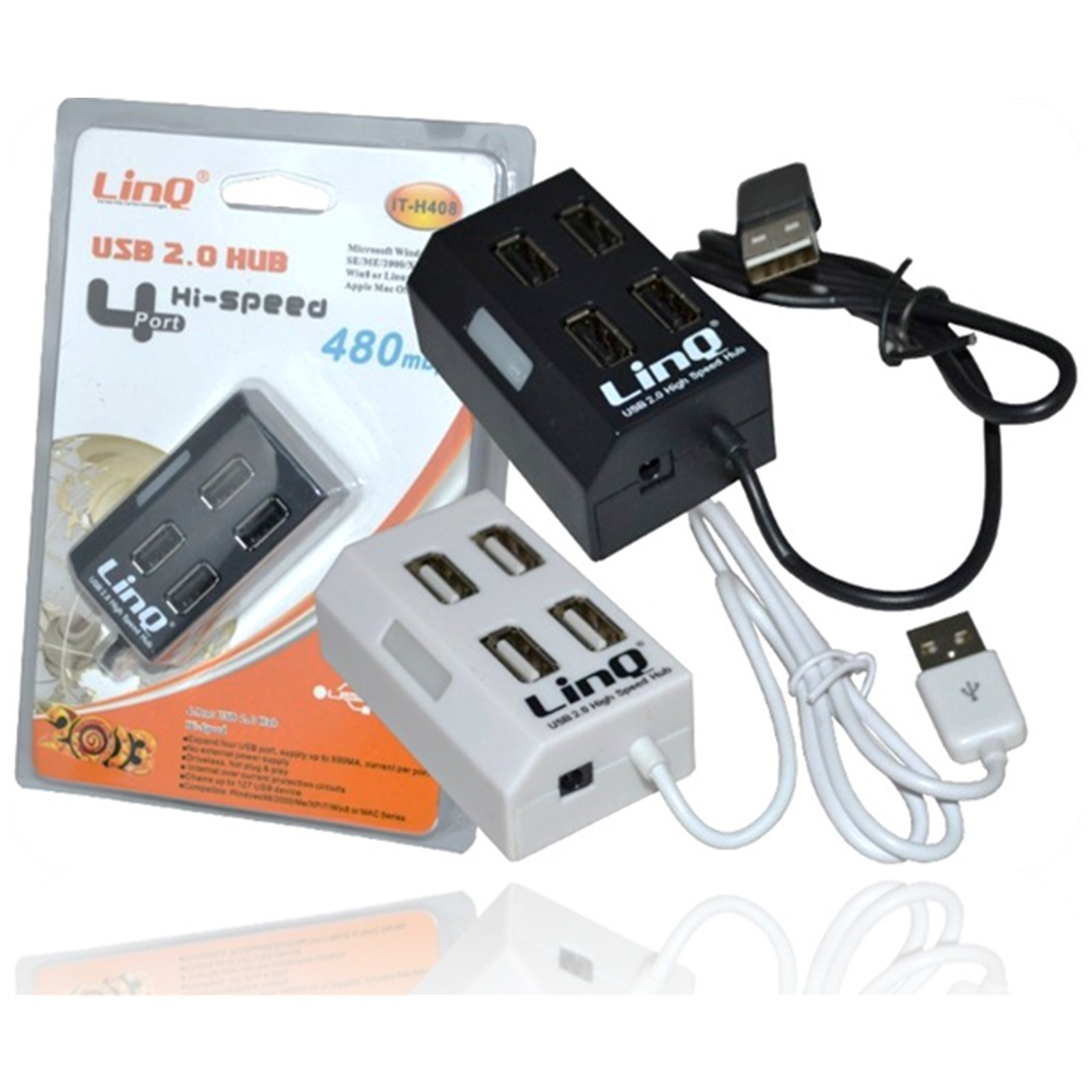
Figure 1: Linq IT-H408 4-Port USB 2.0 Hub. This image displays the hub's compact form factor, highlighting the four USB ports and their corresponding individual power switches, along with the integrated USB cable for connection to a host device.
Istruzioni di installazione
- Disimballare l'Hub: Carefully remove the Linq IT-H408 USB Hub from its packaging.
- Connessione al computer: Plug the integrated USB cable from the hub into an available USB 2.0 or USB 3.0 port on your computer.
- Installazione del driver: The hub is plug-and-play and typically does not require additional driver installation for compatible operating systems (Windows 98/2000/ME/XP/7/8, Mac OS series). Your operating system should automatically detect and configure the device.
- Connetti le periferiche: Plug your USB devices (e.g., flash drives, keyboards, mice) into the available ports on the Linq IT-H408 hub.
Funzionamento dell'hub
- Powering On/Off Ports: Each USB port on the Linq IT-H408 has an independent on/off switch. Press the switch corresponding to the desired port to toggle its power state. An indicator light (if present) will illuminate when the port is active.
- Dispositivi di connessione: Insert your USB device into an available port. Ensure the port is powered on using its individual switch.
- Trasferimento dati: The hub supports USB 2.0 data transfer speeds up to 480 Mbps. Performance may vary based on the connected device and host system.
- Consumo energetico: For high-power devices, ensure your computer's USB port can supply sufficient power. If multiple high-power devices are connected, an external power adapter (not included) might be required for optimal performance, if the hub supports it.
Manutenzione
- Pulizia: Utilizzare un panno morbido e asciutto per pulire l'esterno del mozzo. Evitare l'uso di detergenti liquidi o solventi.
- Magazzinaggio: Quando non lo si utilizza, conservare l'hub in un luogo fresco e asciutto, lontano dalla luce solare diretta e da temperature estreme.
- Gestione: Evitare di far cadere l'hub o di sottoporlo a forti urti. Non tentare di smontare il dispositivo.
Risoluzione dei problemi
Dispositivo non riconosciuto:
- Assicurarsi che il cavo USB dell'hub sia collegato saldamente al computer.
- Verify that the individual switch for the connected port is in the "on" position.
- Prova a collegare l'hub a una porta USB diversa sul tuo computer.
- Test the connected device by plugging it directly into your computer's USB port to rule out device issues.
- Riavvia il computer.
Velocità di trasferimento dati basse:
- Ensure both the hub and the connected device are USB 2.0 compatible for optimal USB 2.0 speeds.
- Evitare di collegare contemporaneamente più dispositivi ad alta larghezza di banda se si verificano rallentamenti.
- Ensure the hub is connected to a USB 2.0 or higher port on your computer.
Connessione intermittente:
- Controllare che tutti i collegamenti dei cavi non siano allentati.
- Ensure the hub is not placed near sources of strong electromagnetic interference.
- If using a desktop computer, try connecting the hub to a rear USB port directly on the motherboard.
Specifiche
| Numero di modello | IT-H408 (Internal: 6950029010495) |
| Marca | Linq |
| Interfaccia | USB 2.0 |
| Numero di porte | 4 (with individual switches) |
| Velocità di trasferimento dati | Fino a 480 Mbps |
| Sistemi operativi compatibili | Windows 98 / 2000 / ME / XP / 7 / 8, Mac OS series |
| Colore | Bianco, Nero |
| Dimensioni (circa) | 19 x 11.6 x 5 cm (Dimensioni della confezione) |
| Peso (circa) | 80 grammi |
| Batterie richieste | NO |
Garanzia e supporto
Specific warranty information for the Linq IT-H408 USB Hub is typically provided at the point of purchase or within the product packaging. Please refer to your purchase documentation for details regarding warranty coverage and duration.
For technical support or further assistance, please contact your retailer or visit the official Linq websito. Conservare la ricevuta d'acquisto come prova d'acquisto per eventuali reclami in garanzia.
Documenti correlati - IT-H408
 |
Hub multiporta LINQ 5in1 - Manuale utente e specifiche Manuale utente e specifiche per l'hub multiporta LINQ 5 in 1 (modello LQ49051) e altri modelli LINQ di Telco Accessories. Dettagli su porte, alimentazione, specifiche fisiche, avvertenze, informazioni sul riciclaggio e dichiarazione di conformità UE. |
 |
LINQ Pro Studio Multiport Hub 8in1 User Manual User manual and technical specifications for the LINQ Pro Studio Multiport Hub 8in1, including safety warnings, recycling instructions, and EU declaration of conformity. |
 |
Manuale del prodotto LINQ 6 in 1 Pro Multiport Hub LQ48015 Manuale utente per LINQ 6 in 1 Pro Multiport Hub (modello LQ48015), che descrive in dettaglio le specifiche, i requisiti di sistema e la portaviewSupporta HDMI 4K a 60 Hz, USB-A 3.2 Gen 2, USB-C 3.2 Gen 2, USB-C PD fino a 100 W e Gigabit Ethernet. |
 |
LINQ 8in1 Multiport Hub User Manual and Specifications Comprehensive guide for the LINQ 8in1 Multiport Hub, detailing specifications, connectivity options, warnings, and EU conformity. Includes USB-C, HDMI, RJ45, and card reader ports. |
 |
Hub multiporta LINQ 3 in 1: specifiche, manuale e avvertenze Guida completa per l'hub multiporta LINQ 3 in 1, che descrive in dettaglio le sue specifiche, funzionalità come HDMI 4K, USB-C PD 140W, USB-A 3.2 e fornisce avvertenze di sicurezza essenziali, informazioni sul riciclaggio e la dichiarazione di conformità UE di Telco Accessories BV. |
 |
Linq: costruisci il tuo professionista digitalefile Pagina e attiva la tua carta Scopri come costruire il tuo Linq Digital Profile e attiva la tua carta Linq in semplici passaggi. Include informazioni sulla conformità FCC. |
Ask a question about this manual
Ask about setup, troubleshooting, compatibility, parts, safety, or missing instructions. Manuals+ will review the question and use this page’s manual context to help answer it.