
1. Introduzione
This manual provides essential instructions for the safe and efficient operation of your ICOM BC-152 charger. Please read this manual thoroughly before using the charger to ensure proper setup, operation, and maintenance. Keep this manual for future reference.
2. Informazioni sulla sicurezza
Always observe the following safety precautions to prevent injury, damage to the charger, or damage to the device being charged.
- Use only with compatible ICOM battery packs. Using incompatible batteries may cause fire, explosion, or injury.
- Non esporre il caricabatterie a pioggia, umidità o temperature estreme.
- Non smontare o modificare il caricabatterie. Per qualsiasi intervento di assistenza, rivolgersi a personale qualificato.
- Assicurarsi che la presa di corrente sia caricatage corrisponde alle specifiche del caricabatterie.
- Tenere il caricabatterie lontano da fonti di calore e dalla luce solare diretta.
- Scollegare il caricabatterie dalla presa di corrente quando non è in uso o prima di pulirlo.
3. Impostazione
3.1 Disimballaggio
Carefully remove the ICOM BC-152 charger from its packaging. Verify that all components are present:
- ICOM BC-152 Charger Unit
- AC Adapter (if included)
- Manuale di istruzioni (questo documento)
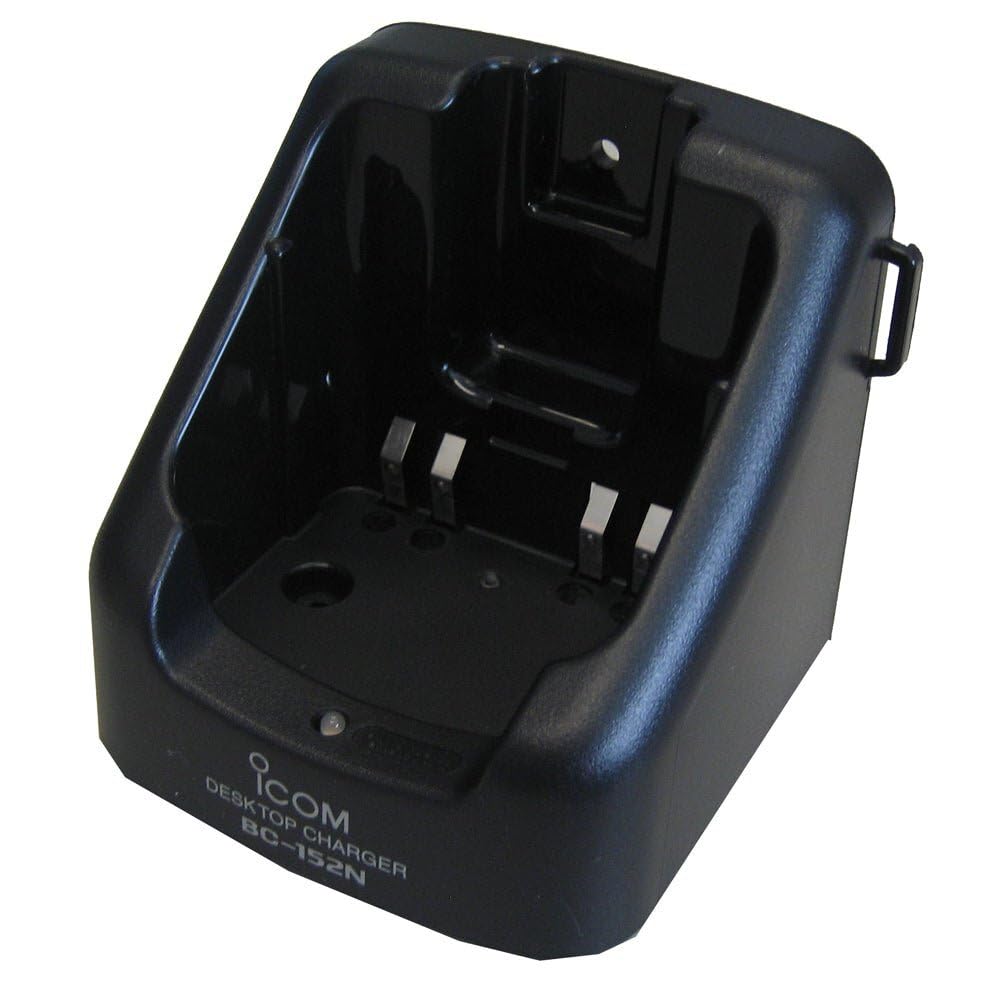
Figure 1: The ICOM BC-152 charger unit. This image shows the compact black charger with a single slot for a battery pack.
3.2 Collegamento dell'alimentazione
- Connect the AC adapter cable to the DC input jack on the rear of the BC-152 charger unit.
- Collegare l'adattatore CA a una presa a muro standard.
- Il caricabatterie è ora pronto per l'uso.
4. Istruzioni per l'uso
4.1 Ricarica di un pacco batteria
Follow these steps to charge a compatible ICOM battery pack:
- Assicurarsi che il caricabatterie sia collegato a una fonte di alimentazione come descritto nella Sezione 3.2.
- Carefully insert the battery pack into the charging slot of the BC-152 charger. Ensure it is seated firmly.
- Observe the charging indicator light.
4.2 Spie luminose
The BC-152 charger features an LED indicator to show the charging status:
- Rosso (Solido): La batteria è attualmente in carica.
- Verde (fisso): Charging is complete. The battery pack is fully charged.
- Rosso lampeggiante: Charging error or battery fault. Remove the battery and re-insert. If the error persists, consult the troubleshooting section.
- Nessuna luce: Charger is not connected to power, or no battery is inserted.
Charging time may vary depending on the battery's capacity and its current charge level. Typically, a fully depleted battery will take approximately 2-4 hours to charge.
5. Manutenzione
5.1 Pulizia
Per mantenere prestazioni e aspetto ottimali:
- Prima di pulire il caricabatterie, scollegarlo sempre dalla presa di corrente.
- Utilizzare un panno morbido e asciutto per pulire la parte esterna del caricabatterie.
- Non utilizzare detergenti abrasivi, solventi o prodotti chimici aggressivi.
- Ensure no moisture enters the charging slot or power input.
5.2 Conservazione
When not in use for extended periods, store the charger in a cool, dry place, away from direct sunlight and extreme temperatures. Disconnect it from the power supply.
6. Risoluzione Dei Problemi
If you encounter issues with your BC-152 charger, refer to the table below for common problems and solutions.
| Problema | Possibile causa | Soluzione |
|---|---|---|
| La spia luminosa del caricabatterie è spenta. | No power supply or battery not inserted. | Check AC adapter connection. Ensure battery is correctly inserted. |
| La spia luminosa lampeggia in rosso. | Battery fault or charging error. | Remove and re-insert the battery. Try a different compatible battery if available. |
| La batteria non si carica. | Faulty battery, charger, or power supply. | Verify power connection. Test with a known good battery. If problem persists, contact support. |
7. Specifiche
| Marca | ICOM |
| Modello | BC-152 |
| Ingresso volumetage | 12-16V DC (via AC adapter) |
| Volume di uscitatage | 8.4V CC |
| Corrente di carica | Circa. 450mA |
| Dimensioni (L×A×P) | Approx. 80 × 50 × 90 mm (3.1 × 2.0 × 3.5 inches) |
| Peso | 0.18 libbre (circa 82 g) |
| Colore | Nero |
Nota: le specifiche sono soggette a modifiche senza preavviso per miglioramenti.
8. Informazioni sulla garanzia
ICOM products are manufactured with high-quality components and are subject to rigorous quality control. This product is covered by a limited warranty against defects in materials and workmanship. The specific terms and duration of the warranty may vary by region. Please refer to the warranty card included with your purchase or visit the official ICOM websito per informazioni dettagliate sulla garanzia.
This warranty does not cover damage caused by misuse, accident, unauthorized modification, or improper installation.
9. Assistenza clienti
If you have any questions, require technical assistance, or need to report a problem that cannot be resolved using the troubleshooting guide, please contact ICOM customer support.
ICOM America Inc.
Visit ICOM America's Contact Page
Please have your product model (BC-152) and serial number ready when contacting support.


