
1. Introduzione
This manual provides essential instructions for setting up, operating, and maintaining your Apple iPhone 4S. The iPhone 4S is a smartphone featuring a 3.5-inch Retina display, an 8-megapixel camera, and runs on iOS. This specific model is an 8 GB, unlocked version, compatible with GSM carriers.
2. Informazioni sulla sicurezza
- Non esporre il dispositivo a temperature estreme, alla luce solare diretta o a umidità eccessiva.
- Evitare di far cadere o di sottoporre il dispositivo a urti violenti.
- Use only Apple-approved accessories for charging and connectivity.
- Do not attempt to disassemble or repair the device yourself, as this may void any applicable warranty and cause damage.
- Keep the device away from medical devices to avoid potential interference.
3. Contenuto della confezione
Verifica che il pacco contenga i seguenti articoli:
- Apple iPhone 4S (8 GB, Unlocked)
- USB Power Adapter (charger)
- USB to 30-pin Dock Connector Cable

Image: Included accessories, typically a USB power adapter and a 30-pin USB cable.
4. Dispositivo suview
Familiarize yourself with the physical components of your iPhone 4S.

Immagine: Frontale view of the iPhone 4S, showing the display, Home button, earpiece, and front camera.
- Fotocamera frontale: Posizionato sopra il display, utilizzato per videochiamate e selfie.
- Auricolare: For listening during phone calls.
- Display: 3.5-inch Retina multi-touch screen.
- Pulsante Home: Below the display, used to return to the Home screen, activate Siri, and switch applications.

Immagine: Lato view of the iPhone 4S, highlighting the SIM card tray and volume buttons.
- Pulsanti del volume: On the left side, used to adjust media and call volume.
- Interruttore suoneria/silenzioso: Above the volume buttons, to quickly switch between ring and silent modes.
- Vassoio per scheda SIM: On the right side, for inserting your micro-SIM card.
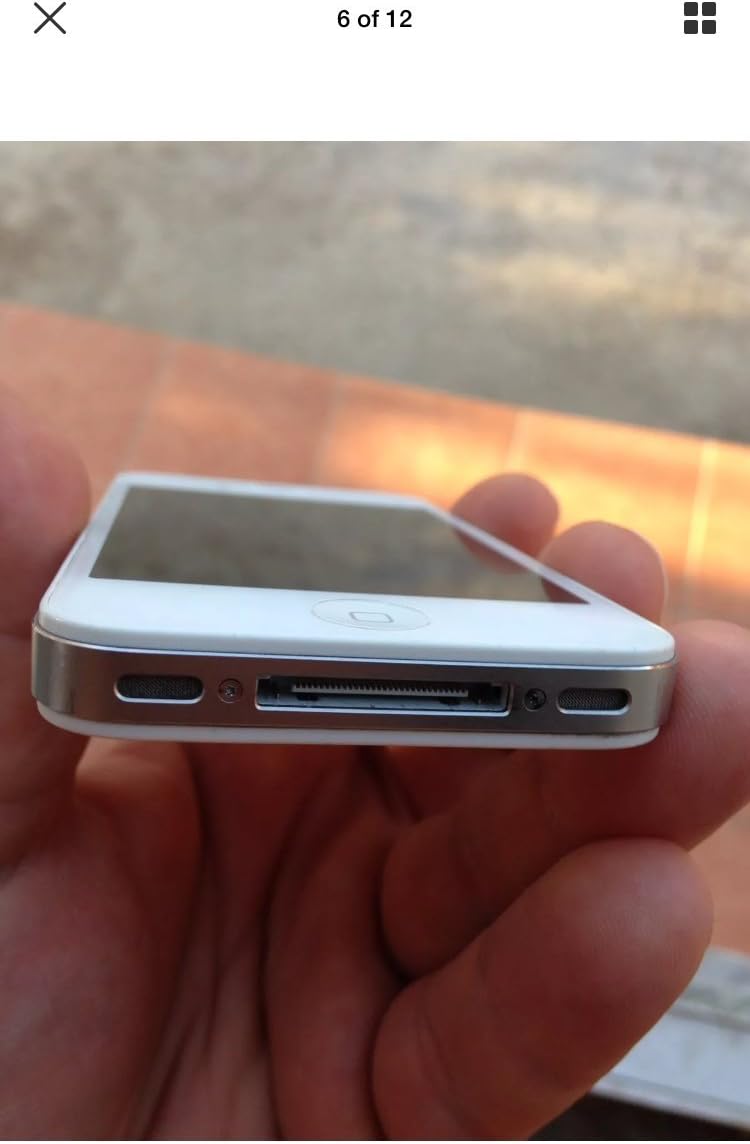
Immagine: In basso view of the iPhone 4S, showing the 30-pin dock connector and speaker grilles.
- 30-pin Dock Connector: At the bottom, used for charging and connecting to a computer.
- Relatori: Located on either side of the dock connector.
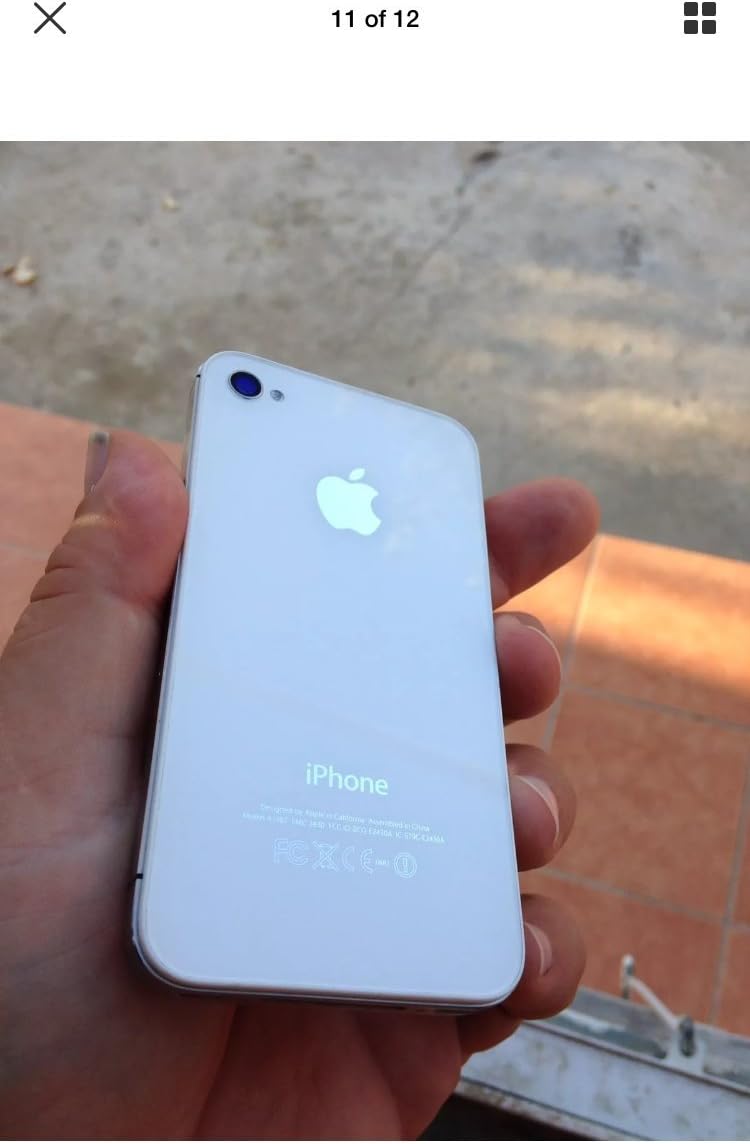
Immagine: in alto view of the iPhone 4S, showing the power/sleep button and headphone jack.
- Pulsante di accensione/spegnimento: On the top right, used to turn the device on/off or put it to sleep.
- Jack per cuffie: On the top left, for connecting headphones.

Immagine: Indietro view of the iPhone 4S, showing the 8-megapixel rear camera with LED flash and the Apple logo.
- Telecamera posteriore: 8-megapixel camera with LED flash for photos and 1080p video recording.
5. Impostazione
5.1. Installazione della scheda SIM
- Locate the SIM card tray on the right side of the iPhone.
- Insert a SIM ejector tool (or a small paperclip) into the small hole on the SIM tray. Press firmly until the tray pops out.
- Place your micro-SIM card into the tray with the gold contacts facing down and the notched corner aligned.
- Carefully push the SIM tray back into the iPhone until it is flush with the side.
5.2. Accensione iniziale e attivazione
- Premere e tenere premuto il tasto Pulsante di accensione/spegnimento on the top of the device until the Apple logo appears.
- Follow the on-screen instructions to set up your iPhone. This includes selecting your language, region, connecting to a Wi-Fi network, and activating the device.
- You may be prompted to sign in with an Apple ID or create a new one.
6. Istruzioni per l'uso
6.1. Navigazione di base
- Schermo tattile: Tocca per selezionare, scorri per scorrere, pizzica per ingrandire.
- Pulsante Home: Press once to return to the Home screen. Double-press to open the multitasking switcher. Press and hold to activate Siri.
- Pulsante di accensione/spegnimento: Press once to lock/unlock the screen. Press and hold to power off the device.
6.2. Effettuare chiamate e inviare messaggi
- Aprire il Telefono app per effettuare chiamate.
- Aprire il Messaggi app per inviare e ricevere messaggi SMS/MMS.
6.3. Utilizzo della fotocamera
The iPhone 4S features an 8-megapixel rear camera capable of 1080p HD video recording and a front VGA camera for video calls.
- Aprire il Telecamera applicazione.
- Tocca lo schermo per mettere a fuoco.
- Tocca il pulsante di scatto per scattare una foto o avviare/interrompere la registrazione video.
6.4. Internet and Applications
- Connettiti al Wi-Fi tramite Impostazioni > Wi-Fi.
- Accedi a Internet utilizzando il Safari web browser.
- Download applications from the Negozio di applicazioni.
7. Manutenzione
7.1. Cleaning Your iPhone
- Per pulire lo schermo e la parte esterna, utilizzare un panno morbido e privo di lanugine.
- Avoid using abrasive cleaners, aerosols, or solvents.
7.2. Cura della batteria
- The iPhone 4S is equipped with a 1500 mAh Lithium-Ion battery.
- Charge your device regularly using the provided USB power adapter and cable.
- Evitare di scaricare completamente la batteria frequentemente per prolungarne la durata.
7.3. Aggiornamenti software
Controlla regolarmente e installa gli aggiornamenti software per garantire prestazioni e sicurezza ottimali. Vai a Impostazioni > Generali > Aggiornamento software.
8. Risoluzione Dei Problemi
8.1. Il dispositivo non si accende
- Ensure the battery is charged. Connect the iPhone to a power source for at least 15 minutes.
- Perform a force restart: Press and hold both the Pulsante Home e il Pulsante di accensione/spegnimento simultaneously until the Apple logo appears.
8.2. No Network Service
- Verificare che la scheda SIM sia inserita correttamente.
- Verify that cellular data is enabled in Settings > Cellular.
- Riavvia l'iPhone.
- Ensure your account with your carrier is active and in good standing.
8.3. App che si bloccano o si bloccano
- Chiudere e riaprire l'app.
- Riavvia l'iPhone.
- Assicurati che il tuo iOS sia aggiornato.
9. Specifiche
| Marca | Mela |
| Nome del modello | L'iPhone 4S |
| Sistema operativo | iOS 5 (upgradable to iOS 7.1.2, planned upgrade to iOS 8) |
| Velocità della CPU | 1 GHz Dual-Core Cortex-A9 (Apple A5) |
| Capacità di archiviazione della memoria | 8 GB |
| Dimensioni dello schermo | 3.5 pollici |
| Risoluzione | 960 x 640 pixels (Retina Display) |
| Tecnologia cellulare | 2G, 3G (GSM 850/900/1800/1900, HSDPA 850/900/1700/1900/2100) |
| Tecnologia di connettività | Wi-Fi, Bluetooth |
| Telecamera posteriore | 8 MP, 3264 x 2448 pixels, autofocus, LED flash, 1080p@30fps video |
| Fotocamera frontale | VGA, 480p@30fps video |
| Capacità della batteria | 1500 mAh agli ioni di litio |
| Peso dell'articolo | 4.96 once (140 grammi) |
| Dimensioni (A x L x P) | 4.5 x 2.31 x 0.37 pollici (115.2 x 58.6 x 9.3 mm) |
| Slot per scheda SIM | Single Micro-SIM |
10. Garanzia e supporto
This product is described as refurbished and comes with no manufacturer warranty. For any issues or support inquiries, please contact the seller directly from whom you purchased the device. Refer to your purchase documentation for seller contact information.