
MEE audio HP-AF32-GW-MEE
MEE audio Runaway 4.0 Bluetooth Stereo Wireless + Wired Headphones
Model: HP-AF32-GW-MEE
Introduzione
The MEE audio Runaway 4.0 Bluetooth Stereo Wireless + Wired Headphones are designed to provide a versatile and high-quality audio experience. Featuring a sleek design and advanced Bluetooth 4.0 technology, these headphones offer both wireless freedom and wired connectivity. Enjoy clear sound, comfortable wear, and convenient controls for music and calls.

Image: MEE audio Runaway 4.0 Bluetooth Stereo Wireless + Wired Headphones in white, showcasing il loro design.
Cosa c'è nella scatola
Upon unboxing your MEE audio Runaway 4.0 headphones, you should find the following components:
- MEE audio Runaway Bluetooth Headphones
- Cavo di ricarica
- Stereo Audio Cable (3.5mm)
- Borsa da trasporto
- Manuale d'uso
- Custodia protettiva
- 1-year Manufacturer's Warranty Information

Image: All items included in the MEE audio Runaway 4.0 headphone package, including the headphones, cables, pouch, and manual.
Prodotto finitoview
Caratteristiche principali
- Doppia connettività: Can be used both wirelessly via Bluetooth 4.0 and wired with the included 3.5mm stereo audio cable.
- Audio di alta qualità: Supports A2DP for wireless stereo music playback, delivering rich and clear sound through high-efficiency 40mm drivers.
- Microfono integrato: Features a built-in microphone for clear hands-free calls.
- Comodi controlli: Easily manage phone calls, music playback, and volume with conveniently located controls on the earcup.

Image: The headphones emphasizing "Wireless Audio Freedom" with Bluetooth 4.0 connectivity.

Image: The headphones highlighting "Outstanding Fidelity" with high-efficiency 40mm drivers for clear sound.
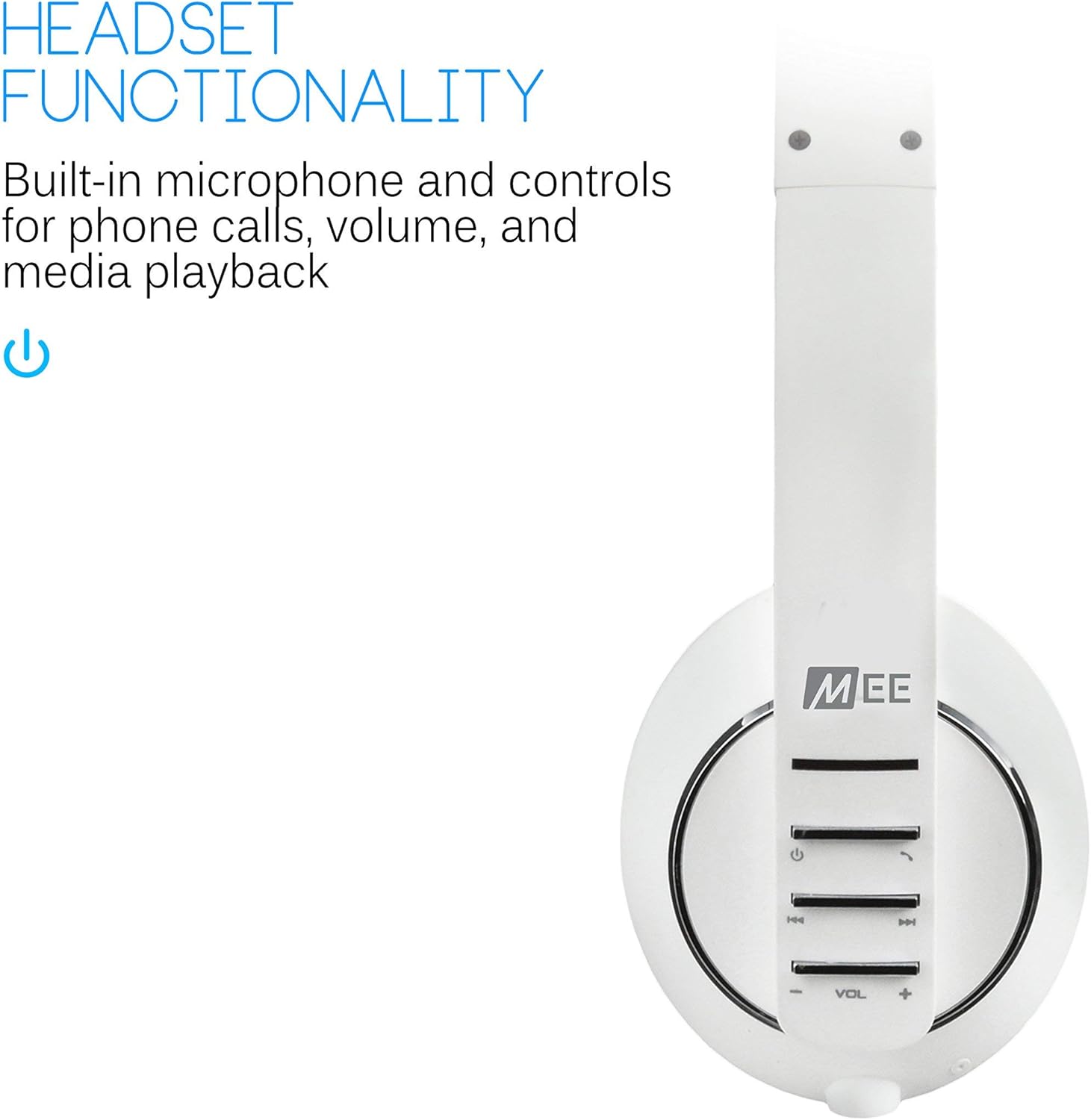
Immagine: Le cuffie mostranoasing "Headset Functionality" with built-in microphone and controls for calls and media.
Design e comfort
- Design ergonomico: Features ultra-soft ear pads and an adjustable headband for extended wearing comfort.
- Portabilità: The headphones are foldable for convenient storage and transport in the included travel pouch.
- Dimensioni: Circa 5 x 0.7 x 6.8 pollici.
- Peso: Circa 3.8 once.
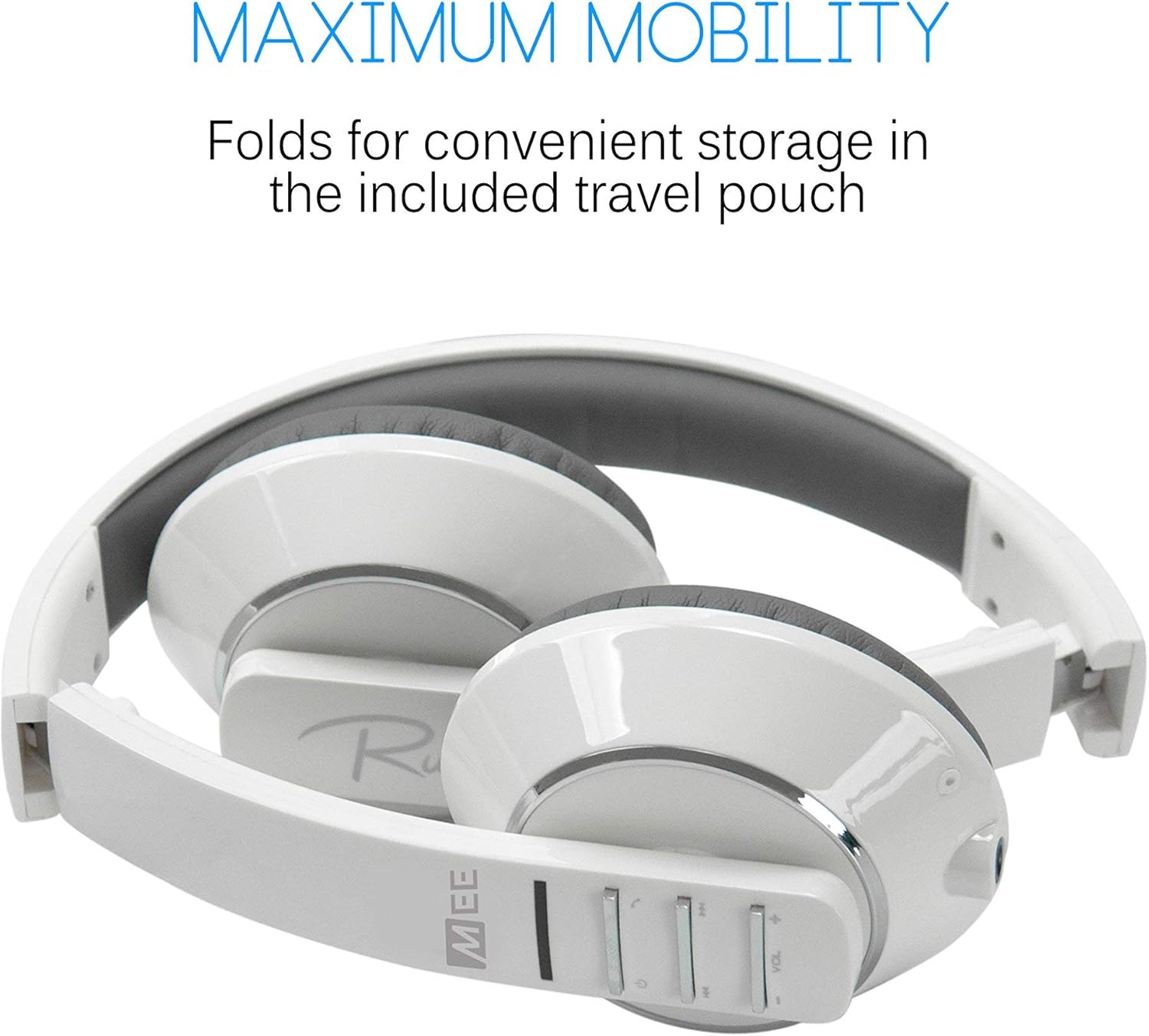
Image: The headphones folded, illustrating "Maximum Mobility" for convenient storage.

Image: Multiple color options of the headphones, emphasizing "Advanced Ergonomics" for comfort.
Impostare
Carica iniziale
Before the first use, it is recommended to fully charge your MEE audio Runaway 4.0 headphones for at least quattro ore. This ensures optimal battery performance and longevity.
Powering On and Pairing Mode
To power on the headphones and enter pairing mode, press and hold the power button for approximately seven seconds. The indicator light will flash alternating red and blue, indicating that the headphones are ready for pairing.
Bluetooth Pairing with Android Smartphones
Follow these steps to pair your MEE audio Runaway 4.0 headphones with an Android smartphone:
- Ensure your headphones are in pairing mode (alternating red and blue light).
- On your Android device, navigate to Impostazioni.
- Selezionare Wireless e rete, Poi Impostazioni Bluetooth.
- If Bluetooth is off, turn it on.
- Selezionare Scansione dei dispositivi. Your headphones (AF32) should appear in the list.
- Tap on "AF32" to initiate the pairing process.
- A Bluetooth pairing request pop-up may appear. Click Accettare.
- Una volta collegate, le cuffie sono pronte per l'uso.
Video: A demonstration of pairing MEElectronics Air Fi AF32 Wireless Bluetooth Stereo Headphones to Android Smartphones. This video guides users through the steps of putting the headphones into pairing mode and connecting them via Bluetooth on an Android device.
Operazione
Connettività cablata
For devices without Bluetooth or when battery power is low, you can use the included 3.5mm stereo audio cable to connect your headphones directly. Simply plug one end into the headphone's audio jack and the other into your audio source.
Controlli
The MEE audio Runaway 4.0 headphones feature intuitive controls located on the earcup for easy management of your audio and calls:
- Pulsante di accensione: Press and hold to power on/off, or for 7 seconds to enter pairing mode.
- Controlli del volume (+/-): Regola il volume di ascolto.
- Navigazione della traccia: Skip forward or backward through your music tracks.
- Gestione delle chiamate: Answer, end, or reject calls using the dedicated call button.
Manutenzione
To ensure the longevity and optimal performance of your MEE audio Runaway 4.0 headphones, follow these maintenance guidelines:
- Pulizia: Per pulire le cuffie, utilizzare un panno morbido e asciutto. Evitare l'uso di prodotti chimici aggressivi o materiali abrasivi.
- Magazzinaggio: When not in use, store the headphones in the included protective case or carrying pouch to prevent damage.
- Evitare l'umidità: Do not expose the headphones to water or excessive moisture, as they are not water-resistant.
- Temperatura: Evitare di conservare o utilizzare le cuffie a temperature estreme.
Risoluzione dei problemi
If you encounter issues with your MEE audio Runaway 4.0 headphones, consider the following common troubleshooting steps:
- Nessun potere: Assicurati che le cuffie siano completamente cariche. Collegale a una fonte di alimentazione tramite il cavo di ricarica.
- Impossibile associare: Make sure the headphones are in pairing mode (alternating red/blue light). On your device, turn Bluetooth off and on again, then try rescanning for devices. Ensure no other devices are currently connected to the headphones.
- Nessun suono (wireless): Check the volume levels on both the headphones and your connected device. Ensure the headphones are properly paired and connected.
- Nessun suono (cablato): Ensure the 3.5mm audio cable is securely plugged into both the headphones and the audio source. Test with a different audio cable if available.
- Scarsa qualità del suono: Move closer to your Bluetooth device to reduce interference. Ensure the audio source is of good quality.
Specifiche
| Caratteristica | Dettaglio |
|---|---|
| Marca | MEE audio |
| Numero di modello | HP-AF32-GW-MEE |
| Tecnologia di connettività | Wireless (Bluetooth), cablato (jack da 3.5 mm) |
| Versione Bluetooth | 4.0 |
| Posizionamento dell'orecchio | Sopra l'orecchio |
| Fattore di forma | Sopra l'orecchio |
| Componenti inclusi | Protective Case, User Manual, 1-year manufacturer’s warranty |
| Peso dell'articolo | 3.8 once |
| Dimensioni del prodotto | 5 x 0.7 x 6.8 pollici |
| Livello di resistenza all'acqua | Non resistente all'acqua |
| Gamma di frequenza | da 20 Hz a 20 kHz |
| Tipo di controllo | Media Control, Integrated Controls, Remote |
| Usi consigliati | Music, Travel, Calling, Recording, Exercising |
Garanzia e supporto
Your MEE audio Runaway 4.0 Bluetooth Stereo Wireless + Wired Headphones come with a Garanzia del produttore di 1 anni. For warranty claims, technical support, or further assistance, please refer to the contact information provided in the included User Manual or visit the official MEE audio websito.
Per ulteriori informazioni e supporto sul prodotto, puoi anche visitare il sito Negozio audio MEE su Amazon.
Ask a question about this manual
Ask about setup, troubleshooting, compatibility, parts, safety, or missing instructions. Manuals+ will review the question and use this page’s manual context to help answer it.