
Introduzione
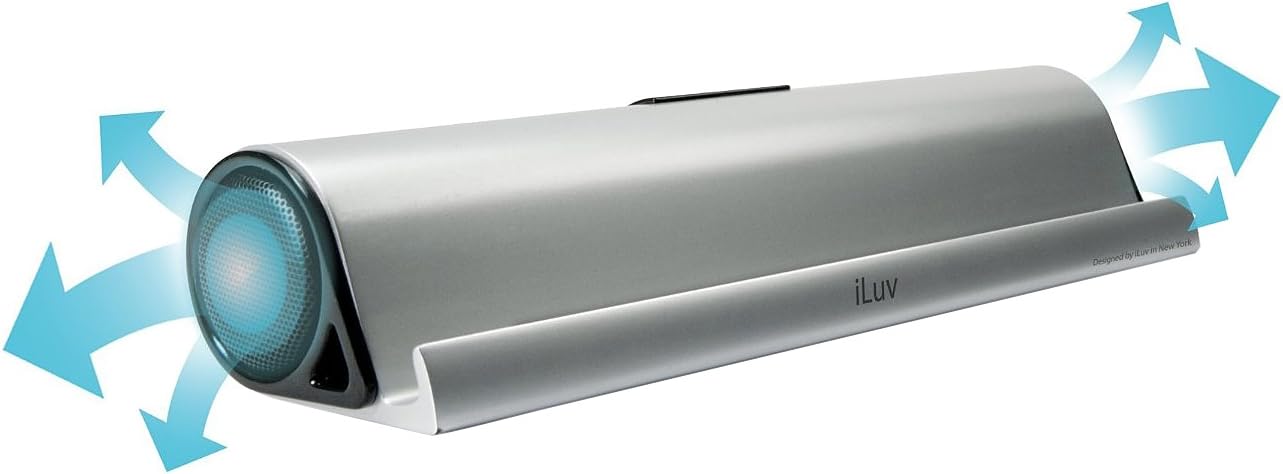
The iLuv Mo'Beats is a slim, compact portable stereo speaker stand designed to enhance your audio experience with tablets and smartphones. It features a cradle that supports your device for hands-free viewing in both landscape and portrait orientations, accommodating most cases. Equipped with opposing high-fidelity speakers, it delivers a wide sound stage. The built-in rechargeable lithium-ion battery provides portability, and Bluetooth connectivity allows for wireless audio streaming. An auxiliary input is also included for devices without Bluetooth or to conserve battery life.
Cosa c'è nella scatola
- iLuv Mo'Beats Portable Stereo Bluetooth Speaker Stand (iSP245)
- Mini-USB Charging Cable
- Borsa da trasporto
Please inspect the contents of the package to ensure all items are present and undamaged.
Istruzioni di installazione
1. Carica del dispositivo
Before initial use, fully charge your Mo'Beats speaker stand. Connect the included Mini-USB charging cable to the charging port on the speaker and the other end to a USB power source (e.g., computer USB port, USB wall adapter). The charging indicator light will show the charging status. A full charge provides up to 8 hours of playtime.
Descrizione dell'immagine: This image displays the rear of the iLuv Mo'Beats speaker stand. It highlights the central control panel which includes an ON/OFF switch, a 'PAIR' button, a 'LINE IN' auxiliary port, and a Mini-USB charging port. A blue LED light is visible above the 'PAIR' button, indicating Bluetooth pairing status.
2. Accensione/Spegnimento
Locate the ON/OFF switch on the rear of the speaker. Slide the switch to the ON posizione per accendere il dispositivo. Far scorrere verso la SPENTO posizione per spegnerlo.
3. Accoppiamento Bluetooth
- Ensure the Mo'Beats speaker is powered on.
- Activate Bluetooth on your mobile device (smartphone or tablet).
- Sul tuo dispositivo mobile, cerca i dispositivi Bluetooth disponibili.
- Seleziona "iLuv Mo'Beats" o un nome simile dall'elenco dei dispositivi.
- Once paired, the Bluetooth indicator light on the speaker will typically turn solid blue.
- Your device is now connected and ready to stream audio wirelessly.

Descrizione dell'immagine: This image shows the iLuv Mo'Beats speaker stand in silver, holding an iPad in landscape orientation. The iPad's screen displays its home interface with various app icons. The speaker stand itself is sleek and minimalist, providing a stable base for the tablet.
4. Using Auxiliary Input (Line-In)
If your device does not support Bluetooth or if you prefer a wired connection, use the auxiliary input. Connect a 3.5mm audio cable (not included) from your audio device's headphone jack to the "LINE IN" port on the Mo'Beats speaker. The speaker will automatically switch to auxiliary mode when a cable is detected.
Istruzioni per l'uso
1. Placing Your Device
The Mo'Beats speaker stand features a cradle designed to securely hold your tablet or smartphone. Place your device into the cradle in either landscape or portrait mode. The design accommodates most cases, allowing for unobstructed viewing and optimal sound projection from the opposing speakers.

Descrizione dell'immagine: This image shows the iLuv Mo'Beats speaker stand from the rear, with an iPad resting in its cradle in landscape orientation. The back of the iPad is visible, along with the central control panel of the speaker stand, which includes the power switch, pairing button, line-in port, and USB charging port.
2. Regolazione del volume
Volume control is managed directly through your connected mobile device. Adjust the volume on your smartphone or tablet to your desired listening level.
3. Optimizing Sound Experience
The opposing high-fidelity speakers create a wide sound stage. For the best audio experience, ensure the speaker is placed on a stable, flat surface and that the speaker grilles are not obstructed.

Descrizione dell'immagine: This image features the iLuv Mo'Beats speaker stand positioned next to a silver laptop. The speaker is connected to the laptop, likely for charging or audio input via USB. The laptop screen displays a music library interface, suggesting the speaker is being used for audio playback.
Manutenzione
- Pulizia: Utilizzare un panno morbido e asciutto per pulire l'esterno dell'altoparlante. Non utilizzare detergenti liquidi o spray.
- Magazzinaggio: Quando non si utilizza l'altoparlante per lunghi periodi, conservarlo in un luogo fresco e asciutto.
- Cura della batteria: Per prolungare la durata della batteria, evitare di scaricarla completamente frequentemente. Caricare regolarmente il dispositivo, anche se non lo si utilizza costantemente.
- Evitare l'umidità: Keep the speaker away from water and excessive moisture. It is not waterproof.
Risoluzione dei problemi
- Nessun potere:
- Assicurarsi che l'interruttore ON/OFF sia in posizione ON.
- Charge the device using the provided USB cable. The battery may be depleted.
- Impossibile effettuare l'accoppiamento tramite Bluetooth:
- Assicurati che il Bluetooth sia abilitato sul tuo dispositivo mobile.
- Ensure the speaker is in pairing mode (blue LED blinking). If not, power cycle the speaker.
- Move your mobile device closer to the speaker.
- Forget the device from your mobile device's Bluetooth settings and try pairing again.
- Ensure no other devices are currently connected to the Mo'Beats speaker.
- Nessun suono:
- Check the volume level on both the Mo'Beats speaker and your connected mobile device.
- Ensure the device is properly paired via Bluetooth or connected via the auxiliary cable.
- If using auxiliary input, ensure the cable is fully inserted and functional.
- Scarsa qualità del suono:
- Ensure the speaker grilles are not obstructed.
- Move the speaker closer to the audio source if using Bluetooth, or reduce interference from other wireless devices.
- Controllare la qualità della sorgente audio.
Specifiche
| Nome del modello | Mo'Beats (iSP245) |
| Marca | amo |
| Tecnologia di connettività | Ausiliario, Bluetooth, USB |
| Modalità di uscita audio | Stereo |
| Tipo di montaggio | Supporto da tavolo |
| Tipo di altoparlante | Portatile |
| Tipo di controllore | Alimentato a batteria |
| Colore | Argento |
| Durata media della batteria | Fino a 8 ore |
| È impermeabile | NO |
| Metodo di controllo | Touch (via connected device) |
| Peso dell'articolo | 1.2 libbre |
| Dispositivi compatibili | Laptop, MP3 Player, Smartphone, Tablet (Apple, Android) |
| Fonte di alimentazione | Alimentato a batteria |
| Produttore | jVINCERE |
Garanzia e supporto
The iLuv Mo'Beats Portable Stereo Bluetooth Speaker Stand comes with a 1 Year iLuv Warranty. For warranty claims, technical support, or further assistance, please contact iLuv customer service. Refer to the official iLuv websito per le informazioni di contatto e le risorse di supporto più aggiornate.
Produttore: jVINCERE
Prodotto finitoview Video
Descrizione del video: Questo video fornisce una panoramica visivaview of the iLuv Mo'Beats Portable Stereo Bluetooth Speaker Stand. It demonstrates the product's features, including its use as a tablet stand, Bluetooth connectivity, and auxiliary input. The video highlights the speaker's design and functionality for an enhanced media experience.