
1. Impostazione
1.1 Disimballaggio e ispezione iniziale
Carefully remove all components from the packaging. Verify that all items listed in the 'What's in the box' section are present and undamaged.
- ASUS 32GB Transformer Pad TF300T 10.1-Inch Tablet
- Alimentazione elettrica
- Scheda di garanzia di 1 anno

Image: The ASUS Transformer Pad TF300T tablet alongside its retail packaging.
1.2 Ricarica del dispositivo
Before first use, connect the tablet to the power supply and charge it fully. The charging port is located on the bottom edge of the tablet. A full charge ensures optimal performance and battery calibration.
1.3 Accensione/Spegnimento
- Per accendere: Press and hold the power button, located on the top edge of the tablet, until the ASUS logo appears on the screen.
- Per spegnere: Press and hold the power button until a menu appears. Select 'Power off' and confirm.
- Ricominciare: Dal menu di accensione, seleziona "Riavvia".
1.4 Procedura guidata di configurazione iniziale
Alla prima accensione, il tablet ti guiderà attraverso una procedura di configurazione iniziale. Questa include:
- Selezione della lingua: Scegli la tua lingua preferita.
- Connessione Wi-Fi: Connect to an available Wi-Fi network to enable internet access.
- Configurazione dell'account Google: Sign in with an existing Google account or create a new one. This is essential for accessing the Google Play Store and other Google services.
- Impostazioni di data e ora: Configurare la data e l'ora corrette.
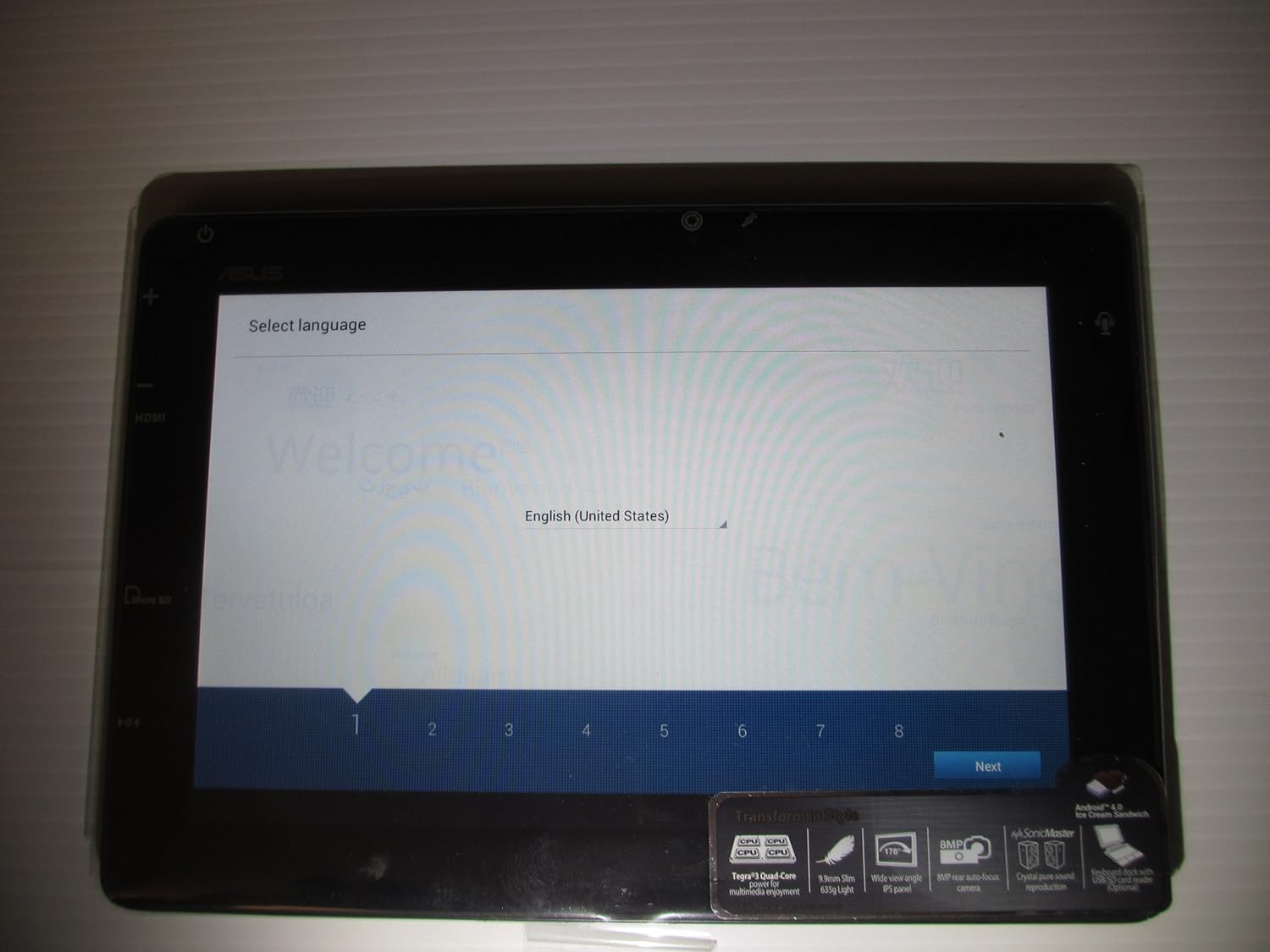
Image: The ASUS Transformer Pad TF300T screen showing the 'Select Language' prompt, with 'English (United States)' highlighted.
2. Istruzioni per l'uso
2.1 Basic Navigation and Touchscreen Gestures
The ASUS Transformer Pad TF300T utilizes a multi-touch display for interaction. Common gestures include:
- Rubinetto: Seleziona un elemento o apri un'applicazione.
- Toccare e tenere premuto: Accedi ai menu contestuali o sposta le icone.
- Scorri: Navigate through home screens, lists, or web pagine.
- Pizzica per ingrandire: Enlarge or reduce content size (e.g., photos, web pagine).
2.2 Android 4.0 (Ice Cream Sandwich) Overview
The tablet runs on Android 4.0, providing a user-friendly interface. Key features include:
- Schermate iniziali: Customizable screens for app shortcuts and widgets.
- Notifications Bar: Located at the top, displays alerts and quick settings.
- Cassetto delle applicazioni: Access to all installed applications.
- Applicazioni recenti: Button to quickly switch between recently used applications.
2.3 Connettività
The TF300T supports various connectivity options:
- Wi-Fi (802.11bgn): Connect to wireless networks for internet access. Configure via Settings > Wi-Fi.
- Bluetooth 3.0: Pair with compatible devices such as headphones, speakers, or keyboards. Configure via Settings > Bluetooth.
- Posizione GPS: Integrated Global Positioning System for location services and navigation.
2.4 Porte e slot
The tablet features several ports for expanded functionality:
- MicroHDMI: Collegati a display o TV esterni.
- Docking Port: For connecting to the optional keyboard dock.
- 3.5mm Headphone/Microphone Jack: Per l'uscita e l'ingresso audio.
- Slot per scheda microSD: Expand storage capacity with a Micro SD card.
2.5 Utilizzo della fotocamera
The TF300T is equipped with two cameras:
- Front Camera (1.2 MP): Suitable for video calls and self-portraits.
- Rear Camera (8 MP): Per catturare foto e video.
Access the camera application from the home screen or app drawer to take pictures or record videos.
2.6 Optional Keyboard Dock
The ASUS Transformer Pad TF300T is compatible with an optional keyboard dock (sold separately). This dock provides:
- Tastiera fisica: For enhanced typing experience.
- Additional Battery: Extends the tablet's battery life.
- Porta USB: Per collegare dispositivi USB.
- Slot per scheda SD: Per ulteriore espansione dello spazio di archiviazione.

Immagine: un primo piano view of the ASUS Transformer Pad TF300T, highlighting key features such as the NVIDIA Tegra 3 processor, IPS panel, 8MP camera, SonicMaster audio, and Android 4.0 Ice Cream Sandwich operating system.
3. Manutenzione
3.1 Pulizia del dispositivo
- Schermo: Utilizzare un panno morbido e privo di lanugine, leggermente dampened with water or a screen cleaner, to gently wipe the display. Avoid harsh chemicals.
- Corpo: Wipe the tablet's body with a soft, dry cloth. Keep liquids away from ports and openings.
3.2 Aggiornamenti software
Regularly check for and install software updates to ensure optimal performance, security, and access to new features. Updates can typically be found in Settings > About tablet > System updates.
3.3 Gestione dell'archiviazione
The tablet comes with 32GB of internal storage. To manage storage effectively:
- Delete Unused Apps: Uninstall applications you no longer need.
- Cancella cache: Regularly clear the cache of applications.
- Use Micro SD Card: Store photos, videos, and documents on an external Micro SD card to free up internal space.
4. Risoluzione Dei Problemi
4.1 Problemi comuni e soluzioni
| Problema | Possibile soluzione |
|---|---|
| Tablet is unresponsive or frozen | Per forzare il riavvio, tenere premuto il pulsante di accensione per 10-15 secondi. |
| Problemi di connessione Wi-Fi | Ensure Wi-Fi is enabled in settings. Restart the tablet and your Wi-Fi router. Forget and reconnect to the network. |
| Slow performance or lag | Close unused applications. Clear app caches. Check for system updates. Consider a factory reset if issues persist. |
| La batteria si scarica rapidamente | Reduce screen brightness. Disable Wi-Fi/Bluetooth/GPS when not in use. Close background apps. Check battery usage in settings to identify power-hungry apps. |
| Le app si bloccano o non si installano | Ensure sufficient storage space. Clear Google Play Store cache. Restart the tablet. |
4.2 Ripristino delle impostazioni di fabbrica
If persistent issues occur, a factory reset can restore the tablet to its original state. Warning: This will erase all data on the tablet. Back up important data before proceeding.
- Vai su Impostazioni > Backup e ripristino.
- Selezionare "Ripristino dati di fabbrica".
- Confirm the action. The tablet will restart and erase all data.
5. Specifiche
Detailed technical specifications for the ASUS Transformer Pad TF300T-B1-BL:
| Caratteristica | Specificazione |
|---|---|
| Marca | Asus |
| Nome del modello | Transformer Pad |
| Numero di modello | TF300T-B1-BL |
| Sistema operativo | Android 4.0 (Ice Cream Sandwich) |
| Processore | NVIDIA Tegra 3 Quad-Core (1.2 GHz) |
| Coprocessore grafico | Nvidia Tegra 3 |
| Dimensioni dello schermo | 10.1 pollici |
| Risoluzione dello schermo | 1280 x 800 Pixels (WXGA IPS Touch Panel) |
| Memoria RAM | 1 GB DDR3 |
| Capacità di archiviazione | 32 GB Flash Memory (SSD) |
| Archiviazione espandibile | Slot per scheda Micro SD |
| Fotocamera frontale | 1.2 MP |
| Telecamera posteriore | 8 MP |
| Connettività wireless | 802.11bgn Wi-Fi, Bluetooth 3.0, GPS |
| Porti | 1x Micro HDMI, 1x Docking, 1x 3.5mm Headphone/Microphone |
| Durata della batteria | Up to 10 Hours (22W/h Lithium Polymer) |
| Sensori | G-Sensor, E-Compass, Light Sensor, Gyroscope |
| Peso dell'articolo | 1.4 libbre |
| Codice UPC | 886227185054 |
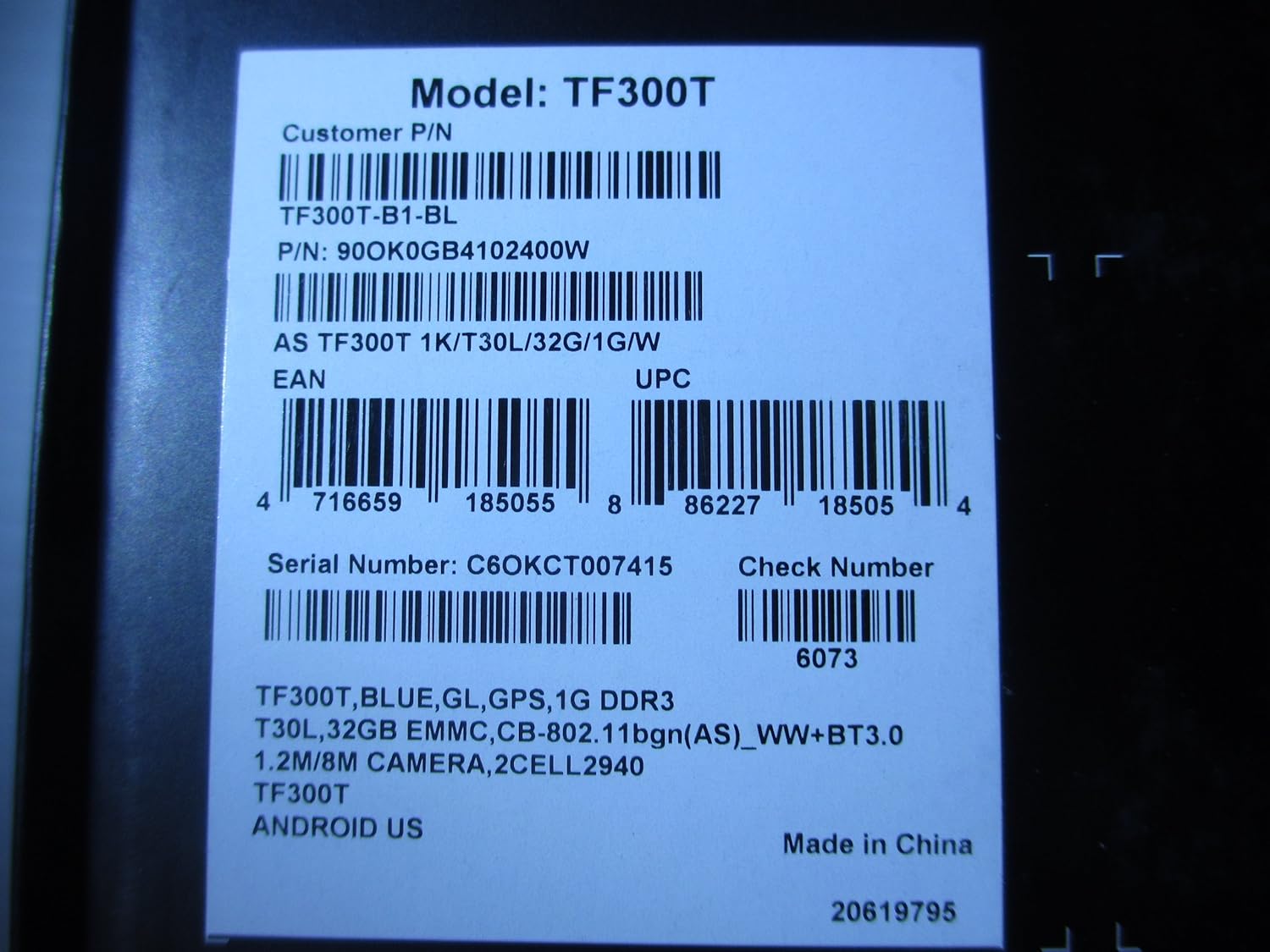
Image: A product label displaying the model number TF300T, part number TF300T-B1-BL, serial number C6OKCT007415, and UPC 886227185054.
6. Garanzia e supporto
6.1 Informazioni sulla garanzia
The ASUS Transformer Pad TF300T comes with a 1-Year North American Warranty. This warranty covers manufacturing defects under normal use conditions. Please refer to the warranty card included in your product packaging for full terms and conditions.
6.2 Assistenza clienti
For technical assistance, troubleshooting beyond this manual, or warranty claims, please contact ASUS customer support. You can find contact information and additional resources on the official ASUS websito:
- Visitare il Negozio ASUS su Amazon per informazioni sul prodotto.
- Refer to the official ASUS support website for service centers and contact details.