
APC BR900GI
APC Back-UPS Pro 900 User Manual
Model: BR900GI
Importanti istruzioni di sicurezza
Read these instructions carefully before installing, operating, servicing, or maintaining the unit. Failure to observe these instructions can result in death, serious injury, or equipment damage.
- Questo UPS è destinato esclusivamente all'uso in ambienti interni.
- Non utilizzare questa unità alla luce solare diretta, a contatto con fluidi o in presenza di polvere o umidità eccessiva.
- Collegare il cavo di alimentazione dell'UPS direttamente a una presa a muro. Non utilizzare limitatori di sovratensione o prolunghe.
- The battery is heavy. Seek assistance when replacing the battery.
- La manutenzione delle batterie deve essere eseguita o supervisionata da personale esperto in merito alle batterie e alle precauzioni richieste.
- Non smaltire le batterie nel fuoco. Le batterie potrebbero esplodere.
- Non aprire o mutilare le batterie. L'elettrolita rilasciato è dannoso per la pelle e gli occhi. Potrebbe essere tossico.
Contenuto della confezione
Verify that all contents are present upon receipt. Notify the carrier and dealer if there is any damage.
- APC Back-UPS Pro 900 Unit
- Cavo di comunicazione USB
- Manuale d'uso e informazioni sulla sicurezza
- CD del software PowerChute Personal Edition (o istruzioni per il download)
Impostare
Posizionamento
Place the Back-UPS to protect connected equipment. The unit should be placed on a flat, stable surface, away from direct sunlight, excessive heat, or moisture. Ensure adequate airflow around the unit.

Immagine: Frontale view of the APC Back-UPS Pro 900, showing the display and power buttons.
Collegamento all'alimentazione
- Connect the UPS power cable directly to a properly grounded 230V AC wall outlet.
- Allow the Back-UPS to charge for at least 24 hours to ensure sufficient runtime capacity. The unit charges whenever it is connected to AC power, whether it is turned on or off.
Collegamento di apparecchiature
Connect your computer, monitor, and other critical devices to the 'Battery Backup' outlets. Connect non-critical devices (e.g., printer, scanner) to the 'Surge Only' outlets.

Immagine: Posteriore view of the APC Back-UPS Pro 900, highlighting the battery backup outlets, surge-only outlets, network ports, and USB/Serial data ports.
- Prese di backup della batteria: Provide power to connected equipment during power outage proteggono dalle sovratensioni.
- Prese di sola sovratensione: Provide surge protection only. These outlets do not provide power during a power outage.
- USB/Serial Port: Connect the provided USB cable from the UPS to your computer for automatic shutdown and advanced power management features using PowerChute Personal Edition software.
- Network Protection Ports (RJ-45): Protect an Ethernet line from surges. Connect your network cable through these ports.
Funzionamento dell'UPS
Display del pannello frontale
The front panel display provides real-time information about the UPS status and power conditions. Press the DISPLAY button to cycle through various display options.
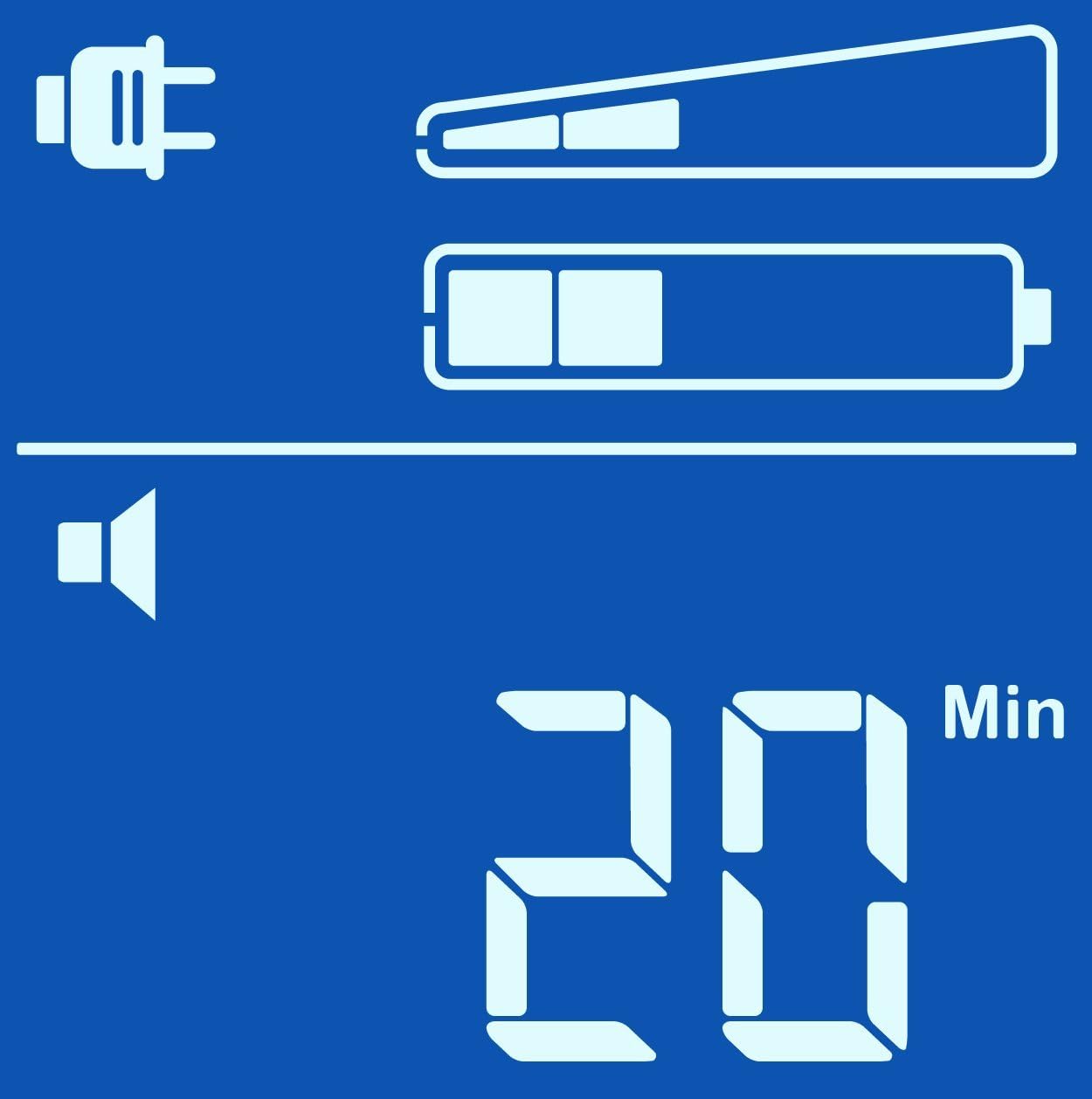
Estimated Runtime (Min)

Volume di uscitatage(V)
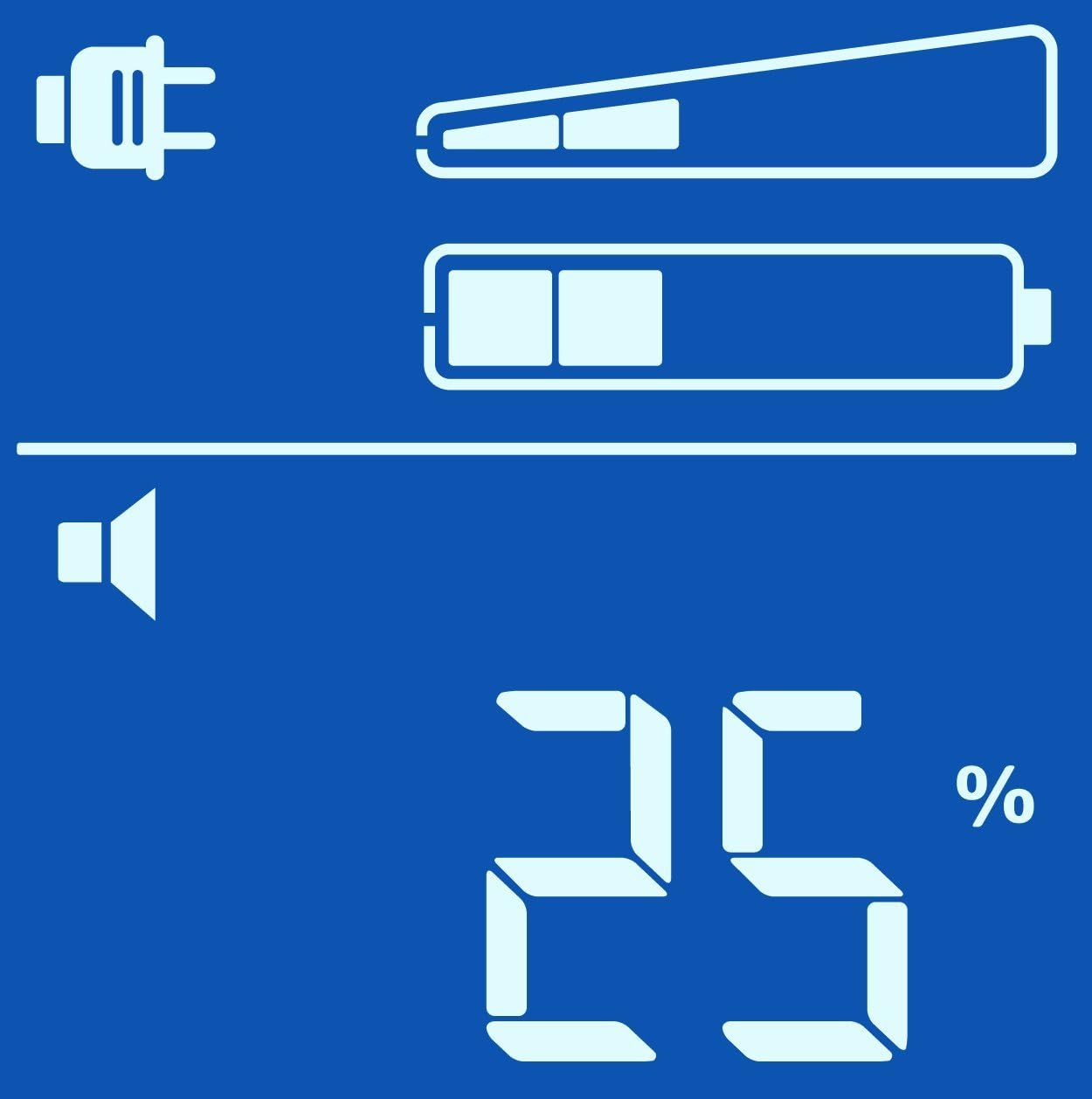
Percentuale di caricotage(%)

Load in Watts (W)
Accensione/spegnimento
- Per attivare: Press the POWER button once. The display will illuminate.
- Per spegnere: Press and hold the POWER button until a beep is heard and the display turns off.
Operazione di backup della batteria
Durante un'interruzione di correntetage, the Back-UPS will automatically switch to battery power. An audible alarm will sound, and the display will show the estimated runtime. The alarm will sound more frequently as the battery charge depletes.
Se il potere outage is prolonged, the Back-UPS will automatically shut down connected equipment to prevent data loss and preserve battery life. Ensure PowerChute Personal Edition software is installed and configured on your computer for this feature to work correctly.
Manutenzione
Sostituzione della batteria
The battery in your Back-UPS Pro 900 is a user-replaceable, hot-swappable battery. The typical battery life is 3-5 years, depending on usage and environmental conditions. Replace the battery when the 'Replace Battery' indicator illuminates on the display.
Use only APC approved replacement batteries (APCRBC123). Refer to the detailed battery replacement instructions provided with the replacement battery kit or on the APC websito.
Pulizia
Clean the exterior of the UPS with a soft, dry cloth. Do not use liquid or aerosol cleaners. Ensure the unit is unplugged from the wall outlet before cleaning.
Risoluzione dei problemi
Use the table below to solve minor installation and operation problems. Refer to the APC website or contact customer support for more complex issues.
| Problema | Possibile causa | Soluzione |
|---|---|---|
| L'UPS non si accende | Not connected to AC power; Low battery charge | Ensure power cable is securely plugged into a wall outlet; Allow battery to charge for 24 hours. |
| L'UPS emette segnali acustici continui | On battery power; Overload condition | Check AC power supply; Reduce connected load by unplugging non-essential equipment. |
| Replace Battery indicator is lit | La batteria deve essere sostituita | Order and install a new APC replacement battery (APCRBC123). |
| Nessuna alimentazione alle apparecchiature collegate | UPS is off; Circuit breaker tripped | Turn on the UPS; Press the circuit breaker reset button on the back of the unit. |
Specifiche
| Caratteristica | Dettaglio |
|---|---|
| Modello | Modello BR900GI |
| Capacità | Potenza: 900 VA / 540 W |
| Ingresso volumetage | 230 V CA |
| Volume di uscitatage | 230 V CA |
| Tipo di batteria | Batteria al piombo sigillata esente da manutenzione |
| Tempo di ricarica tipico | 8 ore al 90% |
| Dimensioni (A x L x P) | 9.8 x 3.9 x 15.0 pollici (24.9 x 9.9 x 38.1 cm) |
| Peso | 25.79 libbre (11.7 kg) |
| Temperatura di esercizio | da 0 a 40 °C (da 32 a 104 °F) |
Informazioni sulla garanzia
APC by Schneider Electric provides a standard warranty for this product. The warranty period typically covers defects in materials and workmanship under normal use. Please refer to the warranty card included with your product or visit the official APC websito per i termini e le condizioni di garanzia più aggiornati e dettagliati applicabili alla tua regione.
Conservare la prova d'acquisto (scontrino) poiché sarà necessaria per qualsiasi richiesta di garanzia.
Assistenza clienti
For technical assistance, troubleshooting, or product information, please visit the official APC by Schneider Electric support website or contact your local APC customer support center.
Websito: www.apc.com/support
When contacting support, please have your product model (BR900GI) and serial number ready. The serial number is typically located on a sticker on the back or bottom of the unit.
Documenti correlati - Modello BR900GI
 |
Guida all'installazione e al funzionamento di APC Back-UPS Pro 900 Questa guida fornisce istruzioni per l'installazione e il funzionamento dell'APC Back-UPS Pro 900, tra cui configurazione, installazione del software, collegamento delle apparecchiature, funzioni operative come modalità di risparmio energetico e di visualizzazione, risoluzione dei problemi e specifiche. |
 |
Manuale utente APC Back-UPS: modelli 250-1250 Manuale utente completo per i modelli di gruppo di continuità APC Back-UPS 250, 400, 450, 600, 900 e 1250. Copre sicurezza, installazione, funzionamento, risoluzione dei problemi e specifiche. |
 |
Guida all'installazione e al funzionamento di APC Back-UPS Pro 1200/1500 230V Guida completa per l'installazione e il funzionamento dell'APC Back-UPS Pro 1200/1500 230V. Include informazioni su sicurezza, configurazione, installazione del software, funzionamento, risoluzione dei problemi, specifiche e garanzia. |
 |
Manuale utente e specifiche APC Back-UPS ES 400/550/700 Manuale d'uso per i gruppi di continuità (UPS) APC Back-UPS serie ES 400, 550 e 700, che illustra installazione, collegamento, funzionamento, risoluzione dei problemi, specifiche e garanzia. |
 |
Manuale utente e istruzioni di sicurezza per APC Back-UPS Pro Gaming UPS BGM1500/BGM1500B Manuale utente completo e istruzioni di sicurezza per i modelli APC Back-UPS Pro Gaming UPS BGM1500 e BGM1500B. Include installazione, funzionamento, risoluzione dei problemi, specifiche e avvertenze di sicurezza. |
 |
Manuale di installazione e funzionamento APC Back-UPS BR900G-GR Guida completa per l'installazione, il funzionamento e la risoluzione dei problemi del gruppo di continuità APC Back-UPS BR900G-GR. Include istruzioni di sicurezza, informazioni su configurazione, software e manutenzione. |