
1. Introduzione
The Sennheiser OfficeRunner is a premium wireless office headset designed for professional use, offering superior sound quality, extended range, and comfort. This convertible headset provides flexibility with multiple wearing styles to suit individual preferences. It is engineered for seamless integration with various office phone systems and computer applications, ensuring clear communication and enhanced productivity.
Key features include a wireless range of up to 400 feet, a 12-hour talk time, and a noise-canceling microphone for crystal-clear audio. The lightweight design, weighing only 0.78 ounces (22.68 g), contributes to comfortable extended wear.
2. Impostazione
Setting up your Sennheiser OfficeRunner headset involves connecting the base unit and charging the headset. The base unit serves as both a charging station and a connectivity hub for your computer or desk phone.
2.1 Collegamento dell'unità base
Connect the base unit to your computer using the provided USB cable. The base unit is designed to be compatible with a wide range of systems, including most corded office phones and softphone applications like Cisco, Avaya, Microsoft, Skype, Google Voice, and GoToMeeting.

Figure 2.1: Sennheiser OfficeRunner headset and its separate base unit.
2.2 Ricarica dell'auricolare
Place the headset onto the base unit's charging cradle. Ensure the headset is properly seated for charging. The base unit features indicator lights that show the charging status. A full charge provides up to 12 hours of talk time.
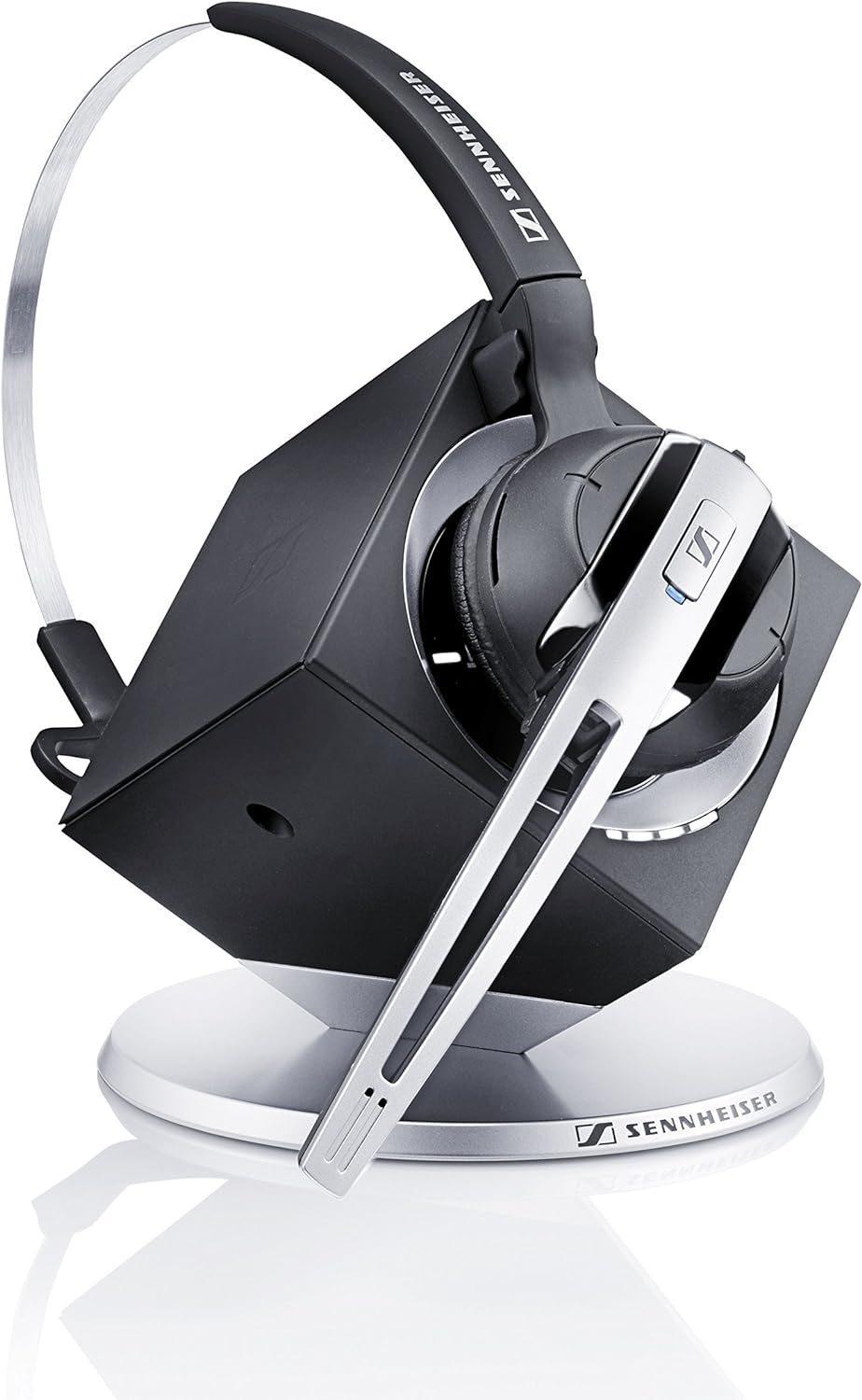
Figure 2.2: Headset docked in the charging base.

Figure 2.3: Headset on base, illustrating the base unit's interface.
3. Istruzioni per l'uso
The OfficeRunner headset offers intuitive controls for managing calls and audio. It supports both computer and phone connectivity, allowing you to switch between sources as needed.
3.1 Stili di indossamento
The headset is convertible and can be worn in two primary styles: over-the-head or on-the-ear. Choose the style that provides the most comfort and stability for your usage.

Figure 3.1: On-the-ear wearing style.

Figure 3.2: Over-the-head wearing style.

Figure 3.3: Proper microphone positioning for clear audio.
3.2 Gestione delle chiamate
The headset features controls for answering/ending calls, adjusting volume, and muting the microphone. Refer to the base unit's interface for switching between computer and phone modes.
The base unit allows you to switch between computer and phone audio sources. Ensure the correct source is selected for your active communication. The base unit's display indicates the currently active source.
4. Manutenzione
To ensure the longevity and optimal performance of your Sennheiser OfficeRunner headset, follow these maintenance guidelines:
- Pulizia: Regularly wipe the headset and base unit with a soft, dry cloth. Avoid using abrasive cleaners or solvents.
- Magazzinaggio: When not in use, store the headset on its charging base to keep it charged and ready. Store in a cool, dry place away from direct sunlight and extreme temperatures.
- Cura della batteria: For optimal battery life, avoid completely discharging the headset frequently. Charge it regularly, especially after extended periods of non-use.
5. Risoluzione Dei Problemi
If you encounter issues with your Sennheiser OfficeRunner headset, refer to the following common troubleshooting steps:
| Problema | Possibile causa | Soluzione |
|---|---|---|
| Nessun audio o scarsa qualità audio | Headset not charged, incorrect audio source selected on base, interference, or software settings. | Ensure headset is fully charged. Verify the correct audio source (computer/phone) is selected on the base unit. Check computer sound settings to ensure the OfficeRunner is set as the default communication device. Move away from other DECT 6.0 devices if experiencing interference. |
| Microfono non funzionante o poco chiaro | Microphone muted, incorrect microphone selected in software, or microphone positioning. | Ensure the microphone is not muted on the headset or in your communication software. Check software settings to confirm the OfficeRunner microphone is selected. Adjust the microphone boom closer to your mouth. |
| Mute button sticking or unresponsive | Mechanical issue with the button. | Gently press and release the mute button multiple times. If the issue persists, contact customer support for assistance. |
| Headset hangs up calls when picked up from cradle (Windows apps) | Software interaction issue with specific applications (e.g., Microsoft Lync/Skype for Business). | Ensure the headset is connected to the base before initiating or answering calls in affected applications. Check for firmware updates for the base unit from Sennheiser's official support channels. Adjust application settings if possible to prevent automatic hang-up. |
| Limited wireless range | Obstructions, interference, or environmental factors. | Ensure the base unit is placed in an open area, away from large metal objects or other electronic devices that may cause interference. |
6. Specifiche
| Caratteristica | Dettaglio |
|---|---|
| Nome del modello | OfficeRunner |
| Numero modello articolo | 504345 |
| Marca | Sennheiser |
| Tecnologia di connettività | Senza fili (DECT 6.0) |
| wireless Range | Fino a 400 piedi |
| Tempo di conversazione | Fino a 12 ore |
| Microfono | Cancellazione del rumore |
| Stili di abbigliamento | Over-the-head, On-the-ear |
| Peso dell'articolo | 0.78 once (22.68 g) |
| Colore | Argento e nero |
| Componenti inclusi | Headset, Base Unit, Headband, Lithium Ion Battery (included) |
| Dispositivi compatibili | 98% of corded office phones, Certified for Cisco, Avaya, Microsoft, VoIP services (Skype, Google Voice, GoToMeeting) |
| Tipo di controllo | Media Control, Remote, Touch |
| Controllo del rumore | Isolamento acustico |
7. Garanzia e supporto
The Sennheiser OfficeRunner headset comes with an industry-leading Garanzia di 3 anno, which also covers the battery. This warranty provides comprehensive coverage for manufacturing defects and ensures peace of mind.
For any product-related inquiries, technical assistance, or warranty claims, lifetime product support is available from Headsets.com. Please refer to your purchase documentation for specific contact details or visit the official Sennheiser support websito.