
Clickfree 525-1003-100
Clickfree Automatic Backup Portable External Hard Drive User Manual
Model: HD525 (525-1003-100)
1. Introduzione
The Clickfree Automatic Backup Portable External Hard Drive is designed to simplify the crucial task of backing up your digital files. This device offers an effortless, automatic backup solution for your precious photos, music, videos, emails, and more, supporting over 400 file types. It requires no software installation or complex setup, making data backup accessible to all users. One Clickfree drive can be used to back up multiple computers, and it is compatible with both Windows and Mac operating systems.
2. Prodotto finitoview
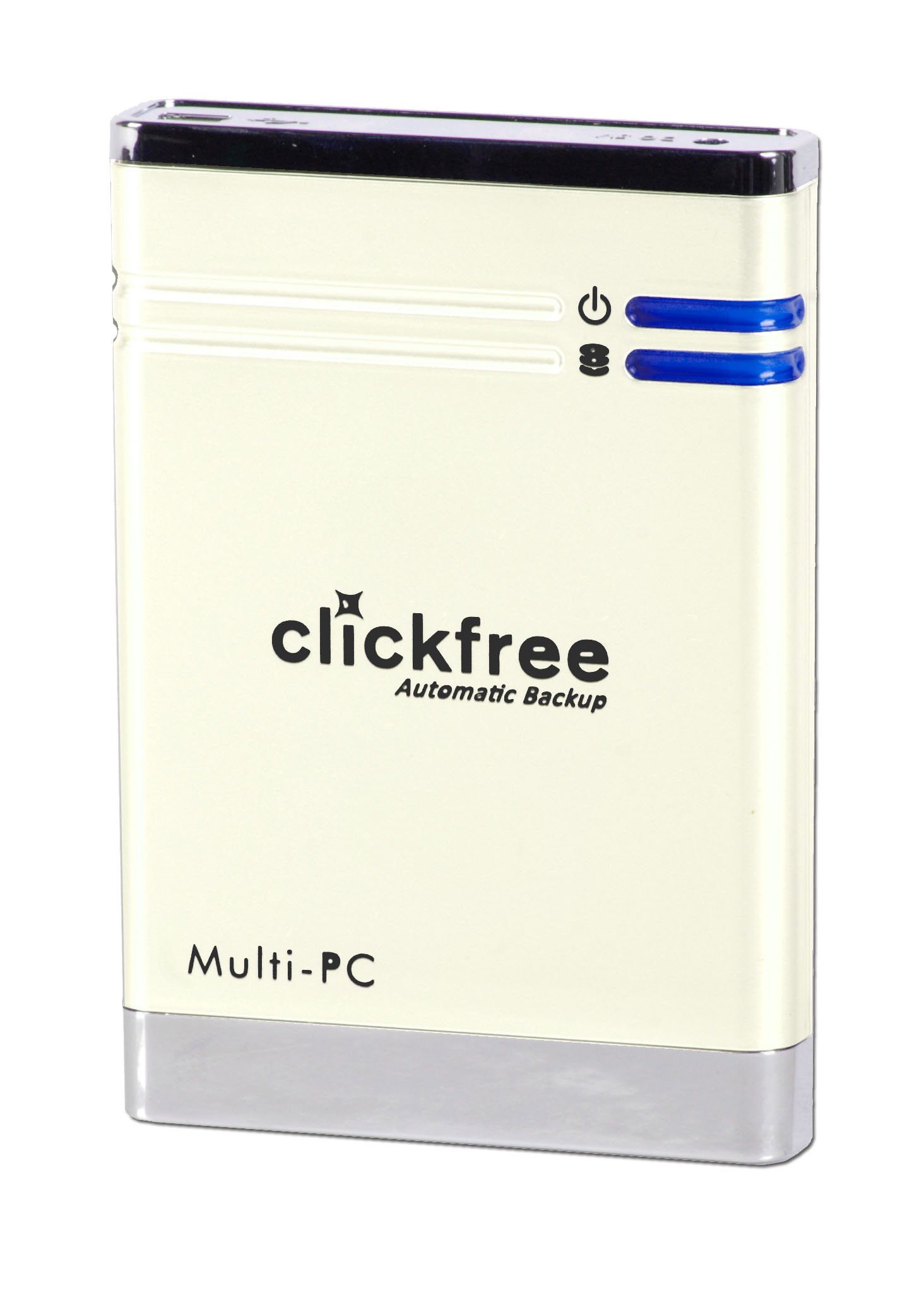
Figura 1: Davanti view of the Clickfree Automatic Backup Portable External Hard Drive. The device is pearl white with a black top and silver base. It features the "clickfree Automatic Backup" logo, "Multi-PC" text, and two blue indicator lights next to power and data transfer icons.
Caratteristiche principali:
- Backup automatico: No software installation required; simply plug in and backup begins.
- Ampia compatibilità: Works with Windows Vista, XP, 2000, and Mac OS X 10.5 or later.
- Multi-Computer Support: Backup data from multiple computers using a single drive.
- Versatile Data Transfer: Facilitates data transfer between new computers, different Windows versions, or from PC to Mac.
- File Type Support: Backs up over 400 different file types, including photos, music, videos, and emails.
3. Guida all'installazione
Setting up your Clickfree Automatic Backup drive is designed to be straightforward and requires no prior software installation.
- Disimballare il dispositivo: Carefully remove the Clickfree Portable External Hard Drive from its packaging.
- Individuare il cavo USB: Identify the supplied USB cable. This cable provides both power and data connectivity.
- Connessione al computer: Plug one end of the USB cable into the Clickfree drive and the other end into an available USB port on your computer. For optimal performance, use a direct USB port on your computer rather than a USB hub.
- Riconoscimento iniziale: Your computer will automatically detect the Clickfree drive. This process may take a few moments.
- Begin Backup: Once detected, the Clickfree software pre-loaded on the drive will automatically launch and initiate the backup process. No manual software installation is required.
Note: If AutoRun is disabled on your computer, you may need to manually open the drive from "My Computer" or "This PC" and double-click the Clickfree executable file to start the backup.
4. Istruzioni per l'uso
4.1 Automatic Backup Process
The primary function of the Clickfree drive is its automatic backup capability. Once connected, the device will scan your computer for user-created files and begin backing them up.
- First Backup: The initial backup will take longer as it copies all identified files. Ensure the drive remains connected and your computer is powered on during this process.
- Subsequent Backups: For subsequent backups, simply connect the drive again. The Clickfree system will intelligently identify and back up only new or modified files since the last backup, significantly reducing backup time.
- File Tipi: The drive automatically backs up common file types such as documents, photos, videos, music, and emails. It does not back up operating system files or installed programs.
4.2 Ripristino Files
Ripristinare files from your Clickfree drive to your computer (or a new computer):
- Connect the Clickfree drive to the computer where you wish to restore files.
- Launch the Clickfree application (it should auto-run or be accessible from the drive).
- Follow the on-screen prompts to select the files or folders you wish to restore. You can choose to restore all files or specific items.
- Confirm the restoration location on your computer.
- Allow the process to complete.
4.3 Managing Multiple Computers
The Clickfree drive is designed to manage backups from multiple computers. It automatically organizes and separates data from different systems, preventing file conflitti.
- Simply connect the drive to each computer you wish to back up. The system will recognize the computer and manage its backup independently.
5. Manutenzione
- Disconnessione sicura: Always safely eject the Clickfree drive from your computer before unplugging it to prevent data corruption.
- Cura fisica: Keep the drive in a clean, dry environment. Avoid extreme temperatures, direct sunlight, and physical shocks.
- Pulizia: Utilizzare un panno morbido e asciutto per pulire l'esterno dell'unità. Non utilizzare detergenti liquidi o solventi.
- Aggiornamenti del firmware: Periodically check the Clickfree official websito per eventuali aggiornamenti firmware disponibili per il tuo modello, per garantire prestazioni e compatibilità ottimali.
6. Risoluzione Dei Problemi
| Problema | Possibile causa | Soluzione |
|---|---|---|
| Unità non rilevata. | Loose USB connection; insufficient power; faulty USB port. | Ensure USB cable is securely connected. Try a different USB port on your computer. Avoid using unpowered USB hubs. |
| Backup does not start automatically. | AutoRun disabled; software conflict. | Manually open the drive from "My Computer" and run the Clickfree executable. Check your computer's AutoPlay settings. |
| Backup process is slow. | Large number of files; fragmented drive; background processes. | The first backup will always be the slowest. Close unnecessary applications. Ensure your computer's hard drive is not heavily fragmented. |
| Impossibile trasferire files from PC to Mac (or vice-versa). | Drive formatted for a specific OS. | The Clickfree drive formats itself for either PC or Mac upon first use. It cannot be used for direct cross-platform file transfer without reformatting (which erases all data). For cross-platform transfer, use cloud services or network sharing. |
7. Specifiche
- Modello: HD525 (525-1003-100)
- Capacità: 500 GB
- Fattore di forma: 2.5 pollici
- Hard Disk Speed: 5400 giri al minuto
- Interfaccia: USB 2.0
- Interfaccia del disco rigido: ATA100
- Tecnologia di connettività: USB
- Sistemi operativi compatibili: Windows Vista, Windows XP, Windows 2000, Mac OS X 10.5 or later
- Colore: Bianco perla
- Dimensioni: 5.34 x 2.67 x 8.14 pollici
- Peso: 10.4 once
- Produttore: Clicca gratis
8. Garanzia e supporto
For warranty information and technical support, please refer to the documentation included with your purchase or visit the official Clickfree websito. Conservare la prova d'acquisto per eventuali reclami in garanzia.
Risorse online:
- Clickfree Official Store on Amazon
- For further assistance, contact Clickfree customer support.
Ask a question about this manual
Ask about setup, troubleshooting, compatibility, parts, safety, or missing instructions. Manuals+ will review the question and use this page’s manual context to help answer it.