
1. Introduzione
Thank you for choosing the Casio PQ-31-1EF Digital Wake Up Timer. This manual provides detailed instructions for the proper setup, operation, and maintenance of your new digital alarm clock. Please read this manual thoroughly before using the product to ensure correct usage and to prevent damage.
2. Precauzioni di sicurezza
- Non esporre l'unità a temperature estreme, alla luce solare diretta o a elevata umidità.
- Evitare di far cadere l'unità o di sottoporla a forti urti.
- Non tentare di smontare o modificare l'unità. Ciò invaliderà la garanzia.
- Tenere le batterie fuori dalla portata dei bambini. In caso di ingestione, consultare immediatamente un medico.
- Smaltire le batterie usate secondo le normative locali.
3. Contenuto della confezione
Si prega di verificare che tutti gli articoli siano presenti nel pacco:
- 1 x Casio PQ-31-1EF Digital Wake Up Timer
- 2 x Lithium Metal batteries (pre-installed or included separately)
- 1 x Manuale utente (questo documento)
4. Prodotto finitoview
The Casio PQ-31-1EF is a compact digital alarm clock designed for reliability and ease of use. It features a clear digital display, an integrated alarm function, and a light for visibility in low-light conditions. The sturdy case provides impact resistance for daily use.
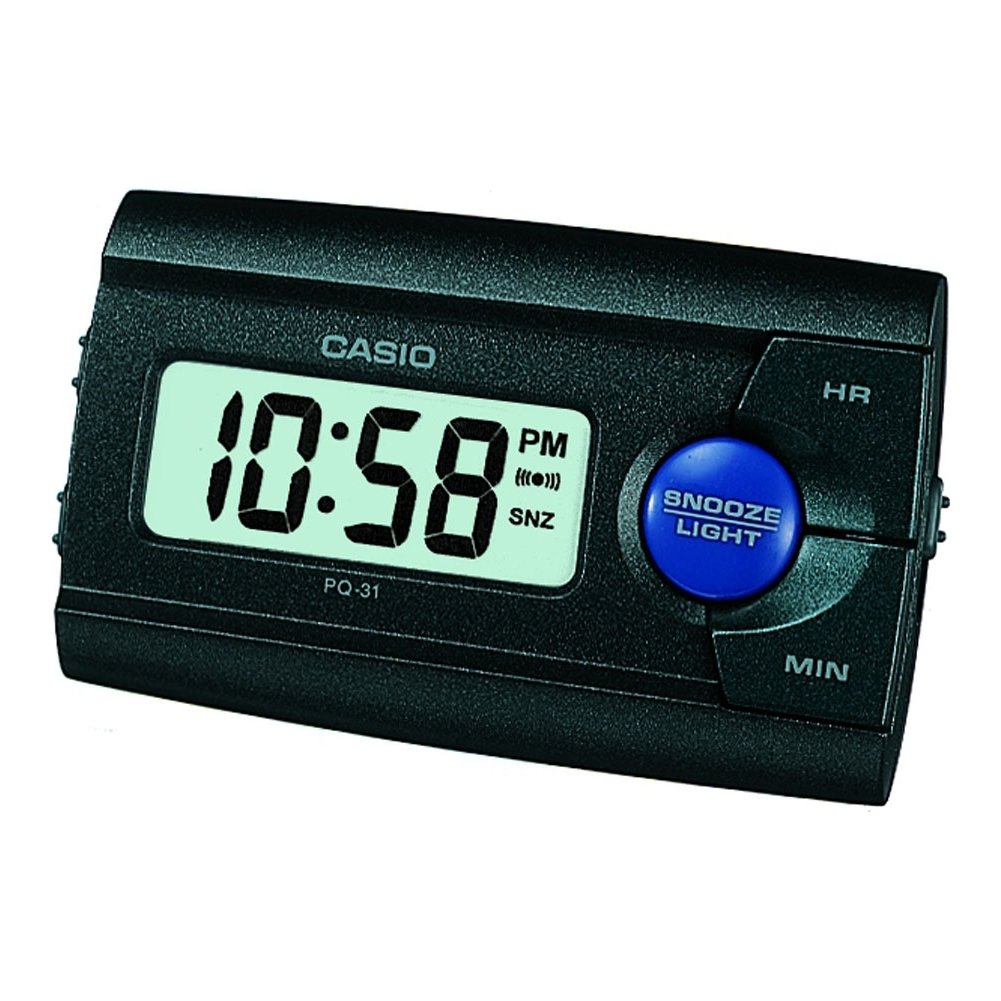
Figura 1: Fronte view of the Casio PQ-31-1EF Digital Wake Up Timer. Shows the digital display and general shape of the device.
Button Functions (Typical Layout - Refer to actual device for exact labels):
- Pulsante MODE/SET: Used to switch between time, alarm, and timer modes, and to confirm settings.
- ADJUST/+/H Button: Used to increase values (hours) or move forward in settings.
- ADJUST/-/M Button: Used to decrease values (minutes) or move backward in settings.
- Tasto LUCE: Activates the backlight for a few seconds.
- Interruttore ALLARME ON/OFF: Attiva/disattiva la funzione sveglia.
- Pulsante SNOOZE: Temporarily silences the alarm and activates snooze function.
5. Impostazione
5.1 Installazione della batteria
Your Casio PQ-31-1EF requires 2 Lithium Metal batteries. These are typically included with the product.
- Individuare il coperchio del vano batterie sul retro o sul fondo dell'unità.
- Open the cover by sliding it or unscrewing it (if applicable).
- Insert the 2 Lithium Metal batteries, ensuring the positive (+) and negative (-) terminals are aligned correctly according to the diagram inside the compartment.
- Riposizionare saldamente il coperchio del vano batteria.
The clock display should now activate. If not, check battery orientation or replace with fresh batteries.
5.2 Impostazione iniziale dell'ora
- Nella modalità di visualizzazione dell'ora normale, tenere premuto il tasto MODALITÀ/IMPOSTAZIONE per alcuni secondi finché le cifre delle ore non iniziano a lampeggiare.
- Utilizzare il ADJUST/+ or ADJUST/- buttons to set the correct hour. Pay attention to AM/PM indicators if your clock uses a 12-hour format.
- Premere il tasto MODALITÀ/IMPOSTAZIONE nuovamente il pulsante per passare all'impostazione dei minuti. Le cifre dei minuti lampeggeranno.
- Utilizzare il ADJUST/+ or ADJUST/- pulsanti per impostare i minuti corretti.
- Premere il tasto MODALITÀ/IMPOSTAZIONE button one more time to exit the time setting mode. The time will now be set.
6. Istruzioni per l'uso
6.1 Impostazione dell'allarme
The daily alarm reminds you of events that recur every day.
- Dalla visualizzazione normale dell'ora, premere il tasto MODALITÀ/IMPOSTAZIONE button once to enter alarm setting mode. The alarm time will be displayed, and the hour digits may flash.
- Utilizzare il ADJUST/+ or ADJUST/- pulsanti per impostare l'ora desiderata per la sveglia.
- Premere il tasto MODALITÀ/IMPOSTAZIONE button again to move to the minute setting.
- Utilizzare il ADJUST/+ or ADJUST/- pulsanti per impostare i minuti desiderati per la sveglia.
- Premere il tasto MODALITÀ/IMPOSTAZIONE button one more time to confirm the alarm setting and return to normal time display.
6.2 Attivazione/disattivazione dell'allarme
To turn the alarm ON or OFF, locate the ALLARME ON / OFF switch (usually on the side or back of the unit) and slide it to the desired position. An alarm icon will typically appear on the display when the alarm is active.
6.3 Utilizzo della funzione Snooze
Quando suona la sveglia, premere il tasto POSTICIPARE button (often a large button on top of the unit). The alarm will temporarily stop and sound again after a few minutes (typically 5-10 minutes, depending on the model).
6.4 Utilizzo della retroilluminazione
To illuminate the clock face in dark environments, press the LEGGERO button. The light-emitting diode (LED) will illuminate the display for a short period, then automatically turn off.
7. Manutenzione
7.1 Pulizia dell'unità
To clean the Casio PQ-31-1EF, wipe it gently with a soft, dry cloth. Do not use abrasive cleaners, solvents, or chemical sprays, as these can damage the casing e display.
7.2 Sostituzione della batteria
When the display becomes dim or the clock functions erratically, it is time to replace the batteries. Follow the steps in Section 5.1 Battery Installation to replace the 2 Lithium Metal batteries. Ensure proper disposal of old batteries.
8. Risoluzione Dei Problemi
| Problema | Possibile causa | Soluzione |
|---|---|---|
| Il display è vuoto o poco luminoso. | Le batterie sono scariche o installate in modo errato. | Sostituire le batterie con batterie nuove, assicurandosi che la polarità sia corretta. |
| L'allarme non suona. | Alarm is not activated or volume is too low (if adjustable). | Ensure the ALARM ON/OFF switch is in the ON position. Check alarm settings. |
| L'ora non è corretta. | L'ora non è stata impostata correttamente oppure le batterie sono state rimosse. | Reset the time following instructions in Section 5.2. |
| I pulsanti non rispondono. | Problema software temporaneo o batteria scarica. | Remove and reinsert batteries to reset the unit. Replace batteries if necessary. |
9. Specifiche
| Caratteristica | Dettaglio |
|---|---|
| Numero di modello | PQ-31-1EF |
| Marca | Casio |
| Tipo di visualizzazione | Digitale |
| Colore | Black (Unit color, display is typically grey/LCD) |
| Fonte di alimentazione | Alimentato a batteria |
| Tipo di batteria | 2 x Lithium Metal batteries |
| Dimensioni del prodotto (L x A) | 8.6L x 5A centimetri |
| Peso dell'articolo | 45.4 grammi |
| Caratteristiche speciali | Alarm, Backlight (LED), Impact Resistance |
| Tipo di montaggio | Supporto da tavolo |
| Uso interno/esterno | Al chiuso |
10. Garanzia e supporto
Casio products are manufactured to high-quality standards and are backed by a manufacturer's warranty. For specific warranty terms and conditions, please refer to the warranty card included with your purchase or visit the official Casio websito per la tua regione.
If you encounter any issues or require technical assistance, please contact Casio customer support through their official website or the contact information provided in your product packaging. Please have your model number (PQ-31-1EF) and proof of purchase ready when contacting support.
Nota: i termini della garanzia possono variare in base alla regione.