1. Introduzione
This manual provides essential instructions for the installation, operation, and maintenance of your Nortel WLAN Access Port 2230 Wireless Access Point. Please read this manual thoroughly before using the device to ensure proper setup and functionality. Retain this manual for future reference.
2. Prodotto finitoview
The Nortel WLAN Access Port 2230 is a networking device designed to provide wireless connectivity, extending your network's reach and allowing wireless devices to connect to your wired infrastructure.
2.1 Caratteristiche principali
- Designed for wireless network access.
- Robust networking device for various environments.
2.2 Contenuto della confezione
Verifica che il pacco contenga i seguenti articoli:
- Nortel WLAN Access Port 2230 Wireless Access Point
- Adattatore di alimentazione
- Cavo di alimentazione
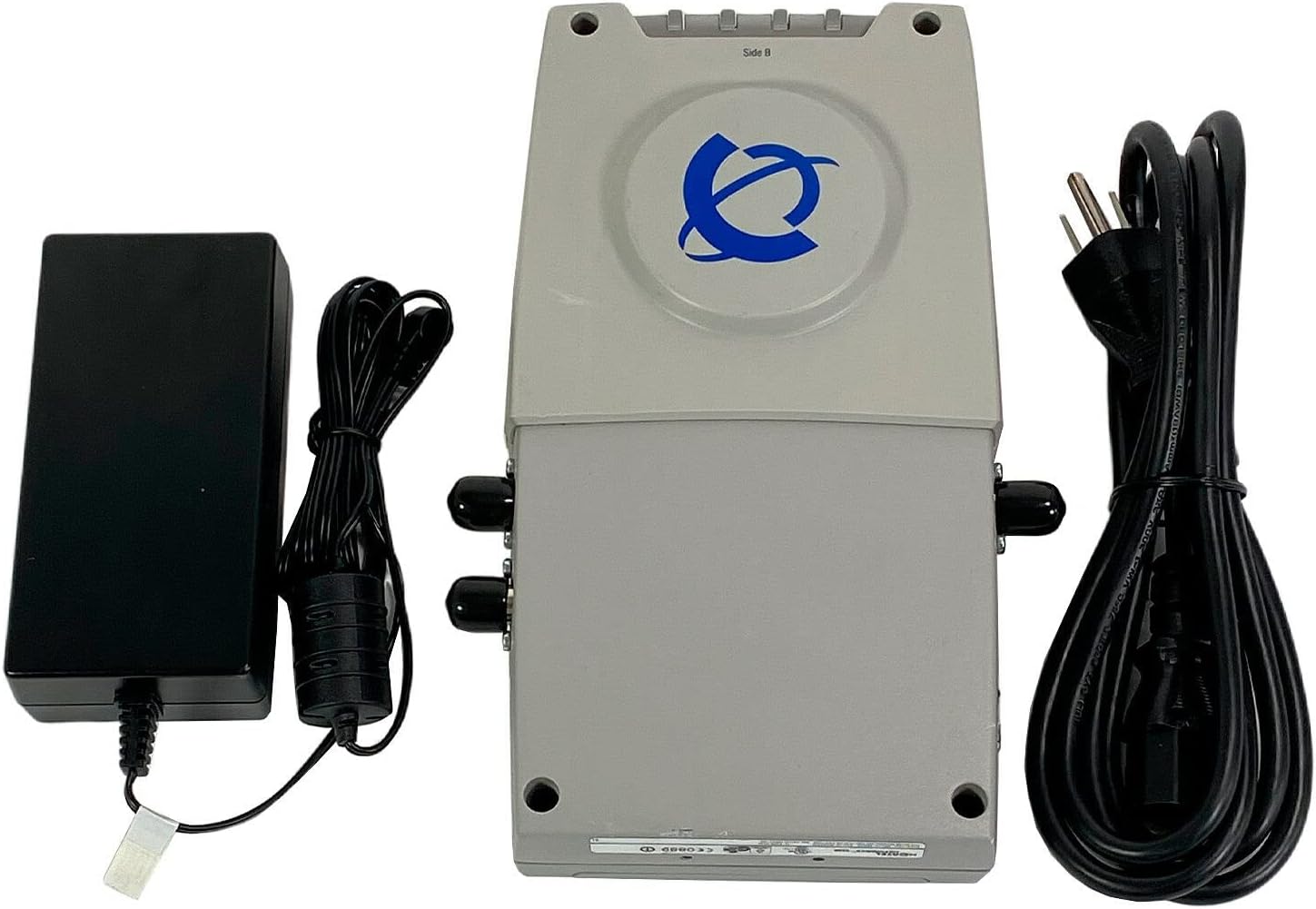
This image displays the Nortel WLAN Access Port 2230, its power adapter, and the accompanying power cord. The access point is a light gray rectangular device with the Nortel logo on top. To its left is the black power adapter, and to its right is the coiled black power cord.
3. Istruzioni per l'installazione
3.1 Disimballaggio
- Rimuovere con attenzione tutti i componenti dalla confezione.
- Inspect the device and accessories for any signs of damage. If any damage is found, contact your vendor immediately.
3.2 Collegamento dell'adattatore di alimentazione
- Connect the power adapter cable to the power input port on the Nortel WLAN Access Port 2230.
- Collegare il cavo di alimentazione all'adattatore di alimentazione.
- Insert the other end of the power cord into a standard electrical outlet.
3.3 Connessione di rete
- Connect an Ethernet cable from your network switch or router to the LAN port on the Access Point.
- Ensure the cable is securely seated in both ports.
3.4 Configurazione iniziale
After connecting the power and network cables, the device will power on. Refer to the separate configuration guide or the manufacturer's website for detailed instructions on accessing the device's management interface and configuring wireless settings, security protocols, and other network parameters.
4. Istruzioni per l'uso
4.1 Accensione/Spegnimento
- Accensione: Collegare l'adattatore di alimentazione al dispositivo e a una presa di corrente. Il dispositivo si accenderà automaticamente.
- Spegni: Disconnect the power adapter from the electrical outlet.
4.2 Indicatori di stato
The Access Point typically features LED indicators to display its operational status. Consult the device's specific LED guide (often found on the device itself or in a separate quick start guide) to understand the meaning of different light patterns (e.g., power, network activity, wireless status).
4.3 Funzionamento di base
Once configured, the Access Point will broadcast a wireless network (SSID). Wireless client devices (laptops, smartphones, tablets) can then detect and connect to this network using the configured security key (if any). The Access Point acts as a bridge, allowing these wireless clients to access the wired network and the internet.
5. Manutenzione
5.1 Pulizia
- Assicurarsi che il dispositivo sia spento e scollegato prima della pulizia.
- Utilizzare un panno morbido e asciutto per pulire la parte esterna del dispositivo.
- Do not use liquid cleaners, aerosols, or solvents, as these may damage the casing o componenti interni.
5.2 Aggiornamenti firmware
Periodically check the Nortel support website for firmware updates. Firmware updates can provide performance improvements, new features, and security enhancements. Follow the instructions provided with the firmware update package carefully.
5.3 Considerazioni ambientali
- Utilizzare il dispositivo entro gli intervalli di temperatura e umidità specificati.
- Evitare di posizionare il dispositivo alla luce diretta del sole o vicino a fonti di calore.
- Assicurare un'adeguata ventilazione attorno al dispositivo per evitare il surriscaldamento.
6. Risoluzione Dei Problemi
If you encounter issues with your Nortel WLAN Access Port 2230, try the following troubleshooting steps:
- Nessun potere: Assicurati che l'adattatore di alimentazione sia collegato saldamente sia al dispositivo sia a una presa elettrica funzionante. Prova una presa diversa.
- Nessuna connessione di rete: Verify that the Ethernet cable is properly connected to the Access Point and your network switch/router. Check the status of your main network connection.
- Wireless Clients Cannot Connect: Confirm that the Access Point is powered on and its wireless function is enabled. Check the SSID and password/security key on your client devices. Ensure the Access Point's wireless settings (e.g., channel, mode) are compatible with your client devices.
- Poor Wireless Signal/Performance: Relocate the Access Point to a more central location, away from obstructions and sources of interference (e.g., microwaves, cordless phones). Check for firmware updates.
- Il dispositivo non risponde: Try power cycling the device by unplugging it from the power outlet for 10 seconds and then plugging it back in.
If problems persist after attempting these steps, contact Nortel technical support or your network administrator for further assistance.
7. Specifiche
| Caratteristica | Dettaglio |
|---|---|
| Tipo di prodotto | Networking Device (Wireless Access Point) |
| Numero di modello | DR4001069 |
| Marca | Nortel |
| Produttore | Nortel Networks |
| Dimensioni del prodotto | 5.5 x 9 x 1.7 pollici |
| Peso dell'articolo | 1.5 libbre |
| ASIN | B0002WPSEY |
| Lingua | Inglese |
| Data prima disponibilità | 17 agosto 2004 |
8. Garanzia e supporto
For information regarding warranty coverage, technical support, or service, please refer to the documentation provided with your purchase or visit the official Nortel Networks websito. I dettagli di contatto per l'assistenza clienti sono in genere disponibili sul sito del produttore websito.