
Gerð 1
Snap Cam Action Camera User Manual
Model: Snap Cam (Model 1)
Inngangur
Welcome to the user manual for your Snap Cam Action Camera. This compact and versatile camera is designed for capturing high-quality video and photos during various activities, from outdoor sports to daily vlogging. Its hands-free magnetic mounting, 4K recording capabilities, and durable design make it an ideal companion for adventurers and content creators. Please read this manual thoroughly to understand the camera's features and ensure optimal performance.
Hvað er í kassanum
Upon unboxing your Snap Cam, please verify that all the following items are included:
- Snap Cam Action Camera (Black)
- Waterproof Case (IPX8 rated, for depths up to 30m)
- Segulband
- Mounting Adapters (7 types for various attachments)
- USB-C hleðslusnúra
- Notendahandbók (þetta skjal)

Image: The Snap Cam camera shown alongside its various accessories, including mounting clips, a lanyard, and the waterproof housing. A person cycling is also depicted, illustrating potential use.
Vara lokiðview
The Snap Cam is designed for simplicity and portability. It features a single operation button for ease of use and a compact, thumb-sized form factor.
Íhlutir myndavélar

Image: A white version of the Snap Cam camera highlighting its key features: 4K ultra HD video shooting, WiFi mobile phone interconnection, 170° wide angle shooting, and magnetic attraction.
- Linsa: High-definition lens for capturing video and photos.
- Aðgerðarhnappur: Single button for power on/off and recording control.
- Gaumljós: Gefur stöðuviðbrögð (t.d. upptaka, hleðsla).
- USB-C tengi: Fyrir hleðslu og gagnaflutning.
- Hljóðnemi: Innbyggt fyrir hljóðupptöku.
Uppsetningarvalkostir
The Snap Cam offers versatile mounting solutions for various scenarios:
- Portable Back Clip: Allows attachment to clothing, bags, or other surfaces.
- 360° snúningur: The clip design enables full rotation for optimal camera angles.
- Built-in Magnetic Suction: For quick and secure attachment to metallic surfaces.
- Segulband: Wear the camera around your neck for convenient POV recording.
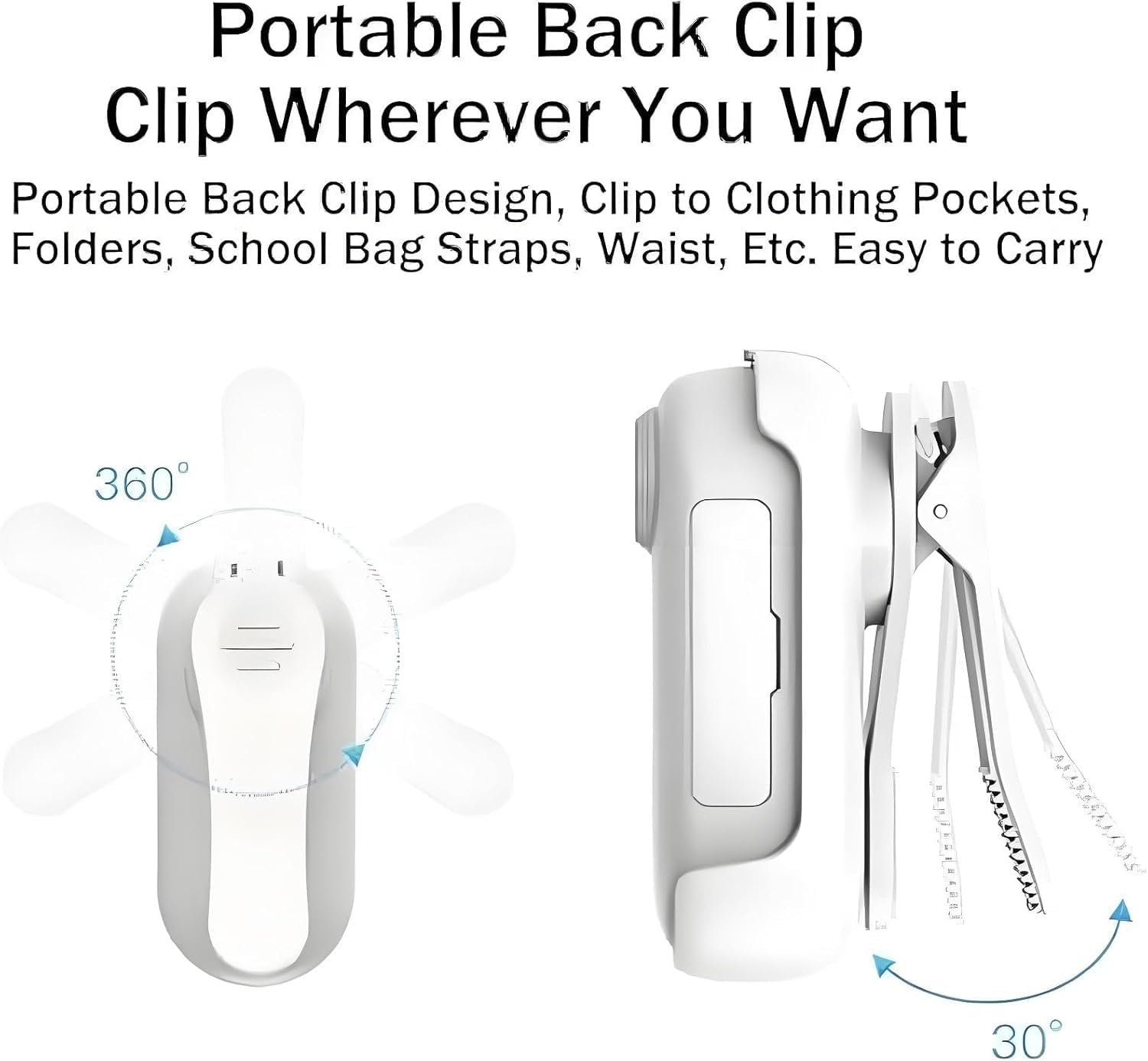
Image: A diagram illustrating the 360-degree rotation capability of the camera's back clip, allowing for flexible positioning.
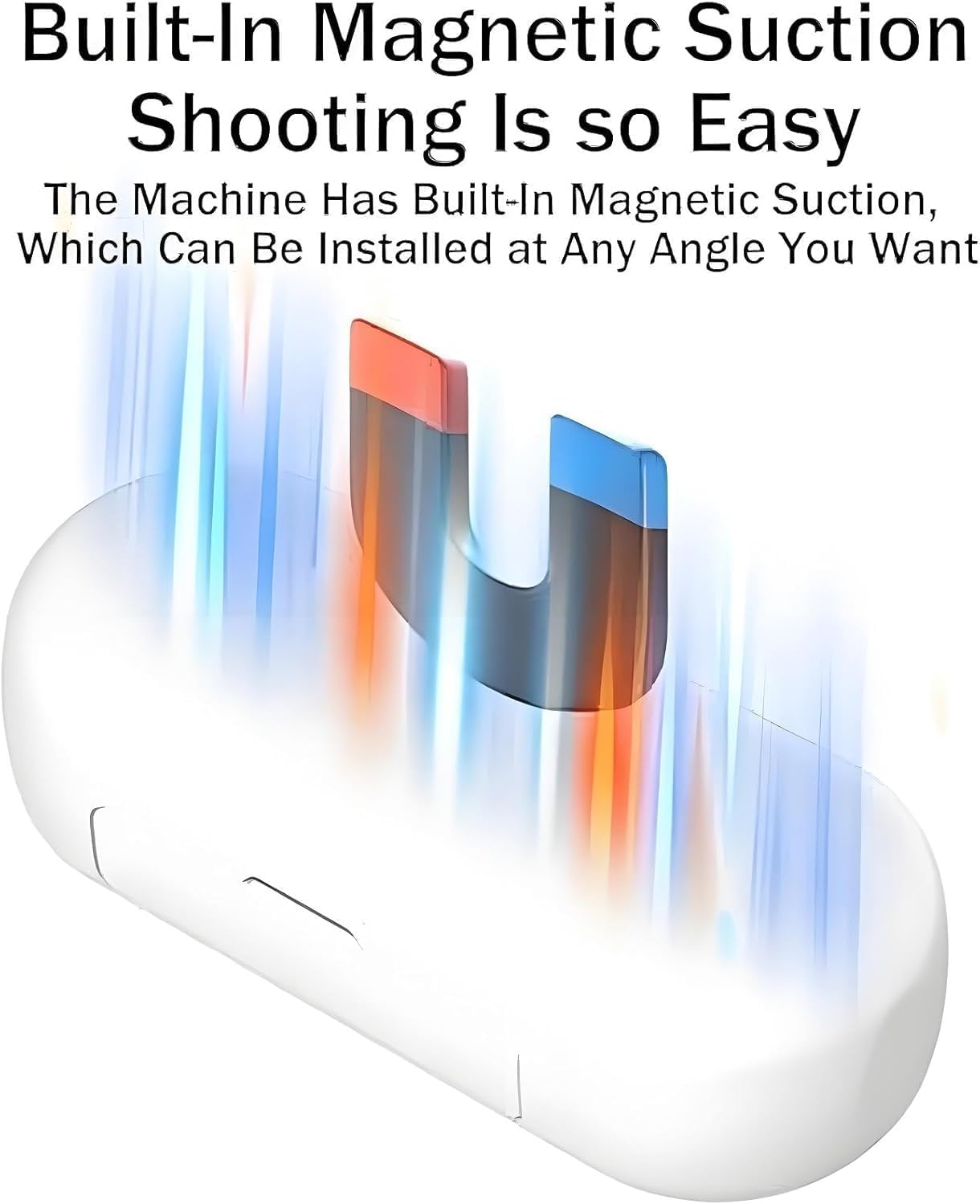
Image: An illustration demonstrating the built-in magnetic suction feature of the camera, allowing it to be easily attached to magnetic surfaces.

Image: A woman wearing the Snap Cam camera around her neck using the magnetic lanyard, highlighting its hands-free portability.
Uppsetning
1. Hleðsla myndavélarinnar
Before first use, fully charge the Snap Cam. Connect the provided USB-C cable to the camera's USB-C port and the other end to a 5V/2A power adapter (not included) or a computer USB port. The indicator light will show charging status. A full charge takes approximately 120 minutes. The camera supports recording while charging.

Image: The Snap Cam camera shown connected via a USB-C cable to a power source, illustrating its ability to record while charging.
2. Að setja inn microSD-kort
The Snap Cam requires a MicroSD card (not included) for storing recordings. Locate the MicroSD card slot on the camera. Gently insert the card with the gold contacts facing down until it clicks into place. The camera supports MicroSD cards up to 256GB.
3. Initial Mounting
Choose your preferred mounting method. For hands-free recording, attach the camera using the magnetic lanyard or utilize the back clip with one of the 7 included adapters to secure it to helmets, handlebars, or clothing. Ensure the camera is firmly attached before beginning your activity.
Notkunarleiðbeiningar
1. Kveikja / slökkva á
To power on the camera, press and hold the operation button for a few seconds until the indicator light illuminates. To power off, press and hold the button again until the indicator light turns off.
2. Upptaka myndbands
Once powered on, a short press of the operation button will start video recording. The indicator light will change to indicate recording is in progress. Press the button again to stop recording. The camera supports 4K and 1080P video resolutions at 30 frames per second.

Image: A visual comparison demonstrating the clarity and detail of 4K high-definition recording compared to lower resolutions like 2K, 1080p, and 720p.
3. Connecting to Mobile App (Wi-Fi)
The Snap Cam features built-in Wi-Fi for seamless connection to your mobile device. Download the dedicated app (refer to packaging or quick start guide for app name/QR code). Follow the app's instructions to connect to the camera's Wi-Fi network. Once connected, you can view lifandi footage, download recordings, and share content directly from your phone.

Image: The Snap Cam camera emitting a Wi-Fi signal, next to a smartphone displaying a gallery of captured videos and photos, illustrating the one-click download and sharing feature.
4. Notkun vatnshelds hulsturs
For underwater activities or protection in wet conditions, place the Snap Cam inside the included IPX8-rated waterproof case. Ensure the case is properly sealed before submersion. The case allows the camera to be used safely up to a depth of 30 meters.

Image: The Snap Cam camera enclosed in its waterproof case, submerged underwater, demonstrating its suitability for diving, fishing, and other water-based activities.
Viðhald
- Þrif: Notið mjúkan, þurran klút til að þrífa myndavélarhúsið. Notið sérstakan klút og lausn til að þrífa linsuna. Forðist slípiefni eða sterk efni.
- Vatnsheldur hulstur: After use in saltwater, rinse the waterproof case with fresh water and allow it to air dry. Ensure no sand or debris is trapped in the seals.
- Geymsla: Geymið myndavélina á köldum, þurrum stað fjarri beinu sólarljósi og miklum hita. Fjarlægið microSD-kortið ef hún á að geyma í langan tíma.
Úrræðaleit
- Kveikt ekki á myndavélinni:
- Gakktu úr skugga um að rafhlaðan sé hlaðin. Tengdu við aflgjafa og athugaðu hleðsluvísinn.
- Press and hold the operation button for a longer duration (5-7 seconds).
- Upptökuvandamál (t.d. ekki upptaka, skemmd files):
- Check if a MicroSD card is inserted correctly and has sufficient free space.
- Ensure the MicroSD card is formatted correctly (FAT32 or exFAT).
- Try using a different, high-speed MicroSD card.
- Recharge the camera fully.
- Vandamál með Wi-Fi tengingu:
- Gakktu úr skugga um að Wi-Fi myndavélarinnar sé virkt.
- Endurræstu bæði myndavélina og snjalltækið þitt.
- Ensure you are within the camera's Wi-Fi range.
- Check if the correct mobile app version is installed.
- Léleg myndgæði:
- Gakktu úr skugga um að linsan sé hrein og laus við bletti.
- Check lighting conditions; optimal lighting yields better results.
- Verify the recording resolution setting if adjustable via the app.
Tæknilýsing
| Eiginleiki | Smáatriði |
|---|---|
| Vöruheiti | Go Snap Camera |
| Litur | Svartur (einnig fáanlegur í hvítu) |
| Efni | PVC |
| Vörumál | 64.5 x 28 x 20 mm (2.6 x 1.1 x 0.8 tommur) |
| Þyngd hlutar | 35 g (u.þ.b. 1.23 oz) |
| Hleðslutími | 120 mínútur |
| Tegund viðmóts | Tegund-C |
| Hleðsla Voltage | 5V/2A |
| Myndbandsupplausn | 1080P/4K |
| Rammahlutfall | 30 fps |
| Myndbandssnið | MP4 |
| Maximum Supported Storage | Up to 256GB (Micro SD) |
| Rafhlöðugeta | 800mAh (approx. 2.5+ hours recording) |
| Vatnsheld einkunn | IPX8 (30m with case) |
| Geymsluhitastig | -10 til 60 gráður á Celsíus |
| Tengingar | Innbyggt Wi-Fi |
| Sérstakir eiginleikar | Hands-free magnetic mounting, 360° rotating clip, One-button operation, Record while charging |
Ábyrgð og stuðningur
Your Snap Cam Action Camera is designed for durability and performance. For any questions, technical assistance, or warranty inquiries, please refer to the contact information provided with your purchase or visit the official brand websíða. Vinsamlegast geymið kaupkvittunina vegna ábyrgðarkröfu.
Ask a question about this manual
Ask about setup, troubleshooting, compatibility, parts, safety, or missing instructions. Manuals+ will review the question and use this page’s manual context to help answer it.