
Inngangur
This manual provides detailed instructions for the assembly, operation, and maintenance of your CHOEZON TV Stand with Power Outlet and LED Light Strip. Please read all instructions carefully before assembly and use to ensure safe and proper functionality.
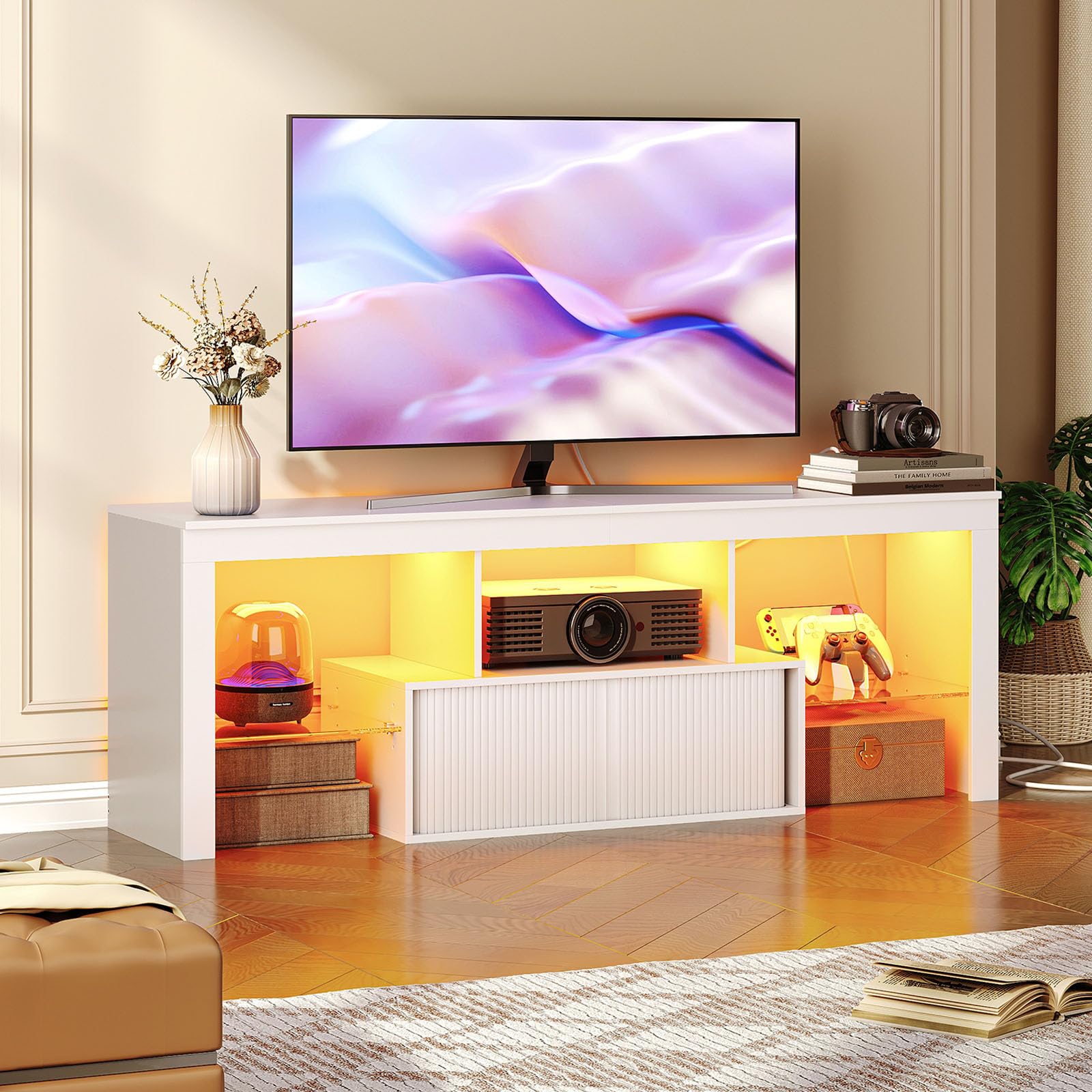
Image: The CHOEZON TV Stand in a living room setting, illuminated by its LED strip.
Öryggisupplýsingar
- Gætið varúðar í kringum hvassa brúnir við samsetningu og meðhöndlun.
- Follow all assembly instructions precisely to prevent injury or damage to the product.
- Keep all electrical components, including the power strip and LED light strip, away from water or damp umhverfi.
- Do not overload the integrated power strip. Ensure connected devices do not exceed the specified electrical ratings.
- This TV stand is designed to accommodate televisions up to 60 inches. Verify your TV's base dimensions and weight are within the stand's capacity before placing it.
Innihald pakka
Áður en samsetning hefst skal ganga úr skugga um að allir hlutar sem taldir eru upp hér að neðan séu til staðar og óskemmdir:
- 1 x CHOEZON TV Stand (main components)
- 1 x Aukahlutir (vélbúnaður, festingar)
- 1 x LED ljósastika
- 1 x Power Outlet Unit
- 1 x Leiðbeiningarhandbók (þetta skjal)
Eiginleikar vöru
The CHOEZON TV Stand is designed to enhance your entertainment area with both style and functionality.
- Innbyggður rafmagnsinnstunga: Features a power strip with 2 AC outlets and 2 USB ports for convenient charging and powering of media devices.
- LED ljósræma: Includes a multi-color LED strip with various modes to create an immersive atmosphere for movies or gaming.
- Fjölhæf geymsla: Offers a wide top surface, a concealed cabinet with roller shutter doors, and two tempered glass shelves with three height adjustment options.
- Varanlegur smíði: Made from premium particleboard and tempered glass for a sleek, sturdy, and long-lasting design.

Image: Integrated power outlet with 2 AC outlets and 2 USB ports.

Image: Roller shutter doors and adjustable tempered glass shelving.
Myndband: Yfirview of the CHOEZON TV Stand, highlighting its power outlet and LED strip features.
Tæknilýsing
| Gerðarnúmer | MDS02UDWB |
| Mál (L x B x H) | 55.1 x 13.8 x 19.7 tommur (140 x 35 x 50 cm) |
| Accommodates TVs up to | 60 tommur |
| Þyngd hlutar | 20.55 kíló |
| Tegund efnis | Verkfræðilegt tré, hert gler |
| Litur | Hvítur |
| Innstunga | 2 rafmagnsinnstungur (125V/12A), 2 USB tengi (5V/2A) |
| Lengd rafmagnssnúru | 4.9 fet |

Mynd: Nákvæmar mál og burðargeta sjónvarpsstandsins.
Leiðbeiningar um uppsetningu og samsetningu
The CHOEZON TV Stand is designed for straightforward assembly. Please follow these general guidelines:
- Taka upp íhluti: Carefully remove all parts from the packaging and verify against the 'Package Contents' list. Place them on a soft, clean surface to prevent scratches.
- Review Handbók: Refer to the detailed illustrated manual included in your accessory kit. Each part is numbered for easy identification.
- Fylgdu skref fyrir skref: Assemble the stand by following the step-by-step instructions provided in the manual. Pay close attention to diagrams and fastener types.
- Öruggar tengingar: Ensure all screws and connectors are tightened securely, but do not overtighten to avoid damaging the material.
- Install Power Outlet and LED Strip: Integrate the power outlet unit and LED light strip as directed in the assembly manual. Ensure all electrical connections are firm.
Note: Two people are recommended for assembly to ensure stability and ease of handling larger components.
Notkunarleiðbeiningar
Using the Power Outlet
Innbyggða rafmagnsinnstungan býður upp á þægilegan aðgang að rafeindatækjum þínum.
- Plug the TV stand's main power cord into a standard wall outlet.
- Connect your TV, gaming consoles, sound systems, or other devices to the 2 AC outlets.
- Use the 2 USB ports to charge smartphones, tablets, or other USB-powered accessories.
- Do not exceed the maximum load capacity of 125V/12A for the AC outlets and 5V/2A for the USB ports.
Operating the LED Light Strip
The LED light strip can be controlled using the included remote control to customize your ambiance.
- Ensure the LED light strip is properly connected to its power source as per assembly instructions.
- Point the remote control towards the LED receiver (usually a small box connected to the strip).
- Use the remote to turn the lights on/off, change colors, adjust brightness, and select various lighting modes (e.g., flash, fade, strobe).

Image: Remote control for the LED light strip, offering various color and mode options.
Viðhald og umhirða
- Þrif: To clean the TV stand, wipe surfaces with a dry, soft cloth. Avoid using harsh chemicals, abrasive cleaners, or excessive moisture, which can damage the finish.
- Ryk: Regularly dust the surfaces, including the glass shelves, to maintain clarity and appearance.
- Skoðun: Athugið reglulega allar festingar og tengingar til að tryggja að þær séu þéttar. Herðið ef þörf krefur.
- Rafmagns íhlutir: Ensure the power cord and LED light strip connections are secure and free from damage. If any damage is observed, discontinue use and contact support.
Úrræðaleit
- LED ljós virka ekki:
- Check if the LED light strip is securely connected to its power adapter and the adapter is plugged into a working outlet.
- Ensure the remote control has working batteries and is pointed directly at the LED receiver. - Rafmagnsinnstungur virka ekki:
- Verify that the TV stand's main power cord is firmly plugged into a live wall outlet.
- Check if the wall outlet itself is working by plugging in another device.
- Ensure no circuit breaker has tripped due to overload. - Standurinn virðist óstöðugur:
- Recheck all assembly fasteners to ensure they are fully tightened.
- Ensure the stand is placed on a flat, level surface.
Ábyrgð og stuðningur
For warranty information, technical support, or to inquire about replacement parts, please contact CHOEZON customer service. Refer to your purchase documentation or the CHOEZON official webvefsíðu fyrir upplýsingar um tengiliði.
Please have your model number (MDS02UDWB) and purchase date available when contacting support.