
1. Okwu mmalite
Thank you for choosing the Feexot Retro Bluetooth AM FM SW Radio. This manual provides essential information for the safe and efficient operation of your device. Please read it thoroughly before use and retain it for future reference.
This portable radio combines vintage aesthetics with modern functionality, offering AM, FM, and Shortwave (SW) radio reception, Bluetooth connectivity, and multiple playback options including USB, TF card, and AUX input. Its compact design and rechargeable battery make it ideal for both home and outdoor use.
2. Ngwaahịa gafereview
Familiarize yourself with the components and controls of your Feexot Retro Radio.

Figure 1: Front panel controls and features of the Feexot Retro Radio.
Isi ihe:
- Ike mgba ọkụ: Integrated into the tonearm mechanism. Moving the tonearm over the faux record turns the unit ON; returning it to its resting position turns it OFF.
- Mpịakọta Mpịakọta: Na-emezi ọkwa mmepụta ọdịyo.
- Mode Switch (MP3/FM/AM/SW): Selects between different audio sources (MP3 playback, FM radio, AM radio, Shortwave radio).
- Ịkpọ oku: Used to precisely tune into radio stations. Features frequency-modulated LED lighting.
- Antenna: Antenna telescopic a na-agbatị agbatị maka nnabata redio ka mma.
- bọtịnụ njikwa ọkpụkpọ: Play/Pause, Previous Track, Next Track (for MP3/Bluetooth modes).
- Ọdụ ụgbọ mmiri USB: Maka ịkpọ ụda files site na draịvụ USB.
- Oghere TF Kaadị: Maka ịkpọ ụda files site na kaadị TF (MicroSD).
- Ntinye AUX: 3.5mm jaak maka ijikọ ngwaọrụ ọdịyo mpụga.
- DC 5V Type-C Charging Port: Maka ịchaji batrị dị n'ime.
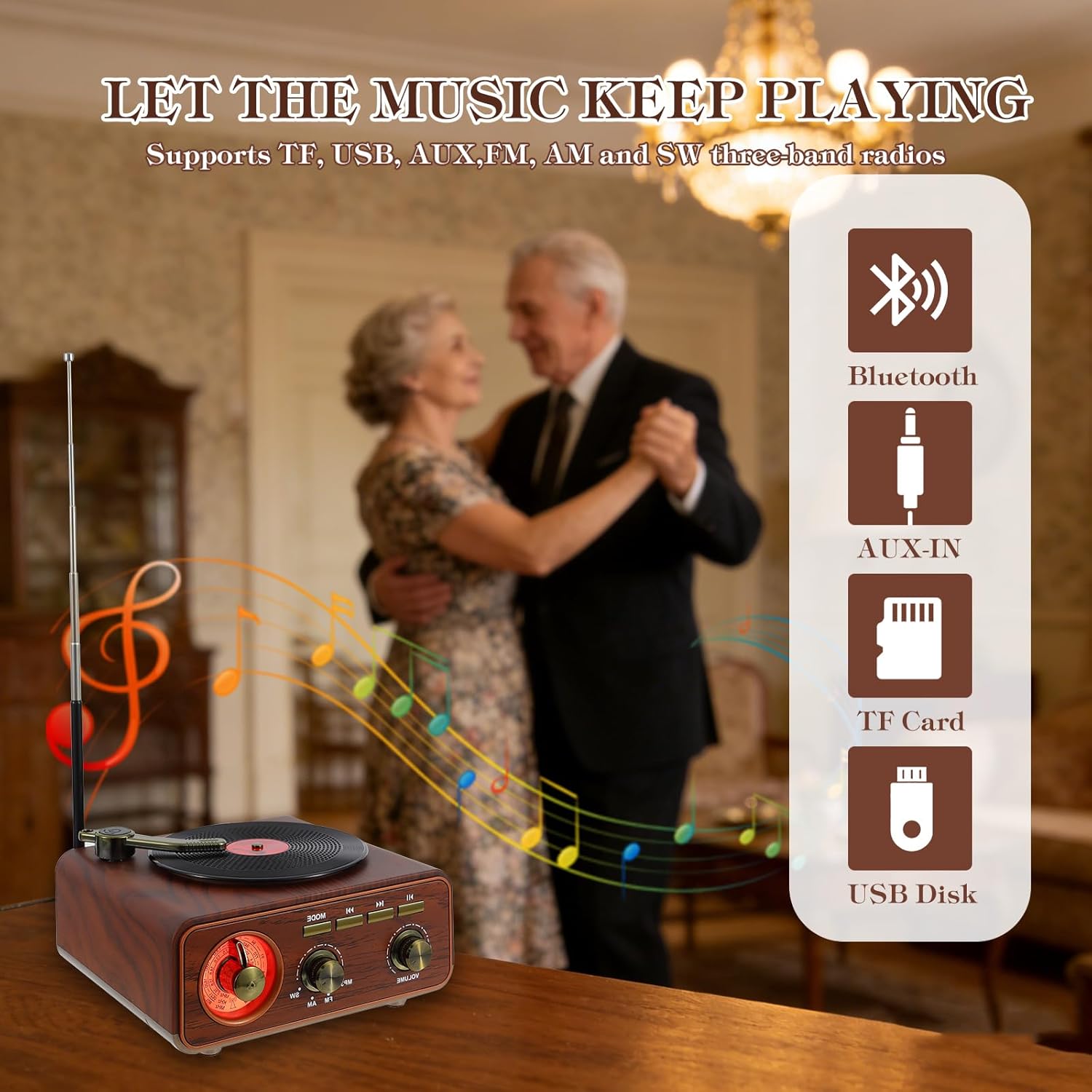
Figure 2: Available audio input options.
3. Nhazi
3.1 Unboxing
Carefully remove the radio from its packaging. Ensure all included components are present:
- Feexot Retro Bluetooth AM FM SW Radio
- USB Charging Cable (Type-A to Type-C)
- Akwụkwọ ntuziaka onye nwe (akwụkwọ a)
3.2 Ịchaji batrị
The radio is equipped with a built-in rechargeable lithium-ion battery. Before first use, it is recommended to fully charge the device.
- Connect the provided USB charging cable to the DC 5V Type-C port on the side of the radio.
- Jikọọ nsọtụ nke ọzọ nke eriri USB na ihe nkwụnye ọkụ USB dakọtara (anaghị etinye ya) ma ọ bụ ọdụ ụgbọ USB kọmputa.
- Ọkụ na-egosi nchaji ga-enwu n'oge ịchaji.
- A full charge typically takes approximately 4 hours. The indicator light may change or turn off once charging is complete.
The radio can operate for several hours on a full charge, providing extended wireless listening.
3.3 Mgbatị Antenna
For optimal radio reception, extend the telescopic antenna located at the back of the unit to its full length (approximately 19.29 inches).

Ọgụgụ 3: Akụkụ ngwaahịa maka ntụnye ntinye.
4. Ntuziaka ọrụ
4.1 Gbanyụọ ma ọ bụ gbanyụọ
To power on the radio, gently move the tonearm from its resting position to over the faux record on the top surface. The unit will emit an audible cue, and the tuning dial will illuminate. To power off, return the tonearm to its resting position.
Video 1: Demonstration of powering on the radio by moving the tonearm.
4.2 na-agbanwe olu
Tugharia ihe Mpịakọta Akpata on the front panel clockwise to increase volume and counter-clockwise to decrease it.
4.3 Selecting Audio Mode
Jiri ihe Ọnọdụ mgba ọkụ to cycle through available audio sources: MP3 (for USB/TF card), FM, AM, and SW (Shortwave) radio bands.
4.4 Radio Operation (AM/FM/SW)
- Gbatịa antenna telescopic ahụ maka nnabata kacha mma.
- Tọọ nke Ọnọdụ mgba ọkụ to FM, AM, or SW.
- Tugharia ihe Ịkpọ oku n'iji ya gee ntị to scan for radio stations. The illuminated dial will help in precise tuning.
- Adjust the antenna position and radio placement for optimal signal clarity.

Figure 4: Visual representation of radio frequency tuning.
4.5 Njikọ Bluetooth
- Tọọ nke Ọnọdụ mgba ọkụ to Bluetooth mode. The radio will enter pairing mode, indicated by an audible prompt.
- Na ama gị, mbadamba, ma ọ bụ ngwaọrụ Bluetooth ọzọ enyere, mee ka Bluetooth nwee ike wee chọọ ngwaọrụ dịnụ.
- Select "BT-888" (or similar name) from the list of devices.
- Once paired, the radio will confirm with an audible sound, and you can stream audio wirelessly.

Figure 5: Bluetooth connection with a mobile device.
4.6 USB / TF Kaadị ịkpọghachi
- Insert a USB flash drive into the USB port or a TF (MicroSD) card into the TF card slot on the side of the radio.
- Tọọ nke Ọnọdụ mgba ọkụ to MP3 mode. The radio will automatically detect and begin playing audio files sitere na ngwaọrụ nchekwa etinyere.
- Jiri bọtịnụ Play/Pause, Gara Aga Track, na Next Track iji chịkwaa egwu ọkpụkpọ.
Ntinye AUX 4.7
- Connect an external audio device (e.g., MP3 player, laptop) to the AUX input jack on the side of the radio using a 3.5mm audio cable (not included).
- Tọọ nke Ọnọdụ mgba ọkụ to AUX mode.
- Jikwaa ọkpụkpọ egwu na olu site na ngwaọrụ mpụga ejikọtara gị.
5. Nlekọta
5.1 Nhicha
Wipe the radio with a soft, dry cloth. Do not use abrasive cleaners, waxes, or solvents as they may damage the finish. Avoid spraying liquids directly onto the unit.
5.2 Nlekọta batrị
- Ka ịgbatị ndụ batrị ogologo, zere ịchaji batrị ugboro ugboro.
- If the radio will not be used for an extended period, charge it to approximately 50% and store it in a cool, dry place. Recharge every 3-6 months to prevent deep discharge.
- Ewepụla batrị ahụ na oke okpomọkụ ma ọ bụ ìhè anyanwụ kpọmkwem.
5.3 Nchekwa
Store the radio in a dry environment, away from direct sunlight and extreme temperatures. Retract the antenna when not in use to prevent damage.
6. Nchọpụta nsogbu
If you encounter issues with your Feexot Retro Radio, please refer to the following common problems and solutions:
| Nsogbu | Ihe nwere ike ime | Ngwọta |
|---|---|---|
| Enweghị ike | Battery is discharged; Tonearm not in ON position. | Charge the battery; Move the tonearm over the faux record to power on. |
| Enweghị ụda | Olu dị oke ala; Ahọpụtaghị ụdị na-ezighi ezi; Ejikọghị ngwaọrụ nke ọma. | Increase volume; Select correct mode (e.g., FM, Bluetooth); Ensure Bluetooth is paired or AUX cable is fully inserted. |
| Nnabata redio adịghị mma | Antenna not extended; Weak signal area; Interference. | Fully extend the telescopic antenna; Reposition the radio; Try tuning slowly to find a clearer signal. |
| Bluetooth anaghị ejikọ | Radio not in Bluetooth mode; Device too far; Already connected to another device. | Ensure radio is in Bluetooth mode; Move device closer to radio; Disconnect from other devices and try pairing again. |
| Kaadị USB/TF anaghị egwu egwu | Ụdị na-ezighi ezi; Ekwekọghị file format; Corrupted card/drive. | Ensure radio is in MP3 mode; Check file formats (e.g., MP3); Try a different USB drive or TF card. |
7. Nkọwapụta
| Njirimara | Nkọwa |
|---|---|
| Ụdị | Feexot |
| Nọmba nlereanya | F-1317BT |
| Agba | Agba aja aja |
| Akụkụ ngwaahịa (L x W x H) | 5.9" x 3.3" x 6.3" (150mm x 85mm x 160mm) |
| Teknụzụ Njikọta | Bluetooth, USB, AUX |
| Nkà na ụzụ Tuner | AM/FM/SW (Mba 3) |
| Isi Iyi Ike | Akwadoro batrị (1 batrị lithium ion gụnyere) |
| Atụmatụ pụrụ iche | Built-In AM Antenna, Portable, Rechargeable |
| Ụdị ngosi | LED (for tuning dial illumination) |
| Ngwa gụnyere | Owner's Manual, USB Cable |
| Ọkwa Nguzogide mmiri | Ọ bụghị mmiri na-eguzogide |
8. Akwụkwọ ikike Ozi
This Feexot product is covered by a 1-afọ akwụkwọ ikike site na ụbọchị azụrụ ya. Akwụkwọ ikike a na-ekpuchi ntụpọ nrụpụta na ọrụ aka n'oge ojiji nkịtị. Ọ naghị ekpuchi mmebi sitere na ojiji na-ezighị ezi, ihe mberede, mgbanwe na-akwadoghị, ma ọ bụ mmebi nkịtị.
Biko dowe ihe akaebe nke ịzụrụ ihe maka akwụkwọ ikike.
9. Nkwado ndị ahịa
For any questions, technical assistance, or warranty inquiries, please contact Feexot customer support through the retailer's platform or refer to the contact information provided with your purchase documentation.
We are committed to providing excellent service and support for your Feexot product.


