
Okwu mmalite
Welcome to the GUHUAVMI GT4 Pro Smartwatch user manual. This guide provides detailed instructions on how to set up, operate, and maintain your new smartwatch. The GT4 Pro combines advanced health monitoring, comprehensive fitness tracking, and smart connectivity features in a durable, stylish design. Please read this manual carefully to ensure optimal performance and longevity of your device.
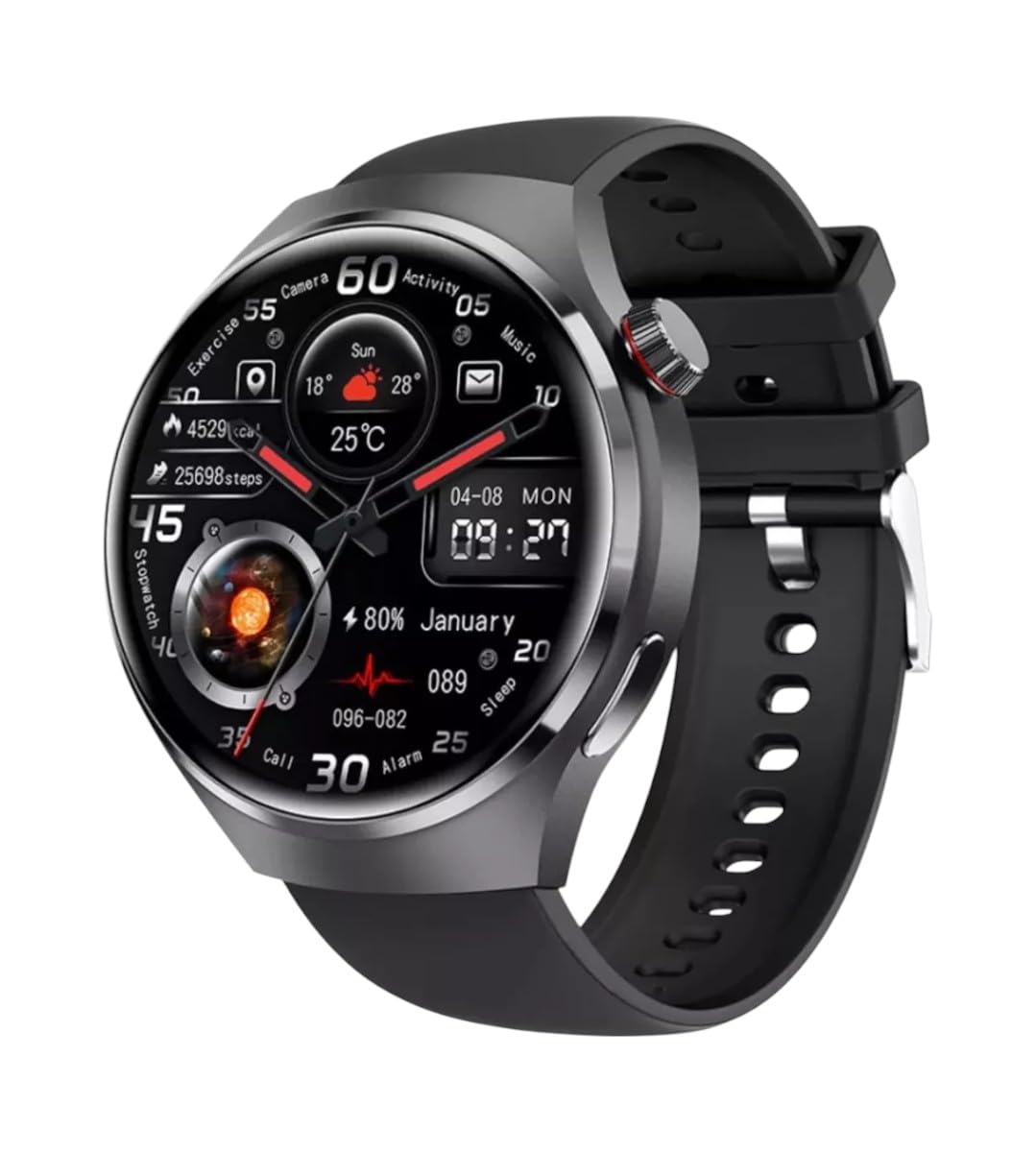
Foto: N'ihu view of the GUHUAVMI GT4 Pro Smartwatch, showcasing ya sleek imewe na ngosi.
Melite
1. Unboxing na akụrụngwa
Tupu ịmalite, hụ na akụrụngwa niile dị na ngwugwu:
- GUHUAVMI GT4 Pro Smartwatch
- chaja ikuku
- Akwụkwọ ntuziaka (akwụkwọ a)
2. Ịchaji smartwatch
For first-time use, fully charge your GT4 Pro Smartwatch. Connect the wireless charger to a USB power adapter (not included) and place the smartwatch onto the magnetic charging base. The watch will indicate charging status on its screen.
- Oge nchaji: Ihe dị ka awa 3 maka ụgwọ zuru ezu.
- Ndụ batrị: Typical usage provides 5-7 days of battery life.

Image: The GUHUAVMI GT4 Pro Smartwatch placed on its magnetic wireless charger, displaying battery life and charging time information.
3. Gbanyụọ / gbanyụọ
- Ike Na: Pịa ma jide bọtịnụ dị n'akụkụ ruo mgbe ihuenyo ahụ ga-enwu.
- Gbanyụọ: Press and hold the side button, then select the 'Power Off' option on the screen.
4. Nbudata ngwa na ijikọ
To unlock the full potential of your GT4 Pro, download the companion app on your smartphone. Scan the QR code provided in the watch's initial setup screen or search for the app name (usually indicated on the watch or packaging) in your phone's app store.
- Kwado Bluetooth na ekwentị gị.
- Mepee ngwa enyi wee soro ntuziaka dị na ihuenyo iji mepụta akaụntụ ma ọ bụ banye.
- In the app, select 'Add Device' or 'Pair Device' and choose 'GT4 Pro' from the list of available devices.
- Confirm the pairing request on both your smartphone and smartwatch.
Ntuziaka ọrụ
1. Nsoro ụzọ
The GT4 Pro features a 1.6-inch HD AMOLED touchscreen and a side crown button for navigation.
- Sịchaa elu/ala: Pịgharịa gaa na menu na ọkwa.
- Sụgharịa akaekpe/aka nri: Nweta ngwa ngwa ma ọ bụ ihu elekere dị iche iche.
- Kpatụ: Họrọ otu ihe ma ọ bụ mepee ngwa.
- Pịa bọtịnụ akụkụ: Laghachi na ihuenyo mbụ ma ọ bụ nweta ndepụta ngwa ahụ.
2. Onye Inyeaka Olu AI
Your GT4 Pro is equipped with an integrated AI voice assistant for hands-free operation.
- Nkwalite: Tap the voice assistant icon on the watch face or use a designated gesture/button press (refer to watch settings).
- Iwu: Speak clearly to ask questions, set reminders, make calls, or control music.
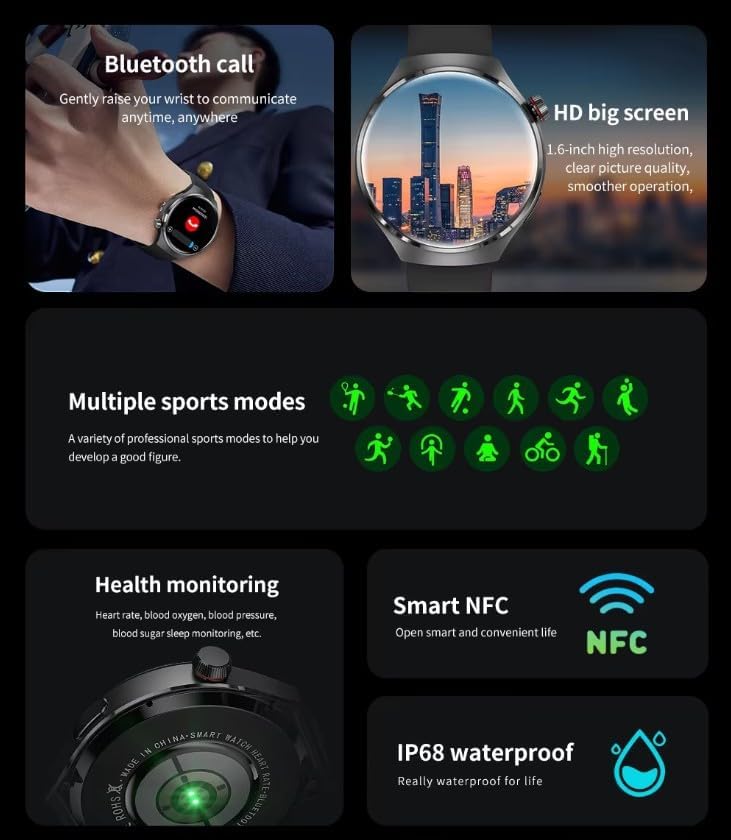
Image: The GUHUAVMI GT4 Pro Smartwatch displaying the AI voice assistant interface, showing examples of voice commands.
3. Oku Bluetooth
Once paired with your smartphone, you can make and receive calls directly from your smartwatch.
- Ịkpọ oku: Access the dialer or contacts list on your watch.
- Ịnata oku: Zaa ma ọ bụ jụ oku mbata ozugbo site na ihuenyo nche.
4. Nlekọta ahụike
The GT4 Pro provides real-time health data to help you monitor your well-being.
- Ọnụọgụgụ obi: Continuous monitoring throughout the day.
- Oxygen ọbara (SpO2): Tụọ ọkwa oxygen saturation ọbara gị.
- Blood Sugar: Provides estimated blood sugar readings.
- Nchicha ụra: Nyochaa ụra stages na mma.
View detailed health reports in the companion app.
5. Nyochaa ahụike
Track your workouts and daily activity with precision.
- Ụdị egwuregwu ọtụtụ: Select from various activities like running, cycling, swimming, and more for accurate data.
- GPS arụnyere: Records your route, distance, and pace during outdoor activities.
- Kompas: Provides directional guidance for outdoor adventures.

Image: The GUHUAVMI GT4 Pro Smartwatch showcasing icons for NFC, GPS, compass, heart rate, and Bluetooth call, highlighting its comprehensive features.
6. NFC Features
The GT4 Pro supports NFC for convenient interactions.
- Njikwa nnweta: Use your watch for compatible access systems.
- Find My iPhone: Utilize NFC to locate your paired iPhone.
7. Dynamic Island Function
Experience enhanced interactive displays for notifications, music, and charging status.
- Interactive Displays: Smart displays adapt to show relevant information dynamically.
- Nkwalite OTA: New functional interactive displays may be added through future over-the-air updates.
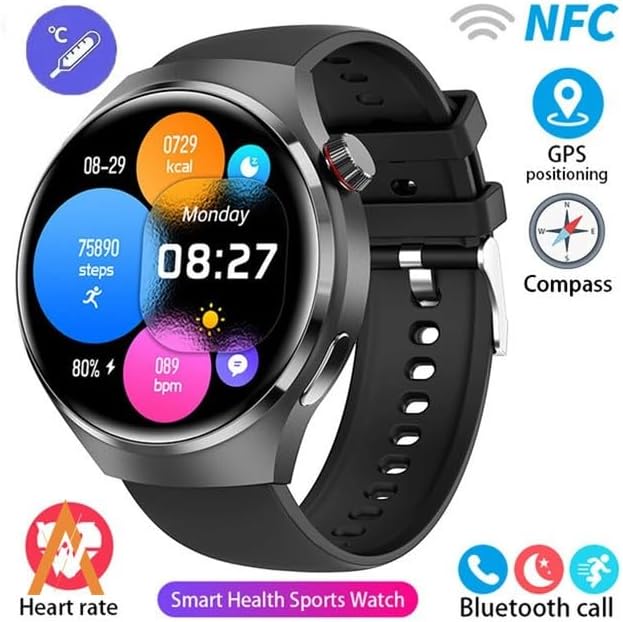
Image: The GUHUAVMI GT4 Pro Smartwatch screen demonstrating the Dynamic Island function, showing notifications and active processes.
8. Other Utility Features
The smartwatch includes several convenient tools:
- Igwefoto dị anya: Control your smartphone camera remotely.
- Elekere mkpu: Tọọ mkpu ozugbo site na aka gị.
- Elekere nkwụsị na ihe ngụ oge: Maka nhazi oge kwesịrị ekwesị.
- Okpu igwe: Monitor ambient temperature.
- Multi-Time Zone Settings: Keep track of different time zones.
- Njikwa ịkpọghachi egwu: Manage music on your paired smartphone.
Nlekọta
1. Mmiri Na-eguzogide Mmiri (IP68)
The GT4 Pro has an IP68 waterproof rating, meaning it is resistant to dust and can withstand immersion in water up to 1.5 meters for 30 minutes. It is suitable for swimming and use in rainy conditions.
- Do not use in hot water, saunas, or steam rooms.
- Avoid exposure to high-velocity water.
- After exposure to water, wipe the watch dry with a soft cloth.
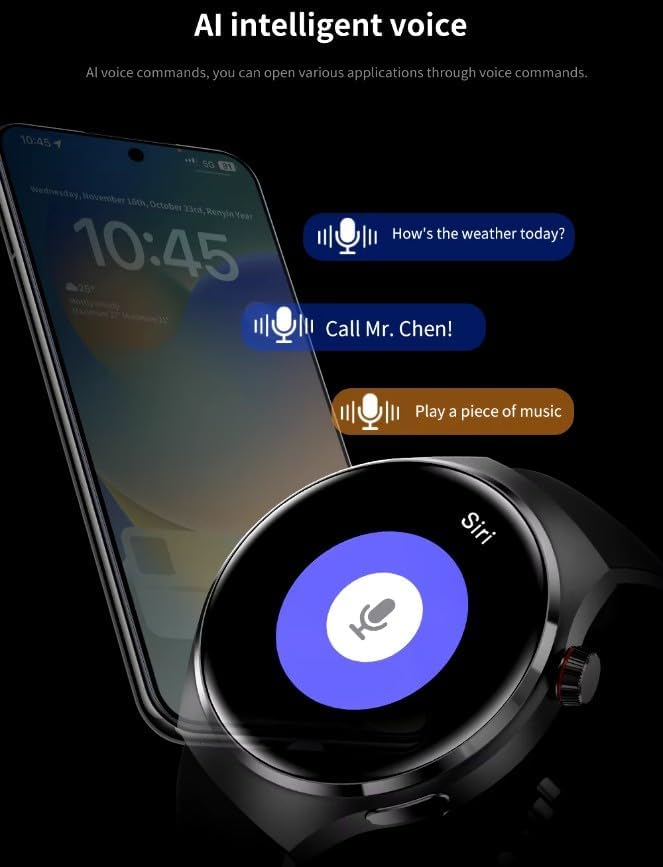
Image: Two GUHUAVMI GT4 Pro Smartwatches shown with water droplets, illustrating their IP68 waterproof capability.
2. Nhicha
Regularly clean your smartwatch to maintain its appearance and sensor accuracy.
- Wipe the screen and body with a soft, damp, akwa akwa na-enweghị lint.
- Clean the charging contacts and heart rate sensor on the back of the watch to ensure proper function.
- Zere iji kemịkalụ siri ike ma ọ bụ ihe na-emebi emebi.
3. Mmelite ngwanrọ
Periodically check for software updates through the companion app. Updates can provide new features, performance improvements, and bug fixes.
Nchọpụta nsogbu
- Lelee anaghị agbanye: Gbaa mbọ hụ na chajịrị elekere ahụ nke ọma. Jikọọ ya na chaja opekata mpe nkeji iri atọ.
- Enweghị ike ijikọ na smartphone:
- Gbaa mbọ hụ na agbanyere Bluetooth na ekwentị gị na elekere.
- Gbaa mbọ hụ na elekere ahụ dị n'ime oke ekwentị gị.
- Malitegharịa ma elekere ahụ ma ekwentị gị.
- Lelee ma emelitere ngwa enyi ahụ ka ọ bụrụ nke kachasị ọhụrụ.
- Data ahụike ezighi ezi:
- Gbaa mbọ hụ na etinyere elekere nke ọma na nkwojiaka gị, ọ bụghị nke siri ike ma ọ bụ nke tọgbọrọ chakoo.
- Hichaa ihe mmetụta dị n'azụ elekere ahụ.
- Zere oke mmegharị n'oge nha.
- Ndụ batrị dị mkpụmkpụ:
- Belata nchapụta ihuenyo.
- Disable unnecessary notifications or features.
- Limit continuous heart rate monitoring if not needed.
Nkọwapụta
| Njirimara | Nkọwa |
|---|---|
| Nọmba nlereanya | GT4 Pro |
| Ngosipụta | 1.6-inch HD AMOLED, 360x360 resolution |
| Njikọta | Bluetooth 5.0 |
| Ngosi nke enweghị mmiri | IP68 |
| Nlekọta ahụike | Heart Rate, Blood Oxygen, Blood Sugar, Sleep Tracking |
| Nyochaa ahụike | Built-in GPS, Compass, Multiple Sports Modes |
| Onye enyemaka olu | AI Voice Assistant Integrated |
| NFC | Supported (e.g., Find My iPhone, Access Control) |
| Ụdị Nchaji | Magnetik Ikuku Nchaji |
| Ndụ batrị a na-ahụkarị | 5-7 ụbọchị |
| Oge Nchaji | Ihe ruru. awa 3 |
| Ngwa gụnyere | Smartwatch, User Manual, Wireless Charger |
Akwụkwọ ikike na nkwado
Ozi akwụkwọ ikike
The GUHUAVMI GT4 Pro Smartwatch comes with a Akwụkwọ ikike nke ọnwa 6 from the date of purchase. This warranty covers manufacturing defects under normal use. It does not cover damage caused by misuse, accidents, unauthorized modifications, or normal wear and tear.
Nkwado ndị ahịa
If you encounter any issues or have questions regarding your GUHUAVMI GT4 Pro Smartwatch, please refer to the troubleshooting section of this manual. For further assistance, contact your retailer or the manufacturer's customer support channel. Please have your purchase receipt and product model number (GT4 Pro) ready when contacting support.