
1. Ngwaahịa gafereview
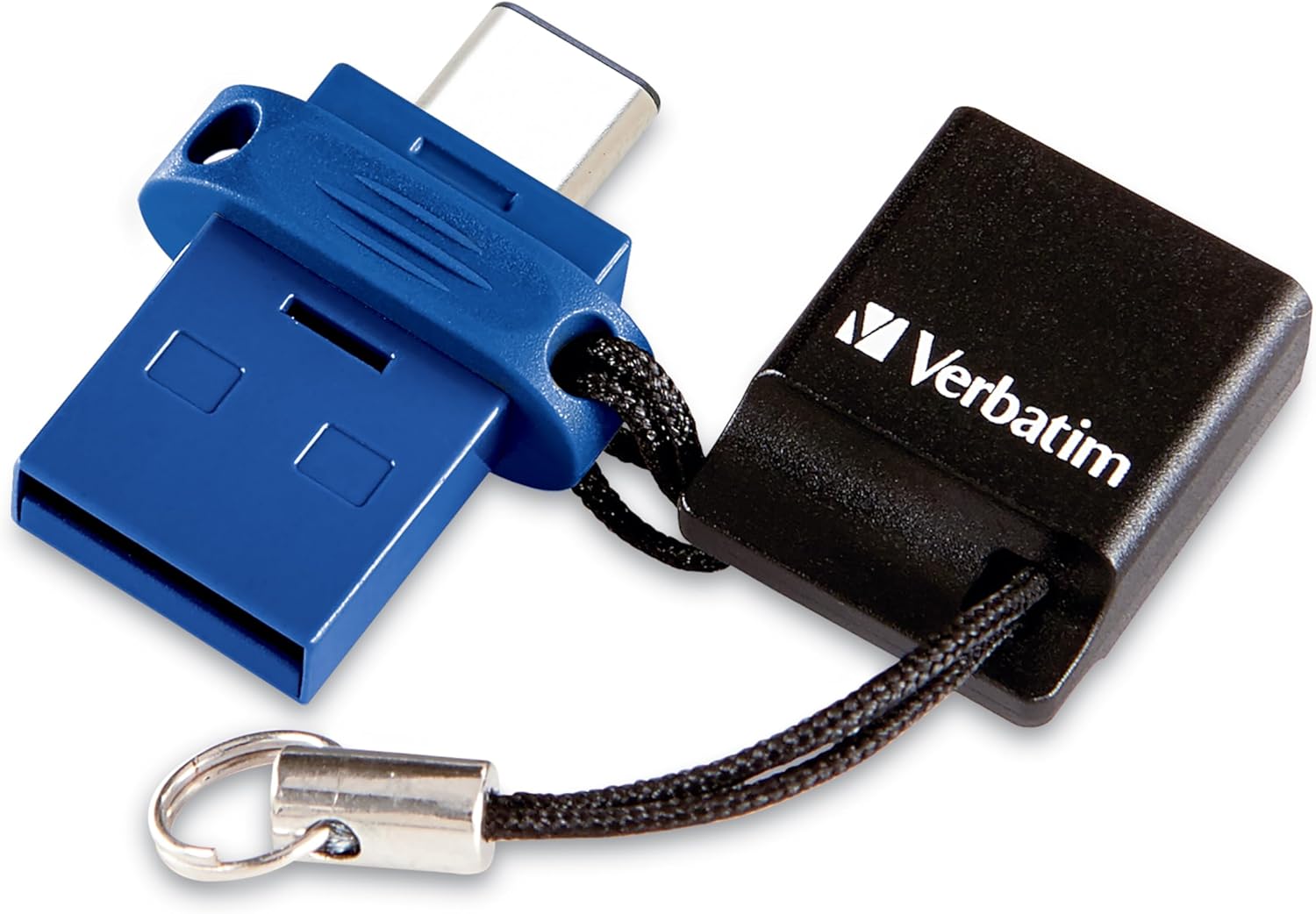
The Verbatim Store 'n' Go Dual USB 3.2 Gen 1 Flash Drive is designed for seamless file transfer between USB-A and USB-C enabled devices. This 128GB drive offers dependable storage and simplifies the process of moving documents and media files between smartphones, tablets, laptops, and other computers. Its plug-and-play functionality allows for easy backup and sharing of files without requiring a wireless connection or data plan.
2. Ntọala na Njikọ
The Store 'n' Go Dual USB Drive features two distinct connectors: a USB-C connector and a USB-A connector, allowing for versatile connectivity across various devices.
2.1 Connecting to a USB-C Device
To connect the drive to a USB-C device (e.g., smartphone, tablet, or laptop with a USB-C port), simply slide the blue cover to expose the USB-C connector and insert it into the device's USB-C port. The device should automatically recognize the drive.

2.2 Connecting to a USB-A Device
For devices with a standard USB-A port (e.g., older laptops, desktop computers), slide the blue cover to expose the USB-A connector and insert it into the device's USB-A port. The drive is plug-and-play, meaning no additional drivers are typically required.

2.3 Ngwaahịa gafereview Vidiyo
3. Ntuziaka ọrụ
3.1 File Nyefee
Once connected, the flash drive will appear as an external storage device on your computer or mobile device. You can drag and drop files to and from the drive, or use your device's file management system to copy, move, or delete files.


3.2 ndakọrịta
The drive offers USB 3.2 Gen 1 connectivity for optimal performance and is backward compatible with USB 2.0. For best speeds, a USB 3.0 host device is recommended. It is compatible with Mac and Windows platforms. USB-C transfer speeds may vary depending on the host device.

3.3 Ihe ngosi ojiji
This versatile drive is suitable for various applications, including:
- Azụmahịa: Securely store and transport important documents.
- Egwu: Carry your favorite playlists for playback on compatible devices.
- Egwuregwu: Store game data or small portable games.
- Ụlọ akwụkwọ: Keep assignments, presentations, and research handy.
- Vidiyo: Transfer and watch videos on the go.
- Foto: Back up photos from your mobile device to free up space.

4. Nlekọta na nlekọta
- Mwepụ Kwesịrị Ekwesị: Always safely eject the flash drive from your device before physically removing it to prevent data corruption.
- Nchedo anụ ahụ: Utilize the convenient lanyard to keep the cap tethered to the drive, protecting the connectors when not in use. Avoid exposing the drive to extreme temperatures, moisture, or direct sunlight.
- Nhicha: If necessary, gently wipe the exterior of the drive with a soft, dry cloth. Do not use liquid cleaners or solvents.
- Ndabere data: While the drive is reliable, it is always recommended to maintain backups of important data on multiple storage solutions.
5. Nchọpụta nsogbu
5.1 Achọpụtaghị draịva ahụ
- Hụ na etinyere draịvụ ahụ nke ọma n'ime ọdụ ụgbọ USB.
- Nwaa ijikọ na ọdụ USB dị iche na ngwaọrụ gị.
- Malitegharịa kọmputa gị ma ọ bụ ngwaọrụ mkpanaka gị.
- Verify that your device's operating system is up to date.
- Check your device's file manager or disk utility to see if the drive is detected but not assigned a drive letter (on Windows).
5.2 Ọsọ mbufe ngwa ngwa
- Ensure you are using a USB 3.0 or higher port on your host device for optimal USB 3.2 Gen 1 speeds. Connecting to a USB 2.0 port will result in slower transfer rates.
- Na-ebufe ọtụtụ obere files nwere ike ịdị nwayọ karịa ibufe obere obere files.
- Other background processes on your computer or device can affect transfer speeds.
5.3 Compatibility Issues (e.g., ChromeOS Recovery)
While broadly compatible, specific functionalities like booting ChromeOS recovery images may not be supported. Always refer to the specific requirements of the application or operating system you intend to use with the drive.
6. Nka na ụzụ nkọwa
| Njirimara | Nkọwapụta |
|---|---|
| Ụdị | Okwu ọnụ |
| Aha Nlereanya | Store 'n' Go |
| Nọmba Nlereanya ihe | 71275 |
| Ike Nchekwa ebe nchekwa | 128 GB |
| Ngwaọrụ Akụrụngwa | USB 3.2 Gen 1 |
| Teknụzụ Njikọ Ngwaike | USB Ụdị A, USB Ụdị C |
| Dee ọsọ ọsọ | 100 MB/s |
| Njirimara Pụrụ Iche | Dual USB Connector |
| Agba | Acha anụnụ anụnụ |
| Ibu Ibu | 0.32 ounces |
| Akụkụ ihe (LxWxH) | 1.33 x 0.31 x 0.7 sentimita asatọ |
| Onye nrụpụta | Ụgwọ nke ụlọ ọrụ Verbatim Americas LLC |
| UPC | 023942712756 |
7. Akwụkwọ ikike na nkwado
Verbatim has been a leader in data storage technology since 1969. This product is backed by a limited lifetime warranty, ensuring peace of mind regarding its quality and durability. For technical assistance or warranty claims, please refer to the official Verbatim support channels or visit their websaịtị.
Maka ozi ndị ọzọ na nkwado, gaa na onye ọrụ gọọmentị Verbatim Store.