
Okwu mmalite
This manual provides detailed instructions for the SF Chrome Analog-Digital Black Dial Men's Watch, model 77103PP01. Please read this manual carefully to ensure proper use and to maximize the lifespan of your watch. This watch features both analog and digital time displays, a stopwatch, alarm, and backlight functions, along with 100-meter water resistance.
Melite
1. Nyocha mbụ
Upon unboxing, inspect the watch for any visible damage. Ensure all buttons are functional and the display is clear.

Foto: N'ihu view of the SF Chrome Analog-Digital Watch, showing both analog hands and digital display. This view highlights the watch face and overall design.
2. Ịtọ oge Analog
- Pull the crown (the knob on the right side of the watch case) out to the first click position.
- Gbanwee okpueze ahụ ka ọ gbanwee aka elekere na nkeji analog ka oge achọrọ.
- Pịa okpueze ahụ azụ n'ọnọdụ nkịtị ya iji malite nhazi oge analog.
3. Ịtọ Oge na Ụbọchị Dijitalụ
The digital display typically has multiple modes (Time, Date, Alarm, Stopwatch). Refer to the button functions in the 'Operating' section to navigate these modes.
- Press the 'MODE' button (usually bottom-left) repeatedly until the digital time display starts flashing, indicating it's in setting mode.
- Use the 'ADJUST' button (usually top-left) to cycle through the settings (seconds, hour, minute, year, month, day).
- Use the 'SET' or 'START/STOP' button (usually top-right or bottom-right) to increase or decrease the flashing value.
- Once all settings are correct, press the 'MODE' button again to exit the setting mode.
Na-arụ ọrụ
Ọrụ bọtịnụ

Foto: Akụkụ view of the SF Chrome Analog-Digital Watch, clearly showing the various control buttons on the watch case. These buttons are used for mode selection and adjustments.
- Bọtịnụ MODE (Ala-aka ekpe): Cycles through different digital display modes (Time, Alarm, Stopwatch, Date). Also used to confirm settings.
- ADJUST Button (Top-Left): Used to select items to be adjusted in setting mode.
- START/STOP Button (Top-Right): Used to increase values during setting, start/stop the stopwatch, or turn the alarm on/off.
- LIGHT Button (Bottom-Right): Na-eme ka ìhè azụ maka ngosipụta dijitalụ rụọ ọrụ.
Iji Oge nkwụsịtụ
- Press the MODE button until the stopwatch display appears (usually '00:00:00').
- Pịa bọtịnụ START/Kwụsị ka ịmalite oge.
- Press the START/STOP button again to pause the timing.
- To resume, press START/STOP again.
- To reset the stopwatch to zero, press the ADJUST button while the stopwatch is paused.
Ịtọlite na Iji Mkpu
- Press the MODE button until the alarm display appears (e.g., 'AL 12:00').
- Press the ADJUST button to select the hour or minute to set.
- Use the START/STOP button to adjust the hour or minute.
- Press the MODE button to exit alarm setting.
- To turn the alarm on or off, press the START/STOP button while in the alarm display mode. An alarm icon will typically appear when activated.
Iji Backlight
Press the LIGHT button (bottom-right) to illuminate the digital display for a few seconds, allowing visibility in low-light conditions.
Nlekọta
Na-ehicha elekere gị
Jiri ákwà dị nro ma kpọọ nkụ hichaa akpa elekere ahụ ma jiri eriri kpuchie ya mgbe niile. Maka unyi siri ike, jiri obere d hichaa ya.amp cloth can be used, followed by immediate drying. Avoid using chemical cleaners, as they may damage the watch's finish or seals.
Mmiri Nguzogide
This watch is water resistant up to 100 meters. This means it is suitable for swimming and snorkeling, but not for scuba diving. Do not operate any buttons while the watch is submerged in water. Ensure the crown is fully pushed in before exposing the watch to water.

Foto: Azụ view of the SF Chrome Analog-Digital Watch, showing the stainless steel case back with engravings for water resistance (WR100M) and model number. This area is crucial for understanding the watch's durability and specifications.
Ngbanwe batrị
When the digital display becomes dim or the watch stops functioning, the battery may need replacement. Battery replacement should be performed by a qualified watch technician to ensure the water resistance seal is properly maintained.
Nchekwa
When not in use, store your watch in a cool, dry place away from direct sunlight and extreme temperatures. The original packaging can be used for safe storage.
Nchọpụta nsogbu
- Analog hands not moving: Check if the crown is fully pushed in. If it is, the battery may be depleted.
- Ngosipụta dijitalụ enweghị oghere ma ọ bụ gbagọrọ agbagọ: Batrị ahụ nwere ike ịdị ala ma ọ bụ gwụchaa. Dochie batrị ahụ.
- Digital time is incorrect: Re-enter the digital time setting mode and adjust the time as per the 'Setup' section.
- Oti mkpu na-adịghị ada: Ensure the alarm function is activated (check for the alarm icon on the display). Verify the alarm time is set correctly.
- Mmiri n'ime elekere: Immediately take the watch to a professional watch repair service. Do not attempt to open the watch yourself, as this will void the warranty and likely cause further damage.
Nkọwapụta
| Njirimara | Nkọwapụta |
|---|---|
| Nọmba nlereanya | 77103PP01 |
| Ụdị ngosi | Analog-Dijitalụ |
| Ụdị mmegharị | Quartz |
| Ihe gbasara ikpe | Plastic |
| Dayameta ikpe | 54.5 Millimita |
| Ọkpụrụkpụ ikpe | 16 Millimita |
| Ụdị ihe Band | sịntetik |
| Agba agba | Acha anụnụ anụnụ |
| Obosara band | 27 Millimita |
| Ihe e ji iko pịa | Acrylic |
| Mmiri Nguzogide Omimi | 100 mita |
| Ibu Ibu | 120 g |
| Onye nrụpụta | Titan Company Ltd |
Akwụkwọ ikike na nkwado
This SF watch is covered by a manufacturer's warranty against defects in materials and workmanship. The specific terms and duration of the warranty may vary by region and purchase date. Please refer to the warranty card included with your purchase or contact SF customer support for detailed information.
For technical assistance, service, or warranty claims, please contact the authorized service center or the retailer from whom you purchased the watch. Keep your proof of purchase for warranty validation.
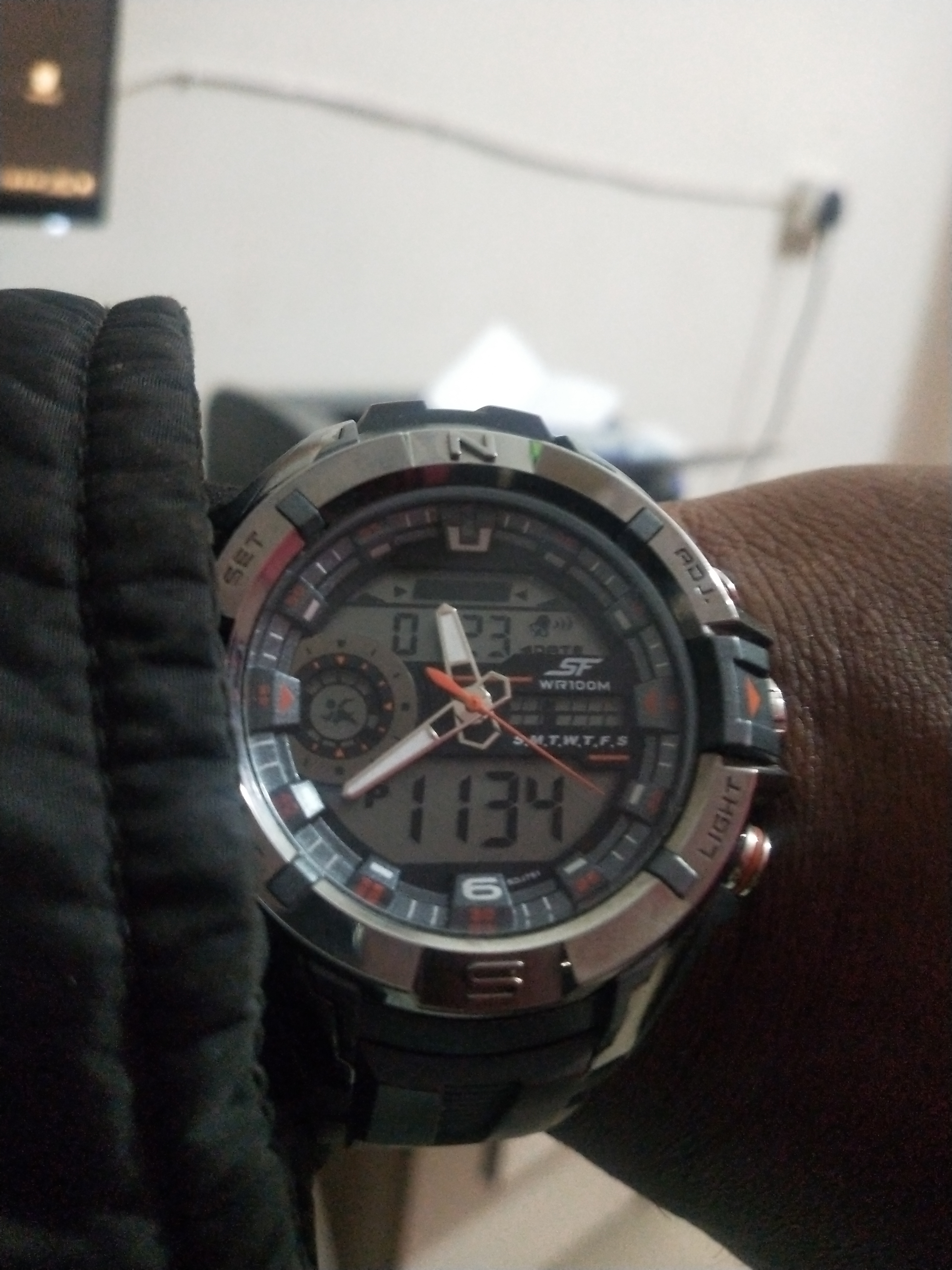
Image: Product packaging for the SF watch, featuring the brand logo and additional product information. This packaging often contains warranty details and user guides.