
1. Pendahuluan
Terima kasih sudah membeliasing the MangoKit SR-L WiFi Internet Radio. This device offers a versatile listening experience, combining WiFi Internet Radio, FM Radio, a Podcast Player, and Bluetooth streaming capabilities. It also features an alarm clock and can be powered by mains or batteries for portability. This manual provides detailed instructions for setup, operation, and maintenance to ensure optimal performance and enjoyment of your radio.
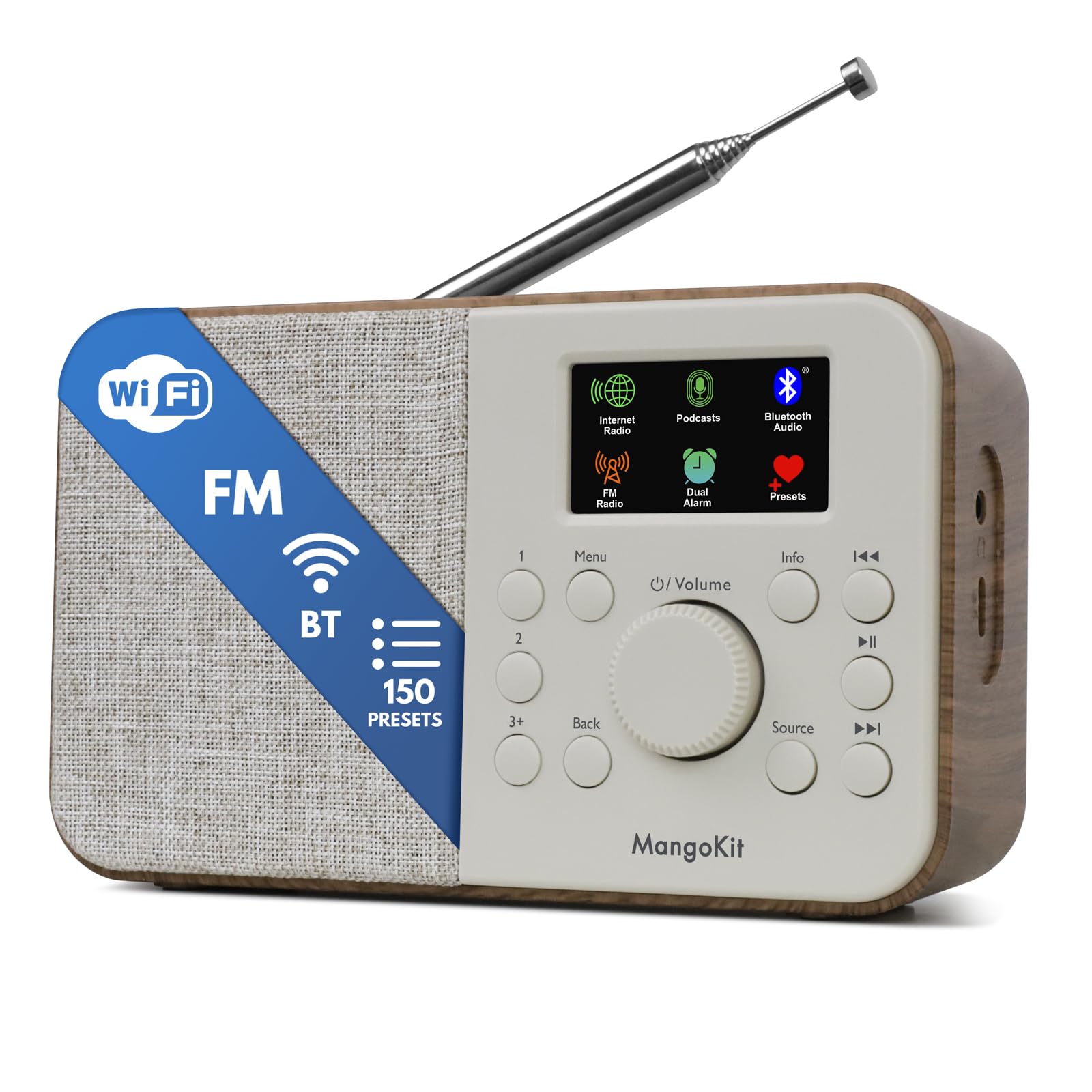
Image 1.1: The MangoKit SR-L WiFi Internet Radio in Walnut finish, showcasing desainnya yang ringkas.
2. Informasi Keselamatan Penting
Harap baca semua petunjuk keselamatan sebelum menggunakan perangkat. Simpan manual ini untuk referensi di masa mendatang.
- Jangan biarkan unit terkena hujan, kelembapan, atau suhu ekstrem.
- Hindari meletakkan unit di dekat sumber panas atau terkena sinar matahari langsung.
- Pastikan ventilasi yang baik; jangan halangi lubang ventilasi.
- Gunakan hanya adaptor daya yang disediakan.
- Jangan mencoba membongkar atau memodifikasi unit. Serahkan semua servis kepada teknisi yang berkualifikasi.
- Buang baterai secara bertanggung jawab sesuai dengan peraturan setempat.
3. Isi Paket
Verifikasi bahwa semua item ada dalam paket:
- MangoKit SR-L WiFi Internet Radio
- Adaptor Daya
- Panduan Pemilik
4. Produk Lebihview
The MangoKit SR-L features an intuitive control panel and a full-color display for easy navigation and information display.

Gambar 4.1: Close-up view of the MangoKit SR-L's front panel, highlighting the display, rotary knob, and control buttons.
Kontrol dan Tampilan:
- Full Colour Display: Menampilkan informasi stasiun, waktu, dan pilihan menu.
- Rotary Knob (Volume/Select): Turn to adjust volume or navigate menus; press to confirm selections.
- Tombol Menu: Mengakses menu utama.
- Tombol Kembali: Kembali ke layar atau menu sebelumnya.
- Tombol Sumber: Switches between Internet Radio, FM, Bluetooth, and Podcast modes.
- Tombol Preset (1, 2, 3+): Akses cepat ke stasiun favorit yang tersimpan.
- Tombol Informasi: Displays additional information about the current broadcast.
- Tombol Lewati/Setel: Navigate tracks or tune radio frequencies.
- Tombol Daya: Menghidupkan/mematikan unit.
5. Catu Daya
The MangoKit SR-L can be powered by the included mains adapter or by batteries for portable use.
5.1 Daya Listrik
Connect the provided power adapter to the DC IN port on the back of the radio and then plug it into a standard wall outlet.
5.2 Daya Baterai
For portable operation, insert 4 AA batteries (not included) into the battery compartment on the back of the unit. Ensure correct polarity. The radio can provide up to 10 hours of portable listening on batteries.

Image 5.1: The MangoKit SR-L radio used outdoors, demonstrating its portability with battery power.
6. Pengaturan Awal
Saat pertama kali dinyalakan, radio akan memandu Anda melalui proses pengaturan awal.
- Pemilihan Bahasa: Gunakan kenop putar untuk memilih bahasa pilihan Anda dan tekan untuk mengkonfirmasi.
- Waktu dan Tanggal: Set the current time and date. This can often be synchronized automatically via the internet once connected.
- Koneksi Jaringan (Wi-Fi):
- Radio tersebut akan memindai jaringan Wi-Fi yang tersedia.
- Pilih jaringan Anda dari daftar.
- Enter your Wi-Fi password using the rotary knob to select characters and press to confirm each character.
- Once connected, the radio will confirm the connection.
7. Mode Operasi
The MangoKit SR-L offers multiple listening modes. Press the Sumber untuk beralih di antara keduanya.
7.1 Radio Internet
Access thousands of radio stations worldwide via your Wi-Fi connection.
- Select 'Internet Radio' from the source menu.
- Browse stations by location, genre, or use the search function.
- Use the rotary knob to navigate and select a station.
- Menyimpan Preset: To save a station, press and hold one of the preset buttons (1, 2, or 3+). To recall a preset, simply press the corresponding button. The radio supports up to 150 presets.
Video 7.1: An official product video demonstrating the features of the MangoKit SR-L, including Internet Radio, FM, and Bluetooth functionality.
7.2 Radio FM
Dengarkan siaran FM lokal.
- Select 'FM Radio' from the source menu.
- Rentangkan antena teleskopik untuk penerimaan terbaik.
- Use the skip/tune buttons to manually tune or auto-scan for stations.
- Save and recall FM stations using the preset buttons as described for Internet Radio.
7.3 Streaming Bluetooth
Connect your smartphone or tablet to play audio wirelessly.
- Select 'Bluetooth' from the source menu. The radio will enter pairing mode.
- On your device, enable Bluetooth and search for 'MangoKit SR-L'.
- Select the radio to pair. Once connected, you can stream audio from your device.
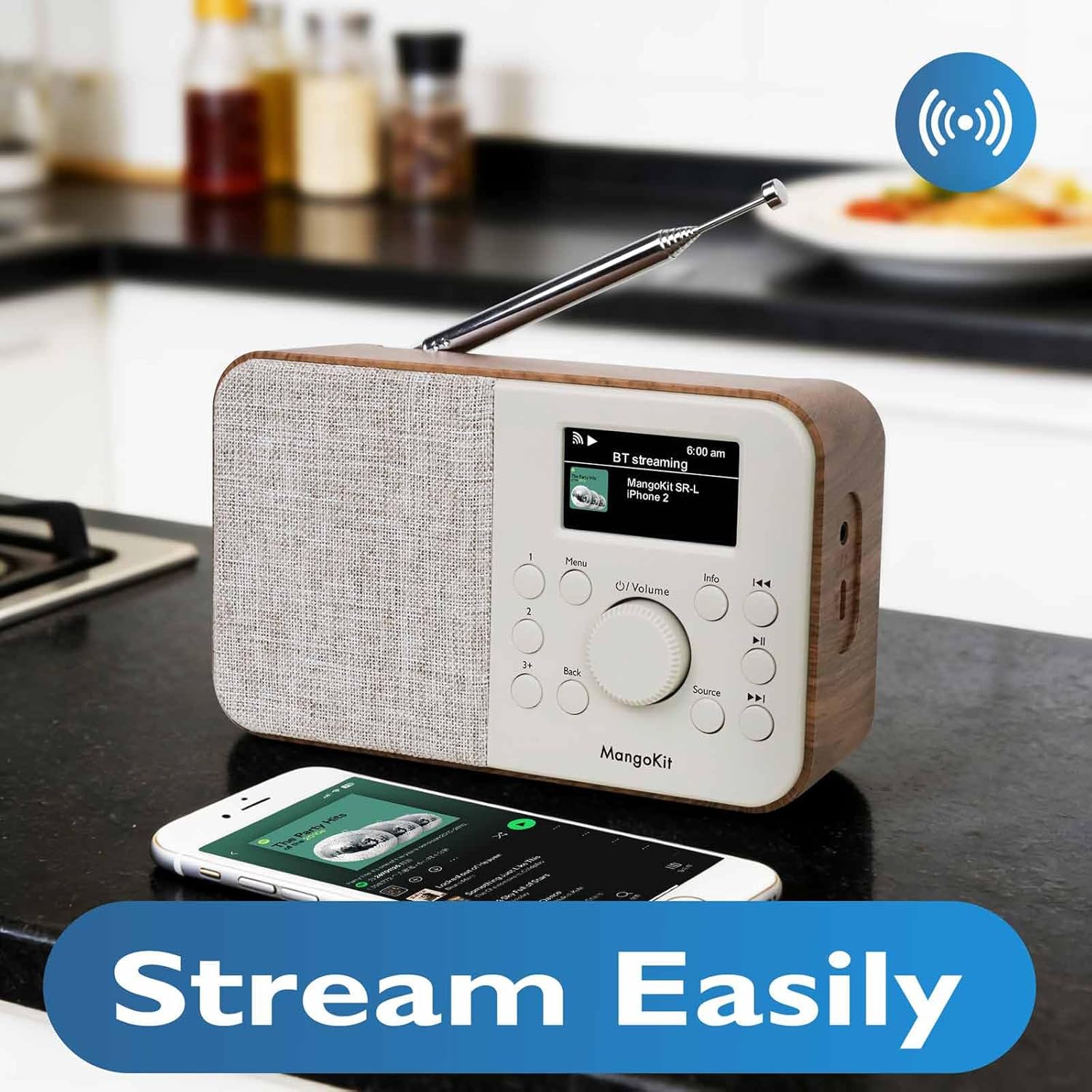
Image 7.2: The MangoKit SR-L radio connected via Bluetooth to a smartphone, demonstrating wireless audio streaming.
7.4 Pemutar Podcast
Browse and listen to podcasts directly on the radio.
- Select 'Podcast' from the source menu.
- Browse podcasts by category, search, or view recently played.
- Select an episode to play. The player allows you to save and return to favorite episodes.
8. Jam Alarm dan Pengatur Waktu Tidur
The MangoKit SR-L includes an alarm clock and a sleep timer function.
8.1 Mengatur Alarm
- Access the 'Alarm' option from the main menu.
- Siapkan hingga dua alarm independen.
- Configure alarm time, source (FM, Internet Radio, or buzzer), and volume.
- Enable or disable the alarm. When an alarm sounds, press any button to snooze or the power button to turn it off.
8.2 Pengatur Waktu Tidur
Pengatur waktu tidur memungkinkan radio untuk mati secara otomatis setelah jangka waktu tertentu.
- Access the 'Sleep Timer' option from the main menu.
- Select the desired duration (e.g., 15, 30, 60 minutes).
- The radio will count down and automatically switch off.
9. Pemeliharaan
To ensure the longevity and optimal performance of your MangoKit SR-L radio, follow these maintenance guidelines:
- Pembersihan: Gunakan kain lembut dan kering untuk membersihkan bagian luar radio. Jangan gunakan pembersih abrasif, lilin, atau pelarut.
- Antena: Tangani antena teleskopik dengan hati-hati untuk menghindari bengkok atau patah.
- Penyimpanan: Jika menyimpan radio untuk jangka waktu yang lama, lepaskan baterai untuk mencegah kebocoran.
10. Penyelesaian masalah
Jika Anda mengalami masalah dengan radio Anda, lihat masalah umum dan solusi berikut:
| Masalah | Kemungkinan Penyebab | Larutan |
|---|---|---|
| Tidak ada daya | Power adapter not connected; batteries depleted or incorrectly inserted. | Check power adapter connection; replace batteries or ensure correct polarity. |
| No Internet Radio connection | Incorrect Wi-Fi password; Wi-Fi signal too weak; router issue. | Re-enter Wi-Fi password; move radio closer to router; restart router. |
| Penerimaan FM buruk | Antena tidak diperpanjang; terjadi interferensi. | Fully extend the telescopic antenna; reposition the radio. |
| Pemasangan Bluetooth gagal | Radio not in pairing mode; device too far; device already paired with another unit. | Ensure radio is in Bluetooth mode; bring devices closer; unpair from other devices. |
| Tidak ada suara | Volume too low; mute activated; headphones connected. | Increase volume; check if mute is active; disconnect headphones if not needed. |
11. Spesifikasi
| Fitur | Detil |
|---|---|
| Nomor Model | SR-L |
| Dimensi Produk | 7x3x2.5 inci |
| Berat Barang | 1 pon |
| Teknologi Konektivitas | Bluetooth, WiFi |
| Teknologi Penyetel | Internet Radio, FM |
| Sumber Daya | Corded Electric, Battery (4 AA, not included) |
| Fitur Khusus | Portable, Alarm Clock, Podcast Player, 150 Presets |
| Menampilkan | Full Colour Display |
| Soket Headphone | Ya |
12. Garansi dan Dukungan
MangoKit products are designed for reliability and performance. This product comes with a standard manufacturer's warranty. Please refer to the warranty card included in your package for specific terms and conditions.
Dukungan Pelanggan:
For technical assistance, troubleshooting, or warranty inquiries, please contact MangoKit customer support through the retailer where you purchased the product or visit the official MangoKit websitus untuk informasi kontak.