
1. Pendahuluan
Terima kasih sudah membeliasing the Greadio CD-W16 Multifunction Portable CD Player. This device offers a comprehensive audio experience with multiple playback options including CD, cassette, FM radio, Bluetooth 5.1, USB, AUX, and TF/SD card. Designed for ease of use and portability, it features a rechargeable battery, remote control, and high-quality stereo sound. Please read this manual carefully to ensure proper operation and to fully enjoy all the features of your new audio system.
2. Informasi Keselamatan
- Jangan biarkan unit terkena hujan atau kelembapan untuk mencegah kebakaran atau sengatan listrik.
- Jangan membuka casing. Serahkan servis hanya kepada teknisi yang berkualifikasi.
- Hindari meletakkan unit di dekat sumber panas atau terkena sinar matahari langsung.
- Gunakan hanya adaptor daya dan kabel yang ditentukan.
- Jauhkan dari jangkauan anak-anak.
3. Isi Paket
- Greadio CD-W16 CD Radio Cassette Player x 1
- Kabel AUX x 1
- Kabel Tipe-C x 1
- Kontrol Jarak Jauh x 1
- Panduan Pengguna x 1
4. Produk Lebihview
The Greadio CD-W16 is a versatile audio system designed for various listening preferences. It combines classic and modern features in a compact, portable design.
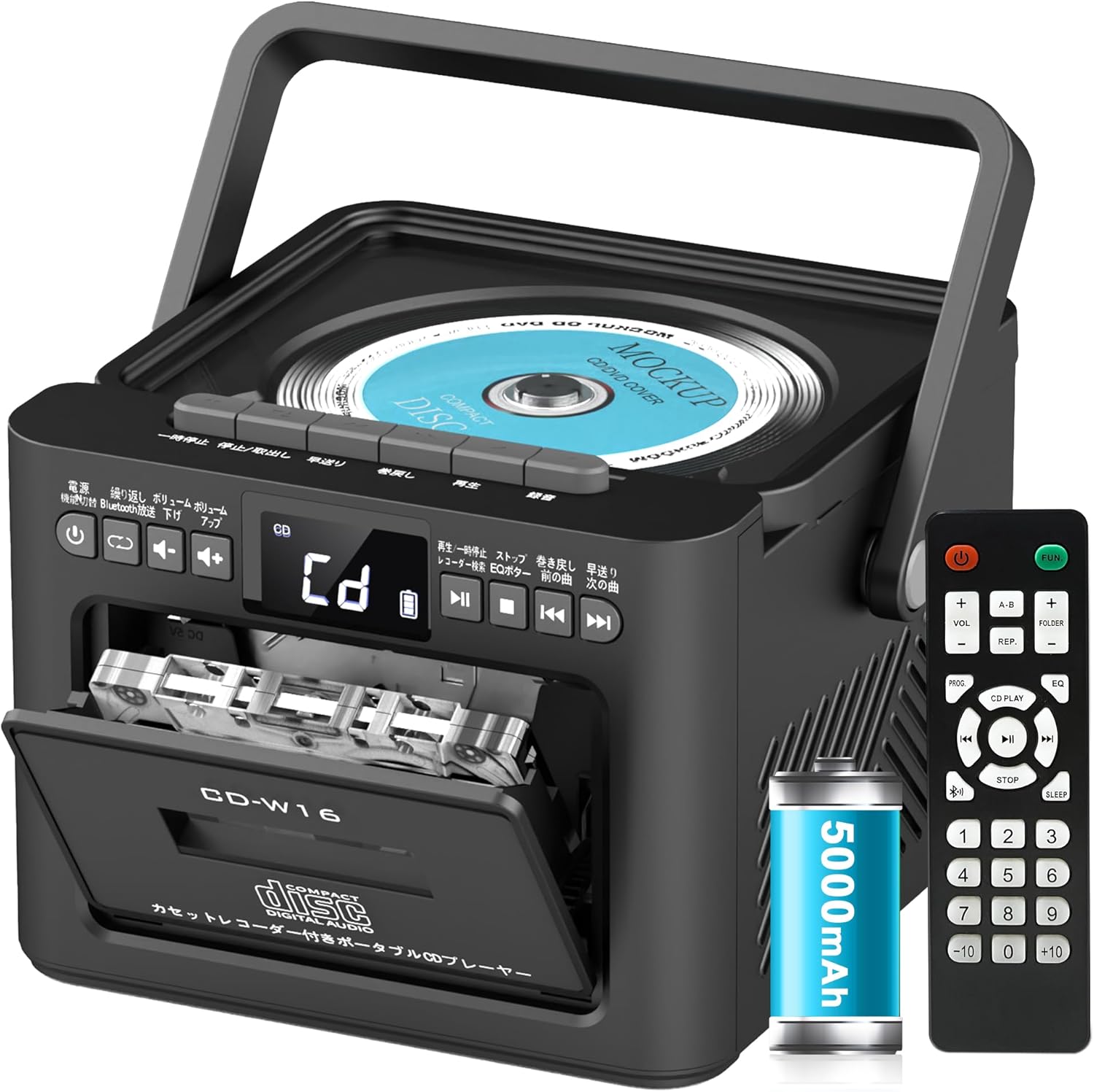
Fitur utama meliputi:
- CD Player (CD, CD-R, CD-RW compatible)
- Cassette Player & Recorder
- FM Radio (76-108MHz)
- Bluetooth 5.1 (Transmitter & Receiver)
- Pemutaran USB
- Masukan AUX
- TF/SD Card Playback
- Baterai Isi Ulang 5000mAh
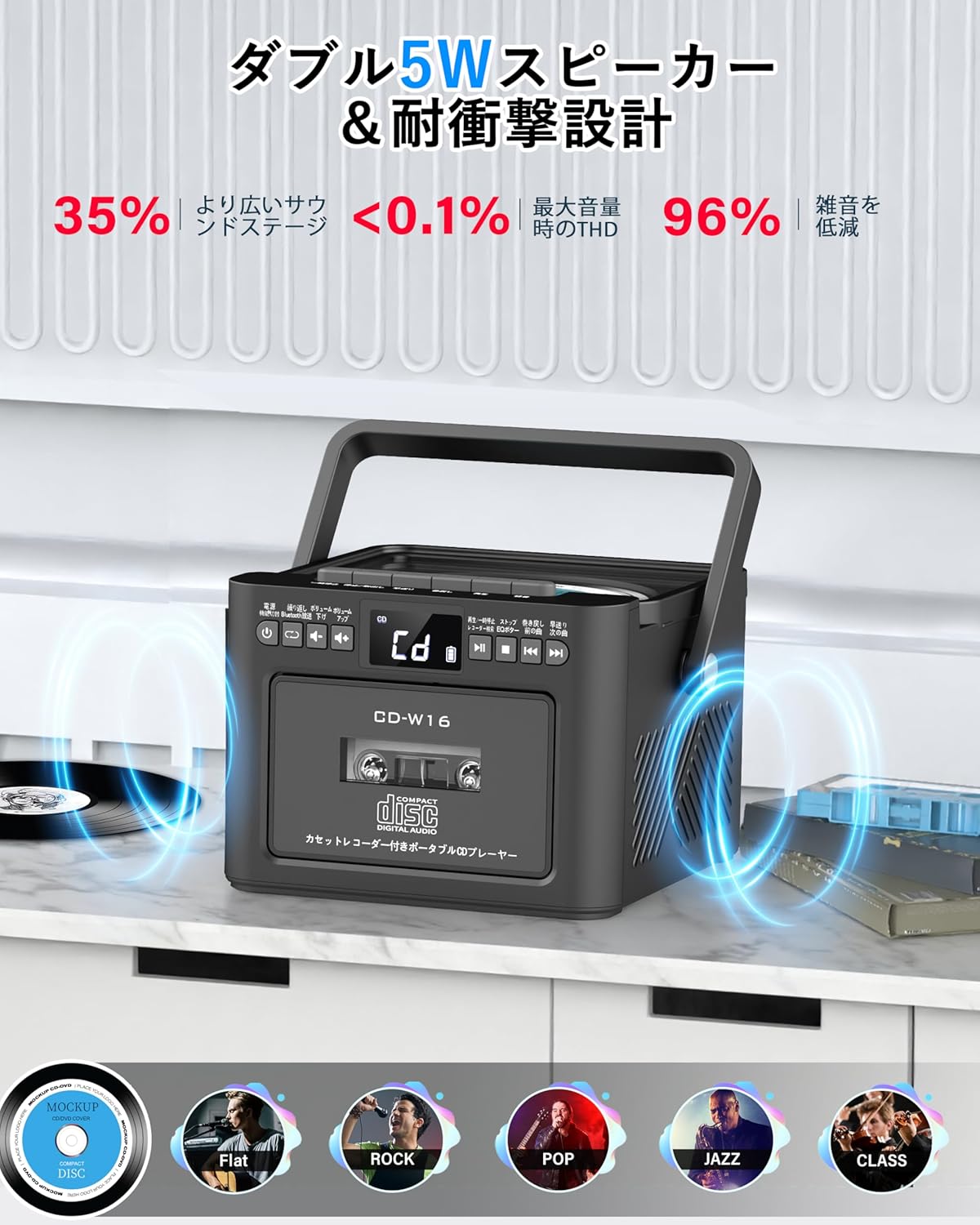
- Speaker Stereo Ganda 5W
- Kontrol Jarak Jauh
- Pengatur Waktu Tidur
- 5 Mode Suara EQ

5. Pengaturan
5.1. Mengisi Baterai
The Greadio CD-W16 is equipped with a built-in 5000mAh rechargeable battery. To charge the device:
- Connect the provided Type-C cable to the charging port on the unit.
- Connect the other end of the Type-C cable to a 5V/2A USB power adapter (not included).
- The charging indicator will illuminate. A full charge takes approximately 3 hours and provides up to 16 hours of playback.

5.2. Daya Hidup/Mati
To power on or off the CD player:
- Tekan dan tahan tombol Tombol daya on the unit or the remote control for 2 seconds.
- Atau, tekan sebentar tombol Tombol daya on the remote control to toggle the CD player on/off.
6. Petunjuk Pengoperasian
6.1. General Controls (Remote Control)
The remote control provides convenient access to all functions. Refer to the video below for a demonstration of remote control operations.
- Daya Hidup/Mati: Tekan sebentar Tombol daya.
- Function Mode Selection: Tekan sebentar FUNGSI. tombol to cycle through CD, Bluetooth, Radio, Cassette, AUX, USB, and TF/SD card modes.
- Penyesuaian Volume: Tekan sebentar VOL+ or VOL- tombol.
- Navigasi Lintasan: Tekan sebentar NEXT (>>|) for the next track or PREV (|<<) for the previous track.
- Maju/Mundur Cepat: Tekan lama NEXT (>>|) for fast forward or PREV (|<<) for rewind.
- Direct Track Selection: In CD mode, input 0-9 on the remote to quickly skip to the desired track.
- Modus EQ: Tekan sebentar tombol EQ to cycle through NORMAL, ROCK, POP, JAZZ, and CLASS sound modes.
- Ulangi Mode: Tekan sebentar tombol REP to cycle through repeat options (ONE, FOLDER, ALL, SHUFFLE, OFF).
6.2. Pemutaran CD
- Pastikan unit dihidupkan.
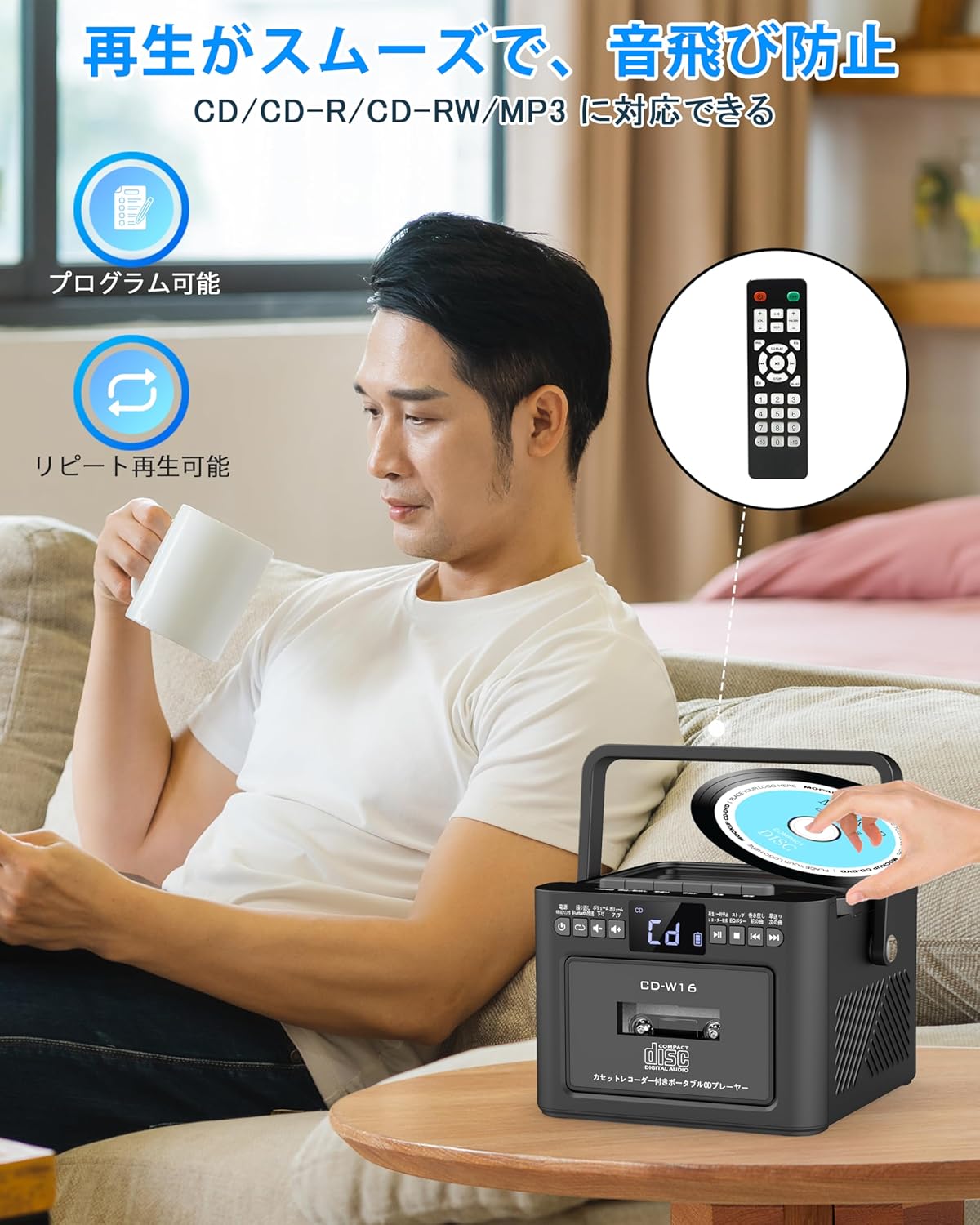
- Tekan sebentar FUNGSI. tombol to select CD mode. The display will show "CD".
- Buka penutup kompartemen CD dengan mengangkatnya perlahan.
- Place a CD (CD, CD-R, CD-RW compatible) onto the spindle with the label side facing up.
- Close the CD compartment lid. The CD will begin playing automatically.
- Gunakan Play/Pause (||) button for temporary stop/resume.
- Menggunakan NEXT (>>|) Dan PREV (|<<) tombol untuk navigasi trek.
6.3. Cassette Playback & Recording
- Tekan sebentar FUNGSI. tombol to select Tape mode. The display will show "TAPE".
- Tekan tombol STOP/EJ. button to open the cassette compartment.
- Insert a cassette tape into the compartment and close the lid.
- Tekan tombol tombol MAINKAN to start cassette playback.
- To fast forward or rewind, long press the FFWD or FREW tombol masing-masing.
- To stop playback, short press the STOP/EJ. button.
Rekaman Kaset:
To record audio from other modes (CD, FM Radio, USB, AUX, TF/SD) onto a blank cassette:
- Insert a blank cassette into the cassette compartment.
- Select the desired source mode (e.g., CD, FM Radio).
- Tekan secara bersamaan BERMAIN Dan REKAM (Rekam) buttons. Recording will begin.
- Tekan tombol STOP/EJ. button untuk berhenti merekam.

6.4. Pengoperasian Radio FM
- Tekan sebentar FUNGSI. tombol to select FM Radio mode. The display will show the FM frequency.
- Perpanjang antena teleskopik untuk penerimaan yang lebih baik.
Auto Scan & Preset Stations:
- Tekan lama tombol SCAN to automatically scan and save available FM stations. The unit can store up to 30 preset stations.
- Tekan sebentar tombol SCAN to recall preset stations (P01, P02, etc.).
Penyetelan Manual:
- Tekan sebentar NEXT (>>|) or PREV (|<<) buttons to manually tune to the desired frequency.

6.5. Operasi Bluetooth
The Greadio CD-W16 supports Bluetooth 5.1 for both transmitting and receiving audio.
Mode Pemancar Bluetooth:
To transmit audio from the CD player to a Bluetooth speaker or headphones:
- Tekan lama Tombol Bluetooth on the unit or remote to activate Bluetooth transmission mode. The display will show "BT".
- Ensure your Bluetooth receiving device (speaker, headphones) is in pairing mode.
- The CD-W16 will automatically search for nearby Bluetooth devices. Once found, it will connect.

Mode Penerima Bluetooth:
To play audio from your smartphone or other Bluetooth device through the CD player's speakers:
- Tekan sebentar FUNGSI. tombol to select Bluetooth mode. The display will show "BLUE".
- Pada ponsel pintar atau perangkat Bluetooth Anda, aktifkan Bluetooth dan cari perangkat yang tersedia.
- Select "CD-W16" from the list to connect.
- Once connected, you can play music from your device, and the audio will output through the CD-W16 speakers.
6.6. USB & TF/SD Card Playback
The unit supports playback from USB drives and TF/SD cards (up to 32GB, not included).
- Tekan sebentar FUNGSI. tombol to select USB mode or TF/SD card mode. The display will show "USB" or "TF" respectively.
- Insert your USB drive into the USB port or your TF/SD card into the card slot.
- The unit will automatically detect and begin playing MP3 audio files.
- Gunakan NEXT (>>|) Dan PREV (|<<) tombol untuk navigasi trek.

6.7. Masukan AUX
To play audio from an external device via AUX cable:
- Tekan sebentar FUNGSI. tombol to select AUX mode. The display will show "LINE".
- Connect one end of the provided AUX cable to the AUX port on the CD-W16.
- Connect the other end to the audio output of your external device (e.g., smartphone, MP3 player).
- Play audio on your external device, and it will be output through the CD-W16 speakers.
6.8. Pengatur Waktu Tidur
The sleep timer allows you to set a duration after which the unit will automatically power off.
- Tekan sebentar Tombol TIDUR on the remote control. The display will show the current sleep timer setting (e.g., 10, 20, 30 minutes).
- Gunakan NEXT (>>|) or PREV (|<<) buttons to adjust the sleep timer duration (10-120 minutes).
- Tekan sebentar Tombol TIDUR sekali lagi untuk mengonfirmasi pengaturan.

6.9. EQ Sound Modes
Customize your audio experience with five different EQ sound modes.
- Tekan sebentar tombol EQ on the unit or remote control to cycle through the available modes: NORMAL, ROCK, POP, JAZZ, and CLASS.
7. Pemeliharaan
7.1. Pembersihan
- Lap unit dengan kain lembut dan kering. Jangan gunakan pembersih atau pelarut abrasif.
- Untuk lensa CD, gunakan pembersih lensa CD khusus.
- Keep the cassette head clean to ensure optimal playback and recording quality.
7.2. Penyimpanan
- Simpan unit di tempat sejuk dan kering, jauhkan dari sinar matahari langsung dan suhu ekstrem.
- Remove batteries from the remote control if not used for extended periods.
8. Penyelesaian masalah
| Masalah | Kemungkinan Penyebab | Larutan |
|---|---|---|
| Tidak ada daya | Battery depleted or power cable not connected. | Charge the unit or ensure the power cable is securely connected. |
| CD tidak dapat diputar | CD inserted incorrectly, dirty, scratched, or incompatible format. | Reinsert CD correctly, clean the CD, try a different CD. Ensure it's CD/CD-R/CD-RW. |
| Kaset tidak dapat diputar/direkam | Cassette inserted incorrectly, tape damaged, or dirty head. | Reinsert cassette, try a different tape, clean the cassette head. |
| Penerimaan radio FM buruk | Antena tidak terpasang atau area sinyal lemah. | Fully extend the telescopic antenna. Try repositioning the unit. |
| Bluetooth tidak terhubung | Device not in pairing mode, too far, or already connected to another device. | Ensure both devices are in pairing mode and within range. Disconnect from other devices. |
| USB/TF/SD card not recognized | Card/drive not inserted correctly, incompatible format, or damaged. | Reinsert, ensure files are MP3 format, try a different card/drive. |
9. Spesifikasi
- Merek: Gredio
- Model: CD-W16
- Teknologi Konektivitas: AUX, Bluetooth, USB
- Warna: Hitam
- Tipe Pembicara: Stereo
- Sumber Daya: Bertenaga Baterai
- Perangkat yang Kompatibel: Ponsel pintar, Tablet, PC
- Apatage: 5 W (Dual 5W speakers)
- Format Audio yang Didukung: CD/CD-R/CD-RW
- Jumlah Pembicara: 2
- Mode Keluaran Audio: Stereo
- Kapasitas Baterai: 5000 mAh
- Waktu Pengisian: Sekitar 3 jam
- Waktu Pemutaran Ulang: Hingga 16 jam
- Rentang Frekuensi FM: 76-108MHz
10. Garansi & Dukungan
This product comes with a 1-year manufacturer's warranty. For any issues or support inquiries, please contact Greadio customer service.