
Perkenalan
This manual provides detailed instructions for the operation and maintenance of your SKMEI 2269 Digital Sports Watch. Please read this manual thoroughly to understand the watch's features and ensure proper use.
Produk Selesaiview
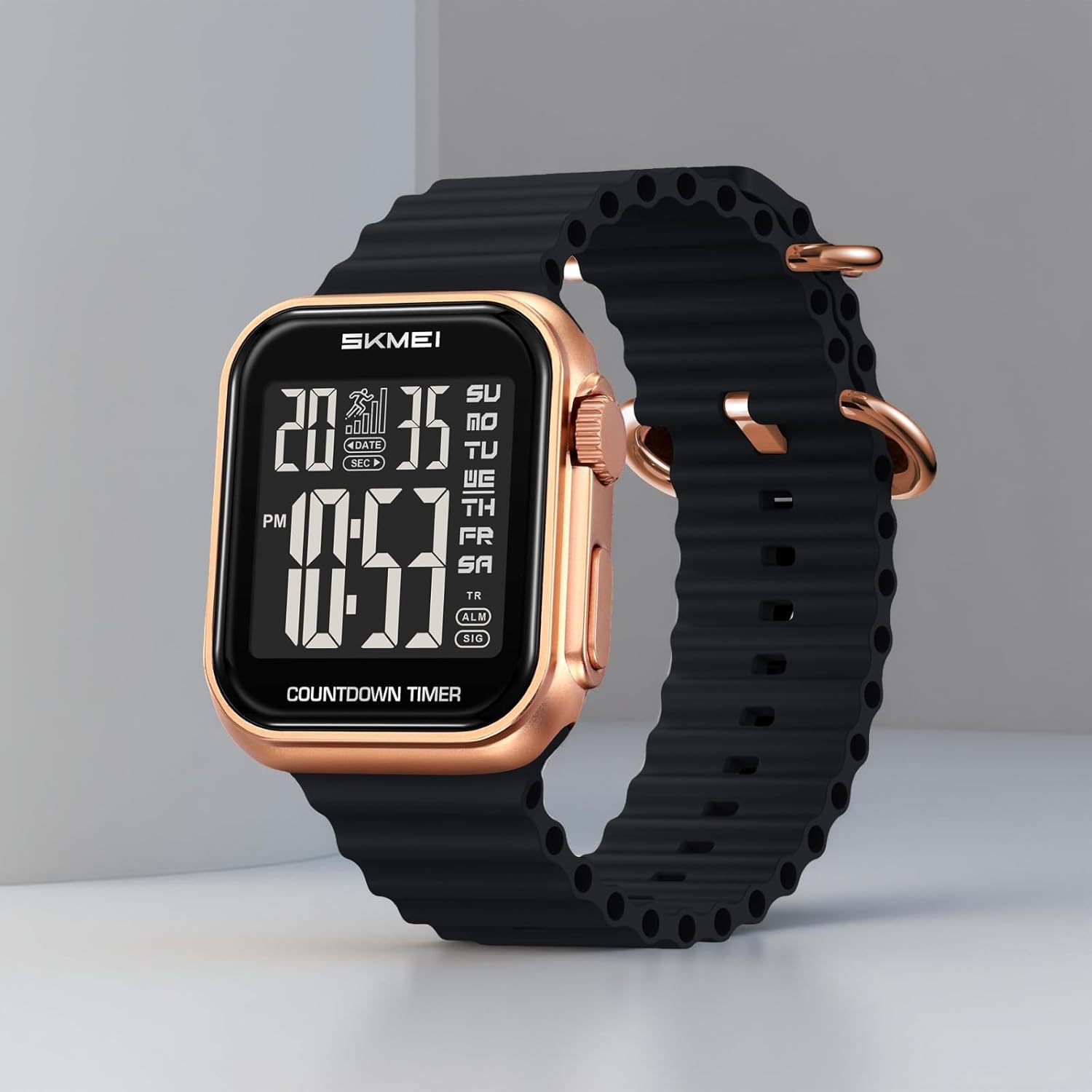
The SKMEI 2269 is a multi-functional digital watch featuring a chronograph, alarm, countdown timer, dual time display, and LED backlight. It is designed for durability and ease of use.

Gambar 1: Depan view of the SKMEI 2269 Digital Sports Watch, showing the digital display and case design.

Gambar 2: Diagram illustrating the digital display layout and button functions (A, B, C, D) on the SKMEI 2269 watch.
Fungsi Tombol:
- Tombol A (Kiri Atas): Used for EL Backlight.
- Tombol B (Kanan Atas): Used for Start/Stop in Chronograph mode, and adjusting values.
- Tombol C (Kiri Bawah): Used for Mode selection.
- Tombol D (Kanan Bawah): Used for Reset/Split in Chronograph mode, and confirming settings.
Setup: Initial Time and Date Setting
- In Timekeeping Mode, press and hold Tombol C for approximately 3 seconds until the seconds begin to flash. This indicates setting mode.
- Tekan Tombol D to cycle through the setting options: Seconds → Hour → Minute → Year → Month → Day → 12/24 Hour Format.
- Menggunakan Tombol B Untuk menyesuaikan nilai kedipan. Tahan Tombol B to rapidly increase the value.
- Setelah semua pengaturan disesuaikan, tekan Tombol C untuk keluar dari mode pengaturan dan kembali ke Mode Pencatatan Waktu.
- To switch between 12-hour and 24-hour format, navigate to the 12/24 Hour Format setting and press Tombol B.
Mode Operasi
Tekan Tombol C repeatedly to cycle through the watch modes in the following order:
Timekeeping Mode → Chronograph Mode → Alarm Mode → Countdown Timer Mode → Dual Time Mode.
1. Mode Pencatatan Waktu
This is the default mode, displaying the current time, day of the week, and date. Ensure time and date are set correctly as per the "Setup" section.
2. Mode Kronograf (Stopwatch)
- Dari Mode Pencatat Waktu, tekan Tombol C once to enter Chronograph Mode. The display will show "00:00:00".
- Tekan Tombol B untuk memulai stopwatch.
- Tekan Tombol B lagi untuk menghentikan stopwatch.
- Tekan Tombol D to reset the stopwatch to "00:00:00".
- Untuk merekam waktu split, tekan Tombol D Saat stopwatch sedang berjalan. Waktu split akan ditampilkan, tetapi stopwatch terus berjalan di latar belakang. Tekan Tombol D sekali lagi untuk kembali ke tampilan stopwatch yang sedang berjalan.
3. Mode Alarm
- Dari Mode Pencatat Waktu, tekan Tombol C twice to enter Alarm Mode. The display will show the alarm time.
- Tekan dan tahan Tombol C sampai alarm berbunyi.
- Tekan Tombol D untuk memilih antara pengaturan jam dan menit.
- Menggunakan Tombol B to adjust the flashing value (hour or minute).
- Tekan Tombol C untuk mengkonfirmasi waktu alarm dan keluar dari mode pengaturan.
- Untuk mengaktifkan/menonaktifkan alarm, tekan Tombol B in Alarm Mode (without holding C). An alarm icon will appear/disappear on the display.
4. Mode Penghitung Waktu Mundur
- Dari Mode Pencatat Waktu, tekan Tombol C tiga kali untuk masuk ke Mode Penghitung Waktu Mundur.
- Tekan dan tahan Tombol C until the countdown hour flashes.
- Tekan Tombol D to select between hour, minute, and second settings.
- Menggunakan Tombol B untuk menyesuaikan nilai kedipan.
- Tekan Tombol C to confirm the countdown time and exit setting mode.
- Tekan Tombol B untuk memulai atau menjeda hitungan mundur.
- Ketika hitungan mundur mencapai nol, alarm akan berbunyi. Tekan tombol apa saja untuk menghentikan alarm.
5. Mode Waktu Ganda
- Dari Mode Pencatat Waktu, tekan Tombol C empat kali untuk masuk ke Mode Waktu Ganda.
- Tekan dan tahan Tombol C until the dual time hour flashes.
- Tekan Tombol D untuk memilih antara pengaturan jam dan menit.
- Menggunakan Tombol B untuk menyesuaikan nilai kedipan.
- Tekan Tombol C untuk mengkonfirmasi waktu ganda dan mode pengaturan keluar.
6. Lampu Latar LED
Tekan Tombol A (Top Left) at any time to illuminate the display for a few seconds, providing visibility in low-light conditions.

Gambar 3: The LED backlight feature of the SKMEI 2269 watch, enhancing visibility in dark environments.
Pemeliharaan
Tahan Air (30M)
Your SKMEI 2269 watch is water-resistant up to 30 meters (3 ATM). This means it is suitable for daily use, splashes, rain, and brief recreational swimming. It is bukan suitable for showering, hot water activities, diving, or snorkeling. Do not operate buttons while the watch is wet or submerged.
Penggantian Baterai
The watch uses a CR2025 battery. When the display becomes dim or functions become erratic, it may be time to replace the battery. Battery replacement should ideally be performed by a qualified watch technician to ensure proper sealing and water resistance.

Gambar 4: Kembali view of the SKMEI 2269 watch, indicating the model number and battery code (CR2025).
Pembersihan
Usap casing dan tali jam tangan dengan kain lembut dan kering. Untuk kotoran yang membandel, gunakan kain yang sedikit kering.amp Kain dapat digunakan, kemudian dikeringkan. Hindari penggunaan pembersih kimia atau bahan abrasif.
Penyelesaian Masalah
| Masalah | Kemungkinan Penyebab | Larutan |
|---|---|---|
| Tampilan kosong atau redup. | Baterai lemah. | Ganti baterai (CR2025). |
| Tombol tidak responsif. | Watch may be in a frozen state or battery is very low. | Coba tekan semua tombol secara bersamaan selama beberapa detik untuk mengatur ulang. Jika tidak responsif, ganti baterai. |
| Waktunya tidak tepat. | Time was not set correctly or accidentally changed. | Refer to the "Setup: Initial Time and Date Setting" section to reset the time. |
| Alarm tidak berbunyi. | Alarm tidak diaktifkan atau disetel dengan tidak benar. | Pastikan alarm diaktifkan (ikon alarm terlihat) dan waktu diatur dengan benar di Mode Alarm. |
Spesifikasi
- Model: 2269
- Tipe Tampilan: Digital
- Tipe Gerakan: Kuarsa
- Bahan Kasus: Paduan Seng
- Bahan Pita: Silika Gel
- Bahan Kristal: Kaca
- Diameter Kasus: 40 Milimeter
- Ketebalan casing: 12.2 Milimeter
- Panjang Pita: 245 Milimeter
- Kedalaman Tahan Air: 30 Metres (3 ATM)
- Fitur Khusus: Alarm, Chronograph, Countdown Timer, 2-Time Display, LED Backlight, 12/24 Hour Modes
- Jenis Baterai: 1 C battery (CR2025) (included)
- Berat Barang: 71.7 gram
- Negara Asal: Cina
Gambar 5: Diagram showing key dimensions of the SKMEI 2269 Digital Sports Watch, including case width, strap width, and case thickness.
Garansi dan Dukungan
Your SKMEI 2269 Digital Sports Watch comes with a 9-month Manufacturer Warranty sejak tanggal pembelian.
For any service-related inquiries or feedback, please contact the SKMEI India Helpline:
- Nomor Saluran Bantuan: Telepon: 1800-889-6251
- Jam Operasional: Monday to Saturday, 9:00 AM to 6:00 PM (IST)
Harap simpan bukti pembelian Anda untuk klaim garansi.