
1. Pendahuluan
This manual provides essential instructions for the safe operation, setup, maintenance, and troubleshooting of your ARRIS WPL C24-1 RC Rock Crawler. Please read this manual thoroughly before using the product to ensure proper function and longevity.

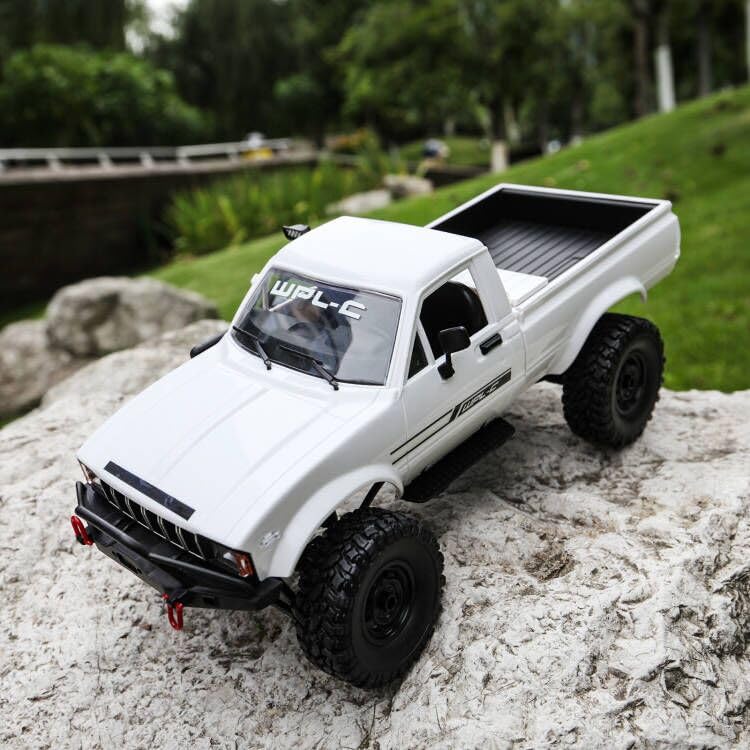
Image: The ARRIS WPL C24-1 RC Rock Crawler, showcasing its detailed design and robust tires.
2. Informasi Keselamatan
Always operate the RC vehicle in a safe and responsible manner. Failure to follow these safety guidelines may result in injury or damage to the product or property.
- Jauhkan tangan, rambut, dan pakaian longgar dari bagian yang bergerak.
- Jangan mengoperasikan alat ini di dekat orang, hewan peliharaan, atau rintangan.
- Avoid operating in wet conditions or near water unless the product is specifically designed for it.
- Ensure batteries are charged correctly and handled with care.
- Pengawasan orang dewasa disarankan bagi pengguna di bawah usia 15 tahun.
3. Isi Paket
Verifikasi bahwa semua item yang tercantum di bawah ini disertakan dalam paket Anda:
- ARRIS WPL C24-1 RC Rock Crawler (1 unit)
- Remote Control Transmitter (1 unit)
- Rechargeable Battery (1 unit, 7.4V 500mAh)
- Kabel Pengisian Daya (1 unit)
- Instruksi Manual (dokumen ini)
4. Panduan Pengaturan
4.1. Mengisi Baterai Kendaraan
The vehicle battery (7.4V 500mAh) requires charging before first use. A full charge takes approximately 2 hours and provides about 30 minutes of operation.
- Locate the battery compartment on the underside of the RC crawler.
- Connect the rechargeable battery to the provided charging cable.
- Plug the charging cable into a suitable USB power source (e.g., computer USB port, USB wall adapter).
- The indicator light on the charging cable will show the charging status (refer to charger instructions for specific light patterns).
- Once fully charged, disconnect the battery from the charger and install it into the vehicle's battery compartment.
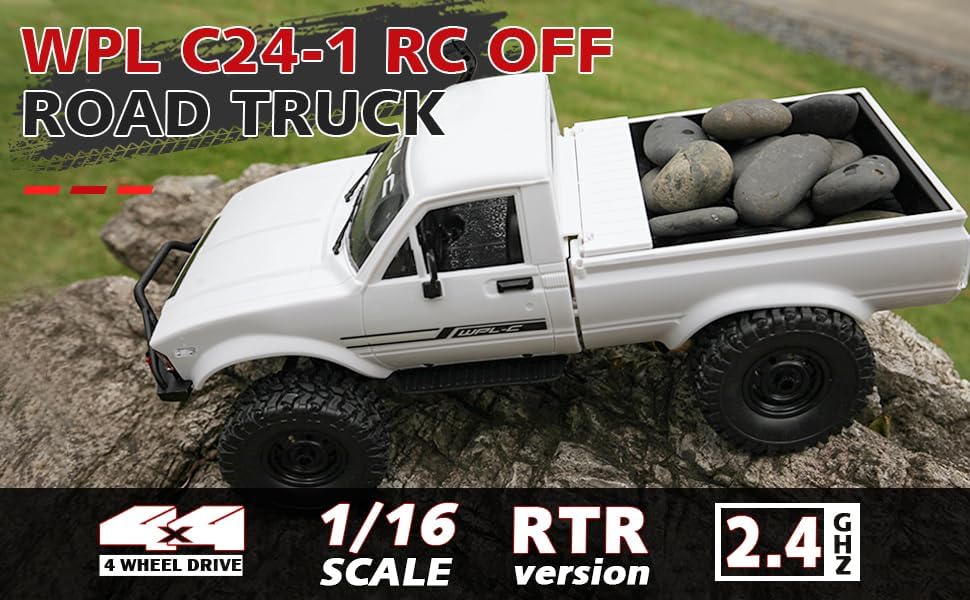
Image: Underside of the RC crawler, highlighting the battery and chassis components.
4.2. Memasang Baterai Kontrol Jarak Jauh
The remote control requires 1 C battery (included). Ensure correct polarity when installing.
- Buka penutup baterai di bagian belakang remote control.
- Insert the C battery according to the polarity markings (+/-).
- Tutup penutup baterai dengan rapat.
4.3. Memasangkan Kendali Jarak Jauh
The RC crawler and remote control are typically pre-paired. If re-pairing is necessary:
- Turn on the RC crawler using the switch located on the chassis.
- Nyalakan kendali jarak jauh.
- The indicator light on the remote control should stop flashing and remain solid, indicating a successful connection.
- If the connection fails, turn both devices off and repeat the process.
5. Petunjuk Pengoperasian
5.1. Kontrol Dasar
- Pemicu Throttle: Tarik untuk bergerak maju, dorong untuk mengerem/mundur.
- Setir mobil: Belok kiri untuk berbelok ke kiri, belok kanan untuk berbelok ke kanan.
- Penyesuaian Trim: Use the trim dials on the remote to fine-tune steering and throttle if the vehicle pulls to one side or moves without input.
5.2. Tips Mengemudi
The ARRIS WPL C24-1 is designed for off-road crawling. Its 4WD system and independent suspension allow it to navigate various terrains.
- For optimal crawling, use slow and controlled throttle inputs.
- Experiment with steering angles to overcome obstacles.
- The vehicle features highlight LED lights for improved visibility in low-light conditions.

Image: The RC crawler navigating a challenging rocky path, demonstrating its off-road capabilities.

Image: The RC crawler traversing sandy terrain, showcasing its 4WD design.
6. Pemeliharaan
6.1. Pembersihan
After each use, especially in dusty or dirty conditions:
- Use a soft brush or compressed air to remove dirt and debris from the chassis, wheels, and suspension.
- Bersihkan badan dengan adamp kain. Jangan gunakan bahan kimia yang keras.
- Ensure no moisture enters electronic components.
6.2. Perawatan dan Penyimpanan Baterai
- Selalu lepaskan baterai dari kendaraan saat tidak digunakan.
- Simpan baterai di tempat yang sejuk dan kering, jauhkan dari sinar matahari langsung dan suhu ekstrem.
- Jangan mengisi baterai secara berlebihan atau over-discharge.
6.3. Inspeksi Komponen
Regularly inspect the following components for wear or damage:
- Wheels and tires for damage or excessive wear.
- Suspension components (shocks, springs, linkages).
- Steering mechanism for smooth operation.
- All screws and fasteners for tightness.
7. Penyelesaian masalah
| Masalah | Kemungkinan Penyebab | Larutan |
|---|---|---|
| Kendaraan tidak merespons. | Low vehicle battery; Low remote control battery; Not paired. | Charge vehicle battery; Replace remote control battery; Re-pair remote control. |
| Kendaraan bergerak lambat atau tidak konsisten. | Low vehicle battery; Obstruction in drivetrain; Motor issue. | Charge vehicle battery; Clear obstructions; Contact support if motor issue persists. |
| Kemudi terasa tidak stabil atau tidak responsif. | Steering trim incorrect; Damaged servo; Obstruction. | Adjust steering trim; Inspect servo for damage; Clear obstructions. |
| Jangkauan operasi pendek. | Interference; Low remote control battery. | Move to an area with less interference; Replace remote control battery. |
8. Spesifikasi Produk
| Fitur | Detil |
|---|---|
| Nomor Model | WPL C24-1 |
| Merek | ARRIS |
| Skala | 1:16 |
| Dimensi Produk | 12.2x5.78x4.44 inci |
| Berat Barang | 2.4 pon |
| Bahan | ABS + Logam |
| Motor | Motor Sikat 180 |
| Baterai (Kendaraan) | 7.4V 500mAh (termasuk) |
| Waktu Pengisian Daya | Sekitar 2 jam |
| Waktu Operasional | Sekitar 30 menit |
| Frekuensi Kontrol Jarak Jauh | 2.4 GHz |
| Jarak Kontrol | Lebih dari 35 meter |
| Kecepatan Maksimum | 20 km/jam |
| Usia yang Direkomendasikan | 15 tahun ke atas |
Gambar: Samping view of the RC crawler with key dimensions indicated.

Gambar: Detail view of the RC crawler's chassis, showing components like the motor, suspension, and drive shafts.
9. Garansi dan Dukungan
ARRIS products are manufactured to high-quality standards. For warranty information or technical support, please refer to the official ARRIS webkunjungi situs web atau hubungi layanan pelanggan melalui platform pembelian Anda.
Simpan tanda terima pembelian Anda sebagai bukti pembelian untuk klaim garansi apa pun.
Untuk bantuan lebih lanjut, silakan kunjungi Toko ARRIS di Amazon.