
Perkenalan
This manual provides instructions for the proper use and maintenance of your BoxWave AllReader SD Card Reader. Please read this manual thoroughly before using the device to ensure optimal performance and longevity. The AllReader SD Card Reader is designed to facilitate easy file transfer between various devices and SD/microSD cards.
Produk Selesaiview
The BoxWave AllReader SD Card Reader is a compact device featuring multiple interfaces for broad compatibility with various electronic devices. It supports both standard SD cards and microSD cards.
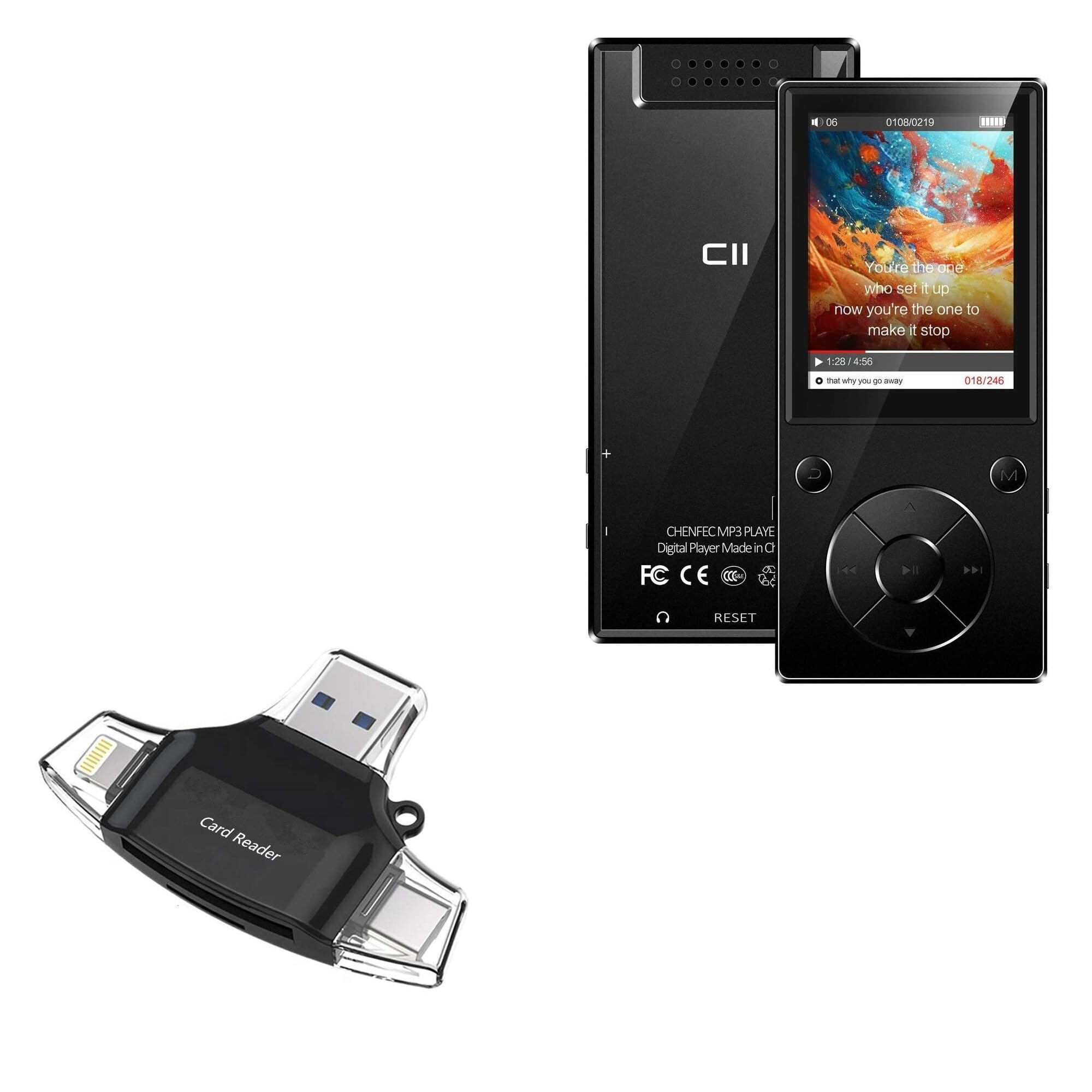
Image: The BoxWave AllReader SD Card Reader, showing its compact design and various connectors.
Fitur Utama:
- Four Interfaces: Equipped with USB-C, USB-A, Micro-USB, and Apple (Lightning) connectors for wide device compatibility.
- Mudah File Transfer: Enables direct transfer of files between memory cards and connected devices.
- Pasang dan Mainkan: Sebagian besar sistem operasi tidak memerlukan instalasi driver atau perangkat lunak.
- Desain Kompak: Small and portable for convenient use on the go.
- Dukungan Kartu Memori: Compatible with both SD and microSD card formats.

Gambar: Detail view of the four integrated interfaces: USB-A, USB-C, Apple (Lightning), and Flip-out Micro USB.
Pengaturan
- Masukkan Kartu Memori: Gently insert your SD or microSD card into the appropriate slot on the AllReader SD Card Reader until it clicks into place. Ensure the card is inserted in the correct orientation.
- Hubungkan ke Perangkat: Select the appropriate connector (USB-C, USB-A, Micro-USB, or Apple Lightning) for your host device (e.g., smartphone, tablet, laptop, desktop PC). Plug the AllReader into your device's port.
- Pengenalan Perangkat: Your device should automatically detect the card reader and the inserted memory card. A notification or file browser window may appear, indicating that the storage is ready for access.
Catatan: For some mobile devices, you may need to use a file management application to browse the contents of the connected memory card.

Image: The AllReader with an SD card inserted, connected to a tablet, illustrating the setup for file transfer.
Petunjuk Pengoperasian
Mentransfer Files:
- Ensure the AllReader is properly connected to your device and the memory card is inserted.
- Buka perangkat Anda file manager or photo gallery application.
- Locate the external storage device, typically labeled as "USB Storage," "SD Card," or similar.
- Browse to the desired filepada kartu memori.
- Pilih files Anda ingin mentransfer.
- Use the "Copy" or "Move" function within your device's file manajer untuk mentransfer files to your device's internal storage or another connected storage.
- Untuk mentransfer files from your device to the memory card, reverse the process: select files from your device's storage and copy/move them to the external storage (memory card).

Image: The AllReader connected to various devices including smartphones, tablets, laptops, and desktop PCs, demonstrating its versatility for file transfer.
Safely Removing the Device:
Before disconnecting the AllReader from your computer, always safely eject the device through your operating system's options (e.g., "Safely Remove Hardware" on Windows, "Eject" on macOS). For mobile devices, ensure no file Transfer data aktif sebelum kabel dicabut.
Pemeliharaan
- Pembersihan: Gunakan kain lembut dan kering untuk membersihkan bagian luar pembaca kartu. Hindari penggunaan cairan pembersih atau pelarut.
- Penyimpanan: Store the AllReader in a cool, dry place away from direct sunlight and extreme temperatures.
- Penanganan: Avoid dropping the device or subjecting it to strong impacts. Do not force memory cards or connectors into slots.
- Perawatan Konektor: Keep the connectors free from dust and debris. If necessary, use a soft brush or compressed air to clean them.
Penyelesaian Masalah
| Masalah | Solusi yang mungkin |
|---|---|
| Device not recognized. |
|
| Tidak dapat mengakses filepada kartu memori. |
|
| Lambat file kecepatan transfer. |
|
Spesifikasi
- Nama Model: AllReader SD Card Reader
- Merek: KotakGelombang
- Antarmuka: USB-C, USB-A, Micro-USB, Apple (Lightning)
- Kompatibilitas Kartu: SD, microSD
- Warna: Hitam legam
- Berat Barang: 6 ons
- ASIN: B0CNSDX7WD
- Tanggal Pertama Tersedia: 13 Nopember 2023
Garansi dan Dukungan
For warranty information and technical support, please refer to the official BoxWave websitus web atau hubungi layanan pelanggan mereka secara langsung. Simpan struk pembelian Anda untuk klaim garansi.
BoxWave Customer Service: www.boxwave.com/support