
Perkenalan
Thank you for choosing the Baseus Adaman Digital Display Power Bank (Model: PPAD070001). This portable power bank is designed to provide reliable and efficient charging for your electronic devices. Please read this manual carefully before use to ensure proper operation and to maximize the lifespan of your device.
Informasi Keselamatan
- Jangan biarkan power bank terkena suhu ekstrem, sinar matahari langsung, atau api.
- Hindari menjatuhkan, membongkar, atau memodifikasi perangkat.
- Jauhkan dari air dan cairan lainnya.
- Gunakan hanya kabel dan adaptor pengisian daya yang bersertifikat.
- Jauhkan dari jangkauan anak-anak.
- Jika power bank menggembung, bocor, atau mengeluarkan bau yang tidak biasa, segera hentikan penggunaan.
Isi Paket
- Baseus Adaman Digital Display Power Bank (PPAD070001)
- Kabel Pengisian Daya USB
- Panduan Pengguna
Produk Selesaiview
The Baseus Adaman Power Bank (Model PPAD070001) is a portable charging solution featuring a digital display for battery status and multiple ports for wide compatibility. Its slim design makes it convenient for travel.

Gambar: Atas view of the Baseus Adaman Power Bank showing its various input and output ports. From left to right: Type-C (Input/Output), IP/IN (Input), Micro/IN (Input), USB2 (Output), USB1 (Output).

Gambar: Sisi profile of the Baseus Adaman Power Bank, highlighting its slim and portable design.
- Tipe-C Port: Supports both input and output (PD 3.0).
- Port USB1/USB2: Output ports for charging devices (QC 3.0).
- Port USB Mikro: Input port for charging the power bank.
- IP/IN Port: Input port for charging the power bank (e.g., for Apple Lightning cables).
- Tampilan digital: Menampilkan persentase baterai secara real-timetage.
Pengaturan
Before first use, fully charge the power bank. This ensures optimal battery performance.
Mengisi Daya Power Bank
- Connect the provided USB charging cable to one of the input ports on the power bank (Type-C, Micro-USB, or IP/IN).
- Connect the other end of the cable to a USB wall charger (not included).
- Layar digital akan menunjukkan status pengisian daya dan persentase bateraitage.
- Once the display shows 100%, the power bank is fully charged. Disconnect it from the charger.
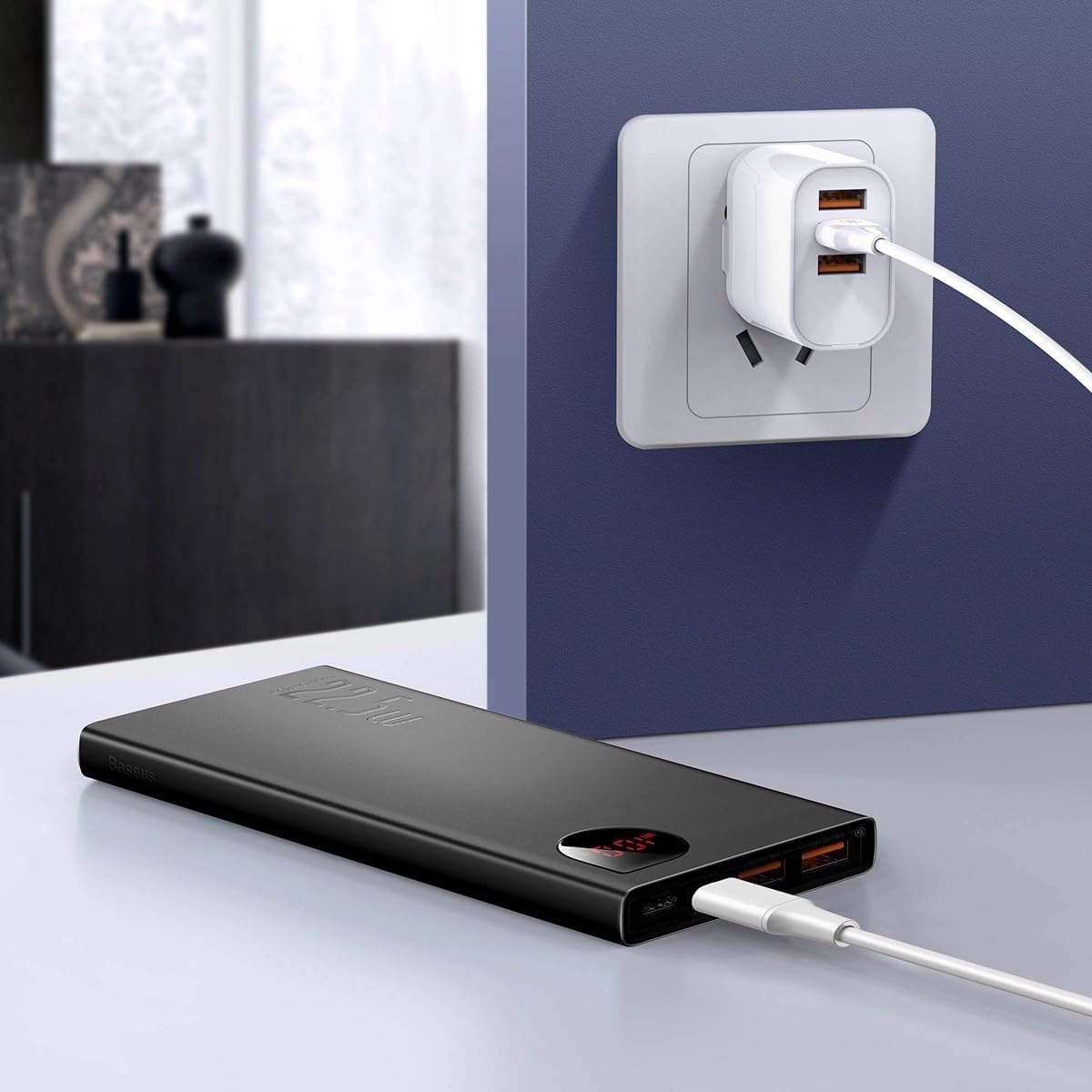
Gambar: The Baseus Adaman Power Bank connected to a wall charger via a USB cable, illustrating the process of recharging the power bank itself.
Petunjuk Pengoperasian
Mengisi Daya Perangkat Anda
- Connect your device's charging cable to one of the output ports on the power bank (Type-C, USB1, or USB2).
- Hubungkan ujung kabel yang lain ke perangkat Anda.
- Power bank akan secara otomatis mulai mengisi daya perangkat Anda. Layar digital akan menampilkan persentase baterai yang tersisa.tage.
- Untuk menghentikan pengisian daya, cukup lepaskan perangkat Anda dari power bank.

Gambar: A smartphone being charged by the Baseus Adaman Power Bank, demonstrating the device's charging capability for mobile phones.
Memeriksa Tingkat Baterai
The digital display on the power bank will show the current battery percentage when it is in use or when a device is connected. If the power bank is idle, you may need to briefly press the power button (if available, not explicitly mentioned but common) to activate the display.
Pemeliharaan
- Bersihkan power bank dengan kain lembut dan kering. Jangan gunakan bahan kimia keras atau bahan abrasif.
- Simpan power bank di tempat yang sejuk dan kering saat tidak digunakan.
- For optimal battery health, fully charge and discharge the power bank at least once every three months if it's not used regularly.
Penyelesaian Masalah
| Masalah | Kemungkinan Penyebab | Larutan |
|---|---|---|
| Power bank tidak sedang mengisi daya perangkat. | Low battery, faulty cable, incompatible device. | Charge the power bank. Try a different cable. Ensure your device is compatible. |
| Power bank tidak dapat diisi ulang. | Faulty charging cable/adapter, damaged port. | Try a different charging cable and wall adapter. Check ports for damage. |
| Tampilan digital tidak berfungsi. | Power bank is off, low battery, malfunction. | Ensure power bank is on or connected to a device. Charge the power bank. If issue persists, contact support. |
Spesifikasi
| Fitur | Detil |
|---|---|
| Nomor Model | PPAD070001 |
| Merek | Dasar |
| Kapasitas Baterai | 10000 mAh |
| Fitur Khusus | Tampilan Digital |
| Jenis Konektor | Input: USB Type-C, Micro-USB, IP/IN; Output: USB Type-C, USB-A (x2) |
| Jil.tage | 5 Volt |
| Saat ini | 5 Amps |
| Daya Keluaran | Up to 22.5W (PD 3.0, QC 3.0) |
| Komposisi Sel Baterai | Polimer Litium |
| Jumlah Port Output | 3 (1x Type-C, 2x USB-A) |
| Number of Input Ports | 3 (1x Type-C, 1x Micro-USB, 1x IP/IN) |
| Perangkat yang Kompatibel | All Smartphones and other USB-powered devices |
| Portabel | Ya |
Garansi dan Dukungan
Produk ini hadir dengan Tidak Ada Garansi as per the provided specifications. For any technical support or inquiries, please refer to the official Baseus websitus atau hubungi pengecer Anda.
Untuk informasi lebih lanjut, kunjungi: www.baseus.com