
BoxWave bw-1173-16092-8831
BoxWave SlimKeys Bluetooth Keyboard User Manual
Model: bw-1173-16092-8831
Perkenalan
The BoxWave SlimKeys Bluetooth Keyboard is a portable, ultra-thin keyboard designed for seamless connectivity with your Bluetooth-enabled devices, including the Samsung Galaxy A6 (2018). Its chiclet-style keys provide a comfortable typing experience, making it ideal for productivity on the go. This manual provides detailed instructions for setting up, operating, maintaining, and troubleshooting your SlimKeys Bluetooth Keyboard.
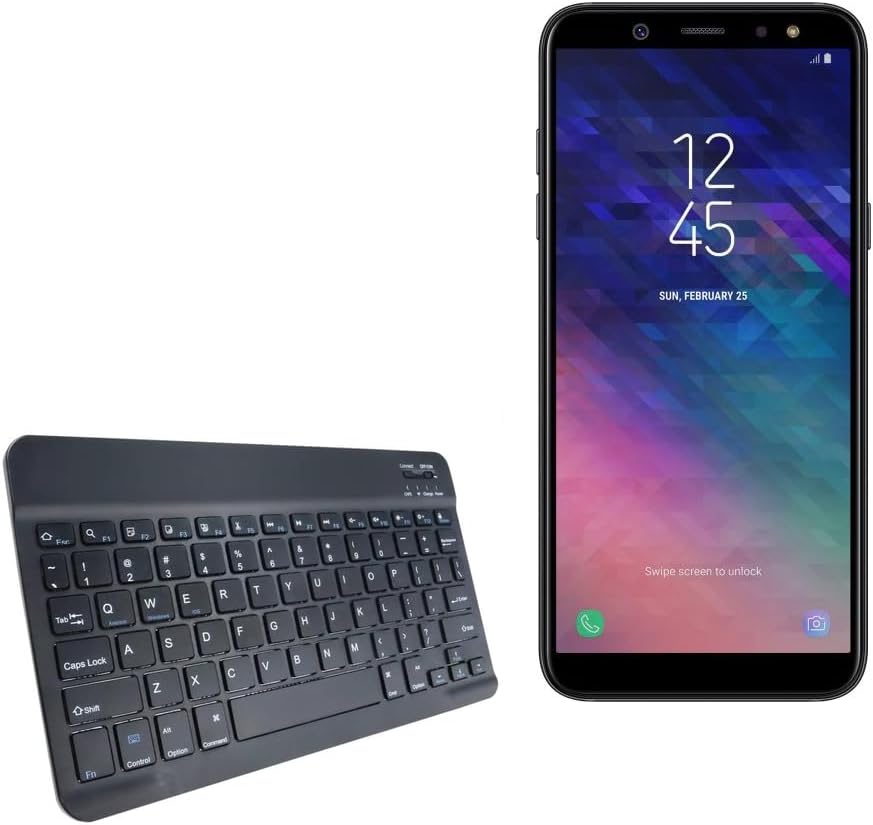
Image: The SlimKeys Bluetooth Keyboard shown alongside a compatible Samsung Galaxy A6 (2018) device, highlighting its compact size.
Pengaturan
Mengisi Daya Keyboard
Before initial use, ensure your SlimKeys Bluetooth Keyboard is fully charged. Use the included charging cable to connect the keyboard to a USB power source (e.g., computer USB port, USB wall adapter). The charging indicator light will illuminate during charging and turn off when fully charged.

Gambar: Detail view of the keyboard's charging port, demonstrating how to connect the charging cable for its long-lasting battery.
Pairing Bluetooth
- Nyalakan: Locate the ON/OFF switch on the keyboard (usually on the top right) and slide it to the 'ON' position. The power indicator light will briefly illuminate.
- Masuk ke Mode Penyandingan: Press the 'Connect' button (often located near the ON/OFF switch or as a dedicated key). The Bluetooth indicator light will start blinking, indicating the keyboard is in pairing mode.
- Aktifkan Bluetooth di Perangkat Anda: On your Samsung Galaxy A6 (2018) or other compatible device, go to 'Settings' > 'Connections' > 'Bluetooth' and turn Bluetooth ON.
- Pilih Papan Ketik: Your device will scan for available Bluetooth devices. Select 'BoxWave SlimKeys Keyboard' (or similar name) from the list.
- Konfirmasi Pemasangan: Follow any on-screen prompts to complete the pairing process. You may be asked to enter a code displayed on your device using the keyboard and then press Enter. Once paired, the Bluetooth indicator light on the keyboard will stop blinking.
The keyboard supports Bluetooth 3.0 for quick and reliable pairing across Android, Windows, and iOS platforms.
Petunjuk Pengoperasian
Penggunaan Dasar
Once paired, the SlimKeys Bluetooth Keyboard functions like a standard keyboard. Simply open any application that requires text input (e.g., messaging app, word processor) and begin typing. The chiclet-style keys are designed for quiet and comfortable typing.

Image: A user's hands demonstrating comfortable and efficient typing on the SlimKeys keyboard.
Tombol Fungsi Khusus
The SlimKeys Bluetooth Keyboard includes specialized function keys (F1-F12) that provide quick access to common commands. These functions are typically accessed by pressing the Fn Tekan tombol secara bersamaan dengan tombol fungsi yang diinginkan.
| Kombinasi Tombol | Fungsi |
|---|---|
| Fn + Esc (F1) | Rumah |
| Tombol Fn+F2 | Pencarian |
| Tombol Fn+F3 | Pilih Semua |
| Tombol Fn+F4 | Menyalin |
| Tombol Fn+F5 | Memotong |
| Tombol Fn+F6 | Lewati Kembali |
| Tombol Fn+F7 | Putar / Jeda |
| Tombol Fn+F8 | Lewati ke Depan |
| Tombol Fn+F9 | Volume Turun |
| Tombol Fn+F10 | Volume Naik |
| Tombol Fn+F11 | Kecerahan Turun |
| Tombol Fn+F12 | Kecerahan |
| Fn + Hapus | Kunci |

Image: A visual guide to the specialized function keys available on the SlimKeys keyboard for quick access to various commands.
Pemeliharaan
Pembersihan
Untuk membersihkan keyboard Anda, usap permukaannya dengan lembut menggunakan kain lembut yang tidak berbulu. Untuk kotoran atau noda membandel, gunakan kain yang sedikit kasar.ampBasahi kain dengan air atau larutan pembersih ringan yang tidak abrasif. Hindari kelembapan berlebihan dan jangan menyemprotkan cairan pembersih langsung ke keyboard.
Penyimpanan
When not in use, store the keyboard in a cool, dry place away from direct sunlight and extreme temperatures. Its ultra-thin design allows for easy storage in bags or cases, making it ideal for travel.

Image: The SlimKeys keyboard being stored in a bag, emphasizing its convenience for travel and compact design.
Penyelesaian Masalah
- Keyboard tidak terhubung/tidak terpasang:
- Pastikan keyboard terisi daya dan menyala.
- Pastikan Bluetooth diaktifkan pada perangkat Anda.
- Ensure the keyboard is in pairing mode (Bluetooth indicator blinking).
- Lupakan perangkat tersebut di pengaturan Bluetooth ponsel Anda dan coba pasangkan lagi.
- Restart both the keyboard (turn off/on) and your device.
- Tombol tidak merespons:
- Check if the keyboard is still connected via Bluetooth.
- Pastikan keyboard memiliki daya baterai yang cukup.
- Coba pasangkan kembali keyboard dengan perangkat Anda.
- Input tertunda atau terlambat:
- Ensure there are no strong interferences (e.g., other Bluetooth devices, Wi-Fi routers) nearby.
- Dekatkan diri Anda ke perangkat Anda.
- Isi ulang keyboardnya.
Spesifikasi
- Nomor Model: nomor telepon-1173-16092-8831
- Teknologi Konektivitas: Bluetooth 3.0
- Deskripsi Papan Ketik: Wireless, Chiclet-Style Keys
- Warna: Hitam legam
- Berat Barang: 7.7 ons
- Dimensi Paket: 11.06x6.81x0.55 inci
- Fitur Khusus: Lightweight, Ultra-Thin Design (3/16 inch thick)
- Baterai: 1 Baterai Khusus Produk (termasuk)
- Pabrikan: KotakGelombang
- Negara Asal: Cina

Image: A diagram illustrating the precise dimensions of the SlimKeys keyboard, emphasizing its compact and lightweight form factor.
Garansi dan Dukungan
For warranty information or technical support, please contact BoxWave Corporation directly. Refer to the product packaging or the official BoxWave websitus untuk rincian kontak dan ketentuan garansi terkini.
Perusahaan BoxWave
Weblokasi: www.boxwave.com
Ask a question about this manual
Ask about setup, troubleshooting, compatibility, parts, safety, or missing instructions. Manuals+ will review the question and use this page’s manual context to help answer it.