
Ներածություն
This manual provides detailed instructions for the safe and efficient use of your Monster S290 Portable Bluetooth Speaker. Please read this manual thoroughly before operating the device and retain it for future reference.
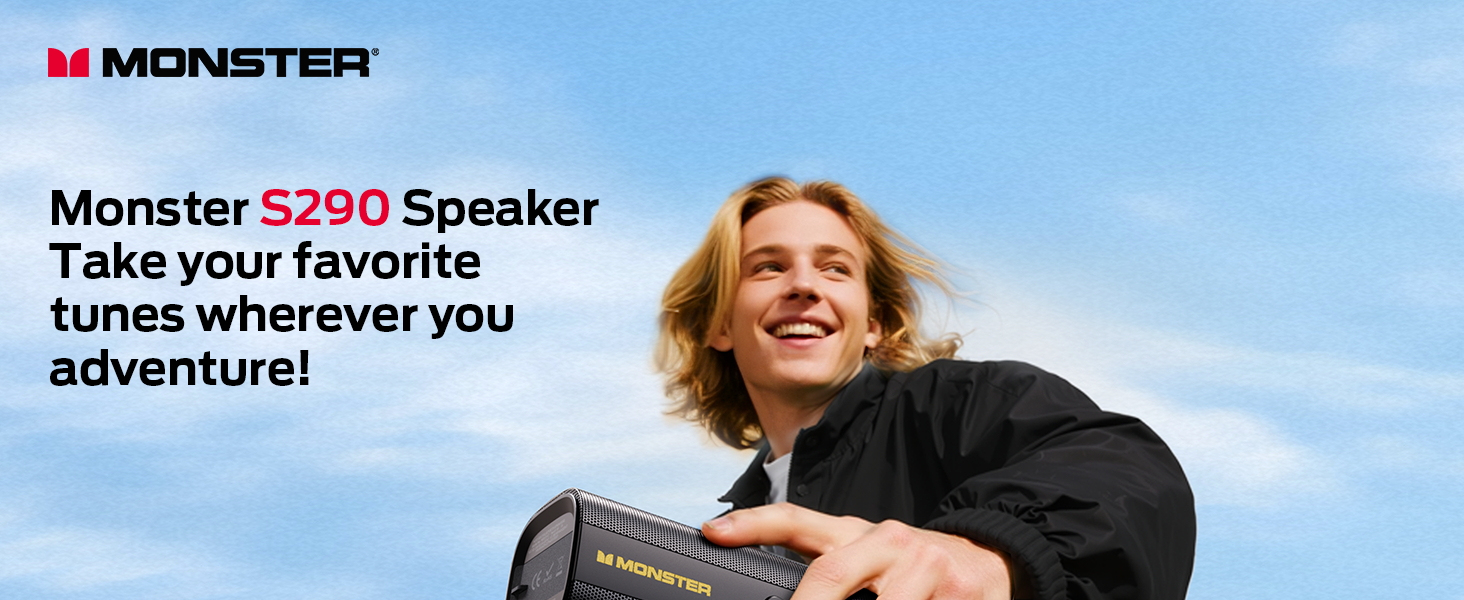
Image: The Monster S290 Portable Bluetooth Speaker in an outdoor setting, highlighting its portability.
Փաթեթի բովանդակությունը
Տուփը բացելիս համոզվեք, որ բոլոր իրերը տեղում են.
- Monster S290 Speaker x1
- AUX IN Cable x1
- USB-C լիցքավորման մալուխ x1
- Quick Start Guide & Warning Card x1
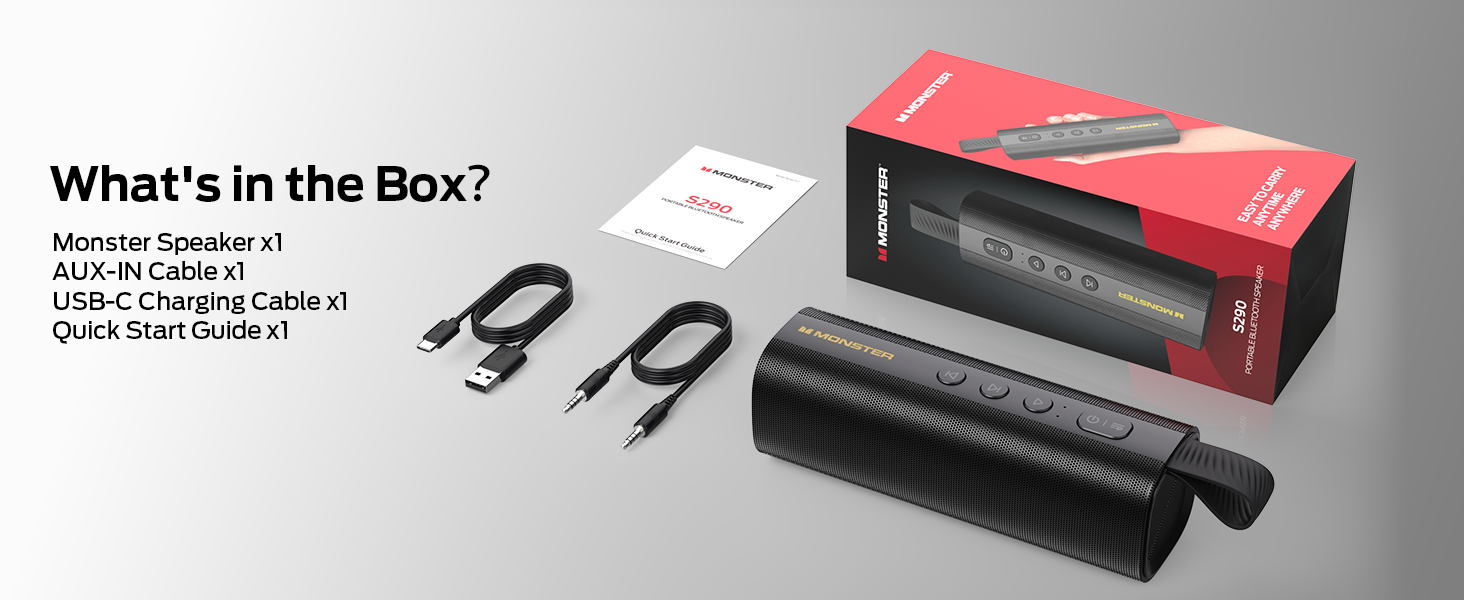
Image: All components included in the Monster S290 package.
Ապրանքի առանձնահատկությունները
- 30W Powerful Audio: Delivers crisp highs and deep bass.
- Bluetooth 6.0: Ensures faster pairing, stable connection, and extended range.
- TWS զուգավորում. Connect two S290 speakers for a stereo sound experience.
- 15-ժամյա խաղաժամանակ. Վայելեք երաժշտության երկարացված նվագարկումը մեկ լիցքավորմամբ։
- Type-C Fast Charge: Արագ և հարմար լիցքավորում։
- IPX6 Անջրանցիկ. Resistant to splashes, sweat, and rain, suitable for outdoor use.
- Դյուրակիր դիզայն. Lightweight with a soft-touch silicone strap for easy carrying.
- Multiple Input Interfaces: Supports AUX, TF card, and USB playback.
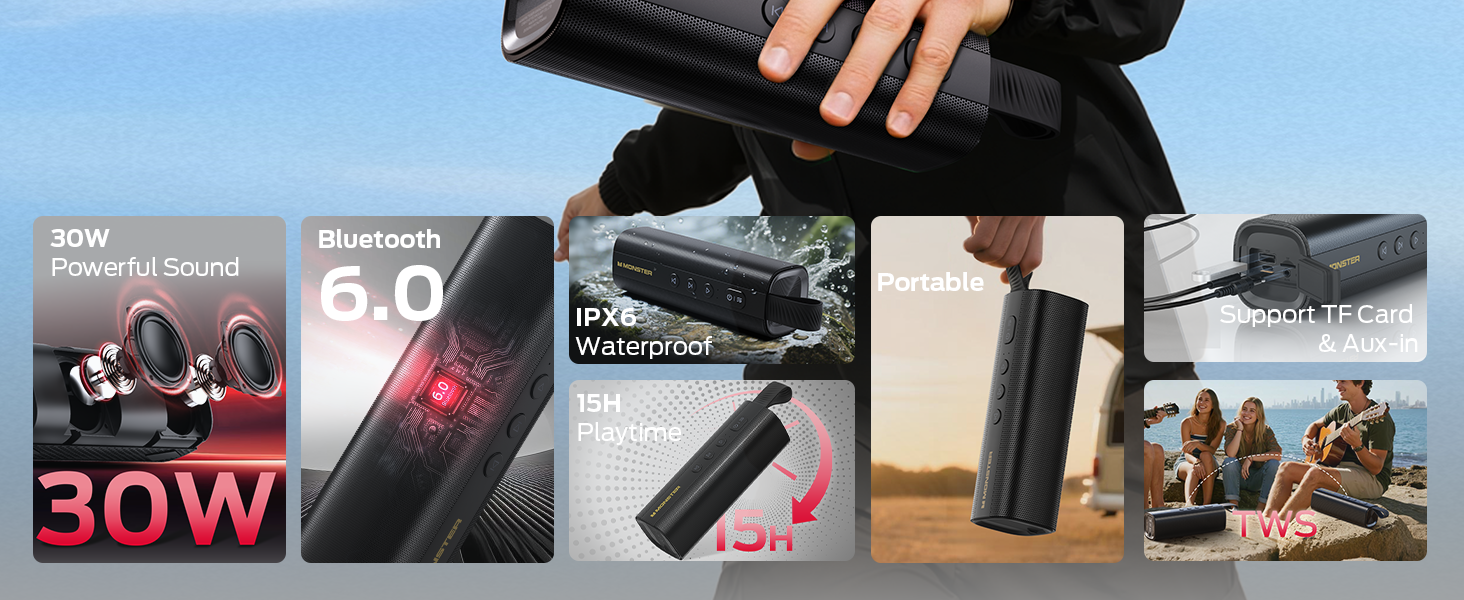
Image: Visual representation of the Monster S290's key features.
Կարգավորման ուղեցույց
1. Բարձրախոսը լիցքավորելը
Առաջին օգտագործումից առաջ բարձրախոսը լիովին լիցքավորեք՝ օգտագործելով տրամադրված USB-C լիցքավորման մալուխը: Լիցքավորման ցուցիչ լույսը կցուցադրի լիցքավորման կարգավիճակը:
- Connect the USB-C cable to the speaker's charging port.
- Միացրեք մալուխի մյուս ծայրը համատեղելի USB սնուցման ադապտերին (չի մատակարարվում):
- Լրիվ լիցքավորումը սովորաբար տևում է մոտ 3-4 ժամ։
2. Միացում/անջատում
- Միացնելու համար սեղմեք և պահեք կոճակը Power կոճակը (
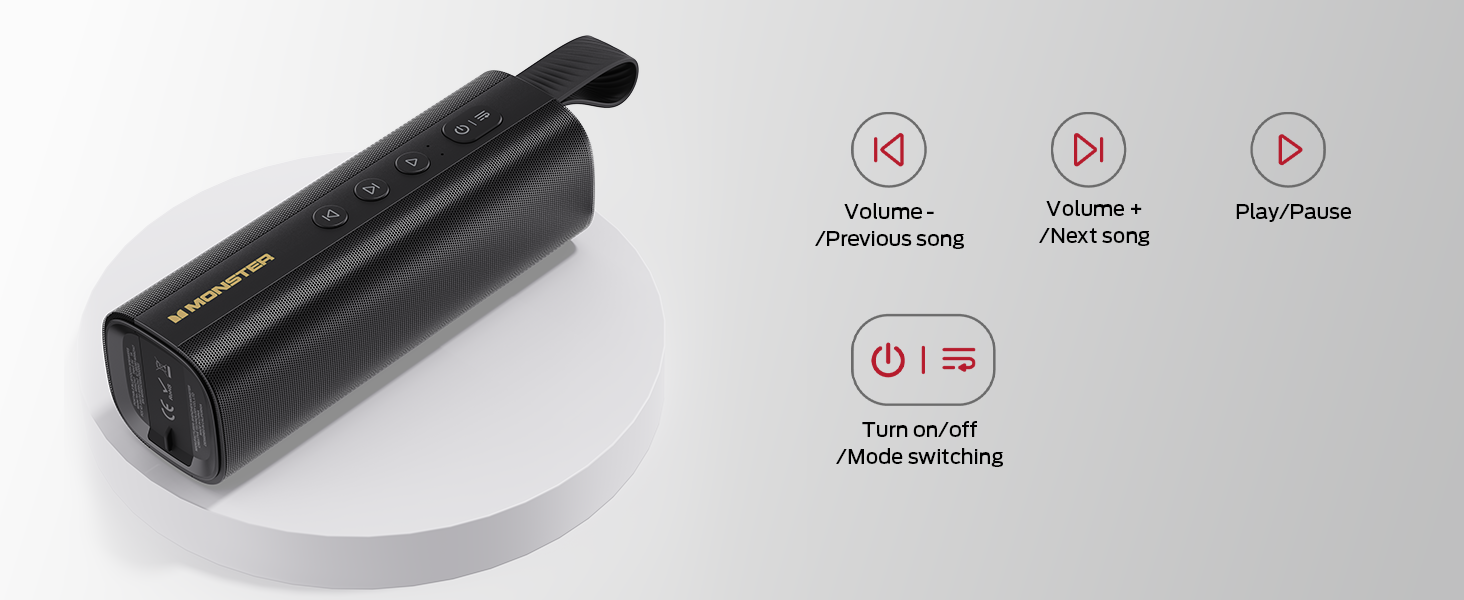 ) for 2-3 seconds until you hear an audible prompt and the LED indicator lights up.
 - Անջատելու համար սեղմեք և պահեք կոճակը Power կոճակը կրկին 2-3 վայրկյան։
Image: Close-up of the speaker's control panel, illustrating button functions.
3. Bluetooth զուգավորում
The speaker will automatically enter Bluetooth pairing mode when powered on for the first time or if no device is connected. The LED indicator will flash blue.
- Համոզվեք, որ բարձրախոսը միացված է և զուգավորման ռեժիմում է։
- Ձեր սարքի վրա (սմարթֆոն, պլանշետ, նոութբուք) միացրեք Bluetooth-ը։
- Որոնել "Monster S290" in the list of available devices and select it to connect.
- Once connected, you will hear an audible confirmation, and the LED indicator will turn solid blue.
Video: Demonstration of the speaker's main functions, including power-on, Bluetooth pairing, and volume control.
4. Իրական անլար ստերեո (TWS) զուգավորում
For an enhanced stereo experience, you can pair two Monster S290 speakers together.
- Համոզվեք, որ երկու S290 բարձրախոսներն էլ միացված են և միացված չեն որևէ Bluetooth սարքի։
- Մեկ բարձրախոսի վրա (սա կլինի հիմնական բարձրախոսը) սեղմեք և պահեք TWS կոճակ (often indicated by an 'M' or a chain link icon, refer to your quick start guide for exact icon) for 2-3 seconds.
- The primary speaker will search for the secondary speaker. Once connected, you will hear an audible prompt.
- Հիմա միացրեք ձեր սարքը հիմնական բարձրախոսին Bluetooth-ի միջոցով, ինչպես նկարագրված է 3-րդ քայլում: Երկու բարձրախոսներն էլ կհնչեցնեն ձայնը ստերեո:
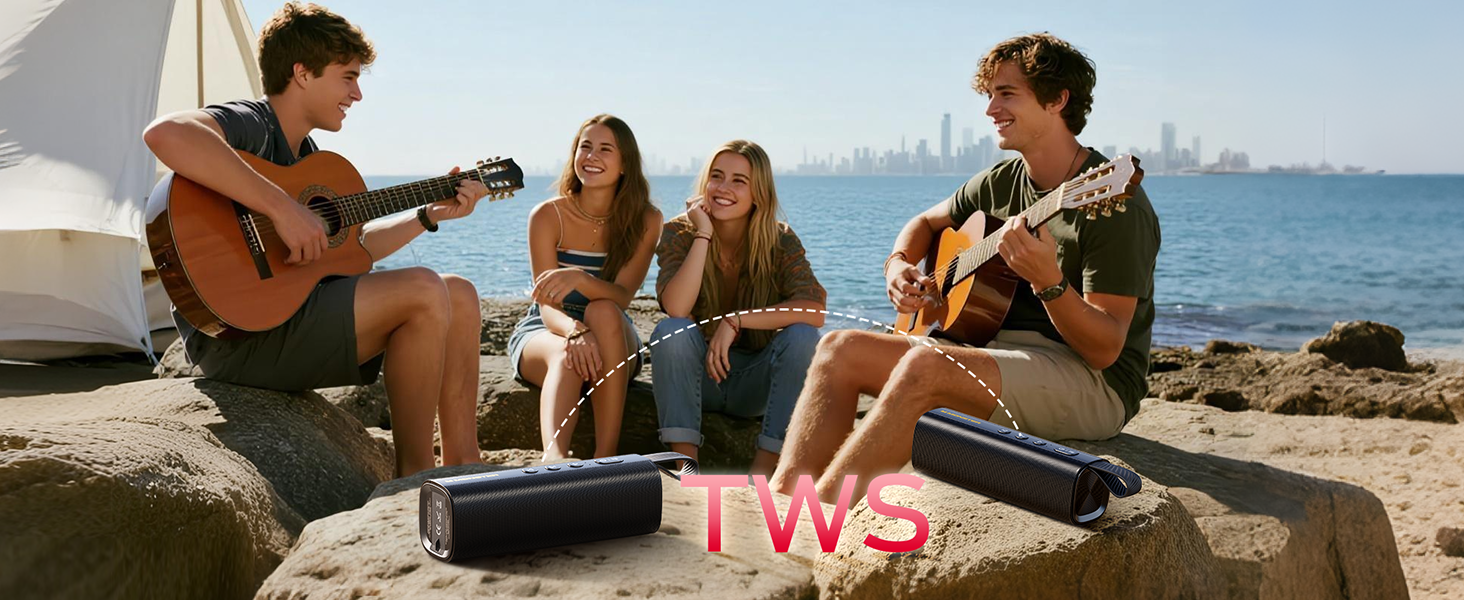
Image: Two Monster S290 speakers demonstrating True Wireless Stereo (TWS) pairing.
5. Connecting via AUX, TF Card, or USB
The speaker supports multiple input options:
- AUX Մուտք. Connect an audio device using the provided 3.5mm AUX cable to the AUX port. The speaker will automatically switch to AUX mode.
- TF քարտի նվագարկումը. Տեղադրեք TF (MicroSD) քարտ աուդիոյով files into the TF card slot. The speaker will automatically begin playing music from the card.
- USB նվագարկումը. Տեղադրեք USB ֆլեշ կրիչ աուդիոով files into the USB port. The speaker will automatically begin playing music from the USB drive.
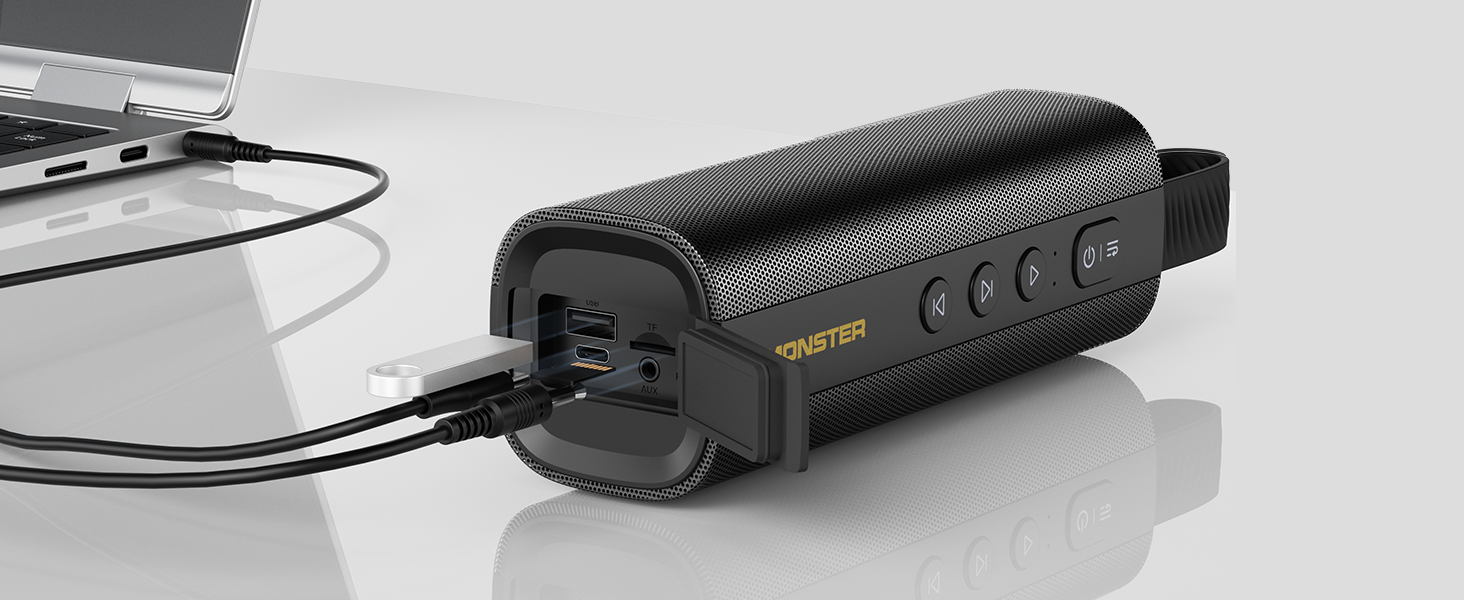
Image: The speaker's input panel with AUX, TF card, and USB ports.
Գործառնական հրահանգներ
Կոճակի գործառույթներ
- Power կոճակը (): Press and hold to power on/off. Short press to switch between input modes (Bluetooth, AUX, TF Card, USB).
- Նվագարկել/Դադար կոճակ (): Կարճ սեղմեք՝ երաժշտությունը նվագարկելու կամ դադարեցնելու համար:
- Volume Down / Previous Track Button (): Կարճ սեղմեք՝ ձայնը նվազեցնելու համար։ Երկար սեղմեք՝ նախորդ երգին անցնելու համար։
- Volume Up / Next Track Button (): Կարճ սեղմեք՝ ձայնը բարձրացնելու համար։ Երկար սեղմեք՝ հաջորդ երգին անցնելու համար։
- TWS Button (M): Press and hold to initiate TWS pairing (refer to TWS Pairing section).
Զանգեր առանց ձեռքի
When connected via Bluetooth, the built-in microphone allows for hands-free calling:
- Պատասխանել զանգին. Կարճ սեղմեք Play/Pause կոճակը.
- Ավարտել զանգը. Կարճ սեղմեք Play/Pause կոճակը զանգի ժամանակ։
- Մերժել զանգը. Երկար սեղմեք Play/Pause կոճակը.
Տեխնիկական սպասարկում
- Keep the speaker away from extreme temperatures, direct sunlight, and corrosive materials.
- Բարձրախոսը մաքրեք փափուկով, դamp կտոր. Մի օգտագործեք կոպիտ քիմիական կամ հղկող մաքրող միջոցներ:
- Ensure the charging port cover is securely closed when not charging to maintain IPX6 water resistance.
- Երկար ժամանակ չօգտագործելու դեպքում բարձրախոսը պահեք զով, չոր տեղում։

Image: The Monster S290 speaker showcasing its IPX6 water-resistant feature.
Անսարքությունների վերացում
| Խնդիր | Լուծում |
|---|---|
| Բարձրախոսը չի միանում։ | Համոզվեք, որ բարձրախոսը լիցքավորված է: Միացրեք այն սնուցման աղբյուրին՝ օգտագործելով USB-C մալուխը: |
| Հնարավոր չէ զուգակցել Bluetooth-ի միջոցով։ |
|
| Ձայն չկա կամ ձայնը ցածր է։ |
|
| TWS զուգավորումը ձախողվեց։ |
|
Տեխնիկական պայմաններ
| Առանձնահատկություն | Մանրամասն |
|---|---|
| Մոդելի անվանումը | Հրեշ S290 |
| Նյութ | Պլաստիկ |
| Բարձրախոսի տեսակը | Բացօթյա |
| Բարձրախոսի առավելագույն ելքային հզորություն | 30 Վտ |
| Անլար կապի տեխնոլոգիա | Bluetooth 6.0 |
| Միացման տեխնոլոգիա | Օժանդակ, Bluetooth, USB |
| Աուդիո ելքի ռեժիմ | Ստերեո |
| Շրջապատող ձայնի ալիքի կազմաձևում | 2.0 |
| Հատուկ առանձնահատկություններ | Portable, 30W Loud Stereo Sound, Support AUX/TF Card, Bluetooth 6.0, True Wireless Stereo, Built-in Mic, 15H Playtime, Hands-Free Calling, IPX6 Waterproof, Skin-Friendly Touch |
| Էլեկտրաէներգիայի աղբյուր | սնուցվում է մարտկոցով |
| Մարտկոց | 1 AAA batteries required (included) - Note: This is likely a generic entry; the speaker features an internal rechargeable battery. |
| Վերահսկման մեթոդ | Հպեք |
| Ապրանքի չափերը | 6D x 18.2W x 6H սանտիմետրեր |
| Նյութի քաշը | 490 գ |
| Անջրանցիկ է | Ճիշտ է (IPX6) |
Երաշխիք և աջակցություն
The Monster S290 Portable Bluetooth Speaker comes with a Limited Warranty. Please refer to the included "Quick Start Guide & Warning Card" for specific warranty terms and conditions. For further support, please contact Monster customer service.