
1. Bevezetés
The Creality Filament System (CFS) is an advanced multi-color filament management solution designed to enhance your 3D printing experience. It provides anti-moisture filament storage and intelligent automatic filament handling, supporting multi-color printing for compatible Creality 3D printers.
This manual provides detailed instructions for the setup, operation, maintenance, and troubleshooting of your CFS unit. Please read it thoroughly before use to ensure optimal performance and longevity of the product.
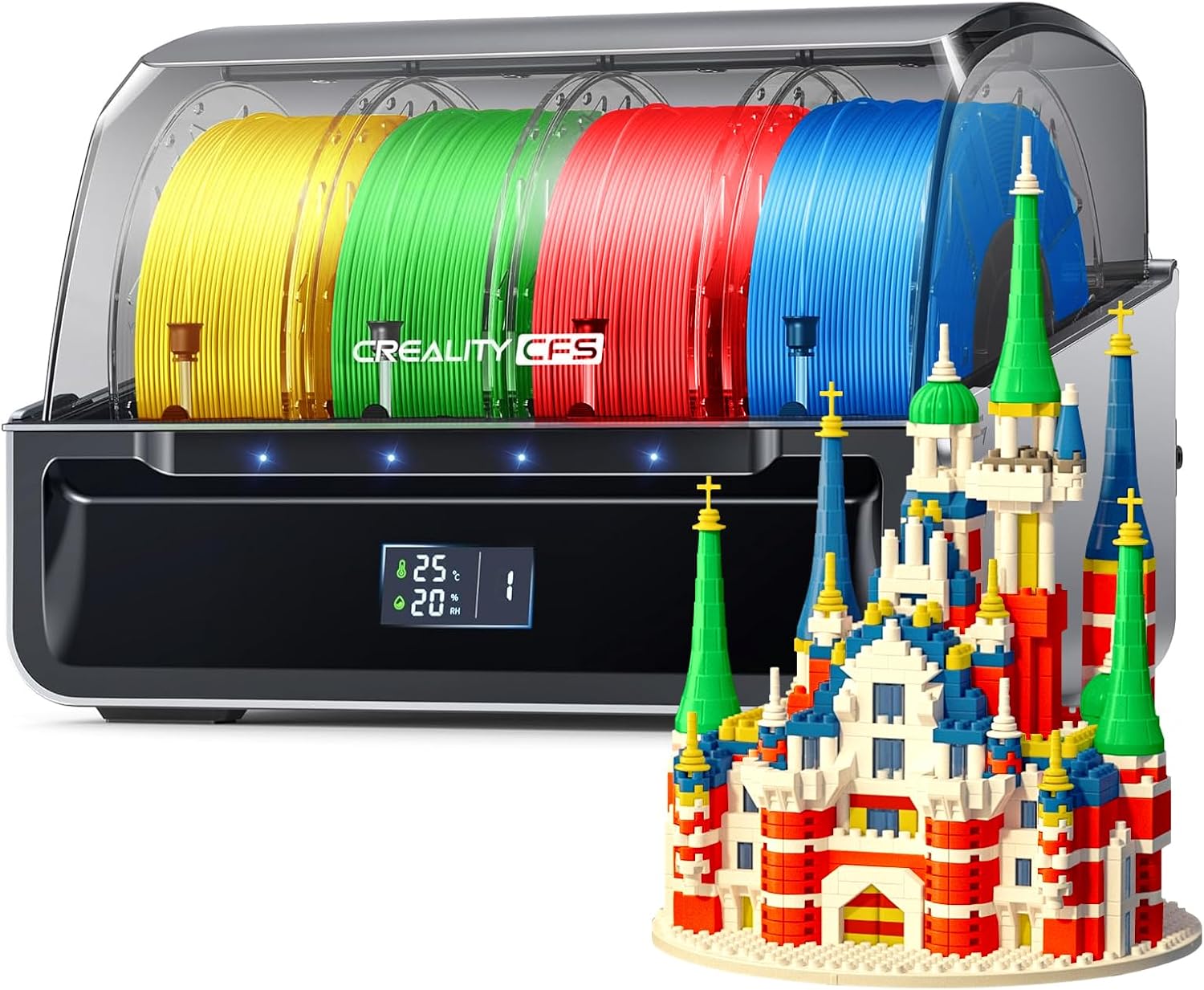
Figure 1.1: Creality CFS with four filament spools and a sampa 3D nyomtatás.
2. A termék jellemzői
- Multi-Color Printing Capability: Each CFS unit holds four 1kg filament rolls. Up to four units can be linked to support printing with up to 16 colors simultaneously.
- Moisture-Proof Filament Storage: Features an airtight design with high-quality sealing strips and replaceable desiccants to keep filament dry and prevent moisture absorption.
- Intelligent Filament Management: Automatically identifies RFID-tagged filament types and colors, syncing information with your 3D printer.
- Auto Filament Mapping & Switching: Communicates with Creality 3D printers and Creality Print slicer to select filaments by type and color. Can automatically switch to a similar spool if one runs out, minimizing interruptions and waste.
- Filament Run-out and Tangle Detection: Integrated sensors detect irregular activity, pausing the print and notifying the user immediately.
- Valós idejű kijelző: Shows inner temperature and humidity for optimal filament storage conditions.

Figure 2.1: Improved print quality with moisture-protected filament from CFS.
3. Beállítási utasítások
3.1 Kicsomagolás és ellenőrzés
Carefully remove all components from the packaging. Inspect the CFS unit for any signs of damage during transit. Ensure all accessories are present according to the packing list.
3.2 Kompatibilitás
The CFS is compatible with Creality K2/K2 Pro/K2 Plus/Hi Combo 3D printers. For Creality K1/K1 MAX/K1C/K1 SE series printers, an official K1 Series CFS Upgrade Kit is required for seamless integration. Please contact Creality support if you need this upgrade kit.
Jegyzet: The CFS is not compatible with flexible TPU, damp BVOH/PVA, or warped cardboard filament spools.
3.3 Desiccant Installation
Locate the desiccant storage area within the CFS unit. Insert the provided desiccant packets to maintain a dry environment for your filaments. Replace desiccants periodically as needed.

Figure 3.1: Desiccant storage location within the CFS.
3.4 Connecting Multiple CFS Units
The CFS units can be linked together to expand multi-color printing capabilities. Each unit can house 4 filament spools, and up to four units can be connected to achieve 16-color printing. Refer to your printer's manual for specific instructions on connecting multiple CFS units.
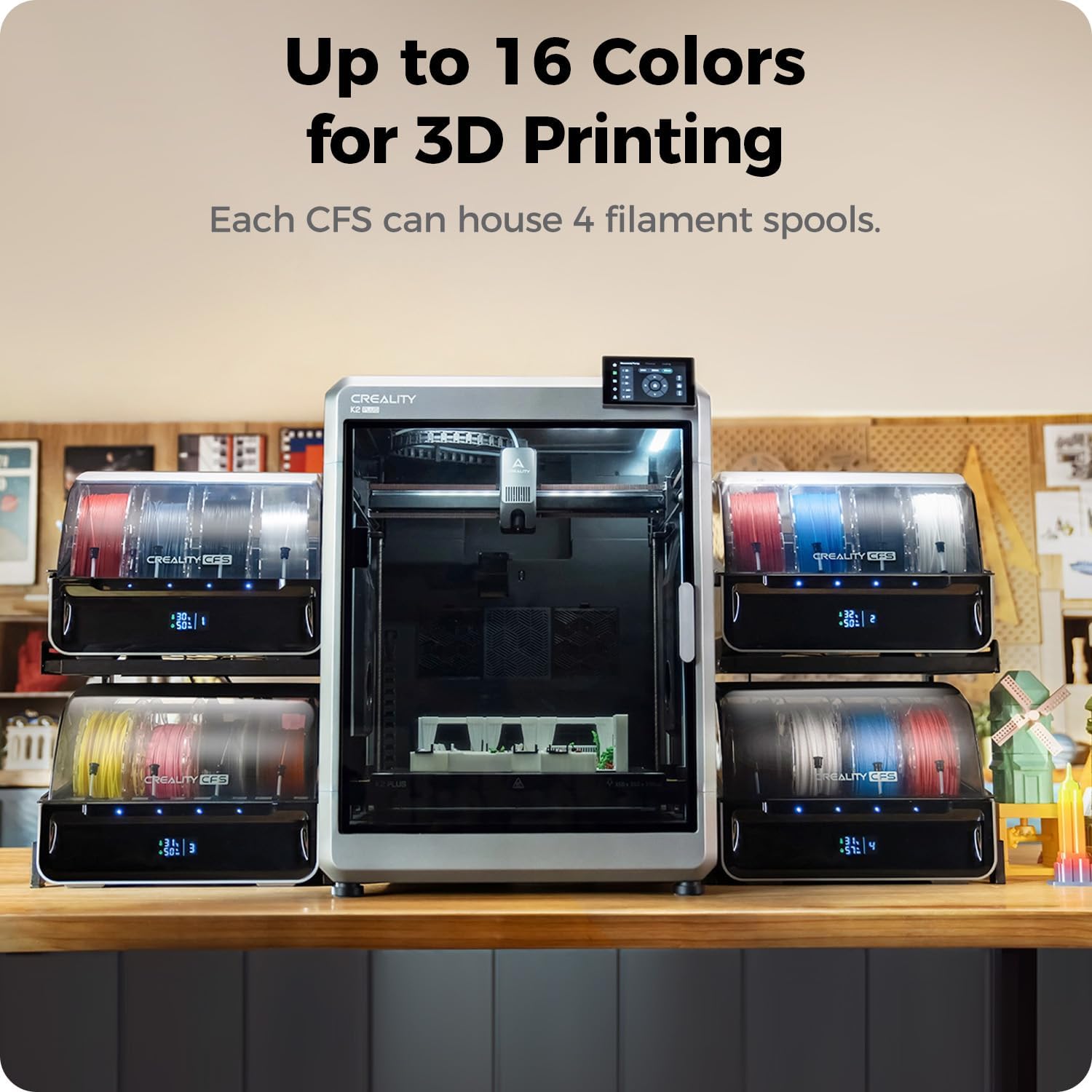
Figure 3.2: Multiple CFS units connected for expanded color options.
4. Használati útmutató
4.1 Filament betöltése
Open the lid of the CFS unit. Place your 1kg filament spools into the designated slots. Ensure the filament is properly seated and can unroll freely. The spring-loaded batten bar helps prevent filament from jumping out during printing.

Figure 4.1: Spring-loaded batten bar for secure filament loading.
4.2 Automatic Filament Identification and Mapping
When an RFID-tagged filament is loaded, the CFS will automatically read its type, color, and other relevant information, then sync this data with your connected 3D printer. For regular filaments without RFID tags, you can manually input the information via the printer's interface.
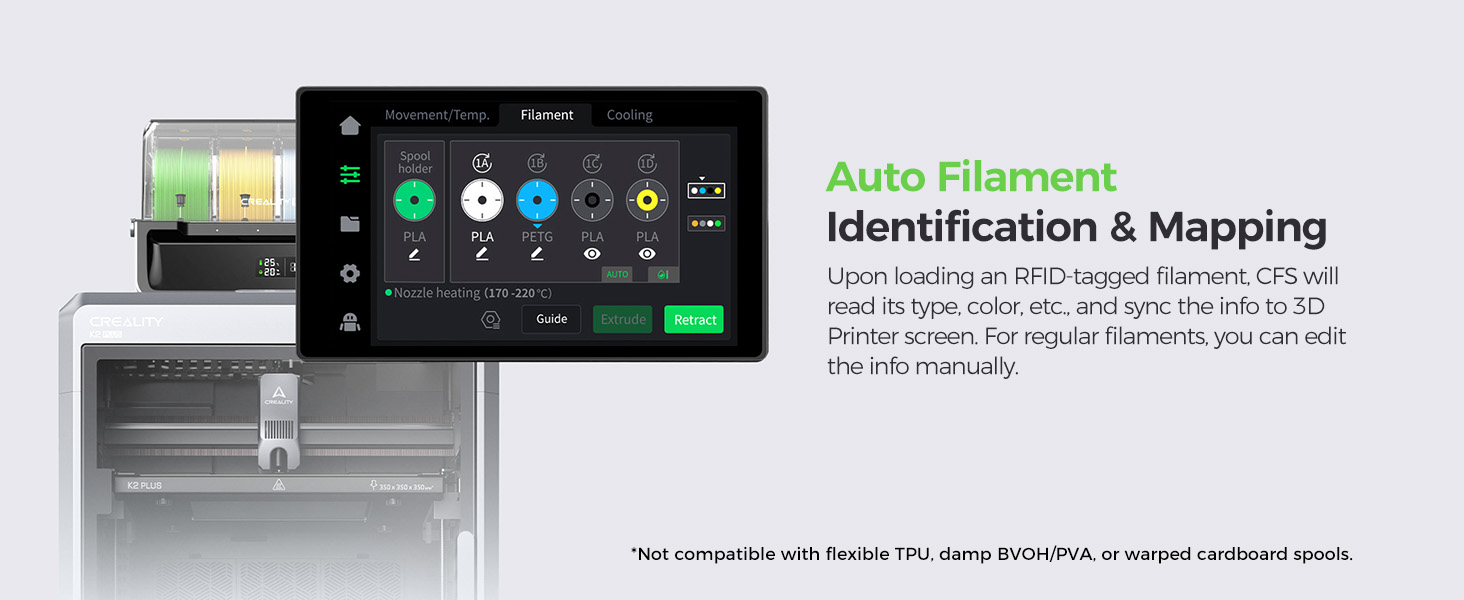
Figure 4.2: Automatic filament identification and data synchronization.
Before printing, the CFS communicates with your Creality 3D printer and Creality Print slicer to automatically select or map suitable filaments for each G-code file based on type and color requirements.

Figure 4.3: Auto filament mapping for G-code files.
4.3 Valós idejű megfigyelés
The CFS features a display that provides real-time indication of the inner temperature and humidity. This allows you to monitor the storage conditions of your filament.

Figure 4.4: Temperature and humidity display on the CFS unit.
5. Karbantartás
5.1 Szárítószer csere
Regularly check the humidity level displayed on the CFS. If the humidity rises significantly, it indicates that the desiccants may be saturated and need to be replaced or regenerated. Refer to the desiccant manufacturer's instructions for regeneration if applicable.
5.2 Tisztítás
Wipe the exterior of the CFS unit with a soft, dry cloth. Avoid using abrasive cleaners or solvents. Ensure no dust or debris accumulates in the filament paths or sensor areas.
6. Hibaelhárítás
6.1 Filament Run-out or Tangle Detection
The CFS is equipped with sensors to detect the status of each spool. If a filament runs out or becomes tangled, the system will pause the print and display a notification on your 3D printer's screen. Follow the on-screen prompts to resolve the issue (e.g., replace filament, untangle spool) and resume printing.

Figure 6.1: On-screen notification for filament issues.
6.2 Filament Spool Fit Issues
Some filament spool brands may have dimensions that do not fit optimally within the CFS slots. Ensure that your filament spools adhere to the recommended dimensions (1kg spool, diameter 197-202mm, spool width 42-68mm) for proper operation.
6.3 PTFE Tube Adapter Issues
If the PTFE tube adapters are not staying securely in place, ensure they are properly inserted. If issues persist, contact Creality support for assistance.
6.4 General Errors
If you encounter any error codes or unexpected behavior, first restart both the CFS unit and your 3D printer. If the problem persists, consult the Creality official website for updated firmware or contact Creality customer support with the specific error code for further assistance.
7. Műszaki adatok
| Funkció | Specifikáció |
|---|---|
| Termék neve | CFS (Creality Filament System) |
| Filament Slots | 4 |
| Névleges teljesítmény | 20W |
| Rated Voltage | DC 24V |
| CFS Connections | ≤4 units |
| Termék méretei | 379*314*276 mm |
| Nettó tömeg | 4.56 kg |
| Állapotjelzők | 4 (each slot having one) |
| Többszínű 3D nyomtatás | Igen |
| Auto Filament Relay | Igen |
| RFID-tag Olvasó | Igen |
| Az izzóspirál kimutatása | Igen |
| Filament Buffer | Igen |
| Anti-moisture Storage | Yes with desiccants |
| Izzószál átmérője | 1.75±0.05 mm |
| Filament Spool Requirement | 1kg spool or any spool with a diameter of 197-202mm, spool width: 42-68mm |
| Kompatibilis szálak | PLA/ABS/PETG/ASA/PET/PA-CF/PLA-CF; not compatible with damp BVOH/PVA or flexible filaments like TPU/95A |
Figure 7.1: Creality CFS Technical Specifications.
8. Garancia és támogatás
8.1 Jótállási információk
For detailed warranty terms and conditions, please refer to the warranty card included with your product or visit the official Creality webŐrizze meg a vásárlási blokkot vásárlási bizonylatként garanciális igények esetén.
8.2 Ügyfélszolgálat
If you require technical assistance, have questions about your CFS unit, or need to report an issue, please contact Creality customer support through their official website or the contact information provided in your product documentation. When contacting support, please have your product model number (AMUS-GJX-3D-CR-CFS) and purchase details ready.