
1. Bevezetés
Thank you for choosing the goobay Digital Timer. This device is designed to help you manage power consumption and enhance home security by automatically switching electrical appliances on and off. It features up to 16 programmable settings (8 ON/OFF pairs), a random mode for anti-burglary protection, and an integrated backup battery to retain settings during power outages.
Please read this manual carefully before use to ensure proper operation and safety.
2. Biztonsági utasítások
- Kizárólag beltéri használatra. Ne tegye ki nedvességnek vagy szélsőséges hőmérsékletnek.
- Do not exceed the maximum load of 3680 W (230 V AC, 16 A).
- Ne szerelje szét és ne próbálja megjavítani a készüléket. Minden szervizelést bízzon szakképzett személyzetre.
- Győződjön meg arról, hogy az időzítő biztonságosan be van dugva egy földelt aljzatba.
- Gyermekek elől elzárva tartandó.
- Tisztítás előtt húzza ki az időzítőt a fali aljzatból. Kizárólag száraz ruhával tisztítsa.
- Do not connect appliances that generate a lot of heat, such as heaters, without supervision.
3. Termék végeview
The goobay Digital Timer is a compact and efficient device for controlling your electrical appliances.
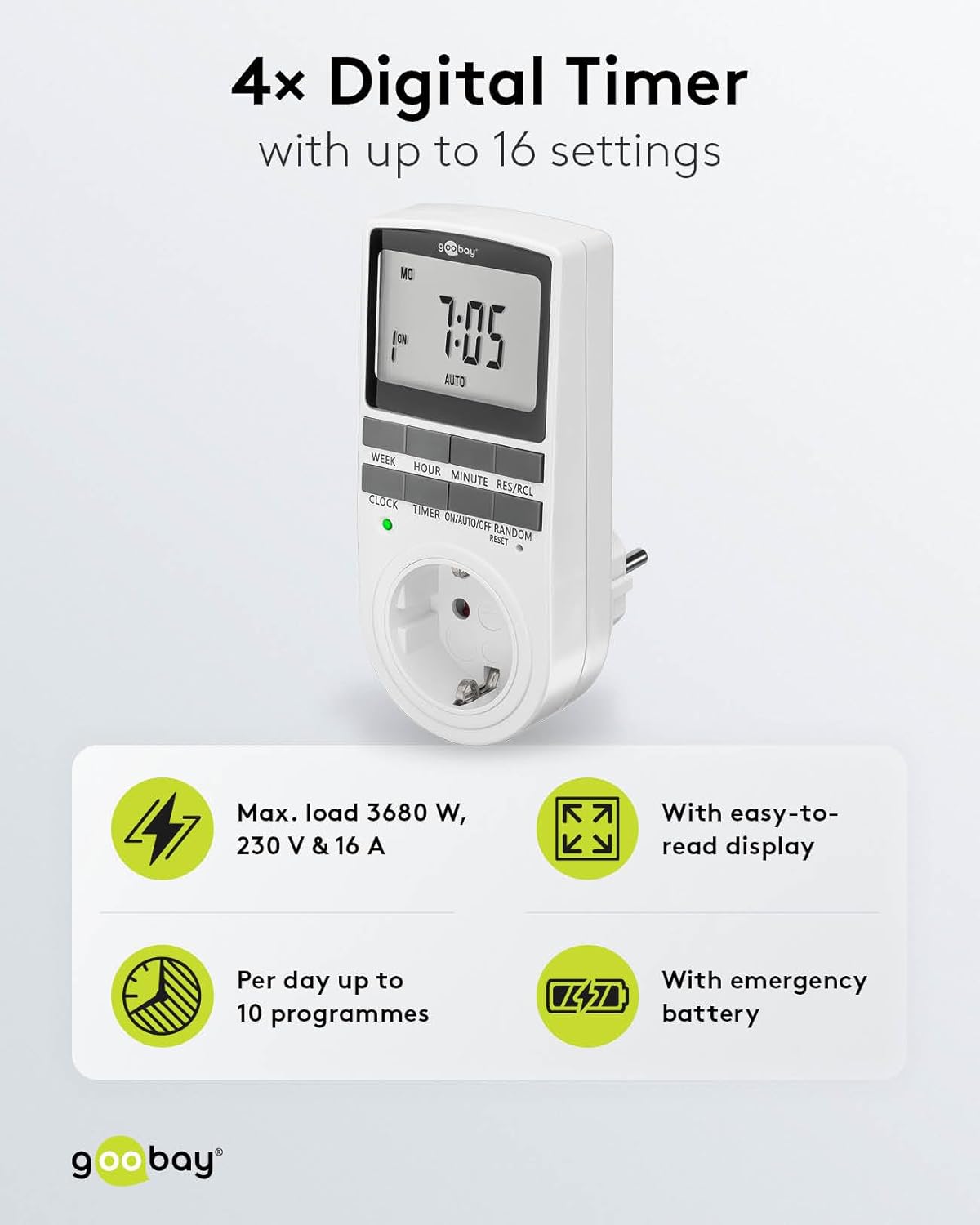
Image: goobay Digital Timer highlighting its features: Max. load 3680 W, 230 V & 16 A; Easy-to-read display; Up to 10 programs per day; Emergency backup battery.
A legfontosabb jellemzők a következők:
- Max. Terhelés: 3680 W, 230 V & 16 A
- Programozható beállítások: Up to 8 ON/OFF program pairs (16 individual settings).
- Véletlenszerű mód: Simulates presence for enhanced security.
- Tartalék akkumulátor: Retains settings for over 100 days during power outages.
- Energiatakarékosság: Interrupts standby mode of connected devices.
- Kompakt kialakítás: Space-saving installation.

Kép: Oldal view of the goobay Digital Timer showing its compact dimensions: 135 mm height, 60 mm width, 38 mm depth, and 155g weight.
4. Beállítás
4.1 Első töltés
Before first use, plug the timer into a wall outlet for approximately 5-10 minutes to charge the internal backup battery. This ensures the display functions and settings can be retained even when unplugged.
4.2 Az eszköz visszaállítása
If the display is blank or unresponsive, or if you wish to clear all previous settings, press the RESET button using a small, non-metallic pointed object (e.g., a toothpick or the included reset tool). This will clear all programs and reset the clock.

Image: The goobay Digital Timer showing the LED status display, Reset function (with reset tool), Safety plug (Type F, CEE 7/4, 230V, 16A, 3680W), and Safety socket (Type F, CEE 7/3, 6A, 250V output).
4.3 Az aktuális idő beállítása
- Nyomja meg a ÓRA gomb.
- Nyomja meg a HÉT gombbal válassza ki a hét aktuális napját (HÉ, K, Sze, Cs, P, Szo, V).
- Nyomja meg a ÓRA gombbal állítsa be az aktuális órát (0-23).
- Nyomja meg a PERC gombbal állítsa be az aktuális percet (0-59).
- Nyomja meg a ÓRA gombot ismét a megerősítéshez és az időbeállítás módból való kilépéshez.

Image: Close-up of the goobay Digital Timer's display, indicating Weekday, Selected time setting (1-10), Time of day, and Operating mode (On/Auto/Off).
5. Használati útmutató
5.1 Be- és kikapcsolási idők programozása
The timer allows for up to 8 ON/OFF program pairs (16 individual settings).
- Nyomja meg a IDŐZÍTŐ gombot a programozási módba lépéshez. A kijelzőn az „1 ON” felirat jelenik meg.
- Sajtó HÉT a program napjának (napjainak) kiválasztásához. A lehetőségek a következők:
- Individual days (MO, TU, WE, TH, FR, SA, SU)
- Groups of days (MO TU WE TH FR SA SU, MO TU WE TH FR, SA SU, MO TU WE TH FR SA, MO WE FR, TU TH SA, MO TU WE, TH FR SA)
- Sajtó ÓRA a kívánt bekapcsolási óra beállításához.
- Sajtó PERC a kívánt bekapcsolási perc beállításához.
- Sajtó IDŐZÍTŐ újra. A kijelzőn az „1 OFF” felirat jelenik meg.
- Repeat steps 2-4 to set the desired OFF time for the same program.
- Folytassa a nyomást IDŐZÍTŐ to cycle through program settings 2 ON, 2 OFF, up to 8 ON, 8 OFF, setting each as needed.
- Miután beállította az összes kívánt programot, nyomja meg a ÓRA gombbal kiléphet a programozási módból, és visszatérhet az aktuális idő kijelzéséhez.

Image: Diagram illustrating the functions of the goobay Digital Timer's buttons: WEEK (Set weekday), HOUR (Set hours), MINUTE (Set minutes), RES/RCL (Delete or restore setting), CLOCK (Set different times of day), TIMER (Switch set times), ON/AUTO/OFF (Manual or automatic mode), RANDOM (Random mode).
5.2 Operating Modes (ON/AUTO/OFF)
Nyomja meg a BE/AUTOMATIKUS/KI gombbal válthat az üzemmódok között:
- TOVÁBB: A csatlakoztatott készülék folyamatosan bekapcsolva marad, felülírva az összes programozott beállítást.
- AUTOMATIKUS: The connected appliance will operate according to the programmed ON/OFF times. This is the standard operating mode for scheduled tasks.
- KI: A csatlakoztatott készülék folyamatosan KI marad, felülírva az összes programozott beállítást.
5.3 Véletlenszerű mód
The random mode is designed to simulate presence for security purposes. When activated, the timer will switch ON and OFF at random intervals between 6:00 PM and 5:30 AM.
- Győződjön meg arról, hogy az időzítő be van kapcsolva AUTO mód.
- Nyomja meg a VÉLETLEN button to activate or deactivate this mode. An "R" will appear on the display when random mode is active.
5.4 Nyári időszámítás (DST)
A nyári időszámítás átállításához nyomja meg a ÓRA és PERC buttons simultaneously while in ÓRA mode. The time will advance or rewind by one hour. Repeat to revert.
6. Karbantartás
- Tisztítás: Unplug the timer from the wall outlet before cleaning. Wipe the exterior with a soft, dry cloth. Do not use liquid cleaners or sprays.
- Tárolás: If storing the timer for an extended period, ensure the backup battery is charged periodically to maintain its functionality.
- Tartalék akkumulátor: The integrated backup battery is designed to retain settings for over 100 days. No user maintenance is required for the battery.
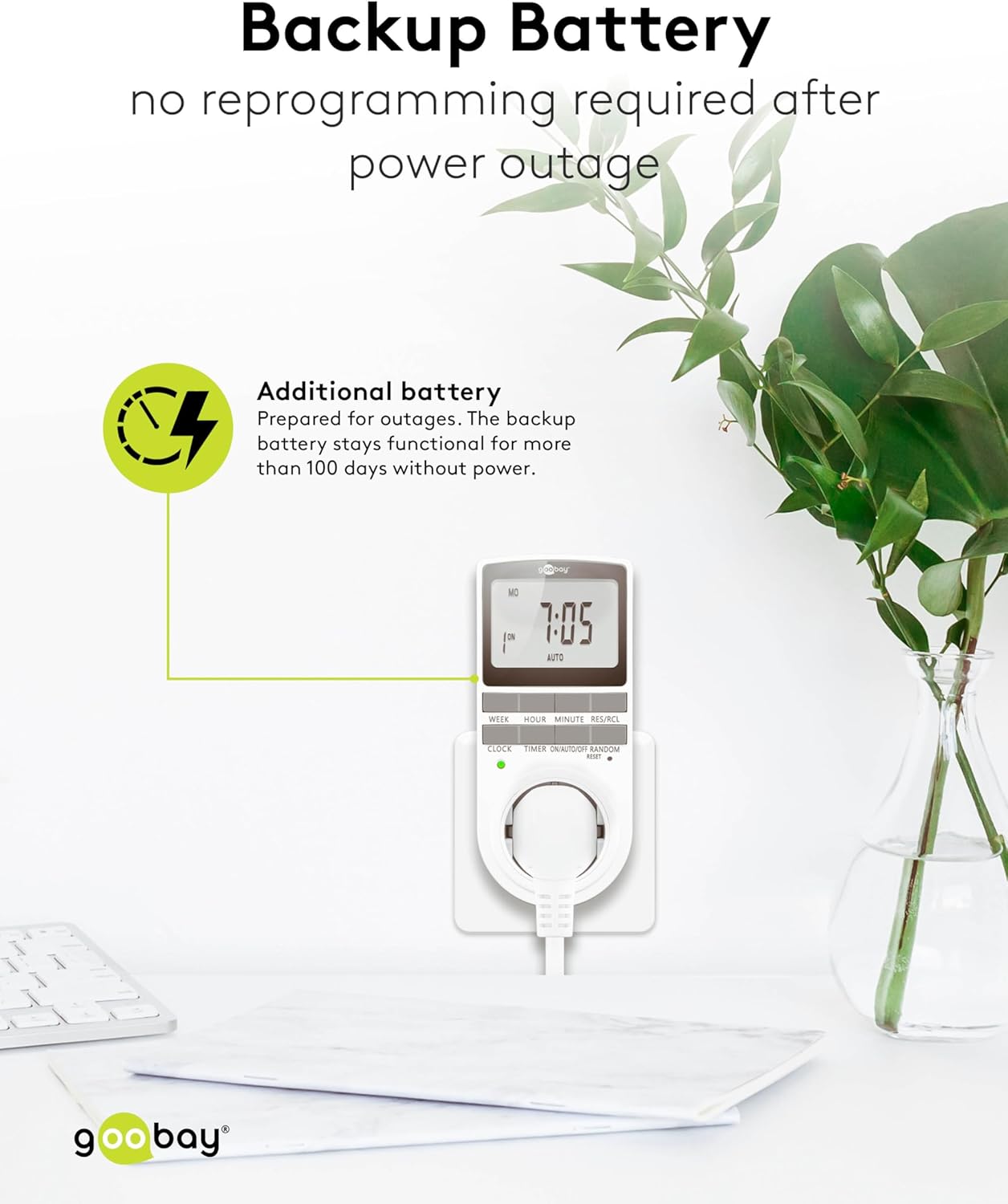
Image: The goobay Digital Timer plugged into an outlet, illustrating the backup battery feature which prevents reprogramming after a power outage.
7. Hibaelhárítás
| Probléma | Lehetséges ok | Megoldás |
|---|---|---|
| A kijelző üres vagy nem reagál. | Backup battery is depleted or device needs reset. | Plug the timer into a live outlet for 5-10 minutes to charge the battery. If still unresponsive, press the RESET gomb. |
| A készülék nem kapcsol be/ki a beprogramozott időpontokban. | Timer is not in AUTO mode, programs are incorrect, or appliance is faulty. | Győződjön meg arról, hogy az időzítő a következőre van állítva: AUTO mode. Verify programmed ON/OFF times. Check if the connected appliance works when plugged directly into the wall outlet. |
| Random mode is not working. | Timer is not in AUTO mode or random mode is not activated. | Győződjön meg arról, hogy az időzítő be van kapcsolva AUTO mód. megnyomni a VÉLETLEN button to activate it (an "R" should appear on the display). |
| Áramszünet után az idő helytelentage. | Backup battery is depleted or was not charged sufficiently. | Plug the timer into a live outlet for at least 10 minutes to fully charge the backup battery. Reset and reprogram if necessary. |
8. Műszaki adatok
| Márka: | goobay |
| Modellszám: | 74217 |
| Szín: | Fehér |
| Anyag: | Acrylonitrile Butadiene Styrene Plastic |
| Termék méretei (H x Sz x Ma): | 7.6 x 6 x 13.5 cm |
| Tétel súlya: | 155 g |
| Supply Voltage: | 230 V (AC) |
| Max. Kapcsolási teljesítmény: | 3680 W |
| Max. Jelenlegi: | 16.0 A |
| Beállítások száma: | 16 (8 ON/OFF program pairs) |
| Védelmi besorolás: | IP20 |
| Védelmi osztály: | I |
| Származási ország: | Kína |
9. Garancia és támogatás
Specific warranty information is not provided within this manual. For details regarding warranty coverage, technical support, or service, please refer to the official goobay webwebhelyen, vagy lépjen kapcsolatba a viszonteladójával.
You can often find additional resources and contact information on the manufacturer's webtelek: www.goobay.com