
1. Pwodwi souview
The HP Laptop 15-fd2353la is a versatile and efficient computing device designed for everyday tasks, entertainment, and productivity. It features an Intel Core Ultra 5 processor, a vibrant 15.6-inch Full HD display, ample memory, and fast solid-state storage. This manual will guide you through the setup, operation, and maintenance of your new laptop.

Devan view of the HP Laptop 15-fd2353la, highlighting its Intel Core Ultra 5 processor, 24 GB RAM, 512 GB SSD, and 15.6-inch Full HD display.
2. Enstalasyon
2.1 Debake
Carefully remove your laptop and all accessories from the packaging. Ensure the following items are present:
- HP Laptop 15-fd2353la
- Adaptè pouvwa ak kab
- Dokimantasyon (Gid Demaraj Rapid, Enfòmasyon sou Garanti)
2.2 Konekte adaptè kouran an
Before first use, connect the power adapter to the laptop's power port and then plug it into a wall outlet. Allow the battery to charge for a few hours, or until fully charged, before initial use.
2.3 Premye Limen ak Enstalasyon Windows
Press the power button located on the keyboard to turn on the laptop. Follow the on-screen instructions to complete the Windows 11 Home setup process. This includes selecting your language, connecting to a Wi-Fi network, and creating a user account.
3. Operasyon Enstriksyon
3.1 Mòd pou limen/etenn ak dòmi
- Pouvwa sou: Peze bouton pouvwa a.
- Fèmen: Klike sou bouton Kòmanse a, answit sou Pouvwa > Fèmen.
- Mòd dòmi: Fèmen kouvèti a oubyen klike sou bouton Start la, answit sou Power > Dòmi.
3.2 Itilizasyon klavye a ak touchpad la
The laptop features a full-size Spanish QWERTY keyboard and a precision touchpad. Use the touchpad for navigation, clicking, and multi-touch gestures. Refer to Windows settings for touchpad customization.
3.3 Konekte ak Wi-Fi
Pou konekte ak yon rezo san fil:
- Klike sou ikòn Wi-Fi a nan ba travay la.
- Chwazi rezo ou vle a nan lis la.
- Antre modpas rezo a si yo mande w, epi klike sou Konekte.
4. Karakteristik kle
The HP Laptop 15-fd2353la offers a range of features designed to enhance your computing experience:
- Processeur: Intel Core Ultra 5 225U (up to 4.8 GHz with Intel Turbo Boost Technology, 12 MB L3 Cache, 12 cores, 14 threads) for efficient multitasking.
- Depo: 512 GB PCIe NVMe M.2 Solid State Drive for fast boot times and application loading.
- memwa: 24 GB DDR5-5600 MT/s RAM for smooth performance across demanding applications.
- Ekspozisyon: 15.6-inch Full HD (1920 x 1080) IPS anti-glare display with 250 nits brightness and 62.5% sRGB for clear visuals.
- Sistèm operasyon: Pre-installed with Windows 11 Home.
- Lavi batri: Up to 9 hours and 45 minutes of AI-optimized battery life, with HP Fast Charge capable of recharging 50% in approximately 30 minutes.
- Webkamera ak odyo: Entegre webcam with a privacy shutter and a clear microphone featuring external noise reduction for improved video calls.
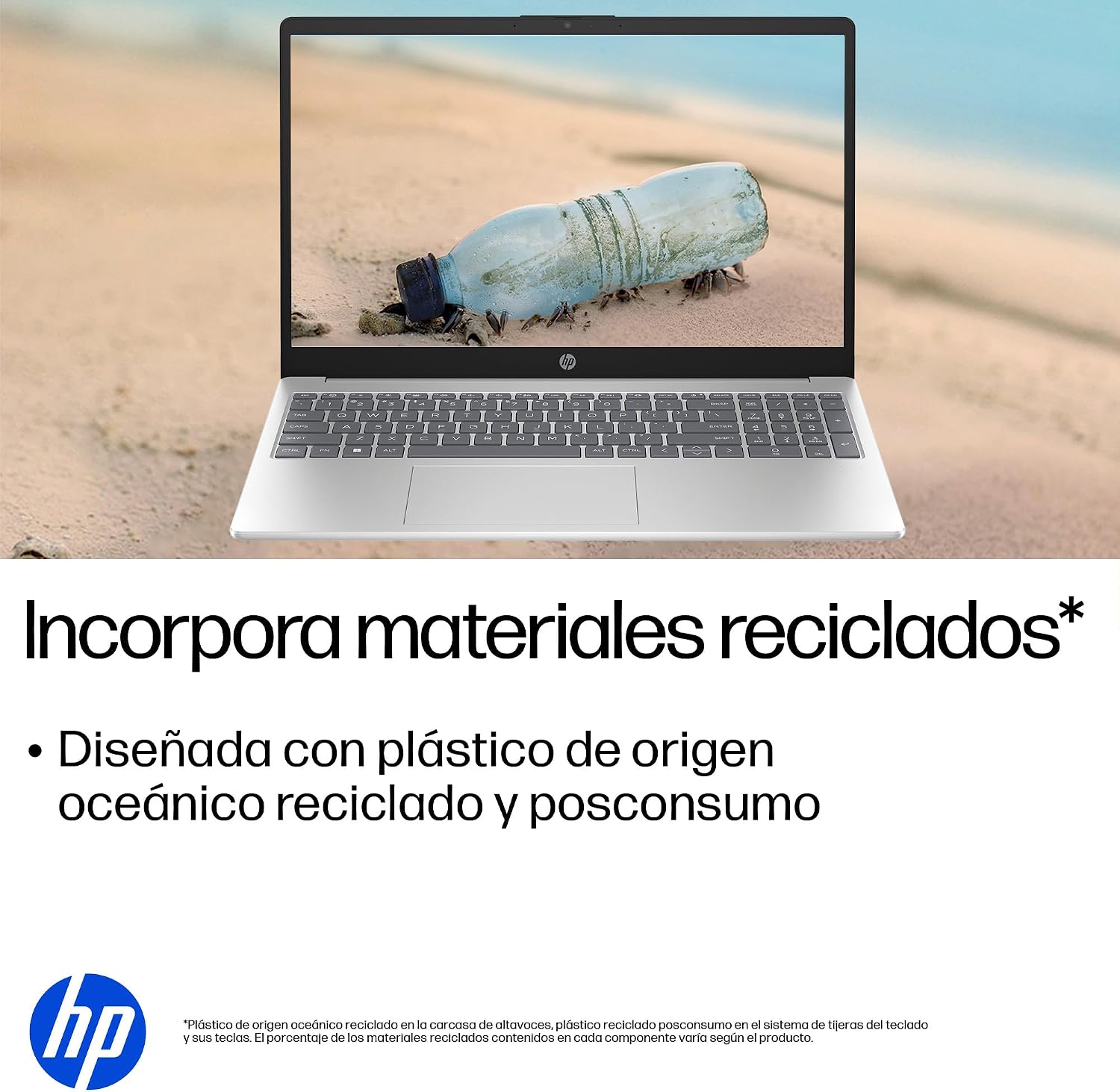
- Konsepsyon dirab: Constructed with ocean-bound and post-consumer recycled plastics in various components.

The laptop features an integrated webcam shutter for privacy and a clear microphone with external noise reduction.

Experience an immersive visual display with an 85% screen-to-body ratio and an anti-glare Full HD screen.

Enjoy extended use with up to 9 hours and 45 minutes of AI-optimized battery life, and quickly recharge 50% in 30 minutes with HP Fast Charge.

This laptop incorporates recycled materials, including ocean-bound and post-consumer plastics, in its design.
5. Pò ak Koneksyon
Your HP Laptop 15-fd2353la is equipped with various ports for connecting peripherals and external devices:

Diagram illustrating the location and type of ports on the HP Laptop 15-fd2353la.
- Bò Goch:
- 1 x USB Type-A 5 Gbps signaling rate port
- 1 x HDMI pò
- 1 x USB Type-C 5 Gbps signaling rate port
- 1 x Headphone/Microphone combo jack
- Bò Dwa:
- 1 x USB Type-A 5 Gbps signaling rate port
- 1 x Power connector
6. Espesifikasyon
| Karakteristik | Spesifikasyon |
|---|---|
| Mak | HP |
| Non modèl | 15-fd2353la |
| Gwosè ekran | 15.6 pous |
| Rezolisyon ekran maksimòm | 1920 x 1080 piksèl (FHD) |
| Kalite ekspozisyon | IPS, Anti-glare LCD |
| Koulè | Ajan |
| Modèl CPU | Intel Core Ultra 5 225U |
| Vitès processeur | Jiska 4.8 GHz |
| Gwosè RAM | 24 GB |
| Teknoloji RAM | DDR5-5600 MT/s |
| Gwosè Disk Disk | SSD 512 GB (PCIe NVMe M.2) |
| Sistèm operasyon | Windows 11 Kay |
| Koprosesè grafik | Intel Integrated Graphics |
| Pò USB | 3 (2x USB Type-A, 1x USB Type-C) |
| Pò HDMI | 1 |
| Kalite batri | Lityòm Ion |
| Kontni enèji batri a | 41 Watt-èdtan |
| Layout klavye | QWERTY (Spanish) |
| Pwa | 1.65 Kilogram |
| Dimansyon (L x W x H) | 23.6 x 36 x 1.9 cm |
Visual representation of the laptop's dimensions and weight.
7. Antretyen
7.1 Netwaye òdinatè pòtab la
- Sèvi ak yon ti moso twal mou, ki san pèl dampRense avèk dlo oswa yon pwodui netwayaj ekran pou netwaye ekran an.
- Pou klavye a ak chasi a, sèvi ak yon twal mou. Evite pwodui chimik ki agresif oswa materyèl abrazif.
- Use compressed air to clear dust from keyboard keys and vents.
7.2 Swen Batri
- Evite tanperati ekstrèm.
- Pa dechaje batri a nèt souvan.
- If storing the laptop for an extended period, ensure the battery is charged to about 50%.
7.3 Mizajou lojisyèl
Regularly update your Windows operating system and drivers to ensure optimal performance and security. Windows Update can be accessed via Settings > Windows Update.
7.4 Jesyon Depo
Tanzantan review epi efase sa ki pa nesesè files to maintain sufficient free space on your 512 GB SSD, which helps in sustaining system performance.
NAN. Depanaj
8.1 Pwoblèm pouvwa
- Laptop la pa limen: Asire w adaptè kouran an byen konekte ak laptop la ak yon priz kouran ki fonksyone. Tcheke si priz kouran an ap fonksyone.
- Batri pa chaje: Verify the power adapter is correctly connected. Try a different power outlet.
8.2 Pwoblèm ekspozisyon
- Pa gen imaj sou ekran an: Connect an external monitor to the HDMI port to check if the issue is with the laptop's display or the graphics card.
- Ekran ki pa klere oswa ki ap flache: Adjust screen brightness using the keyboard function keys. Update display drivers.
8.3 Pwoblèm koneksyon
- Wi-Fi a pa konekte: Ensure Wi-Fi is enabled. Restart your router and modem. Check network settings in Windows.
- Aparèy USB yo pa rekonèt: Eseye konekte aparèy la nan yon lòt pò USB. Asire w ke chofè aparèy yo enstale.
8.4 Pwoblèm Pèfòmans
- Pèfòmans ralanti: Close unnecessary applications. Check for background processes consuming high resources (Task Manager). Ensure sufficient free storage space.
- System freezes: Restart the laptop. Check for recent software installations or updates that might be causing conflicts.
9. Garanti ak sipò
9.1 Enfòmasyon sou Garanti
Your HP Laptop 15-fd2353la comes with a 1-ane garanti limite. This warranty covers manufacturing defects and hardware failures under normal use conditions. Please refer to the warranty documentation included with your product for full terms and conditions.
9.2 Sipò teknik
For technical assistance, warranty claims, or service inquiries, please visit the official HP support website or contact HP customer service. Have your product model number (15-fd2353la) and serial number ready when contacting support.
You can find more information and support resources at the official HP websit: www.hp.com/support