1. Entwodiksyon
This manual provides comprehensive instructions for the ZIUTY T21 Wireless Earbuds. These earbuds feature Active Noise Cancellation (ANC) and Environmental Noise Cancellation (ENC) for clear audio, a multi-functional touchscreen charging case, Bluetooth 5.3 connectivity, and an IPX7 waterproof rating. Please read this manual carefully to ensure proper use and optimal performance of your device.
2. Ki sa ki nan bwat la
Verifye ke tout atik ki nan lis anba a yo enkli nan pakè ou a:
- T21 ekoutè san fil
- Charging Case with Touch Screen
- USB-C Chaje Kab
- Bouchon zòrèy (gwosè S/M/L)
- Manyèl itilizatè

Image: Package contents of the ZIUTY T21 Wireless Earbuds.
3. Pwodwi souview
3.1 Eleman
The ZIUTY T21 system consists of two wireless earbuds and a portable charging case with an integrated touchscreen.
3.2 Kontwòl
The earbuds and charging case offer various control options:
Kontwòl taktil ekoutè yo:
- Jwe/Poz: Tape yon sèl sou chak ekoutè.
- Pwochen Track: Tape de fwa sou ekoutè dwat la.
- Track Previous: Tape de fwa sou ekoutè gòch la.
- Reponn/Fen Apèl: Tape yon sèl sou chak ekoutè.
- Rejte apèl: Peze epi kenbe youn nan ekoutè yo.
- Aktive Asistan Vwa: Tape twa fwa sou nenpòt ekoutè.
- Chanje mòd ANC/Transparans: Peze epi kenbe pandan 2 segonn sou nenpòt ekoutè.
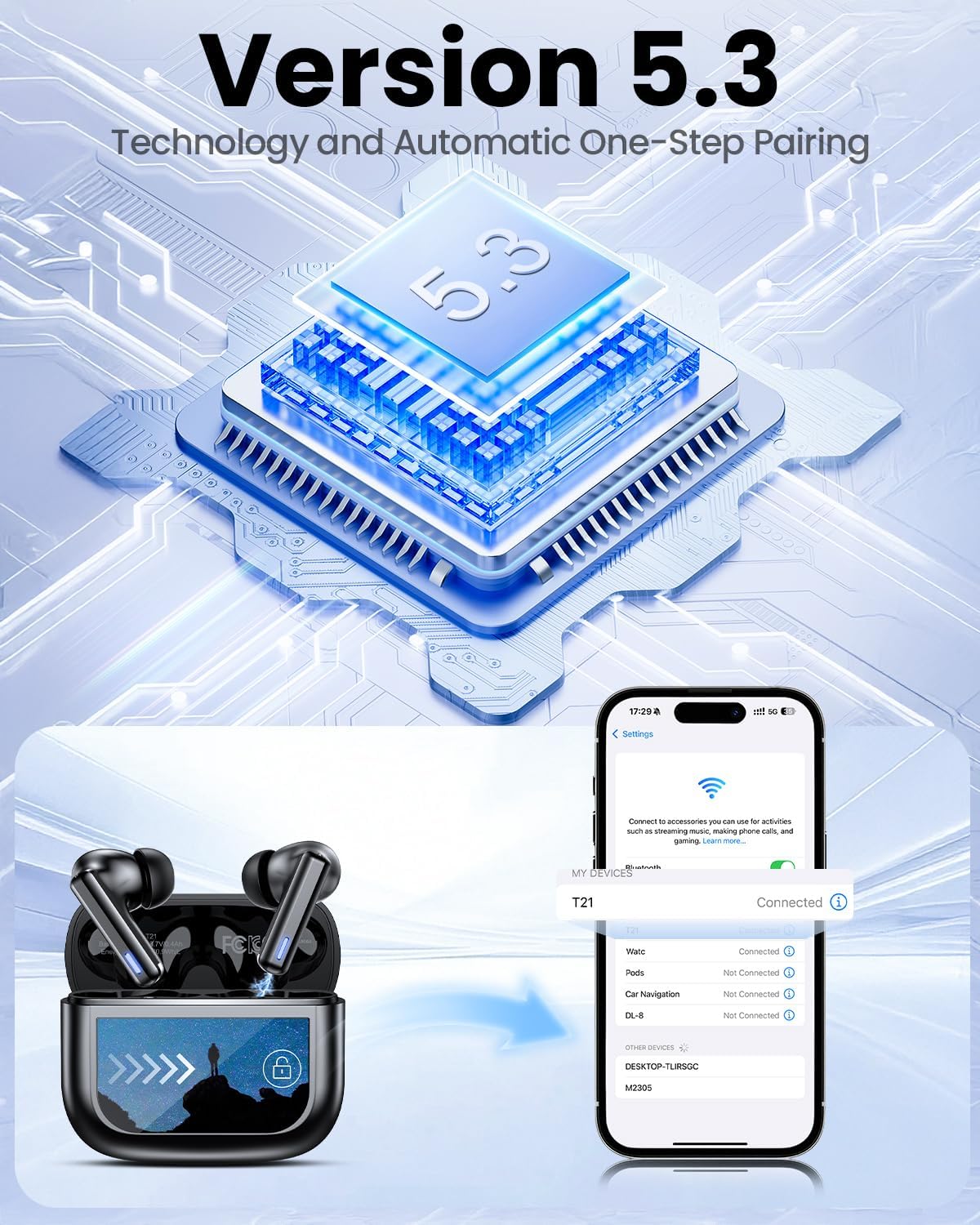
Image: Smart touch controls available on the earbuds.
Fonksyon ekran taktil bwat chaje a:
- Lektur Mizik: Control play, pause, and track navigation.
- Kontwòl Volim: Ajiste nivo pwodiksyon odyo a.
- Rediksyon bri: Toggle between ANC, Transparency, and Normal modes.
- Egalizeur (EQ): Select from 5 preset sound profiles.
- Nivo limyè: Ajiste klète ekran an.
- Chanje lang: Chanje lang ekspozisyon an.
- Jwenn ekoutè mwen an: Jwenn ekoutè ki pèdi.
- Kontwòl kamera: Deklanche kamera telefòn ou a adistans.

Image: Multi-functional LCD touch screen interface on the charging case.
4. Enstalasyon
4.1 Premye chaj
- Before first use, remove the protective film from the charging contacts on both earbuds.
- Mete ekoutè yo nan ka chaje a.
- Connect the USB-C charging cable to the case and a power source. The case's touchscreen will display the charging status.
- Fully charge the earbuds and case before initial use. A full charge takes approximately 1.5 hours.
4.2 Bluetooth Pairing
- Louvri bwat chaje a. Ekoutè yo ap antre otomatikman nan mòd koneksyon.
- Sou aparèy ou an (telefòn entelijan, tablèt, òdinatè pòtab), aktive Bluetooth.
- Chèche pou aparèy Bluetooth ki disponib yo epi chwazi "T21" nan lis la.
- Once connected, the earbuds will indicate successful pairing, and the device will show "Connected".

Image: Bluetooth 5.3 technology and one-step pairing process.
5. Operasyon Enstriksyon
5.1 Anilasyon Bri Aktif (ANC) ak Mòd Transparans
The earbuds feature Hybrid Active Noise Cancellation (ANC) to reduce ambient noise by up to 40dB, and a Transparency Mode to allow you to hear your surroundings.
- Chanje mòd: Press and hold either earbud for 2 seconds to cycle between ANC, Transparency, and Normal modes. You can also switch modes via the charging case touchscreen.

Image: Active Noise-Cancelling in use.
5.2 Sound Quality and EQ Modes
Equipped with 14.2mm dynamic drivers, the earbuds deliver balanced audio. You can customize your listening experience with 5 Equalizer (EQ) presets:
- Nòmal
- Wòch
- Klasik
- Pop
- Jazz
Select your preferred EQ mode directly from the charging case touchscreen.

Image: Available 5 EQ Modes for audio customization.
5.3 Fè ak Resevwa Apèl
The dual-ENC microphones are designed to reduce 98% of background noise, ensuring clear calls even in noisy environments.
- Reponn/Fen Apèl: Tape yon sèl sou chak ekoutè.
- Rejte apèl: Peze epi kenbe youn nan ekoutè yo.

Image: Earbud design for superior call clarity with built-in microphones.
5.4 Find My Earbuds Feature
The charging case touchscreen includes a "Find My Earphone" function to help locate misplaced earbuds.
- Access the "Find My Earphone" option on the case's touchscreen. The earbuds will emit a sound to assist in locating them.

Image: Using the 'Find My Earbuds' feature on the charging case.
5.5 Jesyon batri
The earbuds provide up to 8 hours of playtime on a single charge, extended to a total of 40 hours with the charging case. A 10-minute quick charge can provide 2 hours of music playback.
- The charging case touchscreen displays the battery percentage pou tou de ka a ak ekoutè endividyèl yo.

Image: Battery life indication for ZIUTY T21 earbuds and charging case.
6. Antretyen
6.1 Netwayaj
Regular cleaning helps maintain optimal performance and charging efficiency.
- Use an alcohol pad or a soft, dry cloth to clean the charging contacts on both the earbuds and inside the charging case.
- Gently clean the ear tip mesh to remove any dust or earwax that may affect sound quality or volume.

Image: Cleaning instructions for earbuds and charging case contacts.
6.2 Rezistans dlo
The ZIUTY T21 earbuds have an IPX7 waterproof rating, meaning they can withstand immersion in water up to 1 meter for 30 minutes. This makes them suitable for workouts and light rain exposure.
- Pa plonje bwat chaje a nan dlo.
- Asire w ke ekoutè yo sèch anvan ou mete yo tounen nan bwat chaje a pou evite yo domaje.

Image: IPX7 Waterproof feature of the earbuds.
6.3 Eartip Selection and Comfort
The package includes S, M, and L size eartips to ensure a comfortable and secure fit for various ear canal sizes. A proper fit is crucial for optimal sound quality and noise cancellation.
- Experiment with different eartip sizes to find the best seal and comfort for your ears.
- To replace eartips, gently pull off the current tip and push on the new one, ensuring it is securely attached.

Image: Eartip sizes for comfortable and stable fit.
NAN. Depanaj
If you encounter issues with your ZIUTY T21 Wireless Earbuds, refer to the following common problems and solutions:
- Ekoutè yo pa konekte:
Ensure earbuds are charged and removed from the case. Turn off and on your device's Bluetooth. Forget "T21" from your device's Bluetooth list and re-pair. - Pa gen son ki soti nan youn nan ekoutè yo:
Check if both earbuds are charged. Try placing both earbuds back in the case, closing it, and then reopening to reset the connection. Clean the charging contacts. - Pwoblèm chaj:
Ensure the USB-C cable is securely connected to both the case and the power source. Clean the charging contacts on the earbuds and inside the case. Try a different charging cable or power adapter. - Son an pa bon kalite oubyen volim ki ba:
Ensure eartips provide a good seal. Clean the ear tip mesh to remove any obstructions. Adjust volume on both the earbuds (via touch controls) and your connected device. - Kontwòl taktil yo pa reponn:
Ensure your fingers are clean and dry. Try resetting the earbuds by placing them in the case and closing it for a few seconds.
8. Espesifikasyon
| Karakteristik | Spesifikasyon |
|---|---|
| Non modèl | T21 |
| Koneksyon Teknoloji | San fil (Bluetooth 5.3) |
| Gamme Bluetooth | 15 mèt |
| Kontwòl bri | Anilasyon bri aktif (ANC) |
| Mikwofòn | Dual-ENC Microphones |
| Gwosè Chofè Audio | 14.2 Milimèt |
| Repons Frekans | 20 KHz |
| Sansiblite | 107 dB |
| Enpedans | 32 Ohm |
| Dire batri (ekoutè) | Jiska 8 èdtan |
| Dire batri (ak bwat) | Jiska 40 èdtan |
| Tan pou chaje | Apeprè. 1.5 èdtan |
| Nivo rezistans dlo | IPX7 |
| Kalite kontwòl | Kontwòl taktil (ekoutè), ekran taktil (ka) |
| Karakteristik espesyal | 5 EQ Presets, Find My Earbuds, Camera Control |
| Materyèl | Akrilonitrile butadien stirèn (ABS) |
| Pwa atik | 3.17 ons (90 gram) |
| Dimansyon pwodwi | 2.23 x 1.01 x 1.94 pous |
9. Garanti ak sipò
For warranty information or technical support, please refer to the contact details provided with your purchase or visit the official ZIUTY websit la. Kenbe prèv acha ou a pou nenpòt reklamasyon garanti.