
Entwodiksyon
The Samsers KF06X Foldable Bluetooth Keyboard is a full-size wireless keyboard designed for portability and multi-device compatibility. It features a numeric keypad, adjustable 7-color backlight, and supports connection to up to three devices simultaneously. This manual provides essential information for setting up, operating, maintaining, and troubleshooting your keyboard.
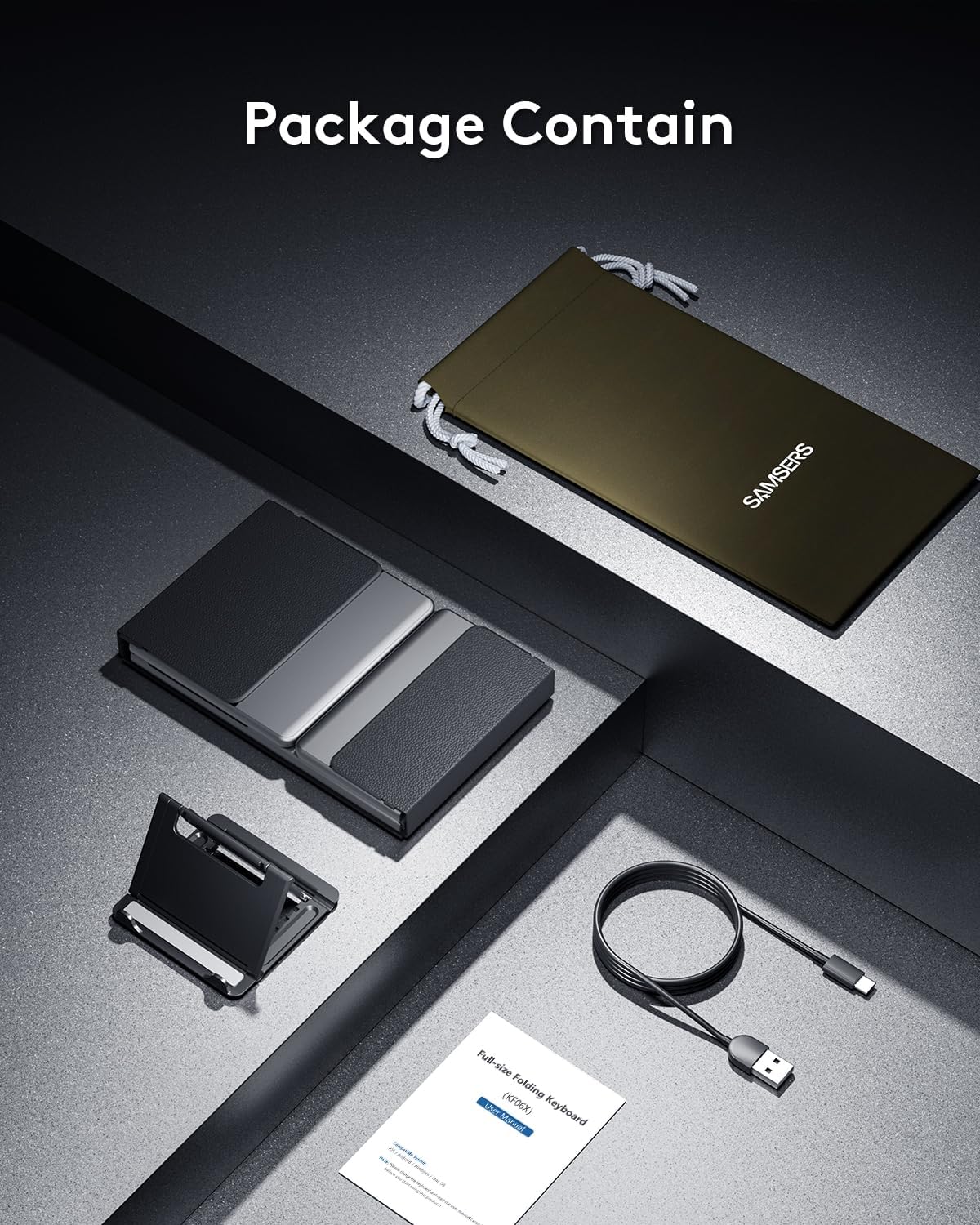
Kontni pake
Tanpri verifye ke tout atik yo prezan nan pakè a:
- 1 x Foldable Keyboard with backlight
- 1 x Kab Chaje Kalite-C
- 1 x Holder Telefòn
- 1 x Sak Depo Velou
- 1 x manyèl enstriksyon
Enstalasyon
1. Premye Chajman
Before first use, fully charge the keyboard for 2-3 hours using the provided Type-C cable. A low battery may affect keyboard functionality.

2. Power On/Off
To power on the keyboard, unfold it completely. The keyboard will automatically power on. To power off, fold the keyboard. It will automatically power off to conserve battery.
3. Pè Bluetooth
The Samsers KF06X keyboard supports pairing with up to three devices. Follow these steps to pair your device:
- Depliye klavye a pou limen l.
- Peze a BT1, BT2, oswa BT3 key once to select the desired Bluetooth channel.
- Press and hold the selected BT key (e.g., BT1) for 5 seconds until its indicator light starts flashing blue. This indicates the keyboard is in pairing mode.
- Sou aparèy ou an (telefòn entelijan, tablèt, òdinatè pòtab), ale nan paramèt Bluetooth epi aktive Bluetooth.
- Chèche pou available devices. The keyboard will appear as Samsers KF06X.
- Chwazi Samsers KF06X to connect. The indicator light will stop flashing and remain solid blue once connected.
- Repeat these steps for other devices using BT2 and BT3 channels.
Enstriksyon Operasyon
1. Typing and Layout
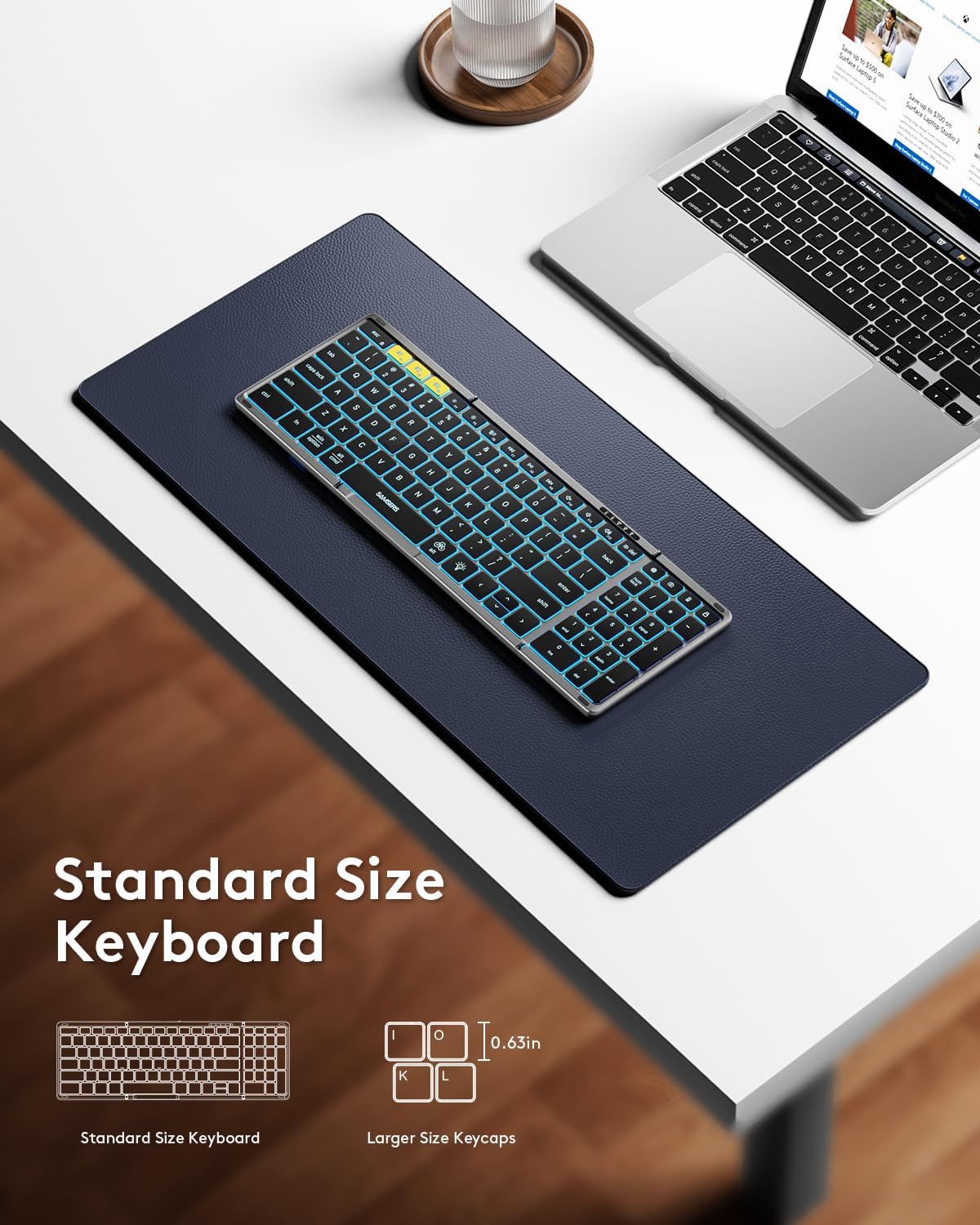
The keyboard features a full-size layout with standard 0.63-inch keys and a dedicated numeric keypad for efficient data entry. The scissor-switch keys provide a quiet and comfortable typing experience.

2. Kontwòl ekleraj
The keyboard features an adjustable backlight with 7 colors and 4 brightness levels:
- Ajiste klète: Peze a Kle ikòn anpoul (usually F4 or a dedicated key) to cycle through 4 brightness levels (High-Medium-Low-Off).
- Chanje koulè: Peze Fn + Alt to cycle through 7 available backlight colors (Green, Purple, Blue, Yellow, White, Cyan, Red).

3. Fonksyon Miltimedya
Access multimedia shortcuts and other functions by pressing the Fn key in combination with the corresponding F-keys (F1-F12) or other designated keys. Refer to the key legends for specific functions.
4. Chanjman Aparèy
To switch between paired devices, simply press the corresponding BT1, BT2, oswa BT3 key once. The keyboard will seamlessly switch its connection to the selected device.
Antretyen
To ensure the longevity and optimal performance of your Samsers KF06X keyboard, follow these maintenance guidelines:
- Kenbe klavye a pwòp lè w siye l avèk yon twal mou epi sèk. Evite pwodui netwayaj abrazif oswa solvan.
- Protect the keyboard from extreme temperatures, direct sunlight, and moisture.
- Store the keyboard in its velvet storage bag when not in use to prevent scratches and dust accumulation.
- Handle the folding mechanism gently to avoid damage to the seamless metal hinge.
Depanaj
If you encounter issues with your Samsers KF06X keyboard, refer to the following common solutions:
- Klavye a pa konekte/pa konekte: Ensure the keyboard is fully charged. On your device, delete/remove/forget any previous pairing records for the keyboard before attempting to re-pair. Make sure Bluetooth is enabled on your device and the keyboard is in pairing mode (flashing blue indicator).
- Typing lag or unresponsiveness: Check the keyboard's battery level and recharge if necessary. Ensure there are no other strong wireless signals or devices interfering with the Bluetooth connection. Try disconnecting and reconnecting the keyboard.
- Limyè dèyè a pa fonksyone: Press the Light Bulb icon key to cycle through brightness levels. Ensure the keyboard is powered on.
- Numeric keypad not functioning: Ensure the 'Num Lock' function is activated if required by your operating system.
Espesifikasyon
| Nimewo Modèl | KF06X |
| Dimansyon pwodwi (depliye) | 13.5 x 4.5 x 0.35 pous |
| Pwa atik | 11 ons |
| Koneksyon Teknoloji | Bluetooth 5.1 |
| Aparèy konpatib | Laptop, PC, Smartphone, Tablet (iOS, Android, Windows, Mac OS) |
| Karakteristik espesyal | Backlit (7 colors, 4 brightness levels), Foldable, Lightweight, Numeric Keypad, Rechargeable |
| Batri | 500 mAh Lityòm Ion (enkli) |
| Battery Life (no backlight) | Jiska 150 èdtan |
| Tan sibstiti | Jiska 300 jou |
Garanti ak sipò
Samsers provides the following for your product:
- 1-ane garanti: Your keyboard is covered by a 1-year guarantee for quality and guidance.
- 30-Day Free Return or Replacement Policy: If you are not satisfied with your purchase, you may return or replace it within 30 days.
- Sèvis pou tout lavi: Samsers offers technical service and support for the lifetime of the product.
For further assistance, please contact Samsers customer support.