
Entwodiksyon
This manual provides detailed instructions for the operation and maintenance of your Filwans GTS Smartwatch. The Filwans GTS Smartwatch features a 2.01-inch AMOLED display, health monitoring capabilities, multiple sports modes, and Bluetooth calling functionality. Please read this manual thoroughly to ensure proper use and to maximize your device's potential.

Image: The Filwans GTS Smartwatch, showcasing its rectangular display and two strap options: a classic black silicone strap and a green striped fabric strap.
Enstalasyon
1. Chaje mont entelijan an
Before initial use, fully charge your Filwans GTS Smartwatch. Use the included charging cable. Connect the magnetic end of the cable to the charging contacts on the back of the smartwatch and the USB end to a standard USB power adapter (not included). A full charge typically provides up to 9 days of daily use or up to 30 days in standby mode.

Image: The Filwans GTS Smartwatch connected to its magnetic charging cable, illustrating the charging process.
2. Konekte ak telefòn entelijan ou
- Telechaje App a: Scan the QR code provided in the quick start guide or search for the official Filwans app in your smartphone's app store (compatible with Android and iOS).
- Pèmèt Bluetooth: Asire w ke Bluetooth aktive sou smartphone ou.
- Louvri aplikasyon an: Launch the Filwans app and follow the on-screen instructions to create an account or log in.
- Ajoute Aparèy: Within the app, select the option to add a new device. The app will search for available smartwatches.
- Konekte: Select "Filwans GTS" from the list of found devices. Confirm the pairing request on both your smartphone and the smartwatch.
Once paired, the smartwatch will synchronize data with your phone, including time, notifications, and health data.
Enstriksyon Operasyon
Ekspozisyon ak Entèfas
The Filwans GTS features a 2.01-inch AMOLED display with 1000 nits brightness and a 60 Hz refresh rate, ensuring clear visibility even in bright sunlight. The interface is navigated primarily through touch gestures and the rotating crown.

Image: A visual comparison highlighting the clarity and brightness of the Filwans GTS 2.01-inch AMOLED display (1000 nits, 60Hz, 410*502 resolution) against a standard smartwatch display.
Pèrsonalize figi Watch
Choose from over 150 watch faces available through the companion app to personalize your smartwatch. You can also create custom watch faces using your own photos.

Image: The Filwans GTS Smartwatch showcasing a selection of over 100 personalized watch faces, demonstrating customization options.
Siveyans Sante
The smartwatch continuously monitors various health metrics. Access these features via the watch's menu or the companion app:
- Siveyans batman kè: Li swiv batman kè ou pandan tout jounen an.
- Deteksyon oksijèn nan san: Mezire nivo saturation oksijèn nan san ou.
- Respiratory Training: Egzèsis respirasyon gide pou ede jere estrès.
- Analiz dòmi: Monitors sleep patterns and quality.
- Mood Monitoring: Provides insights into your emotional state.
- Women's Health Features: Specific tracking and reminders for women's health.

Image: The Filwans GTS Smartwatch interface showing multiple health monitoring functions, including sleep tracking, daily activity steps, respiratory rate, blood pressure, and heart rate.
Espò mòd
The Filwans GTS supports over 150 sports modes to track your workouts accurately. Select your desired activity from the watch's sports menu to record data such as duration, calories burned, and heart rate.
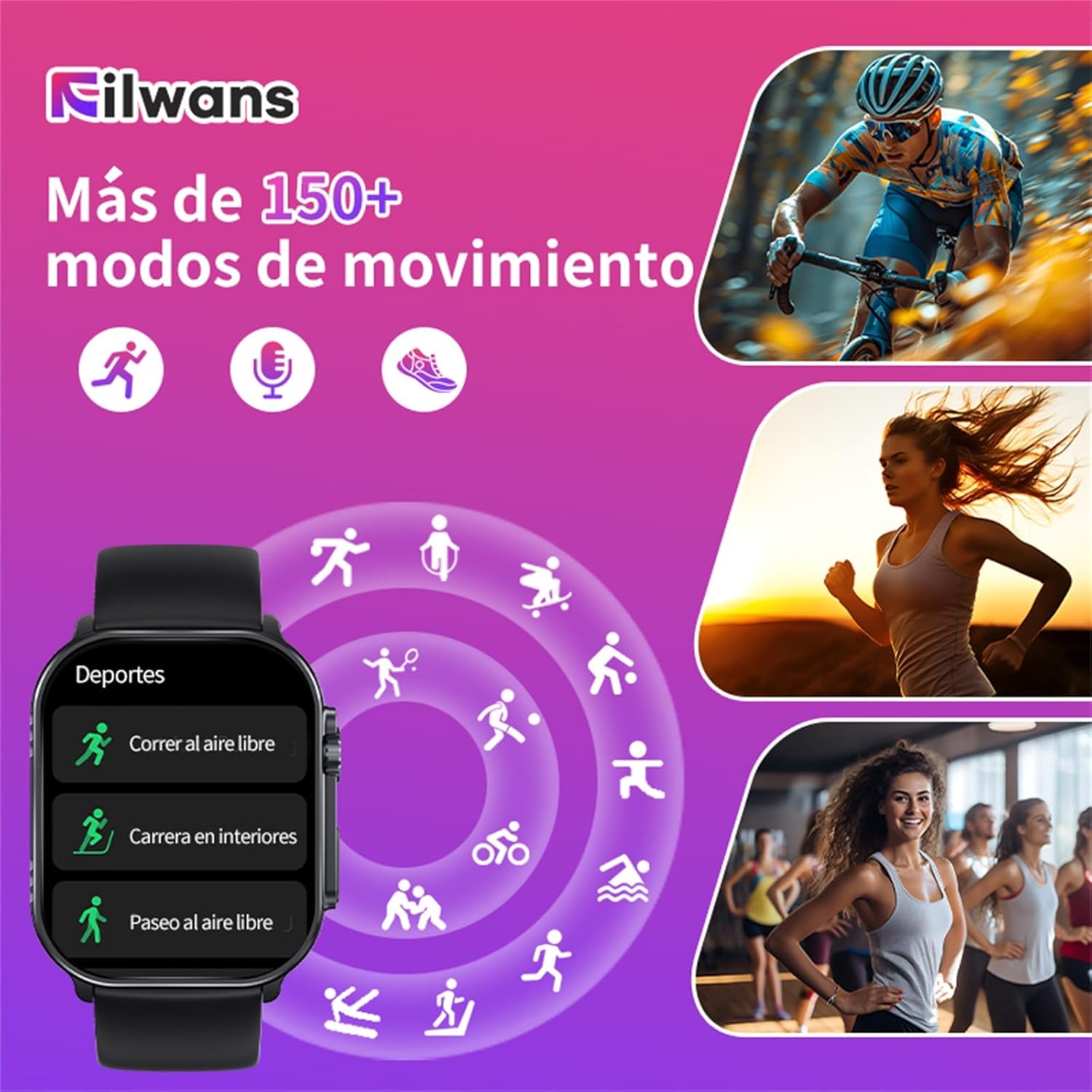
Image: The Filwans GTS Smartwatch showing a selection of its over 150 movement modes, including outdoor running, indoor running, and outdoor walking, with icons representing various sports activities.
Rele Bluetooth
With Bluetooth 5.2 connectivity, you can make and receive calls directly from your smartwatch when it's connected to your smartphone. The watch also displays notifications from various messaging and social media applications.

Image: A user interacting with the Filwans GTS Smartwatch to make a Bluetooth call, showing the dial pad and contact list on the watch screen.
Karakteristik adisyonèl
- Toujou Sou Ekspozisyon (AOD): Keep essential information visible without raising your wrist.
- Bouton SOS: Pou sitiyasyon ijans.
- Kontwòl Kamera Remote: Take photos using your phone's camera remotely via the smartwatch.
- Kontwòl Lekti Mizik: Control music playing on your smartphone.
- Rapèl Mesaj: Receive notifications for calls, texts, and app alerts.
- Water/Medication Reminders: Set reminders for hydration and medication intake.

Imaj: Yon plis paseview of the Filwans GTS Smartwatch's key features, including its 2.01-inch AMOLED display, Always On Display (AOD), IP68 water resistance, 9-day battery life (30 days standby), and Bluetooth 5.2 connectivity.
Antretyen
Rezistans dlo (IP68)
The Filwans GTS Smartwatch is IP68 rated, meaning it is resistant to dust and can withstand immersion in water up to 1.5 meters for up to 30 minutes. It is suitable for daily use, such as washing hands or light rain. However, it is not recommended for swimming, diving, or high-pressure water activities.
Netwayaj
Pou netwaye mont entelijan ou a, siye l ak yon twal mou.amp twal. Evite itilize pwodui chimik ki agresif oswa materyèl abrazif. Asire w ke kontak chaj yo pwòp epi sèk anvan ou chaje yo.
Depanaj
- Mont entelijan an pa limen: Asire w aparèy la byen chaje. Konekte l nan plato a pou omwen 30 minit.
- Pa ka konekte ak telefòn entelijan an:
- Ensure Bluetooth is enabled on your phone and the smartwatch is discoverable.
- Rekòmanse telefòn ou ak mont entelijan an.
- Asire w ke mont entelijan an nan zòn Bluetooth telefòn ou an.
- Tcheke si aplikasyon konpayon an mete ajou nan dènye vèsyon an.
- Done sou sante ki pa egzak: Ensure the smartwatch is worn snugly on your wrist, not too tight or too loose. Avoid excessive movement during measurements.
- Kout lavi batri:
- Frequent use of features like Bluetooth calls and high screen brightness can reduce battery life.
- Disable Always On Display if not needed.
- Diminye klète ekran an ak tan ekran an rete limen.
- Limit background app refresh for notifications.
- Slow screen wake-up: Some users may experience a slight delay. Ensure the latest firmware is installed via the companion app.
- App is confusing/few watch faces: Ensure the app is updated. Explore all sections of the app for watch face options. If issues persist, contact customer support.
Espesifikasyon
| Mak | Filwans |
| Non modèl | GTS |
| Gwosè ekran | 2.01 pous |
| Kalite ekspozisyon | AMOLED |
| Klète | 1000 nits |
| Rafrechisman pousantaj | 60 Hz |
| Koneksyon | Bluetooth 5.2 |
| Rezistans dlo | IP68 |
| Dire batri (tipik) | Jiska 9 jou |
| Lavi batri (standby) | Jiska 30 jou |
| Konpozisyon batri | Lityòm Ion |
| Aparèy konpatib | Smartphones, Tablets (Android & iOS) |
| Karakteristik espesyal | Always On Display, SOS Button, Calendar, Camera Remote Control, Health Monitoring (Heart Rate, SpO2, Sleep, etc.) |
| Dimansyon | 15.8 x 10.1 x 3.2 cm; 130 g (Package) |
| GPS | Non |
Garanti ak sipò
For warranty information, please refer to the documentation included with your purchase or contact Filwans customer support directly. If you encounter any issues not covered in this manual, please visit the official Filwans websit oswa kontakte sèvis kliyan yo pou asistans.
Pwodwi pou Telefòn enkli:
- Filwans GTS Smartwatch x1
- Chaje kab x1
- Braided Strap x1 (in addition to the pre-installed strap)
- Manyèl Enstriksyon x1