
Entwodiksyon
Thank you for choosing the VECHTEL 2 Din Car Stereo. This device features a 7-inch touchscreen with wireless CarPlay and Android Auto, Bluetooth 5.1, FM radio, Mirror Link functionality, and support for a rear view camera. This manual provides essential information for installation, operation, maintenance, and troubleshooting to ensure optimal performance and user safety.
Enfòmasyon sou Sekirite
- Li tout enstriksyon yo ak anpil atansyon anvan enstalasyon ak itilize.
- Professional installation is recommended to prevent damage to the unit or vehicle.
- Pa sèvi ak aparèy la yon fason ki distrè w pandan w ap kondui. Toujou bay sekirite wout priyorite.
- Asire w tout fil elektrik yo byen konekte pou evite kous kout oswa danje elektrik.
- Kenbe aparèy la lwen dlo ak imidite twòp.
- Pa eseye demonte oswa modifye aparèy la. Sa ap anile garanti a.
Kontni pake
Verifye ke tout atik yo prezan nan pakè a:
- 1 x VECHTEL 2 Din Car Stereo
- 1 x dèyè View Kamera
- 1 x pouvwa kab
- 1 x kab Oratè
- 1 x kontwòl remote
- 1 x mikwofòn ekstèn
- 1 x manyèl itilizatè

Image: VECHTEL 2 Din Car Stereo with included accessories.
Pwodwi souview
The VECHTEL car stereo features a 7-inch HD touchscreen for intuitive control and a clear display. Physical buttons and a rotary volume knob provide convenient access to essential functions while driving.

Image: 7-inch HD Touch Screen display comparison.

Image: Car stereo interface and port overview.
Enstalasyon
Enstalasyon
This unit is a standard 2 DIN size. Ensure your vehicle's dashboard opening is compatible. It is highly recommended to have the unit installed by a qualified professional to ensure correct wiring and secure mounting.
Koneksyon fil elektrik
Connect the power cable, speaker cables, external microphone, and rear view camera according to the provided wiring diagram in the included user manual. Pay close attention to positive and negative terminals to avoid damage.
- Pouvwa: Connect to the vehicle's power supply (ACC, B+, Ground).
- Oratè: Connect to your vehicle's speakers (Front Left, Front Right, Rear Left, Rear Right).
- Kamera dèyè: Connect the video input (CVBS) and power for the camera. The unit will automatically display the camera feed when reversing.
- Mikwofòn ekstèn: Plug into the designated microphone input for improved call clarity.
- USB/AUX: Connect USB devices for media playback or charging, and AUX for external audio sources.
Enstriksyon Operasyon
CarPlay san fil ak Android Auto
Connect your smartphone wirelessly via Bluetooth to access CarPlay or Android Auto. This allows safe use of navigation, music, and messaging apps through the car stereo's display. Voice control via Siri or Google Assistant is supported for hands-free operation.
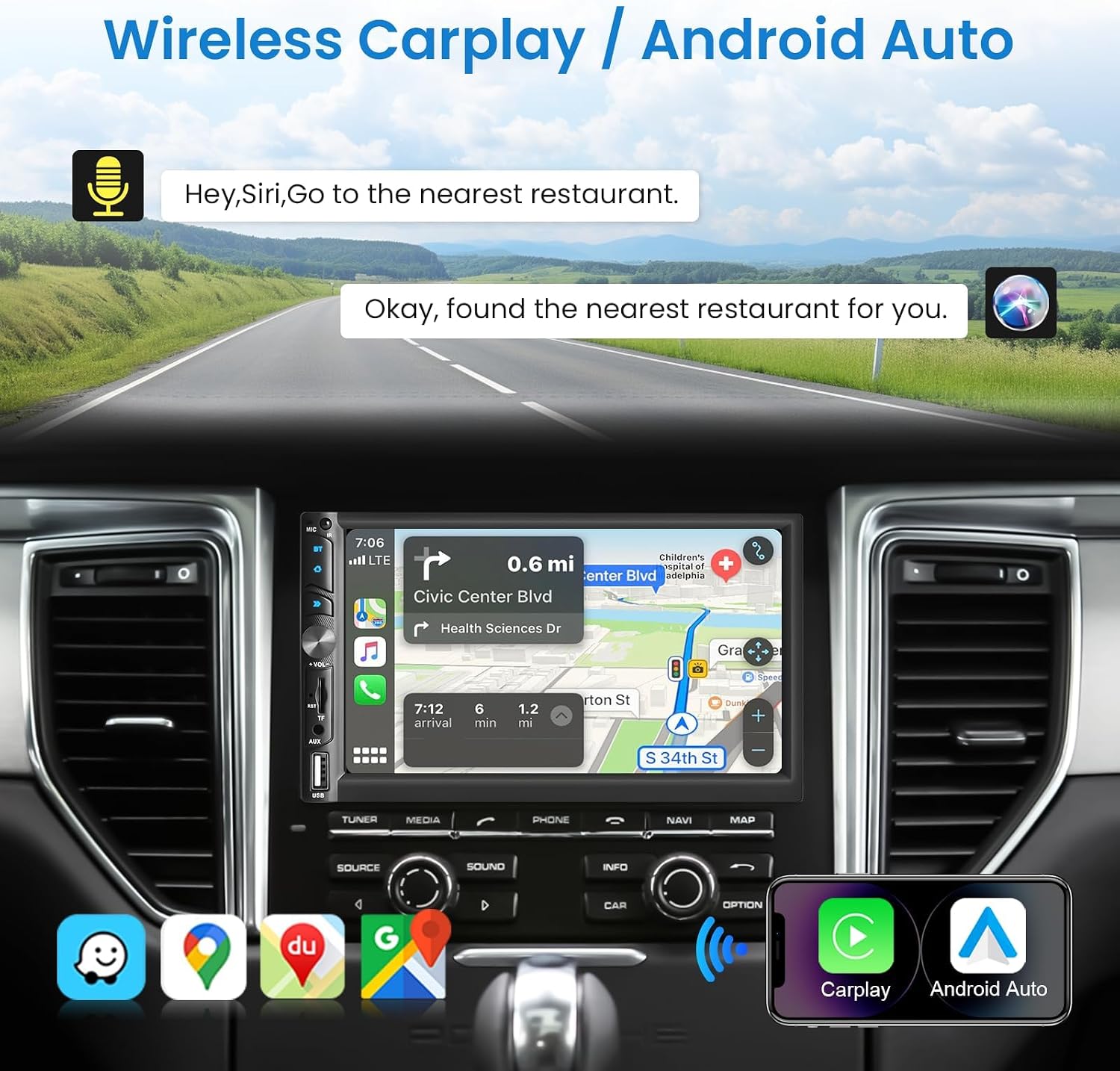
Image: Wireless CarPlay / Android Auto in use.
Bluetooth 5.1 Koneksyon
The unit features Bluetooth 5.1 for stable and fast wireless connections. Pair your phone to make hands-free calls and stream audio. The dual microphone system (built-in and external) ensures clear communication.

Image: Upgraded Bluetooth 5.1 features.
Fonksyon Lyen Mirror
Connect your iOS or Android smartphone via USB to use the Mirror Link function. This allows you to display your phone's screen content, such as navigation apps, Spotify, or YouTube, directly on the car stereo's display.

Image: iOS / Android Mirror Link in action.
Radyo FM
Tune into your favorite FM radio stations. The unit supports 18 preset stations for quick access.
Dèyè View Kamera
When the vehicle is shifted into reverse, the car stereo automatically displays the feed from the included 12-LED night vision rear camera. This feature provides a wide-angle view to assist with parking and maneuvering.

Imaj: Dèyè View Camera display and features.
Anviwònman son
Adjust the audio output to your preference using the built-in 10-band equalizer. The unit also supports woofer output for enhanced bass performance.

Image: Excellent Sound Quality settings and connections.
USB/TF/AUX Playback
Insert a USB drive or TF card into the respective ports for media playback. Connect external audio devices via the AUX input.
Antretyen
- Netwayaj: Sèvi ak yon twal mou epi sèk pou netwaye ekran an ak aparèy la. Evite pwodui netwayaj abrazif oswa solvan.
- Mizajou lojisyèl: Check the VECHTEL website or contact support for any available software updates to ensure optimal performance and new features.
- Kondisyon anviwònman: Evite ekspoze aparèy la nan tanperati ekstrèm oswa anba limyè solèy dirèk pou yon peryòd tan pwolonje.
Depanaj
| Pwoblèm | Kòz posib | Solisyon |
|---|---|---|
| Pa gen pouvwa | Fil elektrik ki pa kòrèk; Fuzib ki boule; Pwoblèm batri machin nan. | Check power connections (ACC, B+, Ground). Inspect vehicle fuses. Consult a professional if necessary. |
| Pa gen son | Incorrect speaker wiring; Volume too low; Mute function active; Audio source issue. | Verify speaker connections. Increase volume. Disable mute. Check selected audio source. |
| Bluetooth koneksyon enstab | Interference; Device too far; Phone Bluetooth issue. | Ensure phone is close to the unit. Restart phone and car stereo. Re-pair the device. |
| Kamera dèyè a pa ap montre | Incorrect camera wiring; Camera power issue; Reverse trigger not connected. | Check camera video input and power connections. Ensure the reverse trigger wire is correctly connected to the vehicle's reverse light circuit. |
| Touchscreen pa reponn | System freeze; Dirt on screen. | Restart the unit. Clean the screen with a soft cloth. |
Espesifikasyon
| Karakteristik | Detay |
|---|---|
| Nimewo Modèl | 113266 |
| Gwosè ekran | 7.0 pous |
| Rezolisyon ekran | 1024 * 600 |
| Voltage | 12V |
| Bluetooth vèsyon | 5.1 |
| Sortie pouvwa | 4*45W (180 Watts total) |
| Entèfas USB | USB2.0 |
| Antre ranvèse | CVBS |
| FM Radio Range | 87.5-108.0MHZ |
| DVR Support | Wi |
| Woofer Output | Wi |
| Fòma odyo | MP3 / WMA / WAV / APE / FLAC |
| Fòma videyo | MKV/AVI/TS/TP/MP4/M4V (Max bitrate 50-80Mbps) |
| Dimansyon (D x W x H) | 9.2 x 17.8 x 9.8 cm |
Enfòmasyon sou Garanti
This VECHTEL car stereo is covered by a garanti twa zan apati dat acha a. Garanti sa a kouvri domaj fabrikasyon ak fonksyònman ki pa kòrèk nan itilizasyon nòmal. Tanpri konsève prèv acha ou pou reklamasyon garanti. Garanti a pa kouvri domaj ki koze pa move enstalasyon, move itilizasyon, aksidan oswa modifikasyon san otorizasyon.
Sipò
VECHTEL specializes in automotive electronics and provides dedicated customer support. If you encounter any issues with compatibility, installation, or operation, please do not hesitate to contact us. Our professional team is available to provide assistance.
For technical support, please follow these steps:
- Etap 1: Locate your order on the platform where you purchased the product.
- Etap 2: Click on the seller's name (VECHTEL) and select the option to 'Ask a question' or 'Contact seller'.
We offer 24/7 technical support to ensure your satisfaction.