
1. Proizvod je gotovview
The HP Laptop 15-fd2353la is a versatile and efficient computing device designed for everyday tasks, entertainment, and productivity. It features an Intel Core Ultra 5 processor, a vibrant 15.6-inch Full HD display, ample memory, and fast solid-state storage. This manual will guide you through the setup, operation, and maintenance of your new laptop.

Ispred view of the HP Laptop 15-fd2353la, highlighting its Intel Core Ultra 5 processor, 24 GB RAM, 512 GB SSD, and 15.6-inch Full HD display.
2. Postavljanje
2.1 Raspakiranje
Pažljivo izvadite prijenosno računalo i svu dodatnu opremu iz pakiranja. Provjerite jesu li prisutni sljedeći predmeti:
- HP Laptop 15-fd2353la
- Strujni adapter i kabel
- Dokumentacija (Kratki vodič, Informacije o jamstvu)
2.2 Spajanje adaptera za napajanje
Before first use, connect the power adapter to the laptop's power port and then plug it into a wall outlet. Allow the battery to charge for a few hours, or until fully charged, before initial use.
2.3 Početno uključivanje i postavljanje sustava Windows
Press the power button located on the keyboard to turn on the laptop. Follow the on-screen instructions to complete the Windows 11 Home setup process. This includes selecting your language, connecting to a Wi-Fi network, and creating a user account.
3. Upute za rad
3.1 Uključivanje/isključivanje i način rada za spavanje
- Uključivanje: Pritisnite gumb za napajanje.
- Zatvoriti: Kliknite gumb Start, zatim Napajanje > Isključi.
- Stanje mirovanja: Zatvorite poklopac ili kliknite gumb Start, zatim Napajanje > Stanje mirovanja.
3.2 Korištenje tipkovnice i dodirne podloge
The laptop features a full-size Spanish QWERTY keyboard and a precision touchpad. Use the touchpad for navigation, clicking, and multi-touch gestures. Refer to Windows settings for touchpad customization.
3.3 Povezivanje na Wi-Fi
Za povezivanje s bežičnom mrežom:
- Kliknite ikonu Wi-Fi u programskoj traci.
- Odaberite željenu mrežu s popisa.
- Unesite mrežnu lozinku ako se to od vas zatraži, a zatim kliknite Poveži se.
4. Ključne značajke
The HP Laptop 15-fd2353la offers a range of features designed to enhance your computing experience:
- Procesor: Intel Core Ultra 5 225U (up to 4.8 GHz with Intel Turbo Boost Technology, 12 MB L3 Cache, 12 cores, 14 threads) for efficient multitasking.
- Skladištenje: 512 GB PCIe NVMe M.2 Solid State Drive for fast boot times and application loading.
- Memorija: 24 GB DDR5-5600 MT/s RAM for smooth performance across demanding applications.
- Prikaz: 15.6-inch Full HD (1920 x 1080) IPS anti-glare display with 250 nits brightness and 62.5% sRGB for clear visuals.
- Operativni sustav: Unaprijed instaliran Windows 11 Home.
- Trajanje baterije: Up to 9 hours and 45 minutes of AI-optimized battery life, with HP Fast Charge capable of recharging 50% in approximately 30 minutes.
- Webcam and Audio: Integriran webcam with a privacy shutter and a clear microphone featuring external noise reduction for improved video calls.
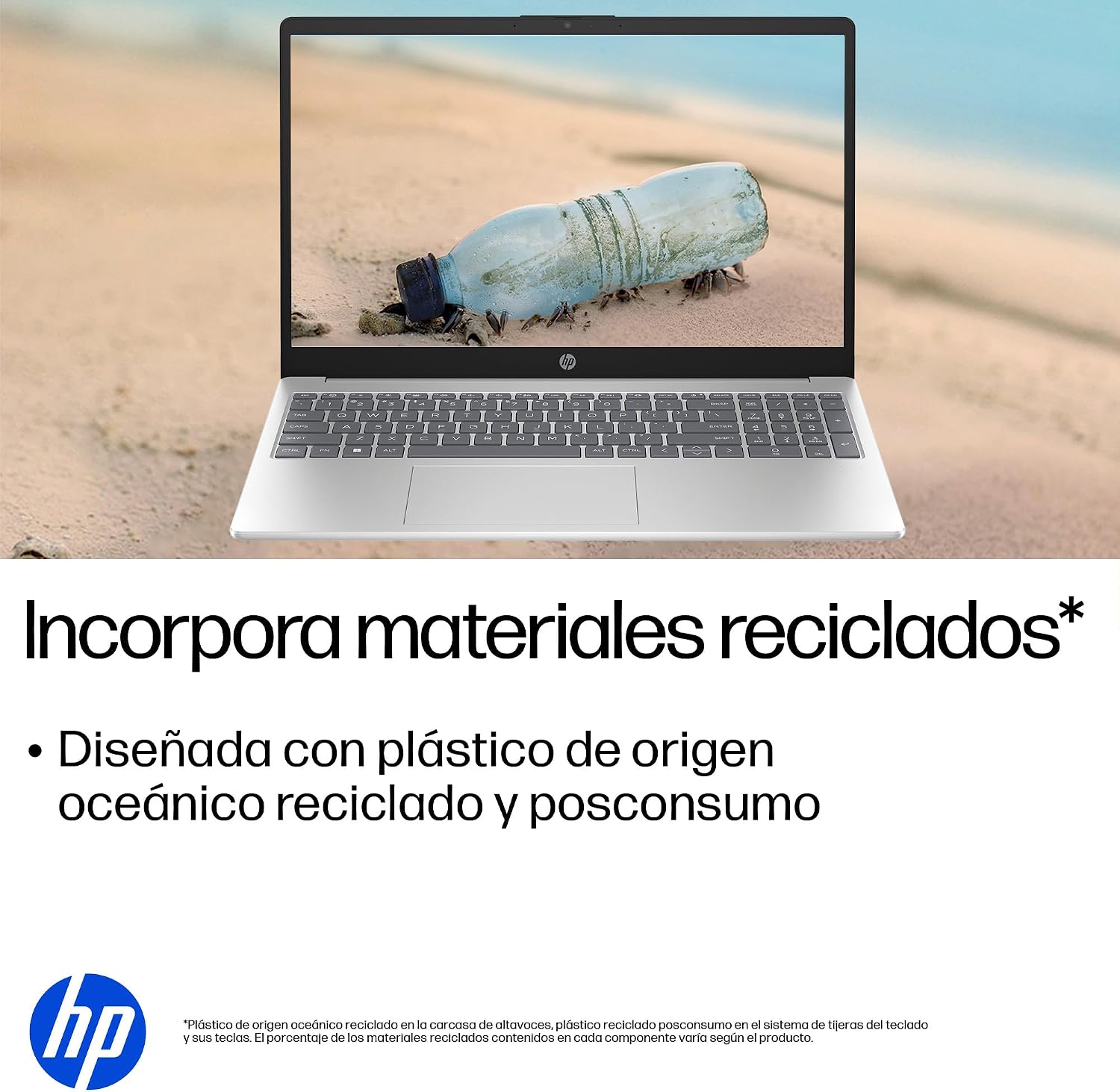
- Održivi dizajn: Constructed with ocean-bound and post-consumer recycled plastics in various components.

The laptop features an integrated webcam shutter for privacy and a clear microphone with external noise reduction.

Experience an immersive visual display with an 85% screen-to-body ratio and an anti-glare Full HD screen.

Enjoy extended use with up to 9 hours and 45 minutes of AI-optimized battery life, and quickly recharge 50% in 30 minutes with HP Fast Charge.

This laptop incorporates recycled materials, including ocean-bound and post-consumer plastics, in its design.
5. Priključci i povezivost
Your HP Laptop 15-fd2353la is equipped with various ports for connecting peripherals and external devices:

Diagram illustrating the location and type of ports on the HP Laptop 15-fd2353la.
- Lijeva strana:
- 1 x USB Type-A 5 Gbps signaling rate port
- 1 x HDMI priključak
- 1 x USB Type-C 5 Gbps signaling rate port
- 1 x Headphone/Microphone combo jack
- Desna strana:
- 1 x USB Type-A 5 Gbps signaling rate port
- 1 x Power connector
6. Specifikacije
| Značajka | Specifikacija |
|---|---|
| Marka | HP |
| Naziv modela | 15-fd2353la |
| Veličina zaslona | 15.6 inča |
| Maksimalna razlučivost zaslona | 1920 x 1080 piksela (FHD) |
| Vrsta zaslona | IPS, Anti-glare LCD |
| Boja | Srebro |
| Model procesora | Intel Core Ultra 5 225U |
| Brzina procesora | Do 4.8 GHz |
| Veličina RAM-a | 24 GB |
| RAM tehnologija | DDR5-5600 MT/s |
| Veličina tvrdog diska | 512 GB SSD (PCIe NVMe M.2) |
| Operativni sustav | Windows 11 Home |
| Grafički koprocesor | Intel integrirana grafika |
| USB priključci | 3 (2x USB Tip-A, 1x USB Tip-C) |
| HDMI priključci | 1 |
| Vrsta baterije | Litij ion |
| Sadržaj energije baterije | 41 vat-sati |
| Raspored tipkovnice | QWERTY (Spanish) |
| Težina | 1.65 kilogram |
| Dimenzije (D x Š x V) | 23.6 x 36 x 1.9 cm |
Visual representation of the laptop's dimensions and weight.
7. Održavanje
7.1 Čišćenje prijenosnog računala
- Koristite mekanu krpu koja ne ostavlja dlačice dampvodom ili sredstvom za čišćenje zaslona kako biste očistili zaslon.
- Za tipkovnicu i kućište koristite meku krpu. Izbjegavajte jake kemikalije ili abrazivne materijale.
- Use compressed air to clear dust from keyboard keys and vents.
7.2 Njega baterija
- Izbjegavajte ekstremne temperature.
- Nemojte često potpuno prazniti bateriju.
- Ako laptop skladištite dulje vrijeme, provjerite je li baterija napunjena na oko 50%.
7.3 Ažuriranja softvera
Redovito ažurirajte operativni sustav Windows i upravljačke programe kako biste osigurali optimalne performanse i sigurnost. Windows Updateu možete pristupiti putem Postavke > Windows Update.
7.4 Upravljanje pohranom
Povremeno review i izbrišite nepotrebne files to maintain sufficient free space on your 512 GB SSD, which helps in sustaining system performance.
8. Rješavanje problema
8.1 Problemi s napajanjem
- Laptop se ne uključuje: Provjerite je li adapter za napajanje sigurno spojen i na prijenosno računalo i na ispravnu utičnicu. Provjerite je li utičnica ispravna.
- Baterija se ne puni: Provjerite je li adapter za napajanje ispravno spojen. Pokušajte s drugom utičnicom.
8.2 Problemi s prikazom
- Nema slike na ekranu: Connect an external monitor to the HDMI port to check if the issue is with the laptop's display or the graphics card.
- Tamni ili treperavi zaslon: Adjust screen brightness using the keyboard function keys. Update display drivers.
8.3 Problemi s povezivanjem
- Wi-Fi se ne povezuje: Provjerite je li Wi-Fi omogućen. Ponovno pokrenite usmjerivač i modem. Provjerite mrežne postavke u sustavu Windows.
- USB uređaji nisu prepoznati: Pokušajte spojiti uređaj na drugi USB priključak. Provjerite jesu li instalirani upravljački programi uređaja.
8.4 Problemi s performansama
- Spore performanse: Close unnecessary applications. Check for background processes consuming high resources (Task Manager). Ensure sufficient free storage space.
- Sustav se zamrzava: Restart the laptop. Check for recent software installations or updates that might be causing conflicts.
9. Jamstvo i podrška
9.1 Informacije o jamstvu
Your HP Laptop 15-fd2353la comes with a 1-godišnje ograničeno jamstvoOvo jamstvo pokriva nedostatke u proizvodnji i kvarove hardvera u normalnim uvjetima upotrebe. Za potpune uvjete i odredbe pogledajte dokumentaciju o jamstvu koja je priložena uz vaš proizvod.
9.2 Tehnička podrška
For technical assistance, warranty claims, or service inquiries, please visit the official HP support website or contact HP customer service. Have your product model number (15-fd2353la) and serial number ready when contacting support.
You can find more information and support resources at the official HP webstranica: www.hp.com/support