
Uvod
The CIAO TECH WiFi Extender is designed to enhance your wireless network coverage, eliminating dead zones and providing a strong, consistent signal throughout your home or office. With speeds up to 300Mbps and robust security features, it ensures a seamless online experience for multiple devices.

Ispred view of the CIAO TECH WiFi Extender, showing the WPS button and indicator lights.
Sadržaj paketa
- 1 x CIAO TECH WiFi Extender
- 1 x Ethernet kabel
- 1 x Korisnički priručnik (ovaj dokument)
Vodič za postavljanje
Metoda 1: Brzo postavljanje putem gumba WPS
- Priključak: Plug the WiFi Extender into an electrical outlet near your main router. Wait for the Power indicator light to turn solid.
- Aktivirajte WPS na ruteru: Press the WPS button on your main wireless router. Refer to your router's manual for the exact location and procedure.
- Aktivirajte WPS na ekstenderu: Within 2 minutes of pressing WPS on your router, press the WPS button on the front of the CIAO TECH WiFi Extender.
- Čekanje veze: The Extender's signal indicator lights will flash and then turn solid when a connection is established. This may take a few moments.
- Premještanje (nije obavezno): Once connected, you can unplug the extender and move it to a location halfway between your router and the Wi-Fi dead zone. Ensure the signal indicator lights remain solid, indicating a good connection.
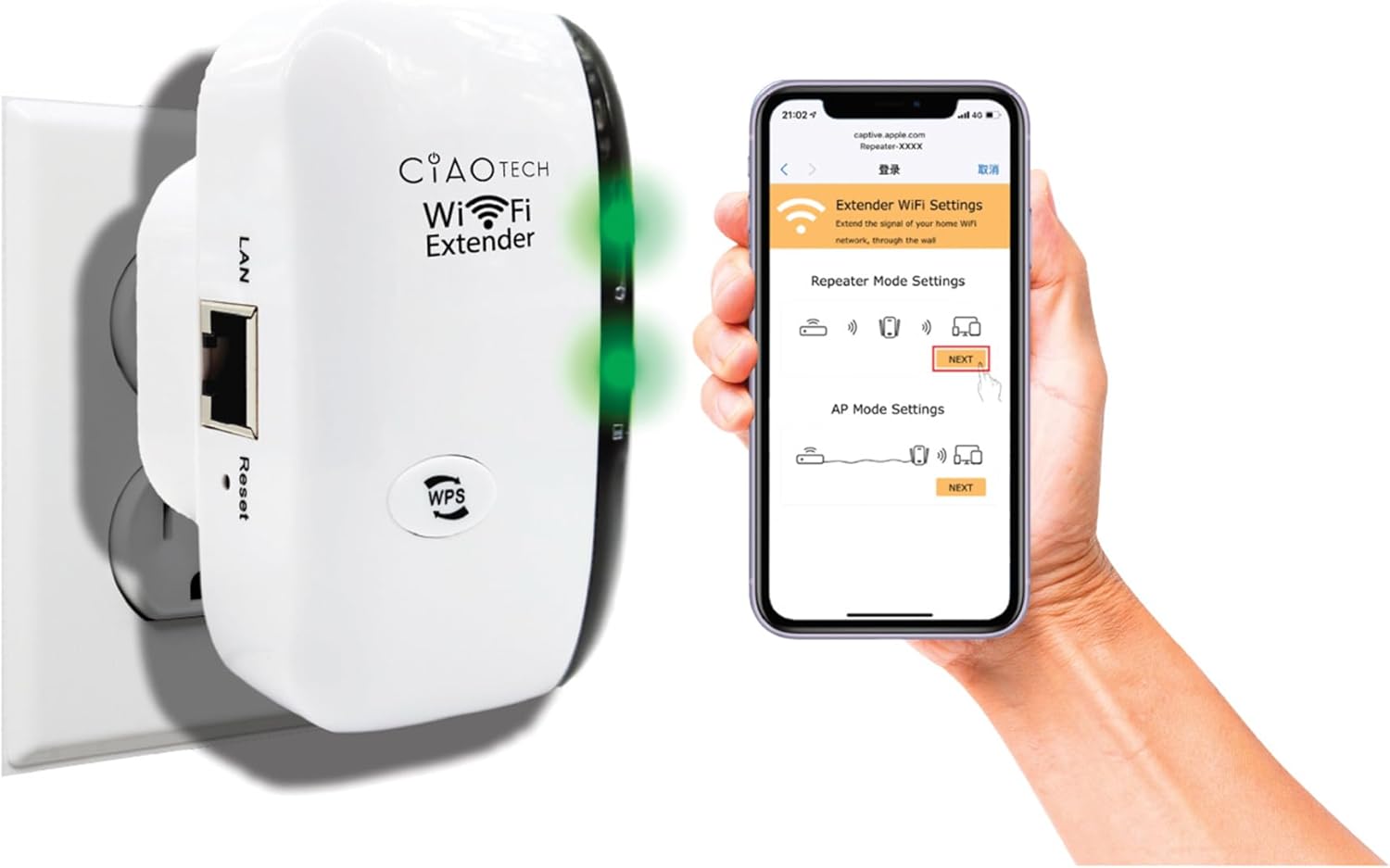
The WiFi Extender plugged into a wall outlet, with a smartphone displaying the extender's setup interface.
Method 2: Setup via Web preglednik
- Priključak: Plug the WiFi Extender into an electrical outlet near your main router. Wait for the Power indicator light to turn solid.
- Povežite se s Wi-Fi mrežom Extendera: On your computer or mobile device, connect to the Wi-Fi network named "WiFi Repeater-XXXXXX" (where XXXXXX are the last 6 digits of the extender's MAC address, found on the label). There is no password initially.
- Stranica za postavljanje pristupa: Otvori a web browser (e.g., Chrome, Firefox, Safari) and enter 192.168.11.1 u adresnoj traci.
- Prijavi se: If prompted, the default username and password are "admin" (or refer to the label on the device).
- Odaberite način rada: Choose your desired operating mode (Repeater Mode or AP Mode).
- Konfigurirajte postavke:
- Način ponavljanja: Select your existing Wi-Fi network from the list, enter its password, and optionally change the extender's SSID.
- AP način: Connect an Ethernet cable from your router to the extender's LAN port. The extender will create a new Wi-Fi network. Configure the new SSID and password.
- Primijeni postavke: Spremite postavke i pričekajte da se proširivač ponovno pokrene.
- Connect to Extended Network: On your devices, connect to the newly configured extended Wi-Fi network.

Stražnji view of the WiFi Extender, displaying the LAN port and the label with default settings and IP address.
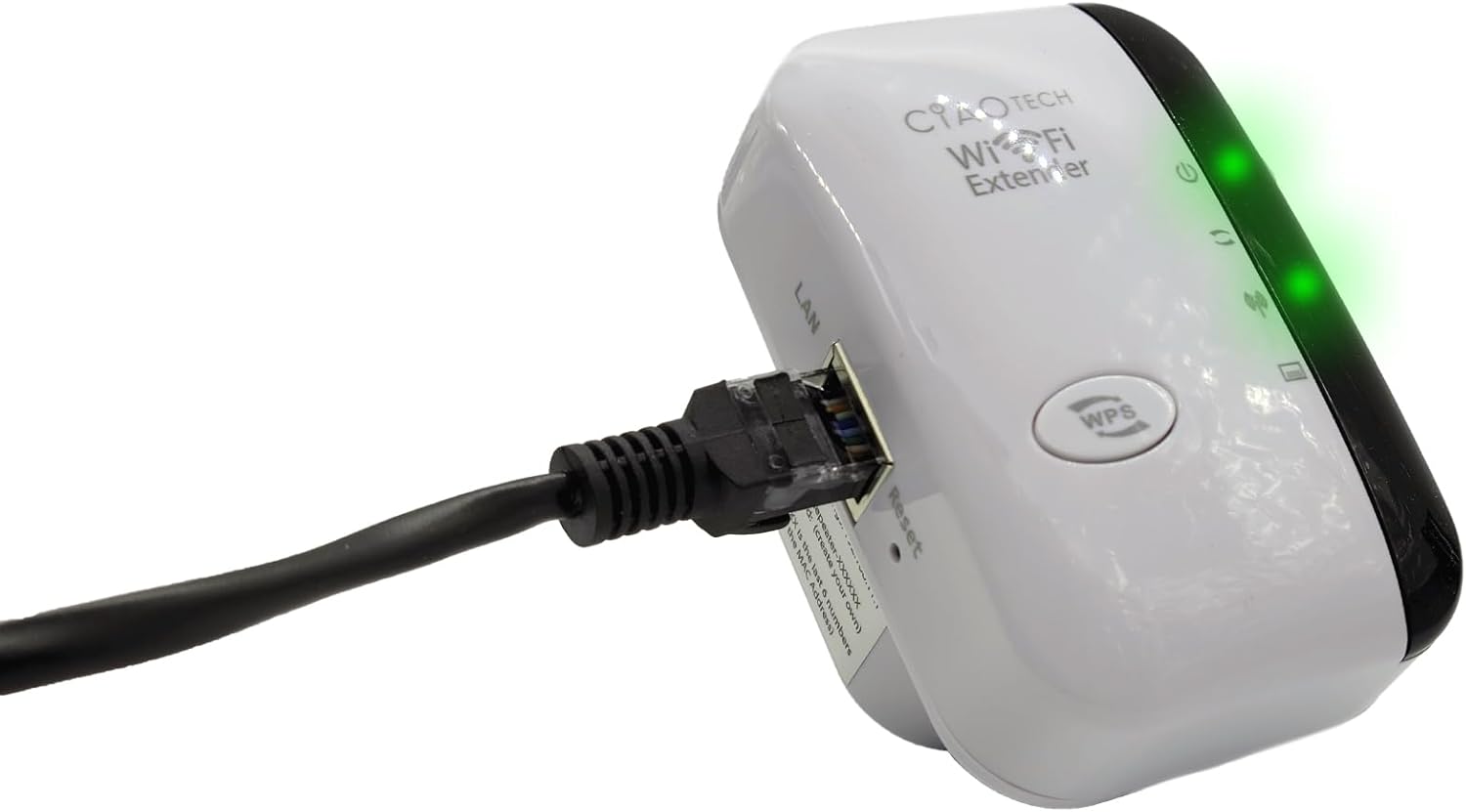
The WiFi Extender with an Ethernet cable connected to its LAN port, indicating a wired connection option.
Načini rada
Način repetitora
In Repeater Mode, the extender wirelessly connects to your existing Wi-Fi network and re-broadcasts it, extending the coverage area. This mode is ideal for eliminating Wi-Fi dead zones and improving signal strength in areas with weak coverage.
Način AP (pristupna točka)
In AP Mode, the extender connects to your router via an Ethernet cable and creates a new wireless network. This mode is suitable for converting a wired network connection into a wireless one, or for creating a separate Wi-Fi network.
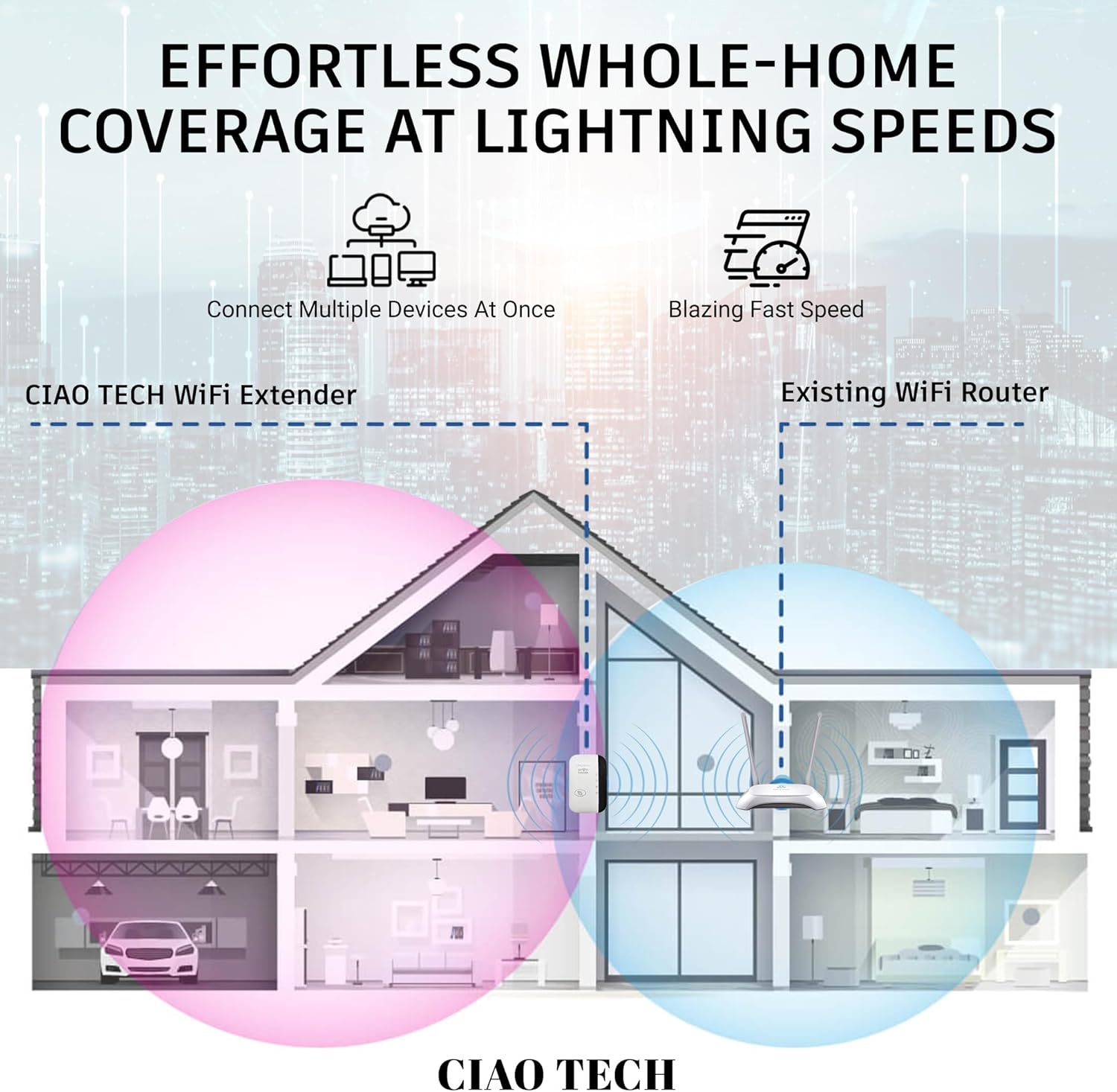
A diagram illustrating how the WiFi Extender provides expanded coverage throughout a home, connecting multiple devices.
Održavanje
- Optimalan položaj: Place the extender in a location that is roughly halfway between your main router and the area where you need improved Wi-Fi. Avoid placing it near large metal objects, concrete walls, or other electronic devices that may cause interference.
- Držati čistim: Povremeno obrišite uređaj mekom, suhom krpom kako biste uklonili prašinu. Nemojte koristiti tekuća sredstva za čišćenje ili aerosole.
- Ažuriranja firmvera: Provjerite proizvođača webpovremeno posjećujte stranicu za ažuriranja firmvera. Ažuriranje firmvera može poboljšati performanse i sigurnost.
- Ciklus snage: If you experience persistent issues, try power cycling the extender by unplugging it from the outlet for 10 seconds and then plugging it back in.
Rješavanje problema
- Nema pristupa internetu nakon postavljanja:
- Provjerite je li proširivač signala unutar dometa vašeg glavnog usmjerivača.
- Verify that the password entered for your main Wi-Fi network during setup was correct.
- Pokušajte ponovno pokrenuti i glavni ruter i proširivač signala.
- If using Repeater Mode, ensure your main router has internet access.
- Weak Signal from Extender:
- Premjestite produživač signala bliže glavnom ruteru.
- Avoid physical obstructions like thick walls or large appliances.
- Provjerite ima li izvora smetnji (npr. mikrovalne pećnice, bežični telefoni).
- Ne mogu pristupiti Web Stranica za upravljanje (192.168.11.1):
- Ensure your device is connected to the extender's Wi-Fi network (e.g., "WiFi Repeater-XXXXXX").
- Izbrišite predmemoriju i kolačiće preglednika ili pokušajte s drugim preglednikom.
- Privremeno onemogućite bilo koji VPN ili softver za vatrozid na računalu.
- Reset the extender to factory defaults (use a paperclip to press the reset button for 5-10 seconds) and try setup again.
- Mala brzina:
- Ensure the extender is placed in an optimal location, not too far from the router and not too far from the devices.
- Check for network congestion or too many devices connected to the extended network.
- Verify your main internet speed.
Tehnički podaci
| Broj modela | OWEWM00-001 |
| Bežični standard | 802.11ac |
| Brzina prijenosa podataka | Do 300 Mbps |
| Sigurnosne značajke | 64/128/152-bit Encryption |
| luke | 1 x RJ45 Ethernet priključak |
| Dimenzije | 4.61 x 4.45 x 2.72 inča |
| Težina | 3.84 unci |
Jamstvo i podrška
For warranty information and technical support, please refer to the contact details provided with your purchase or visit the official CIAO TECH webmjesto. Čuvajte račun za jamstvene zahtjeve.