
Uvod
The Hyper Drive GEN2 12-in-1 USB-C Docking Station is designed to expand the connectivity of your USB-C enabled laptop or tablet. This docking station provides a comprehensive solution for connecting multiple peripherals, external displays, and power delivery through a single USB-C port. It supports high-speed data transfer, multiple 4K video outputs, and efficient power charging for enhanced productivity.
Značajke proizvoda
The Hyper Drive GEN2 12-in-1 USB-C Docking Station offers a wide array of ports and capabilities:
- Dual HDMI 4K60Hz HDR: Connect up to two external displays with stunning 4K resolution at 60Hz, supporting High Dynamic Range (HDR) for vibrant visuals.
- DisplayPort 4K60Hz: Connect an additional external display via DisplayPort, also supporting 4K resolution at 60Hz.
- USB-C Power Delivery (PD) 100W: Charge your host laptop or tablet with up to 100W of power through the dedicated USB-C PD port.
- 2x USB-A 10Gbps (USB 3.1 Gen 2): Experience ultra-fast data transfer speeds for compatible USB-A devices.
- 2x USB-A 2.0: Connect standard USB peripherals such as keyboards, mice, or printers.
- Gigabitni Ethernet: Enjoy stable and high-speed wired network connectivity.
- MicroSD UHS-II (300MB/s): Fast data transfer for MicroSD cards, ideal for photographers and videographers.
- SD UHS-II (300MB/s): Fast data transfer for standard SD cards.
- 3.5 mm audio utičnica: Spojite slušalice ili zvučnike za audio izlaz.

Slika 1: Prednja strana view of the Hyper Drive GEN2 12-in-1 USB-C Hub, highlighting MicroSD, SD, 3.5mm Audio, and two USB-A 10Gbps ports.
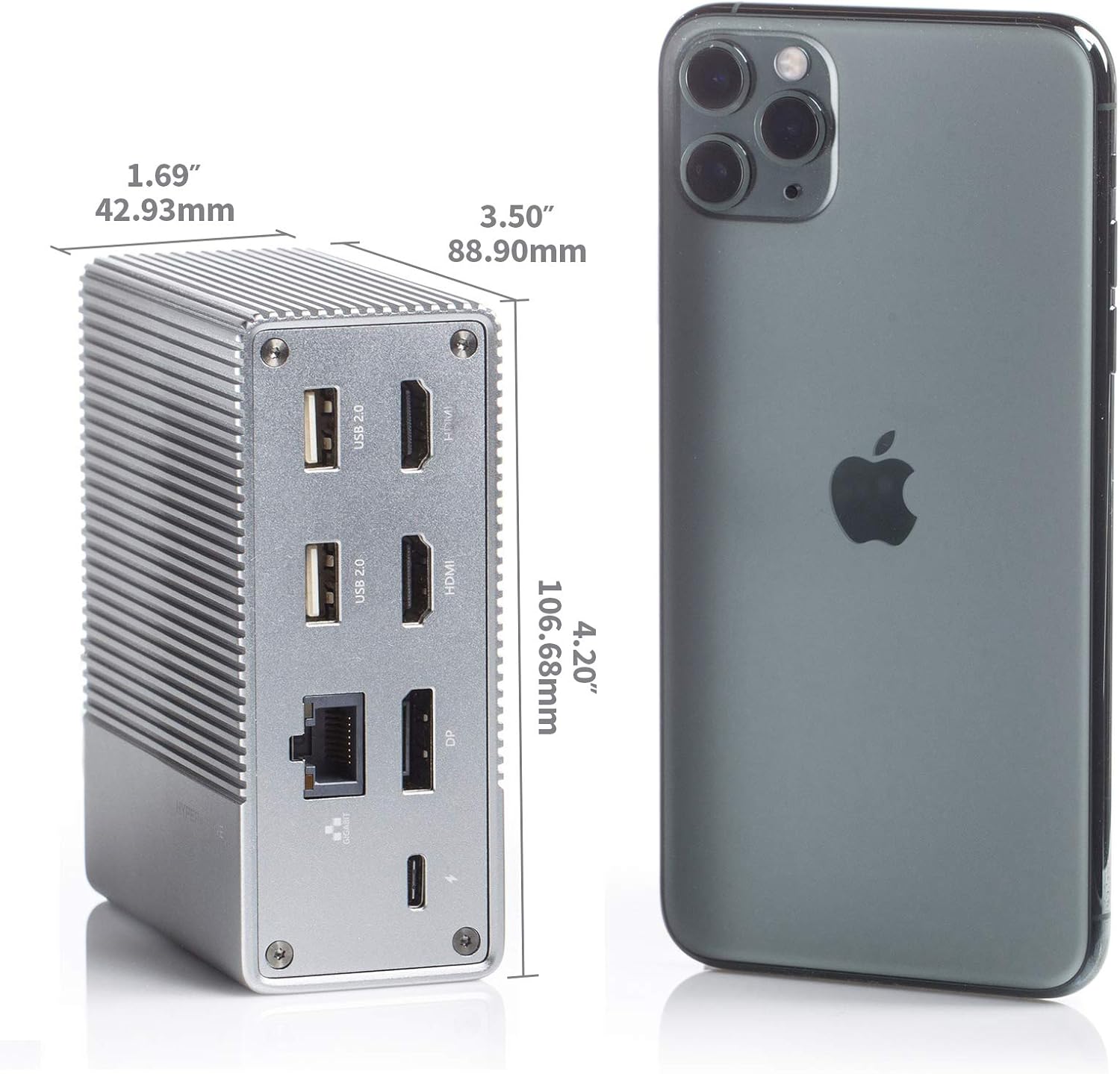
Slika 2: Stražnji dio view of the Hyper Drive GEN2 12-in-1 USB-C Hub, highlighting USB-C Power Delivery, Gigabit Ethernet, DisplayPort, two HDMI, and two USB-A 2.0 ports.
Vodič za postavljanje
- Povezivanje s glavnim uređajem: Plug the integrated USB-C cable from the docking station into an available USB-C port on your laptop or tablet. Ensure the USB-C port on your host device supports DisplayPort Alternate Mode (Alt Mode) and Power Delivery for full functionality.
- Priključak za napajanje (opcionalno, ali preporučeno): For optimal performance and to charge your host device, connect your laptop's USB-C power adapter to the USB-C PD port on the docking station. The docking station supports up to 100W power delivery.
- Spojite vanjske zaslone:
- Spojite HDMI monitore na HDMI priključke na priključnoj stanici.
- Connect your DisplayPort monitor to the DisplayPort on the docking station.
Bilješka: For macOS, only one extended display is supported with the same image on all external displays at 4K60Hz. Windows/Chrome OS supports Multi-Stream Transport (MST) for up to three extended displays.
- Povežite periferne uređaje: Plug your USB devices (keyboard, mouse, external drives), Ethernet cable, and audio devices into the corresponding ports on the docking station.
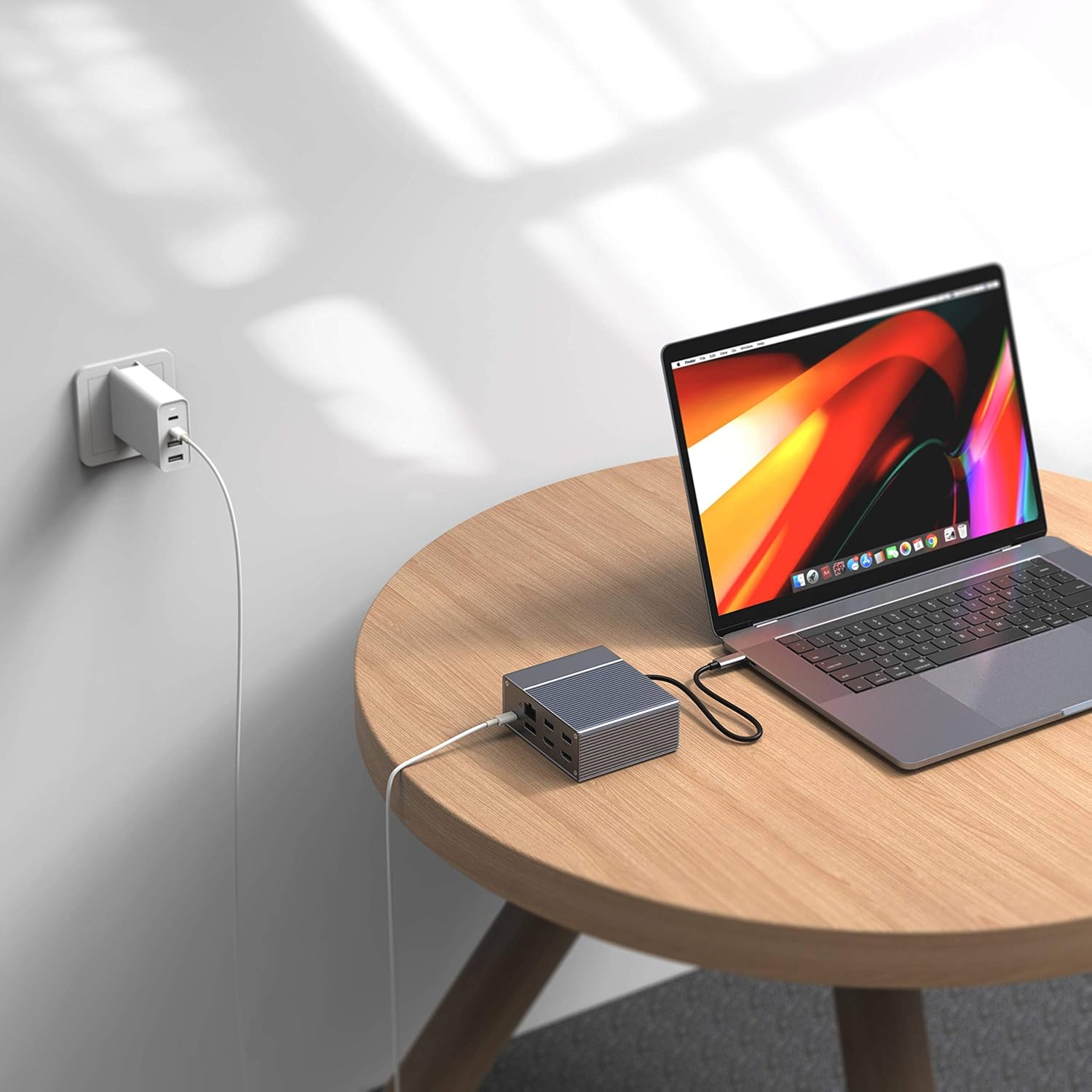
Figure 3: Laptop connected to the docking station and a power adapter for charging.
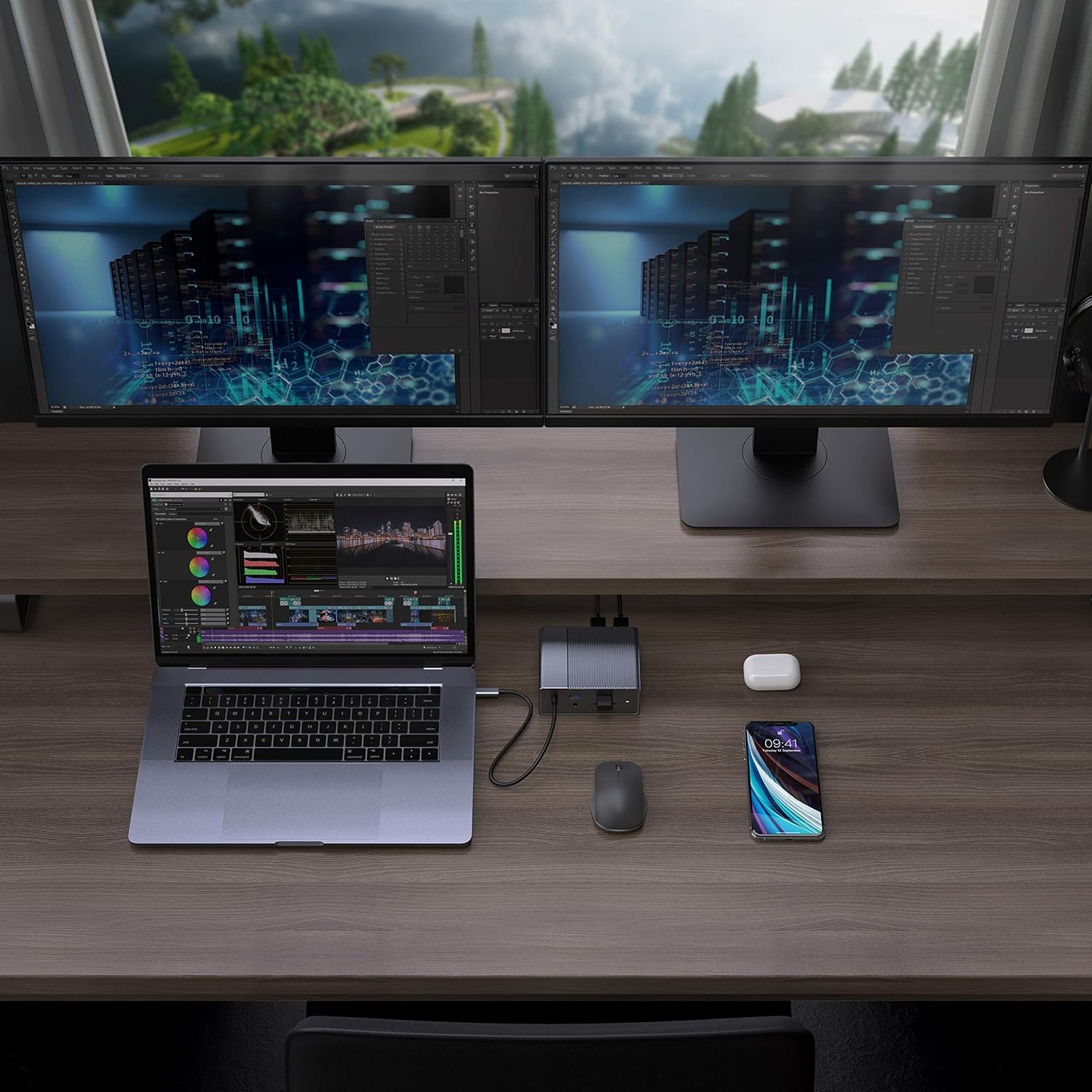
Figure 4: A typical setup showing a laptop connected to the docking station with multiple peripherals and external displays.
Upute za rad
Načini prikaza
Priključna stanica podržava različite konfiguracije zaslona ovisno o vašem operativnom sustavu:
- MacOS: Supports one extended display with the same image mirrored across all external displays at 4K60Hz. macOS does not support Multi-Stream Transport (MST) for independent extended displays.
- Windows/Chrome OS: Supports Multi-Stream Transport (MST), allowing for up to three extended displays with independent content at 4K60Hz.

Figure 5: Illustration of display modes for macOS (mirror mode) and Windows (mirror and extended modes) using the docking station.
Data Transfer and Power Delivery
- USB-A 10Gbps Ports: Use these ports for high-speed data transfer with compatible external hard drives, SSDs, or other USB 3.1 Gen 2 devices.
- USB-A 2.0 priključci: Ideal for connecting standard peripherals like keyboards, mice, or USB flash drives where high-speed data transfer is not critical.
- SD/MicroSD Card Slots: Insert your memory cards for quick access and transfer of photos and videos at up to 300MB/s (UHS-II speeds).
- USB-C PD priključak: Connect your laptop's power adapter to this port to charge your laptop while using the docking station. This port also supports data transfer.
Video 1: Službeni krajview of the HyperDrive GEN2 USB-C Hub, demonstrating its speed, power, and various port functionalities.
Održavanje
- Keep the docking station in a clean, dry environment.
- Izbjegavajte izlaganje uređaja ekstremnim temperaturama ili izravnoj sunčevoj svjetlosti.
- Vanjski dio čistite mekom, suhom krpom. Nemojte koristiti tekuća sredstva za čišćenje ili aerosole.
- Osigurajte odgovarajuću ventilaciju oko uređaja kako biste spriječili pregrijavanje.
Rješavanje problema
- No display output or flickering screen:
- Provjerite podržava li USB-C priključak vašeg glavnog uređaja DisplayPort Alt način rada.
- Check all cable connections (USB-C to host, HDMI/DP to monitors).
- Isprobajte drugi HDMI ili DisplayPort kabel.
- Verify your monitor input settings are correct.
- For macOS, remember that only one extended display is supported, with other external displays mirroring the extended one.
- USB uređaji nisu prepoznati:
- Reconnect the USB device to the docking station.
- Try a different USB port on the docking station.
- Ensure the docking station is properly connected to your host device.
- If using high-power USB devices, ensure the docking station is connected to a power source via its USB-C PD port.
- Laptop se ne puni:
- Ensure your laptop's original USB-C power adapter is connected to the USB-C PD port on the docking station.
- Provjerite podržava li vaše prijenosno računalo USB-C napajanje.
- Provjerite adapter za napajanje i kabel na oštećenja.
Tehnički podaci
| Značajka | Specifikacija |
|---|---|
| Model | GEN2 12-in-1 USB-C Hub |
| Marka | Hiper |
| HDMI priključci | 2x HDMI 4K60Hz HDR |
| DisplayPort | 1x DisplayPort 4K60Hz |
| USB-C PD priključak | 1x USB-C napajanje 100 W |
| USB-A podatkovni priključci | 2x USB-A 10Gbps (USB 3.1 Gen 2), 2x USB-A 2.0 |
| Ethernet | 1x Gigabit Ethernet |
| Čitači kartica | 1x MicroSD UHS-II (300MB/s), 1x SD UHS-II (300MB/s) |
| Audio utičnica | 1x 3.5 mm audio utičnica |
| Kompatibilan OS | macOS, Windows, Chrome OS |
| Težina artikla | 480.8 gram |
| UPC | 817110014519 |
Jamstvo i podrška
For warranty information and technical support, please refer to the official Hyper webweb-mjesto ili se obratite njihovoj korisničkoj službi. Sačuvajte račun za slučaj reklamacije.
Mrežna podrška: www.hyper.com/support