
Taw qhia
Thank you for choosing the GOTCOZY Heated Blanket Electric Throw. This manual provides essential information for the safe and efficient use of your new heated blanket. Please read all instructions carefully before first use and retain this manual for future reference.
This electric throw blanket (50''x60'') features a built-in controller for easy operation, offering 10 heating levels and 9 timer settings for personalized comfort. Its soft polyester material ensures a cozy experience, and it is designed for convenient machine washing.

Image: The GOTCOZY Heated Blanket draped over a bed, emphasizing its soft texture and comfort.

Image: The heated blanket shown in different usage scenarios, such as on a sofa, at a desk, and for relaxation.
Cov lus qhia txog kev nyab xeeb tseem ceeb
Yuav kom txo tau qhov kev pheej hmoo ntawm kev kub hnyiab, hluav taws xob poob siab, hluav taws, lossis kev raug mob, cov khoom no yuav tsum tau siv raws li cov lus qhia hauv qab no:
- Read all instructions before using this heated blanket.
- Do not use with an infant, child, incapacitated person, or any person insensitive to heat.
- Tsis txhob siv yog tias ntub.
- Do not use with damaged cords or controls. If the supply cord is damaged, it must be replaced by the manufacturer, its service agent, or similarly qualified persons in order to avoid a hazard.
- Do not use folded, bunched, or tucked in. Ensure the blanket is spread flat during use to prevent overheating.
- Do not use with other heating devices, such as another electric blanket or heating pad.
- Keep pets away from the blanket to prevent damage to the heating elements.
- Unplug the blanket from the electrical outlet when not in use or before cleaning.
- Do not dry clean this product. Dry cleaning solvents may damage the insulation of the heating element.
- Tsis txhob hlau daim pam.
- This heated blanket is equipped with an overheat protection system and automatic safety shut-off for your safety.
Teeb Qhia
- Tshem tawm: Carefully remove the heated blanket and its controller from the packaging.
- Txuas Controller: Ensure the detachable cord from the controller is securely plugged into the blanket's connector port.
- Position Blanket: Lay the blanket flat on your bed, sofa, or desired surface. Ensure there are no folds, creases, or bunched areas that could cause localized overheating.
- Plug hauv: Txuas lub hwj chim qaum rau hauv tus qauv 120V AC hluav taws xob qhov hluav taws xob.
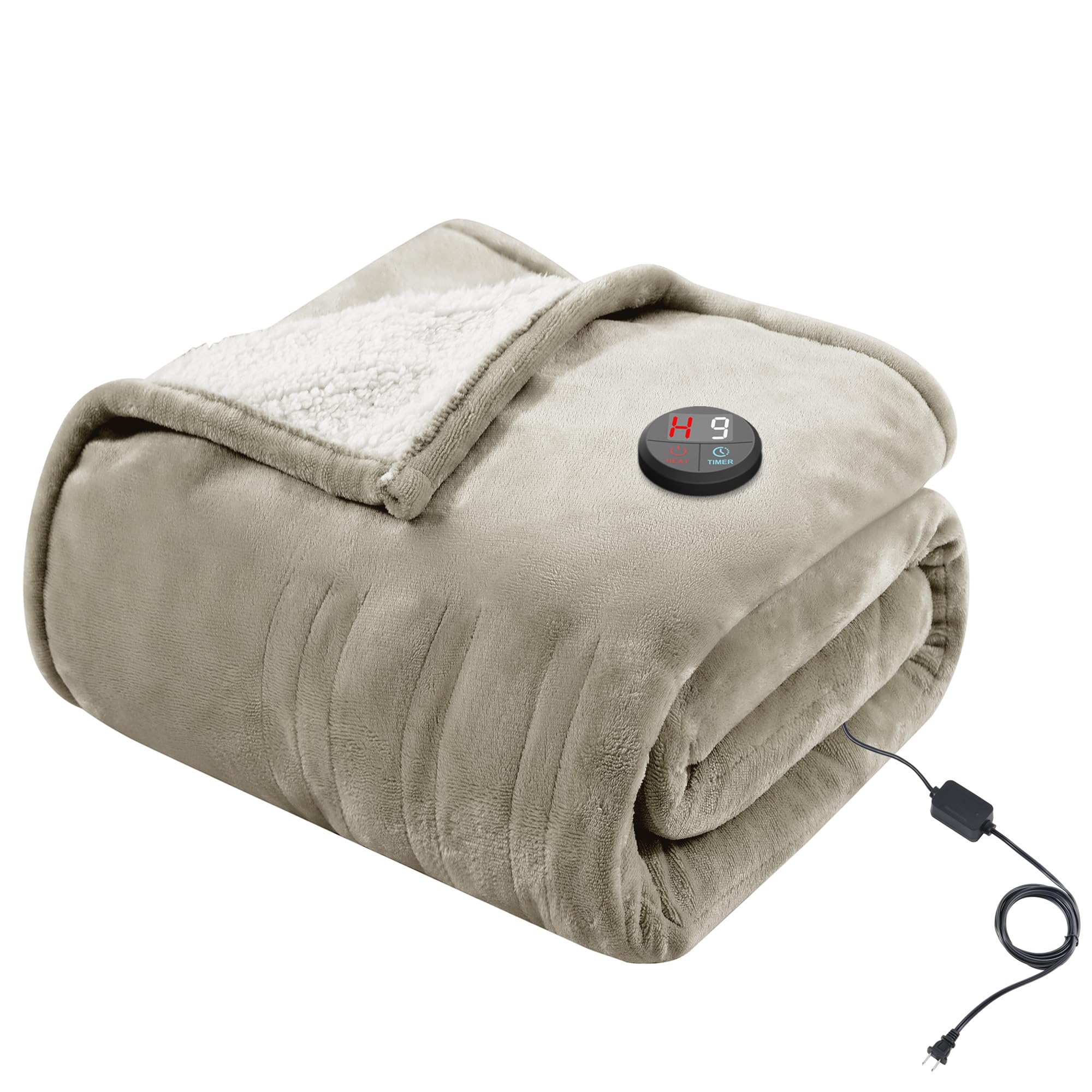
Image: The Khaki GOTCOZY Heated Blanket draped over a wicker chair, with the built-in controller visible and connected to the power cord.
Cov lus qhia ua haujlwm
The GOTCOZY Heated Blanket features a user-friendly built-in controller for easy adjustments.

Duab: Ib qho ntxaws view of the blanket's controller, displaying the 'HEAT' and 'TIMER' buttons, along with the digital readout for settings.
- Fais fab / Off: Nias lub Lub hwj chim khawm () to turn the blanket on or off. The digital display will illuminate when powered on.
- Kho Thaum tshav kub kub: Nias lub HEAT khawm () to cycle through the 10 available heating levels (1-H, where H is the highest setting). The current heat level will be shown on the display.
- Teem Sijhawm: Nias lub TIMER khawm () to select an auto shut-off time from 1 to 9 hours. The selected time will be displayed. The blanket will automatically turn off after the set time has elapsed.

Image: A person comfortably wrapped in the heated blanket, demonstrating how to easily access and adjust settings using the built-in controller.
Kev tu thiab tu
Proper care ensures the longevity and performance of your heated blanket.
- Ua ntej ntxuav: Always unplug the blanket from the wall outlet and detach the controller cord from the blanket. Allow the blanket to cool completely.
- Tshuab Ntxuav: Machine wash on a gentle cycle with cold water. Do not use bleach.
- Kev ziab: Tumble dry on low heat or line dry. Ensure the blanket is completely dry before reconnecting the controller and using it.
- Tsis Iron: Do not iron the heated blanket.
- Cia: Store the blanket in a cool, dry place. Avoid folding it tightly or placing heavy objects on it, which could damage the heating elements.

Image: A visual guide detailing the care instructions for the heated blanket, including symbols for machine washing, cold water wash, and no ironing.
Kev daws teeb meem
If you experience any issues with your GOTCOZY Heated Blanket, please review cov kev daws teeb meem hauv qab no:
- Pam tsis cua sov: Ensure the power cord is securely plugged into a working electrical outlet and the controller is firmly connected to the blanket. Check if the power button on the controller is pressed and a heat level is selected.
- Kev Tswj Xyuas Zaub Tsis Ua Haujlwm: Verify the blanket is plugged in and powered on. If the issue persists, try unplugging and re-plugging the power cord.
- Tsis siv neeg kaw-kaw: The blanket has an automatic safety shut-off feature. If it turns off unexpectedly, it might be due to the timer setting or the overheat protection system. Allow it to cool down before attempting to restart.
- Localized Hot Spots: Ensure the blanket is spread flat and not folded or bunched during use. Localized hot spots can indicate improper use.
If these steps do not resolve the issue, please refer to the complete user manual included with your product or contact GOTCOZY customer support for assistance.
Specifications
| Feature | Paub meej |
|---|---|
| Hom | GOTCOZY |
| Qauv nab npawb | TW1-GJI-F |
| Loj | 50"L x 60"W (Throw) |
| Xim | Khaki |
| Khoom siv | 100% Polyester |
| Cov qib cua sov | 10 |
| Timer Settings | 9 (1-9 hours auto shut-off) |
| Kev nyab xeeb nta | Overheat Protection System, Automatic Safety Shut-off, ETL Certified |
| Cov lus qhia saib xyuas | Machine Washable (detachable cord) |
| Cov Cheebtsam suav nrog | 1 Heated throw, 1 Power cord, 1 User manual |
Warranty thiab Support
For information regarding the product warranty, please refer to the warranty card included in your product packaging or visit the official GOTCOZY website. For customer support, technical assistance, or any inquiries, please contact GOTCOZY directly through their official channels.