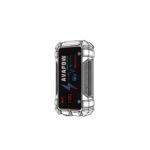
NEXPOW Q9B yooj yim thiab nyab xeeb Multi-Function Tsheb Dhia Pib Pib

Ntim Cov Ntsiab Lus
- 1 x NEXPOW Tsheb Dhia Pib Pib Roj Teeb
- 1 x Jump Clamp
- 1 x User Manual
- 1 x Txee Cov Ntaub Ntawv
- 1 × 1-In-1 Charging Cable
- 1 x Cigarette Lighter Adapter
Product Diagram

- Dhia Clamp Chaw nres nkoj
- Hloov fais fab
- Hom-C input: 5V-3A/9V-2A/12V-1.5A
- USB Tso Tawm 1: 5V-3A/9V-2A/12V-1.5A
- USB Tso Tawm 2: 5 V-2.1A
- Lub hwj chim khawm / nyem khawm
- Cov txiaj ntsig DC: 12V / 10A
Technical Specifications
| Specification | Paub meej |
|---|---|
| Roj teeb muaj peev xwm | 81.4w wb |
| Hom-C Input | 5V-3A/9V-2A/12V-1.5A |
| USB 1 | 5V-3A/9V-2A/12V-1.5A |
| USB 2 | 5 V-2.1A |
| Peak Tam sim no | 2500 A |
| DC Tso Tawm | 12V / 10A |
| Lub Sijhawm Recharge | Kwv yees li. 6 teev |
| Ua haujlwm kub | -10 ° C ~ 60 ° C |
| Cia Kub | -20 ° C - 60 ° C |
| Cia Humidity | 20% RH-80% RH (Max 40 ° C ntawm 80% RH) |
Ua ntej siv

Thov teeb lub Hwj Chim Hloov”  "rau ON
Yuav tsum qhib lub hwj chim hloovua ntej siv USB Output, DC Output, thiab teeb nyem.
Them lub roj teeb
Them nrog AC adapter. (AC adapter, tsis suav nrog)
- Txuas lub roj teeb tawm tswv yim nrog USB cable.
- Txuas USB cable rau AC adapter.
- Txuas lub AC adapter rau hauv lub hwj chim.

Nco tseg: Qhov taw qhia teeb yuav ntsais thaum nws them.
Thiab plaub qhov taw qhia teeb yuav tag nrho rau thaum nws tag nrho ch
Charging Mobile Device (Charging Smartphones, Tablets Ets.)
- Peb xav kom koj siv koj cov thawj cables los them koj cov khoom siv mobile.
- Yog tias muaj teeb meem thaum them koj lub xov tooj ntawm tes, tsis txhob siv lub roj teeb tam sim ntawd.
- NEXPOW tsis yog lub luag haujlwm rau cov khoom lag luam tsis ua haujlwm lossis kev puas tsuaj los ntawm kev siv tsis raug. Siv USB charging ports los them cov khoom siv mobile, xws li smartphone thiab ntsiav tshuaj.
- Txuas lub roj teeb pob nrog koj lub xov tooj ntawm tes los ntawm kev siv USB cables nrog.
- Tig lub roj teeb pob fais fab kom pib them. (Thov Teem Lub Hwj Chim Hloov Rau Hauv Ua Ntej.)
Yuav ua li cas them lub xov tooj txawb lossis cov khoom siv digital?
- Thawj kauj ruam:
Txuas lub USB chaw nres nkoj ntawm lub charger cable rau hauv cov khoom USB interface.
- Kauj ruam ob:
Ntxig rau sab nraud rau hauv qhov chaw nkag ntawm lub xov tooj ntawm tes. - Kauj ruam peb:
Thaum txuas OK thov teeb lub Hwj chim Hloov mus rau ON
- Kauj ruam plaub:
Nias lub hwj huam khawm kom siv nws li koj lub charger.
LED teeb nyem
- Teem lub hwj chim hloov mus rau ON, tom qab ntawd ntev-nias lub teeb nyem khawm kom qhib lub teeb nyem.
- Thaum lub teeb nyem LED qhib, nias lub pob rov mus ncig los ntawm cov teeb pom kev dav dav - blicking-SOS - strobe (xiav-liab hloov pauv) thiab OFF hom.
- Lub teeb nyem muab ntau tshaj 35 teev ntawm kev siv tas li thaum them tag nrho.

- Lub teeb nyem muab ntau tshaj 35 teev ntawm kev siv tas li thaum them tag nrho.
Ntse Jumper Cable Instruction
- Txuas lub ntsaws puv zaum rau hauv tus tswv tsev.
Lub teeb xiav yog nyob rau. Nws txhais tau hais tias lub jumper cable txuas nrog lub dhia pib yog qhov tseeb thiab npaj txhij mus txuas rau lub tsheb roj teeb.
 - Txuas lub clamps rau lub tsheb roj teeb. Liab clamp rau qhov zoo polarity (+), dub clamp rau qhov tsis zoo polarity (-).
Lub teeb ntsuab thiab lub teeb xiav yuav qhib.
Nws txhais tau tias txhua qhov kev sib txuas yog qhov tseeb, thiab koj tuaj yeem pib lub cav.
- Nias lub tsheb pib khawm lossis tig qhov hluav taws xob hloov mus rau qhov chaw pib.
- Qhov jumper cable no yog tsim los nrog kev tiv thaiv siab heev ntawm qhov taw qhia lub teeb thiab buzzer.
Lub teeb xiav yog nyob rau.
Tom qab lub tsheb pib, tshem lub jumper cable.
Lub teeb liab yog nyob rau, lub teeb xiav nyob, thiab lub suab nrov rau lub sijhawm ntev.

- Jump starter zog yog tsawg, thov recharge.
- Rov qab polarity kev twb kev txuas, thov reconnect kom raug.
- Liab thiab dub clamps yog luv-circuited, thov reconnect kom raug.
- Jumper cable dhau qhov kub thiab txias
(≥65 ÷ 5 C), tos kom txias
(≤55 ÷ 5 C) ua ntej pib tom ntej.
Yuav ua li cas dhia pib 12V tsheb?
Daim ntawv ceeb toom:
- Gasoline-powered engine muaj peev xwm mus txog 8L thiab diesel-powered engine muaj peev xwm mus txog 8L. Xyuas cov roj teeb theem ntawm qhov taw qhia LED.
- 1 lub teeb sawv cev rau 25% lub zog.
- Thaum lub roj teeb theem qis, thov them lub roj teeb ua ntej siv.
- Tig lub khawm ua haujlwm thiab xyuas kom tseeb tias nws yog tshaj 50% them.
- Yog tias lub zog tsawg dua 50%, nws yuav tsis tuaj yeem pib koj lub cav.
- Kauj ruam 1
Txuas lub jumper cable rau lub dhia pib. Yog tias qhov taw qhia lub teeb ntawm jumper cable yog xim xiav, clamp cable yog nyob rau hauv standby xwm txheej. Tam sim no lub dhia pib yog npaj txhij rau dhia-pib.
- Kauj ruam 2
Txuas lub clamp mus rau lub tsheb roj teeb. Txuas liab clamp cable rau zoo thiab dub clamp kab rau negative. Thov zam kev rov qab sib txuas. - Kauj ruam 3
Thaum lub teeb pom kev ntawm jumper cable yog xim ntsuab thiab xiav, koj tuaj yeem sim pib koj lub tsheb.
- Kauj ruam 4
Tom qab dhia-pib lub cav, tshem lub roj teeb clamp los ntawm lub tsheb roj teeb, ces tshem tawm cov clamp plug los ntawm lub jump starter
Kev daws teeb meem
Teeb meem
- Tsis muaj dab tsi tshwm sim thaum nias lub hwj chim khawm.
- Tsis muaj lus teb rau kev them nyiaj.
- Tsis muaj USB cable / puas cable clip.
Yog vim li cas
- Qhov voltage ntawm Q9B yog qhov tsawg tiag tiag thiab ua rau muaj kev tiv thaiv hluav taws xob qis kom kaw lub cuab yeej.
- Type-c data cable puas.
- Kev ntim khoom ploj / puas hauv kev thauj mus los.
Kev daws
- Txuas lub phab ntsa charger rau hauv Q9B kom rov them nws.
- Hloov hom-c cable thiab cia nws them rau 4-5 teev ua ntej saib.
- Hu rau peb pab neeg technical los hloov.
Kev qhia txog kev nyab xeeb
Ceeb toom
- Thov ua raws li cov cai tswj kev nyab xeeb thiab kev nyab xeeb hauv nroog thaum siv cov khoom no ntawm txoj kev.
- Tsis txhob rhuav tshem cov roj teeb no vim nws yuav ua rau muaj hluav taws xob poob rau hluav taws.
- Cia deb ntawm me nyuam.
- Tsis txhob kov cov khoom nrog ob txhais tes ntub.
- Tsis txhob khawb cov khoom nrog cov khoom ntse los yog kis tau cov chaw nres nkoj nrog cov plua plav. Tsis tu ncua ntxuav cov chaw nres nkoj.
- Tsis txhob siv tam sim ntawd yog tias pom muaj ntxhiab tsw phem lossis suab nrov txawv txav.
- Tsis txhob tso cov khoom lossis koj lub tsheb tsis muaj neeg saib thaum cov khoom siv.
- Xyuas kom koj lub cav raug kaw thiab koj lub tsheb nres nres ua ntej txuas cov khoom.
- Thov nthuav tawm lub coiled / khi li cable ua ntej siv.
- Khaws cov kab dub thiab liab sib cais los tiv thaiv luv luv.
- Rau koj txoj kev nyab xeeb, thov hnav hnab looj tes thaum siv cov khoom kom tsis txhob muaj hluav taws xob poob.
- Tsis txhob siv cov khoom los dhia pib koj lub tsheb thaum nws lub roj teeb puas lossis tshaj tawm.
- Tsis txhob cia lub jump cable txuas nrog lub tsheb roj teeb thaum khaws cia.
- Nyob rau hauv rooj plaub uas tshwm sim los yog muaj ntxhiab tsw phem, thov nyob deb ntawm cov khoom. Thov yaug koj ob lub qhov muag kom huv si yog tias cov kua nkag mus rau hauv koj lub qhov muag.
Ceev faj
- Tsis txhob poob, knockor smash cov khoom thiab nws cov khoom siv.
- Tshem cov cables tom qab koj ua tiav siv cov khoom.
- Khaws kom deb ntawm qhov hluav taws kub thiab kub. Tsis txhob siv yog tias lub pob roj teeb kub lossis hloov xim.
- Thaum dhia pib koj lub tsheb, thov kom paub tseeb tias lub jump cable txuas ruaj khov.
- Thov tsis txhob siv cov khoom no kom rov pib koj lub tsheb, tos tsawg kawg 30 vib nas this ua ntej lwm qhov kev sim.
- Tsis txhob siv cov khoom yog tias koj tsis dhia pib koj lub tsheb 3 zaug uake.
- Tsis txhob siv cov khoom nyob rau hauv qhov chaw ntawm lub tsheb roj teeb.
- Xyuas kom tseeb tias cov polarities yog lawm ua ntej siv. Kev sib txuas rov qab tuaj yeem ua rau koj lub tsheb puas lossis ua rau lub cuab yeej tawg.
- Thov txuas lub xov tooj liab ua ntej thaum txuas thiab tshem tawm cov kab dub ua ntej thaum txiav tawm.
- Tsis txhob tso cov khoom rau hauv dej los yog lwm yam kua. Tsis txhob siv rau hauv qhov chaw ntub dej.
- Thov rov them cov roj teeb tsawg kawg ib zaug txhua 3 lub hlis.
- Pov tseg cov khoom raws li cov cai hauv zos thiab cov cai.

FAQs
Lub ncov tam sim no ntawm NEXPOW Q9B Tsheb dhia pib yog dab tsi?
Lub NEXPOW Q9B Tsheb dhia pib muaj qhov siab tshaj tam sim no ntawm 2500A.
Hom cav twg tuaj yeem txhawb nqa NEXPOW Q9B Tsheb dhia Starter?
Lub NEXPOW Q9B Tsheb dhia pib tuaj yeem txhawb nqa txog 8.0L roj thiab 8L diesel xyaw.
Muaj pes tsawg lub teeb LED NEXPOW Q9B Tsheb Jump Starter muaj?
Lub NEXPOW Q9B Tsheb Jump Starter los nrog 4 LED teeb.
Lub peev xwm ntawm lub roj teeb nyob rau hauv NEXPOW Q9B Tsheb dhia Starter yog dab tsi?
Lub NEXPOW Q9B Tsheb Jump Starter muaj lub roj teeb muaj peev xwm ntawm 22000mAh.
Dab tsi ntxiv nta NEXPOW Q9B Tsheb Jump Starter muaj dua li dhia-pib?
Lub NEXPOW Q9B Tsheb Jump Starter muab USB Quick Charge 3.0 thiab LED teeb.
NEXPOW Q9B Lub Tsheb Jump Starter ua li cas kom cov neeg siv kev nyab xeeb thaum ua haujlwm?
Lub NEXPOW Q9B Tsheb Jump Starter yog tsim los kom muaj kev nyab xeeb thiab siv tau zoo, ua kom muaj kev nyab xeeb thaum ua haujlwm.
Lub NEXPOW Q9B Lub Tsheb dhia pib siv tau rau hauv huab cua huab cua?
NEXPOW Q9B Tsheb dhia pib yog tsim los txhim khu kev qha nyob rau hauv ntau yam huab cua puag, nrog rau cov xwm txheej heev.
Lub roj teeb muaj peev xwm ntawm NEXPOW Q9B yog dab tsi?
Lub NEXPOW Q9B nta lub roj teeb muaj peev xwm ntawm 20000mAh, uas tuaj yeem siv los them cov khoom siv hluav taws xob lossis muab ntau qhov dhia-pib ntawm ib zaug xwb.
Nws yuav siv sij hawm ntev npaum li cas kom them tag nrho NEXPOW Q9B?
Nws yuav siv li 4-5 teev kom them tag nrho NEXPOW Q9B siv lub charger suav nrog.
Dab tsi accessories tuaj nrog NEXPOW Q9B?
NEXPOW Q9B los nrog jumper cables, USB them cable, lub hnab ntim khoom, thiab phau ntawv siv.
Yuav ua li cas compact NEXPOW Q9B cia rau hauv lub tsheb?
Lub NEXPOW Q9B yog compact thiab lub teeb yuag, tsim kom yooj yim khaws cia rau hauv lub tsheb lub hnab looj tes lub thawv lossis lub thawv cia.
Hom roj teeb tshuab siv li cas NEXPOW Q9B?
NEXPOW Q9B siv lithium-polymer roj teeb thev naus laus zis, paub txog nws cov kev ua haujlwm siab thiab kev ua haujlwm ntev.
Kuv yuav ua li cas tuav NEXPOW Q9B kom ntseeg tau tias lub neej ntev?
Txhawm rau tswj hwm NEXPOW Q9B, khaws nws kom them tsawg kawg txhua peb lub hlis, khaws cia hauv qhov chaw txias thiab qhuav, thiab tsis txhob raug tshav ntuj ncaj qha rau lub sijhawm ntev.
Lub sijhawm lav zoo li cas NEXPOW Q9B muab?
NEXPOW Q9B feem ntau muaj 2-xyoo lav, tab sis nws raug pom zoo kom mus xyuas nrog tus neeg muag khoom kom paub meej cov ntsiab lus lav.
Video- NEXPOW Q9B yooj yim thiab nyab xeeb Multi-Function Tsheb dhia pib
Download tau phau ntawv no: NEXPOW Q9B yooj yim thiab nyab xeeb Multi-Function Tsheb Dhia Pib Pib Tus neeg siv phau ntawv